Session - Private Messenger
- 17.92K
- 4.6
- Installs
- 1.00M
- Price
- Free

Screenshots
Analysis by Reviewed APKs
Session - Private Messenger is built for people who want to chat without tying an account to a phone number or email address. Its focus is private messaging, with encrypted conversations, group chats, and sharing for photos, files, and voice snippets. I see it as a privacy-minded alternative for everyday conversations, especially when reducing the personal details attached to an account matters more than using every feature in a general-purpose messenger.
A quieter way to check in
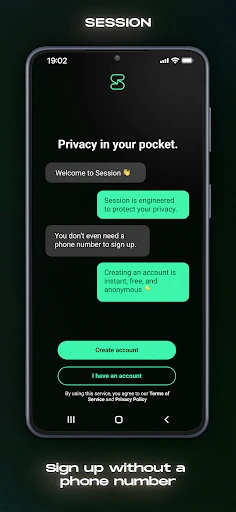
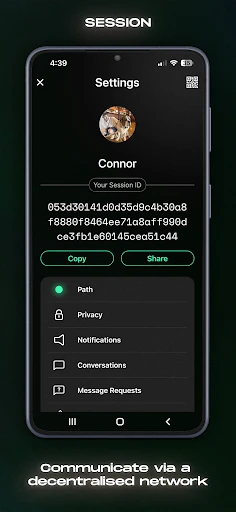
Picture a family group chat that you want to keep separate from the phone number you share elsewhere. Session lets you create an Account ID without providing a phone number or email, then use it to message friends and family. That changes the first step: instead of connecting an address book identity to an account, you can start from an identifier made for Session and share it with the people you want to reach.
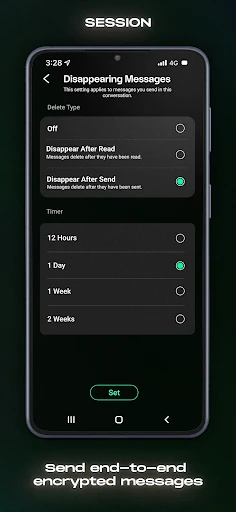
Once a conversation is going, the app supports end-to-end encrypted messages and group chats for up to 100 people. It can also handle photos, files, and voice snippets, so the exchange need not stop at text. I like that this combination suits ordinary check-ins as well as conversations where privacy is a priority. It still depends on the people you want to talk with being willing to use Session too.
Privacy over all-purpose extras
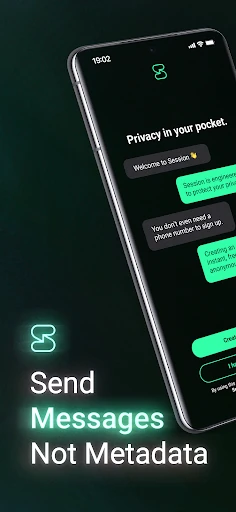
The obvious comparison is a mainstream messenger that people already use for daily conversations. Session takes a different approach to account identity and message routing: it does not require a phone number or email, and it uses a decentralized network of user-operated servers. Its stated emphasis is protecting message content and metadata, including keeping your device IP address hidden from the person you are messaging and the servers holding your data.
That focus makes Session easier to recommend as a privacy-centered messaging option than as a universal communications hub. The supplied feature details cover messaging, group chats, and sharing attachments, not video calls or a broad collection of social tools. I would not choose it expecting every feature of a large platform. It is most relevant when private text conversations and a less revealing account setup are the main goals.
Small habits that help
A useful habit is to decide who needs your Session Account ID before you start moving conversations over. Since an account can be created without a phone number or email, the ID becomes the practical way to connect with other Session users. Sharing it selectively keeps the app’s privacy-minded setup aligned with how you actually want to communicate, rather than treating a new messenger as an automatic replacement for every contact.
For a small group, I would keep the conversation focused and use the attachment options when a photo, file, or voice snippet is more useful than a long explanation. Session supports groups of up to 100 people, but a group still works best when the right participants are on board. A little coordination up front can make it easier to use Session for the conversations where its privacy approach matters most.
More From Our News Desk

Zoom Meetings, Google Meet, or Teams: Which Is Easiest to Join?

How I Build a Free Streaming Lineup With Tubi

Why Crunchyroll Is the Default Anime App for So Many Fans

YouTube TV: A Practical Guide to Cutting Cable

Rummikub and the Small Comfort of Phone Games

TeamViewer Remote Control or AnyDesk for Helping Family?
Who may enjoy Session
I would point privacy-conscious users toward Session if they want to message without registering with a phone number or email address. It also makes sense for friends, family members, or small groups who are willing to install another messenger and share Account IDs. The combination of encrypted conversations, group chats, and attachments gives it a practical role beyond one-off text exchanges, without making the privacy focus feel like an add-on.
It may be a less comfortable fit if everyone you know already expects to reach you through another service, or if you want a messenger built around a wide range of social features. Session’s strengths are specific: account privacy, protected messaging, and a decentralized network. I would try it for conversations where those priorities matter, rather than assuming it will replace every communication app in a household or workplace.
Session - Private Messenger is developed by Session Foundation, which the app description identifies as a Swiss-based foundation. On Google Play, it has over 1 million installs and a 4.6-star rating from about 17,900 ratings. The app is free to download and use, contains no ads, and offers in-app purchases priced from $4.49 to $29.99 per item.
Google Play gives the app an Everyone content rating. The minimum requirement is Android 8.0, and the current version in the supplied app details is 1.30.3. Session was released on February 4, 2020, and was last updated on January 7, 2026. The recent change note says the update addresses a few crashes.
How Session Fits Into Daily Messaging
Starting with an Account ID
My first impression of Session’s setup is that the account identity is part of the point, not just a detail to rush past. The app says an Account ID can be created without a phone number or email address. That offers a different starting point from services that identify an account through those contact details, and it gives users a choice about what information they provide to get started.
The tradeoff is that your conversations depend on connecting with other people on Session. I would treat the Account ID as something to share deliberately with the people I want to reach, rather than expecting the app to bring all existing contacts along automatically. That small change in approach is worth understanding before inviting a group or deciding which conversations to move.
Everyday conversation
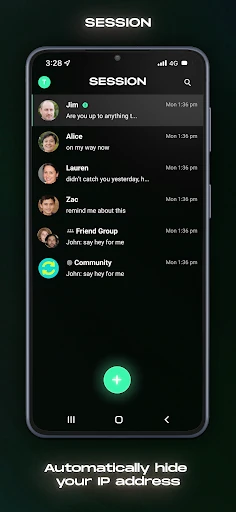
For day-to-day use, Session covers a familiar set of messaging needs: private conversations, group chats, and sharing photos, files, or voice snippets. That makes it plausible for a quick check-in, a family update, or sending something that is easier to show than describe. The app’s core experience is still messaging, which keeps its purpose clear for anyone looking for a more privacy-focused place to talk.
What stands out is the attention to metadata as well as message content. Session says it does not store, track, or log private messaging metadata, and that device IP addresses are not exposed to conversation partners or the servers holding data. Those are meaningful parts of its stated design, though they do not change the practical need to get other people onto the same app.
Privacy-minded design
Session describes its messages as end-to-end encrypted, so the service is designed to keep conversation contents private between participants. It also routes messages through a decentralized network of user-operated servers rather than relying on centralized storage. Together, those choices explain why the app’s pitch centers on privacy rather than simply adding encryption to a conventional account model.
The no-phone-number and no-email account option is another feature I would notice in ordinary use. It means you can create an Account ID without making either detail a requirement for the account. That does not make every conversation effortless—people still need a way to find and connect with one another—but it gives the service a distinct identity compared with messaging apps built around those contact details.
For sharing, Session supports group chats of up to 100 people and secure sharing of photos, files, and voice snippets. These options make the privacy approach relevant to more than short text messages. I would keep expectations to the features described: the useful point here is that common kinds of conversation and attachments fit into the same privacy-focused messenger.
A practical routine
One sensible routine would be to use Session for a particular circle of people who care about private messaging, rather than trying to switch every contact at once. I would share my Account ID with that circle, start a group for a shared topic, and use the attachment options when a photo or file belongs in the conversation. This keeps the decision to use Session tied to a real communication need.
For a group chat, it helps to remember that the app supports up to 100 participants and that everyone still needs to be part of Session for the chat to be useful. I would agree on the purpose of the group before inviting people, then keep the exchange focused. This is less about elaborate workflow tricks and more about making a privacy-oriented messenger easy to adopt together.
Limits to keep in view
The biggest everyday limitation is coordination. An account that does not rely on a phone number or email may suit privacy-conscious users, but it also means you cannot assume that everyone will find you through the contact details they already have. Session is most useful when the people you want to message are willing to join and exchange Account IDs.
Its feature set, as described, is centered on messaging, group chats, and attachments. If you are shopping for a service because you need video calls or a wider suite of communication tools, those are not features to count on from the information provided. I would compare your actual habits with Session’s focused role before making it your only messenger.
The privacy claims describe the app’s design, including encryption, decentralized routing, and metadata protections. They are important context, but they do not remove the need to choose carefully whom you communicate with or what you share. For me, Session makes the most sense as a deliberate option for conversations where its account and routing approach are a good fit.
Session - Private Messenger has a clear purpose: private messaging without requiring a phone number or email address, supported by encrypted chats, group conversations, and attachment sharing. I appreciate that its privacy approach extends to metadata and routing, rather than stopping at message content. The main practical hurdle is getting the people you want to talk with onto the same service.
I recommend giving Session a try if you value a privacy-focused account setup and have friends or groups willing to use it with you. It is less compelling as an automatic replacement for a messenger chosen mainly for broad features or an established contact network. Used for the right conversations, its focused approach is easy to understand.
Session Frequently Asked Questions
What is Session - Private Messenger used for?
Session is a messaging app for private conversations. It supports end-to-end encrypted messaging, group chats for up to 100 people, and sharing photos, files, and voice snippets. Accounts use an Account ID and do not require a phone number or email address. It is designed for people who want a privacy-focused way to chat with others using Session.
Which devices can run Session - Private Messenger?
The app details provided here are for Android, with a minimum requirement of Android 8.0. If you are considering another platform or device, availability may vary, so check the relevant store listing for current compatibility. On Android, Google Play is the place to check the latest requirements and app details before installing.
Does Session - Private Messenger cost money?
Session is free to download and use, and its Google Play details say it contains no ads. It also offers in-app purchases, with listed item prices ranging from $4.49 to $29.99. Prices and purchase options can change, so check the Google Play listing for the current details in your region before buying.
Does Session - Private Messenger require Android 8.0?
The minimum Android version given for Session - Private Messenger is Android 8.0. The app’s current version in the supplied details is 1.30.3, but requirements and compatibility can change with updates. Check Google Play on your device for the latest information about whether your particular phone or tablet can install it.
Who is Session - Private Messenger best suited to?
Session may suit people who want private messaging without registering with a phone number or email, and who can invite their contacts to use the same app. It supports group chats and common attachments, too. It may be less suitable if your priority is a broad set of communication features or if your contacts will not switch to another messenger.
Pros
- Creates an Account ID without requiring a phone number or email address.
- Supports end-to-end encrypted conversations and group chats for up to 100 people.
- Includes photo, file, and voice snippet sharing in its messaging feature set.
- Uses decentralized routing and describes protections for message metadata and IP addresses.
Cons
- Your contacts need to use Session too, so adoption takes coordination.
- The described feature set is focused on messaging rather than a broad communications suite.
- An Account ID changes how people connect with you compared with phone-based services.
- Category
- Communication
- Version
- 1.30.3











