Sengled Home
- 8.88K
- 2.7
- Installs
- —
- Price
- Free

Screenshots
Analysis by Reviewed APKs
Sengled Home is an iPhone app for controlling and organizing Sengled smart-home products, especially smart lights. I’d consider it if you already have compatible Sengled devices and want to adjust them from your phone, set lighting schedules, or group bulbs by room. Its mix of everyday controls and automation is appealing, though it’s a focused companion app rather than a general-purpose smart-home hub.
Lights on your schedule
When I picture using Sengled Home on an ordinary evening, it’s the moment I realize the living-room lights are still on after I’ve gone upstairs. The app is designed to let you check and control Sengled devices remotely, provided you have an internet connection. That makes it useful for quick adjustments away from home as well as for the familiar ritual of dimming lights before settling in for the night.
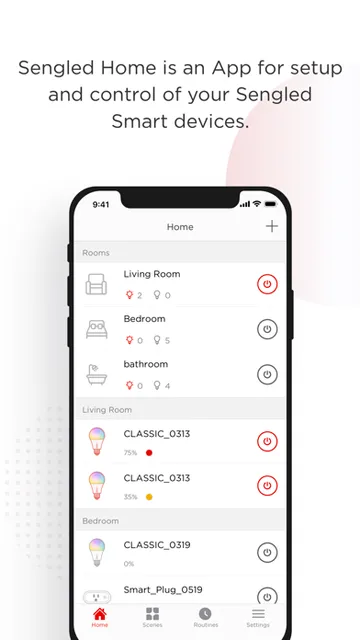
The basic idea is to bring compatible devices into one mobile control space. You can arrange bulbs into preset or custom rooms, then use scenes to control several bulbs or rooms together. For a household with Sengled lighting in a few different areas, that organization can make a routine change feel simpler than hunting for each bulb individually.
A companion, not a universal hub
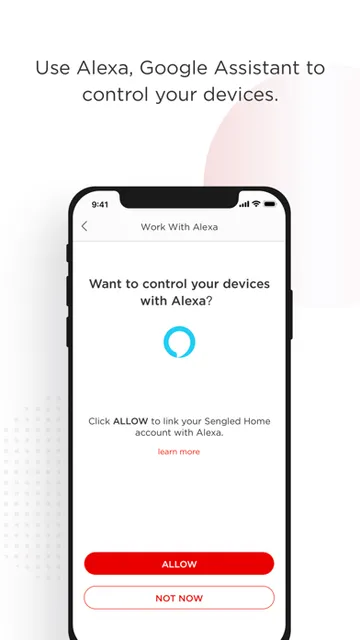
Sengled Home makes the most sense when Sengled products are already part of your home. Its job is to manage and monitor those devices, with lighting controls, room groupings, schedules, scenes, and sensor-triggered actions for supported products. It also includes help for setting up services such as Alexa, Google Assistant, and Apple HomeKit, and describes support for connecting settings with third-party programs like IFTTT.
I wouldn’t choose it as a general app for controlling every brand of smart bulb or as a replacement for a broad home-management platform. The controls and automations described are tied to Sengled devices and their capabilities. If you mainly want a simple manual switch for one ordinary light, this app and its connected hardware offer more setup and options than that job calls for.
Make routines easy to reach
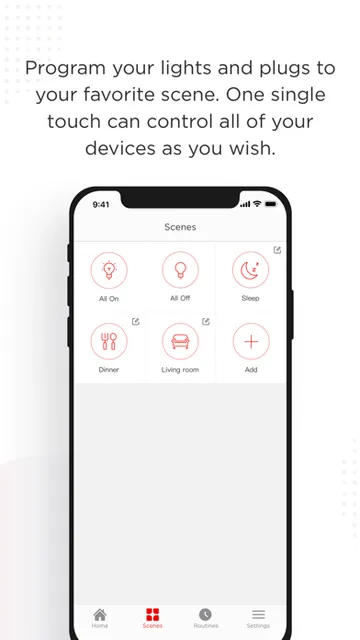
A useful habit is to group bulbs by the rooms where you actually use them, rather than leaving a long, unstructured list of devices. Once that’s done, a scene can handle a multi-bulb adjustment without repeating the same taps. The app also describes a home-page widget and scene controls, which can help make common lighting changes easier to reach during a busy day.
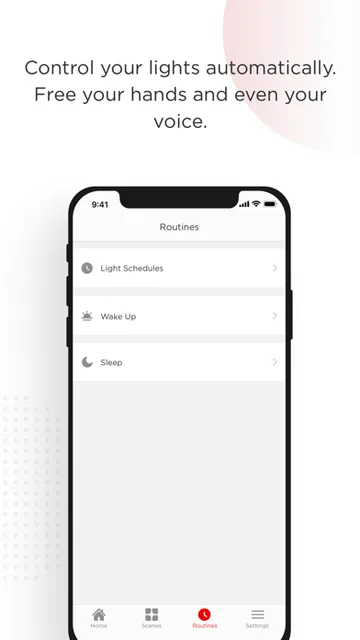
Schedules are another way to reduce repeated adjustments. You can set daily routines such as waking or sleeping, and Sengled bulbs can gradually brighten for a wake-up routine or dim later as part of a sleep schedule. If your Sengled setup includes sensors, motion events can trigger actions, too. I’d start with one routine and add complexity only when it solves a real annoyance.
More From Our News Desk

Zoom Meetings, Google Meet, or Teams: Which Is Easiest to Join?

How I Build a Free Streaming Lineup With Tubi

Why Crunchyroll Is the Default Anime App for So Many Fans

YouTube TV: A Practical Guide to Cutting Cable

Rummikub and the Small Comfort of Phone Games

TeamViewer Remote Control or AnyDesk for Helping Family?
Who will get the most from it
I’d recommend Sengled Home to people who own Sengled smart bulbs or other supported Sengled products and want a single place to manage them on an iPhone. It seems particularly useful if you have several bulbs, like room-based controls, or want lighting to follow a predictable daily schedule. Remote access, scenes, and sensor-based actions give it room to grow beyond turning a light on and off.
It may be less appealing if you don’t use Sengled products, want a platform-neutral controller, or prefer not to spend time setting up connected-device routines. The App Store rating is 2.7 out of 5 from 8,878 ratings, so I’d approach it with measured expectations and check whether its current setup suits your devices. For someone with a small Sengled setup and clear lighting needs, the focused feature set may still be worthwhile.
Sengled Home is a Lifestyle app from Sengled Optoelectronics Co., Ltd. On the Apple App Store, it has a 2.7 out of 5 rating from 8,878 ratings. The app is free to download. Its App Store age rating is 4+.
The current version is 2.8.10. It was released on November 3, 2017, and its last update was February 26, 2025. The app requires iOS 13.4 or later. Sengled Home is available for iPhone through the Apple App Store.
A closer look at daily lighting
Getting started
My first impression is that Sengled Home has a clear, practical purpose: connect Sengled products to the internet, then give you controls and monitoring from your phone. The app description emphasizes easy setup, but the overall experience still depends on having Sengled devices to connect. It’s not an app that can do much for someone who is just browsing for a standalone lighting tool.
Once devices are connected, the room arrangement gives you a way to reflect the layout of your home. I’d set up a few useful groups first, such as bedroom and living room, then check that the main controls are easy to find. A little organization at the start should make later scenes and routines easier to understand.
Everyday control
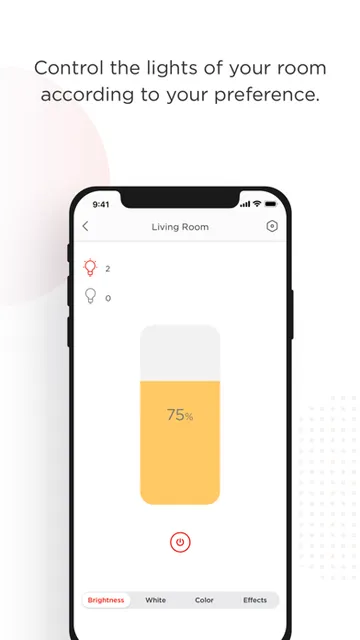
The everyday appeal is being able to change lighting without getting up to reach a switch or opening a separate control for each bulb. Sengled Home says you can adjust supported devices locally or from far away when you have internet access. For me, the more natural use would be small checks and adjustments: dimming a room, changing a bulb’s color temperature, or checking device status.
The app also describes access to most functions from its front page, alongside scene controls and a home-page widget. That approach sounds helpful for frequent, familiar actions. I’d expect the app to be most satisfying when its controls are set up around the lights and routines I actually use, rather than treating every available option as something that needs configuring.
Color, scenes, sensors
Color control is one of the more expressive features. For supported bulbs, Sengled Home describes a choice of 16 million colors and a range from warm white to daylight. That gives a person more flexibility than a basic on-off control, whether the aim is a softer evening room or brighter-feeling light during the day.
Scenes bring multiple bulbs or rooms into one lighting setup, while schedules cover recurring changes such as waking and sleeping. If your Sengled devices include motion sensors or door sensors, the app can use their events to trigger actions; motion notifications are also described. These options are tied to supported hardware, so the available automation depends on the products in your home.
There are a few additional tools for people who like to explore. The description mentions six light effects for occasions such as parties and holidays, energy-use information on a performance page, and in-app guidance for linking with Alexa, Google Assistant, Apple HomeKit, and more. It also describes carrying settings into third-party programs such as IFTTT.
A calmer evening routine
A practical way to use Sengled Home is to build one evening scene for the rooms you use most. After grouping the relevant bulbs, you can create a scene for multi-bulb or multi-room control. Instead of adjusting each light when you’re ready to relax, that saved setup gives you a repeatable starting point. You can still make individual changes when the occasion calls for them.
A sleep routine can add another step: Sengled says its bulbs can stay at night-light levels before dimming later. A wake-up schedule can use gradual brightening instead. I’d treat these as conveniences to shape around an existing routine, not a reason to make the setup elaborate. The best automation is the one that quietly handles a task you would otherwise repeat.
Keep expectations focused
The biggest limitation is its product focus. Sengled Home is built to manage Sengled smart products, and the more advanced options depend on the right supported lights or sensors. People with mixed-brand equipment should not assume this will become a control center for everything in the house. The app’s 2.7 rating from 8,878 App Store ratings is another reason to check recent user feedback before relying on it.
There’s also a difference between having many options and needing them. Color palettes, scenes, schedules, wake and sleep controls, sensor actions, and energy information can be useful, but they may feel like extra setup if all you want is a quick manual change. I’d keep the first configuration modest and see whether the controls fit naturally into your home.
Sengled Home offers a fairly broad set of controls for a specific job: managing Sengled smart products from an iPhone. Room groups, scenes, schedules, remote control, and supported sensor actions can make lighting more convenient once the devices are in place. It’s most compelling when those features solve everyday tasks rather than becoming a project of their own.
I’d give it a look if you already own Sengled devices and want more than basic on-and-off control. If you need a cross-brand smart-home app or don’t have Sengled hardware, it’s probably not the right fit. Check current App Store details and device compatibility before building a routine around it.
Sengled Home Frequently Asked Questions
What is Sengled Home used for?
Sengled Home is used to control, manage, and monitor Sengled smart products from a mobile app. Its described features include remote device control, room groupings, color and color-temperature adjustments for supported bulbs, scenes, schedules, and actions triggered by compatible sensors. It is most relevant to people who already have Sengled devices.
Which devices can run Sengled Home?
Sengled Home is available for iPhone through the Apple App Store and requires iOS 13.4 or later. It is designed for managing Sengled smart products. Check the App Store page and product information for current compatibility details, since supported devices and requirements can vary.
Does Sengled Home work on Android?
The app details here are for its iPhone release through the Apple App Store. For current platform availability, check Sengled Home’s store information. The features described are for managing Sengled smart products, so make sure the app and your devices are compatible before relying on a particular setup.
Does Sengled Home cost anything?
Sengled Home is free to download from the Apple App Store. The available price or purchase details can vary over time, so check the current App Store page before downloading. The app is designed to control Sengled products, which are separate devices.
Is Sengled Home right for my smart lights?
I’d consider it if your lights and other smart products are from Sengled and you want features such as room groups, scenes, and schedules. It may not suit a mixed-brand setup or someone who only needs a basic switch. Check the app’s current compatibility information for your particular Sengled devices.
Pros
- Groups Sengled bulbs into rooms and supports scenes for controlling multiple lights together.
- Offers schedules, wake and sleep lighting routines, and supported sensor-triggered actions.
- Includes color and color-temperature controls for compatible Sengled smart bulbs.
- Can control and check supported devices remotely when an internet connection is available.
Cons
- Its usefulness depends on having Sengled smart products and compatible devices.
- The number of routines and controls may be unnecessary for simple lighting needs.
- Its App Store rating is 2.7 out of 5 from 8,878 ratings.
- Category
- Lifestyle
- Version
- 2.8.10











