Secure Folder : Private Vault
- 708
- 4.5
- Installs
- —
- Price
- Free
Screenshots
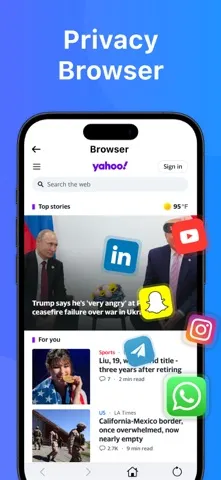
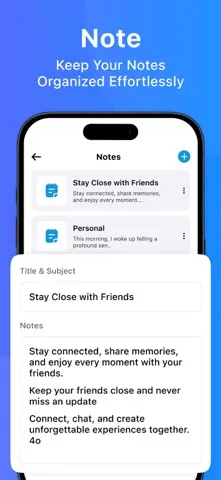
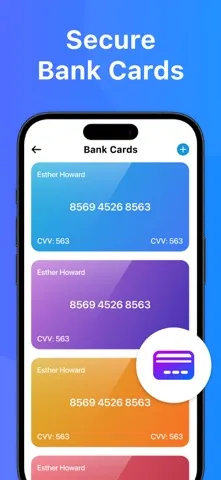
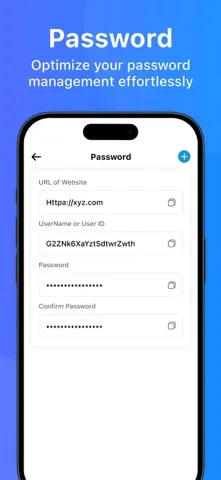
Analysis by Reviewed APKs
Secure Folder : Private Vault is an iPhone app for keeping photos, videos, contacts, and notes in a password-protected private space. I see it as a practical option for people who want certain personal items separated from their everyday phone content without adopting a broader security suite. Its purpose is clear and focused, though its usefulness depends on whether you want a simple vault rather than a full file-management or device-protection tool.
A Private Place for Personal Items
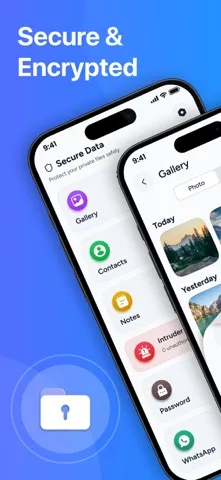
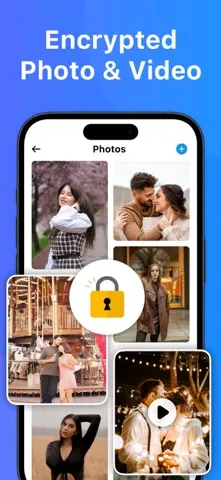
Imagine handing your phone to someone to show them a photo, then remembering there are other pictures you would rather keep private. Secure Folder is aimed at that sort of everyday concern: it gives you a password-locked place for photos and videos, along with contacts and notes. The idea is to move selected personal material out of your usual browsing routine and keep it in a separate, protected space.
I would use an app like this selectively, rather than treating it as a second home for everything on my phone. A few personal photos, a note I want to keep private, or contact details I prefer to separate are easier to manage when the purpose is narrow. Secure Folder describes quick access as part of the experience, so the aim is privacy without turning retrieval into a drawn-out process.
A Vault, Not a Full Security Suite
The obvious alternatives are the phone’s built-in ways of organizing content, or simply keeping private items in their usual apps. Secure Folder’s distinction is its dedicated password-protected space for several types of personal content. That can be useful when you want photos, videos, contacts, and notes handled together. It is a more focused proposition than a general-purpose file manager, and it does not present itself as one.
I would not treat it as an all-purpose defense for a phone, a backup service, or a work-and-personal app isolation system. The described features center on storing and retrieving selected content in a private vault. If your main need is syncing files across devices, managing documents, or separating whole app environments, those are different jobs. Keeping that boundary in mind makes it easier to judge whether this app fits.
Keep the Vault Deliberate
A small, deliberate collection is likely easier to live with than a vault filled with every item that might someday matter. I would start with the kinds of content the app is designed for, then add only what I genuinely want kept apart: photos, videos, contacts, or notes. That keeps the private area useful and reduces the chance that it becomes another cluttered place I have to search.
It also helps to think about retrieval before adding something. A private note is most useful if I can find it when I need it, and a photo is less convenient if I forget where I put it. Secure Folder describes quick access, but the strongest habit is still being consistent about what belongs in the vault. I would make occasional checks of its contents part of my normal phone tidy-up.
More From Our News Desk

Zoom Meetings, Google Meet, or Teams: Which Is Easiest to Join?

How I Build a Free Streaming Lineup With Tubi

Why Crunchyroll Is the Default Anime App for So Many Fans

YouTube TV: A Practical Guide to Cutting Cable

Rummikub and the Small Comfort of Phone Games

TeamViewer Remote Control or AnyDesk for Helping Family?
Who Might Find It Useful
I would recommend Secure Folder to iPhone users who want a straightforward place for personal photos, videos, contacts, or notes behind a password. Its appeal is strongest if you have a clear set of items to keep private and prefer a dedicated vault to leaving them mixed into your regular content. It is also a reasonable fit for someone who values a focused tool over a large collection of extra features.
It may not suit people looking for a complete phone-security package, cross-device file organization, or a way to isolate entire work and personal app setups. The description is about safeguarding selected content, not replacing those broader tools. Anyone who rarely needs to hide or separate personal items may find a dedicated vault unnecessary. I would also consider whether maintaining another private space fits comfortably into your usual phone habits.
Secure Folder : Private Vault is an iOS app by Lakkad Dharmesh. On the Apple App Store, it has a 4.5-star rating from 708 ratings. It is free to download, and its age rating is 4+. The app is designed for iPhone users who want a password-protected place for photos, videos, contacts, and notes.
The App Store lists version 7.0. The app was released on March 28, 2025, and its most recent update is dated August 14, 2026. It requires iOS 15.6 or later. These details give iPhone users a quick compatibility check before deciding whether to try the vault.
A Closer Look at the Private Vault
A Focused First Impression
When I first looked at Secure Folder, the appeal was how plainly it defines its job: keep selected personal material in a password-protected space. It is not framed as a social app or a complicated productivity system. The supported content types—photos, videos, contacts, and notes—make the intended use easy to understand before you decide whether it belongs in your routine.
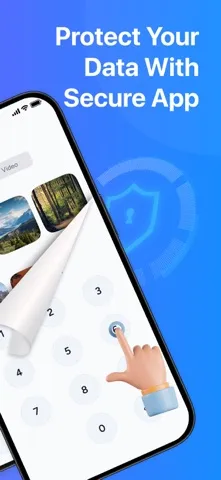
Getting started means thinking about what you want to keep private and whether your iPhone meets the iOS 15.6 requirement. The description emphasizes access through a private password and presents the vault as a place to store and manage content. I would approach setup with a short list of items in mind, rather than treating the app as a reason to reorganize my entire phone.
Using It Day to Day
The everyday appeal is having a separate destination for selected items. If I have a personal photo or a note I do not want mixed into my regular content, a private vault gives that material a defined place. Secure Folder also includes contacts among its supported content, which broadens its role beyond a photo hiding tool while keeping the overall purpose centered on privacy.
What matters in daily use is the balance between keeping something private and being able to retrieve it. The app describes quick access as a feature, so its intended experience is not just storage and forgetfulness. I would still keep the collection purposeful: when a vault contains only the things I meant to set aside, it is easier to remember why each item is there.
Notes Alongside Media
The inclusion of hidden notes is one of the more useful details. Photos and videos are the obvious items people associate with a private vault, but a note can hold a thought or detail I want to keep separate as well. Secure Folder describes notes as part of its offering, making the app a little more versatile than a space intended only for visual media.
The app also describes its storage as encrypted and protected by a strong password. That is a meaningful part of its privacy pitch, though I would keep my expectations specific to what is described: the app is for protecting content placed in its vault. It is not a substitute for thinking carefully about what information I store on a phone in the first place.
A Simple Personal Routine
A routine I could see working is adding an item when I first decide it belongs in a private space, rather than postponing the move and forgetting about it. For example, after taking a personal photo I want to keep separate, I could place it in the vault then. The same approach applies to a contact or note: decide on its purpose and keep it with similar private material.
Every so often, I would review what I have stored and remove anything that no longer needs that extra separation. This is not about constantly tending an app; it is a small housekeeping habit that keeps the vault from becoming a pile of forgotten files. A consistent approach also makes the app’s quick-access goal more realistic, because I have a better sense of what I put there.
Limits to Keep in Mind
Secure Folder’s focused scope is both its strength and its main limitation. The described content types are photos, videos, contacts, and notes. If I wanted a broader file organizer or an environment that keeps entire apps separate, this would not be the tool I would expect to solve that problem. Its job is narrower: provide a private, password-protected place for selected personal content.
The description calls out encryption and privacy, but it does not make this a reason to store every sensitive detail without thought. I would still be selective about what I keep on my device and make sure the app’s approach matches my needs. The App Store details also matter in practical terms: this is an iOS app requiring version 15.6 or later, rather than a tool for every phone platform.
Secure Folder : Private Vault makes sense as a focused iPhone utility for people who want selected photos, videos, contacts, and notes kept in a password-protected space. I like that its purpose is easy to grasp and that notes sit alongside media. Its narrow scope is worth understanding before downloading, but it does not need to be a full security suite to be useful.
I would try it if I had a clear set of personal items to separate and an iPhone running iOS 15.6 or later. If I needed broader device protection, app isolation, or general file management, I would look for a tool built around those needs instead. For a simple private vault, this one is a reasonable option to consider.
Secure Folder Frequently Asked Questions
What is Secure Folder : Private Vault used for?
Secure Folder : Private Vault is designed to keep photos, videos, contacts, and notes in a private space protected by a password. Its description also mentions encrypted storage and quick access to stored content. It is best understood as a vault for selected personal items, rather than a general file manager or a complete phone-security suite.
Which devices can run Secure Folder : Private Vault?
Secure Folder : Private Vault is an iOS app available through the Apple App Store. It requires iOS 15.6 or later, so an iPhone needs to meet that software requirement. It is not presented as an Android or desktop app. Check the App Store page for current device compatibility details before downloading.
What iOS version does Secure Folder : Private Vault require?
The listed minimum requirement for Secure Folder : Private Vault is iOS 15.6. If your iPhone runs an earlier version, check the App Store page for the latest compatibility information and consider whether your device can meet the requirement. The app’s current listed version is 7.0.
Is Secure Folder : Private Vault free?
Secure Folder : Private Vault is listed as free to download on the Apple App Store. Details about any optional purchases or other costs may vary, so it is worth checking the store page for the latest pricing information before installing or using the app.
Who should use Secure Folder : Private Vault?
It may suit iPhone users who want a password-protected place for selected photos, videos, contacts, or notes. People looking for a broader file manager, work-and-personal app separation, or a complete device-security tool may want something designed specifically for those needs. The app has a 4+ age rating on the App Store.
Pros
- Keeps photos, videos, contacts, and notes together in a dedicated private vault.
- Uses password protection and describes its stored content as encrypted.
- A focused purpose makes it easy to understand who might benefit.
- Free to download and rated 4.5 stars from 708 App Store ratings.
Cons
- Its focus on selected content may not suit broader security or file-management needs.
- Requires iOS 15.6 or later, excluding older iPhone software versions.
- A separate vault adds another place to remember when retrieving personal items.
- Category
- Tools
- Version
- 7.0











