Search By Image: Multi Engines
- 222
- 4.4
- Installs
- —
- Price
- Free

Screenshots
Analysis by Reviewed APKs
Search By Image: Multi Engines is an iOS tool for finding visually similar pictures and related information using a photo, image URL, or keyword. It suits people who come across an unfamiliar picture and want to look for other versions or appearances elsewhere online. I like the focused idea: it puts several image-search routes in one place, though its usefulness depends on how often visual lookup fits your routine.
When a Picture Raises Questions
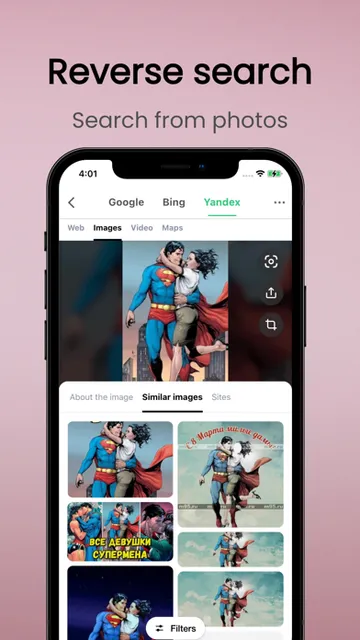
Imagine a photo arriving in a group chat with no useful caption. I would open Search By Image, choose the picture from my album, and use it to look for visually similar results around the web. That can help when I want to see whether the same image appears in other sizes or on other websites, rather than trying to describe every detail in a text search.
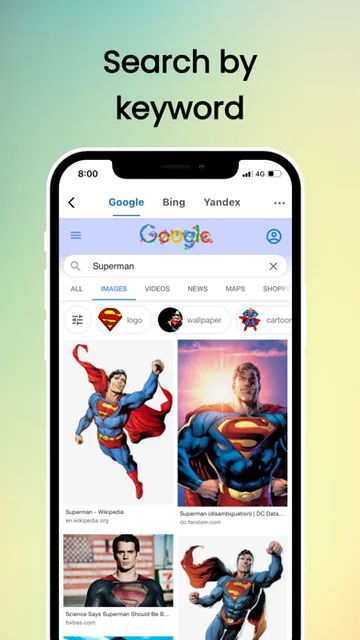
The app also supports searching by keyword and by an image URL, so the starting point does not always have to be a saved photo. I can see the appeal during ordinary browsing: a picture catches my eye, I want context, and I need a way to search visually. It is a direct tool for that specific question, not an all-purpose photo editor or social feed.
A Narrow Tool, Not a Browser
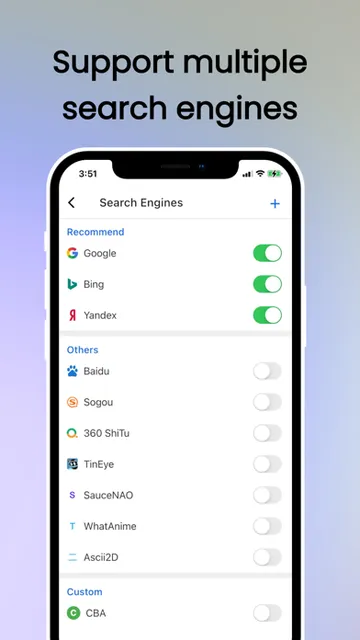
Compared with typing a description into a standard search engine, searching from the image itself can be more convenient when I cannot easily name what I am seeing. Search By Image brings multiple search engines together and lets me choose a default, which makes it more specialized than simply opening a browser and starting from scratch. It also offers different ways to open results, including its built-in browser, Chrome custom tabs, or a browser app.
That focus is also its boundary. The described job is to find similar images and related information, not to edit pictures, organize an album, or explain every detail of a photograph. I would not treat visual matches as a complete answer by themselves; they are search results to inspect. If I already know the right words to search, an ordinary keyword search may be the simpler route.
Make Searches Easier to Repeat
A small habit that helps is deciding which version of a picture to search before starting. If it is already in my camera roll, selecting it from an album is straightforward; if I have the image address, the URL option avoids saving another copy just for the search. When the picture is difficult to identify visually, the keyword search gives me another way into the same general task.
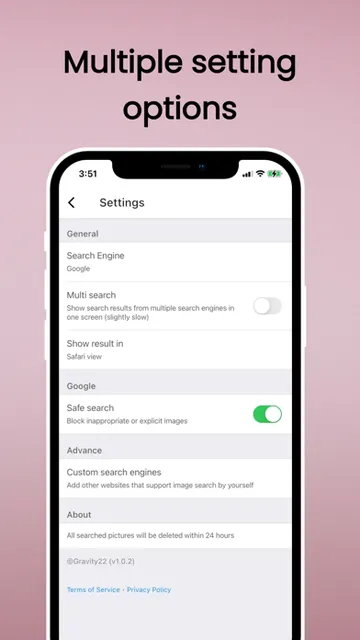
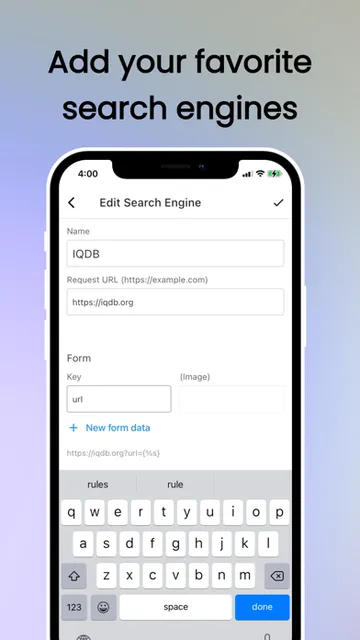
I would also take a moment to choose a default search engine and a results-opening method that suits my browsing habits. The app supports custom search engines, so people with a particular search destination in mind have room to tailor the setup. These choices matter most if image lookup is something I do repeatedly; for a one-off search, the basic image or URL route is likely enough.
More From Our News Desk

Zoom Meetings, Google Meet, or Teams: Which Is Easiest to Join?

How I Build a Free Streaming Lineup With Tubi

Why Crunchyroll Is the Default Anime App for So Many Fans

YouTube TV: A Practical Guide to Cutting Cable

Rummikub and the Small Comfort of Phone Games

TeamViewer Remote Control or AnyDesk for Helping Family?
Who Might Find It Useful
I would recommend Search By Image to curious mobile users who often want to trace a picture, find similar versions, or look for related information without first finding the perfect words. It makes sense for someone who saves images, receives pictures in messages, or encounters visuals while browsing and wants a dedicated way to search from them. The choice of multiple engines and custom search support adds flexibility for regular users.
It may be less appealing if image search is an occasional need, or if what you really want is photo editing, file management, or a broad research workspace. The app is centered on looking up images and viewing results, so its value comes from that focused task. I would also keep expectations practical: a visual search can surface useful leads, but users still need to judge whether a result is relevant.
Search By Image: Multi Engines is an iOS app from developer 凯 王. On the App Store, it has a 4.4 out of 5 rating from 222 ratings. It is free to download. The store assigns it a 17+ content rating, and its listed version is 2.1.39653.
The app was released on December 17, 2020, and its last recorded update was July 29, 2022. It requires iOS 11.0 or later. Those are the practical details I would check before installing, especially if I use an older device; availability and current compatibility can depend on the App Store and device.
A Closer Look at Image Search
A Direct First Step
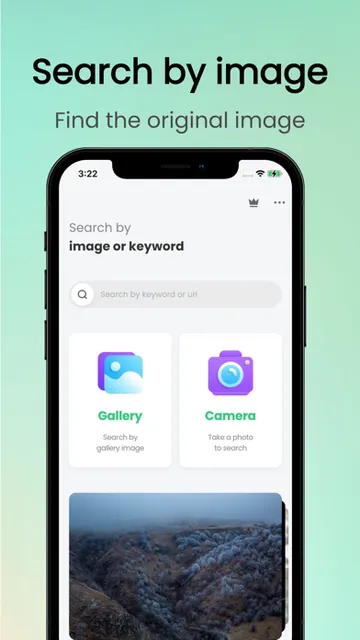
When I first open an image-search tool, I want the first action to be obvious: provide a picture and search. Search By Image is built around that simple premise. Its supported starting points include a photo selected from an album, a camera picture, a keyword, or an image URL. That range gives me a few practical ways to begin without turning the app into a more complicated research suite.
The setup choices that stand out from the description are selecting a default search engine and deciding how results should open. I would consider those early if I expected to return often, since a comfortable results path can make repeated searches less fiddly. For occasional use, I would start with the image itself and explore those preferences only if the default flow did not suit me.
The Everyday Search Loop
The central routine is easy to picture: choose an image, send it into a search, then review related results. The app is intended to find visually similar pictures from around the web, including other sizes of the same photo and images used on other websites. That makes it a useful companion when a picture is the clue I have, rather than a carefully worded query.
I appreciate that the app does not limit the search to a single input style. A keyword can help when I know something about the subject, while an image URL can be handy when the picture is already online. Multiple search engines offer another route through the same task. The basic experience is therefore less about learning a complex system and more about choosing the right starting point.
Several Ways to Search
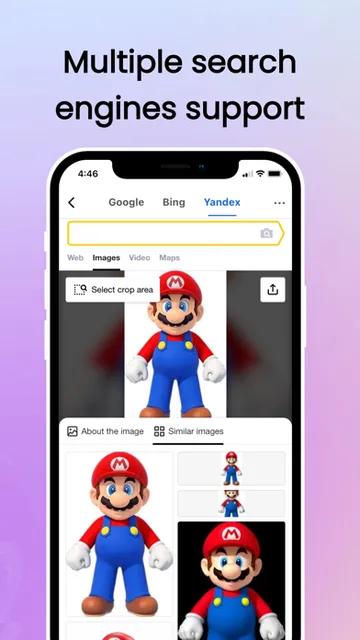
The multi-engine approach is the feature that most clearly distinguishes this app from a single-purpose image lookup. I can choose a default search engine, and the description says custom search engines are supported without a stated limit. That flexibility may appeal to people who have a preferred destination or want to experiment with different search sources rather than relying on just one.
There are also several options for opening results: the built-in browser, Chrome custom tabs, or a browser app. Google Safe Search is included as well. These are practical options, not a promise that every search will return the same coverage or quality. I would treat them as ways to shape the search experience and then assess each set of results on its own merits.
A Practical Picture Check
For a simple routine, I would use the app when a picture prompts a specific question: have I seen this image elsewhere, is there a larger or different-sized version, or what related pages might use it? I would select the image from an album when it is already saved, or use its URL when I have the address. If the image alone is not enough, I would try a keyword search as a second route.
After a search, I would open the results in whichever option feels comfortable for that session. The app supports an internal browser, Chrome custom tabs, and a browser app, so the choice can reflect how I prefer to read pages. This kind of repeatable workflow keeps the app in its lane: it helps find leads from a visual starting point, while I decide which results are actually useful.
Keep Its Scope in Mind
Search By Image is specialized, and that is both its appeal and its main limitation. It is made for image search, not for editing a photo, building a catalog, or replacing a general web browser. If I only need to look up a picture once in a while, opening a browser and searching there may be sufficient. The dedicated app is more compelling when I expect to use its image, URL, and engine options regularly.
Search results are still results, not a final explanation of what a picture means or where it came from. Similar images and pages can be helpful starting points, but I would look at the actual sources before drawing conclusions. The app's usefulness also depends on whether a suitable image or URL is available and whether its search routes return relevant matches for that particular query.
Search By Image: Multi Engines has a clear purpose: turn a photo, URL, or keyword into a visual search, with multiple engines and several ways to open results. I like the flexibility for people who make image lookup part of their regular browsing, while recognizing that it is a niche utility rather than a complete research or photo tool.
I would try it if I often want to find similar pictures or follow up on an image I encounter. If that need rarely comes up, a regular browser search may be enough. For frequent visual searches, the mix of input methods and engine choices makes this a focused option worth considering.
Search By Image Frequently Asked Questions
What is Search By Image: Multi Engines used for?
Search By Image: Multi Engines is used to look for visually similar pictures and related information. It supports searches from photos selected from albums or cameras, keywords, and image URLs. The app also supports multiple search engines, a default engine choice, custom search engines, and several ways to open results. Its focus is image lookup rather than photo editing or album organization.
Which devices can run Search By Image: Multi Engines?
The app is for iOS and requires iOS 11.0 or later. The App Store is the relevant place to check current compatibility for a particular device, since requirements and availability can vary over time. It supports image selection from albums and cameras, and searches can also begin with a keyword or image URL.
Does Search By Image: Multi Engines cost money?
Search By Image: Multi Engines is free to download on the App Store. Check its current store page for any changes to availability or terms before installing. The app description focuses on image searches using several engines, custom search support, and different ways to open results.
Does Search By Image: Multi Engines have in-app purchases?
The available app details do not provide an in-app purchase price. For the most current information about purchases or other store terms, check the App Store page for Search By Image: Multi Engines. The app is listed as free to download, and its core described purpose is searching by image, keyword, or image URL.
Who is Search By Image: Multi Engines best suited to?
It is best suited to people who regularly want to find similar images or related pages from a picture, URL, or keyword. Multiple search engines and custom search support offer useful flexibility for that focused task. It may not suit someone looking for a photo editor, a general browser replacement, or a broad-purpose research app.
Pros
- Search from an album photo, camera picture, keyword, or image URL.
- Multiple search engines and custom search support offer flexibility.
- Choose a default engine and how search results open.
- Google Safe Search is included among the supported features.
Cons
- Its focused image-search purpose may be unnecessary for occasional lookups.
- Search results are leads to review, not definitive explanations of an image.
- The listed update dates to 2022, so check current compatibility in the App Store.
- Category
- Tools
- Version
- 2.1.39653











