Scratch
- 14.15K
- 3.8
- Installs
- 1.00M
- Price
- Free

Screenshots
Analysis by Reviewed APKs
Scratch is a creative coding app for making interactive stories, games, and animations, aimed especially at kids and the classrooms and families supporting them. I like that it gives a project a clear purpose: make something, test it, and share it. It feels more like a creative workshop than a traditional lesson, though the tablet-focused experience may not suit every device or workflow.
A Small Story Takes Shape
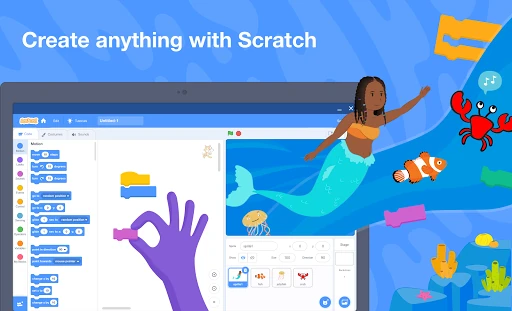
Picture a quiet afternoon when a child wants to make a short story rather than watch another video. In Scratch, they can choose characters and a backdrop, then build an interactive scene that responds as it plays. I like how that turns a vague idea into a project with tangible pieces to work on. The app is not just for viewing finished animations; its central appeal is making something of your own.
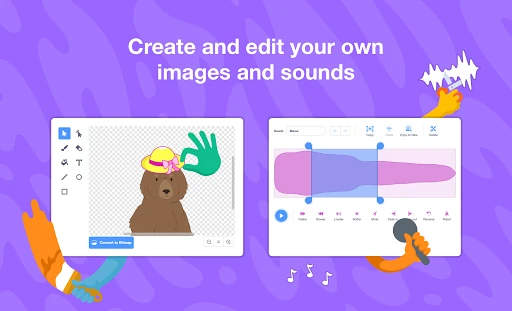
A useful rhythm is to start with one simple scene, add a character and sound, and keep testing the result as the idea develops. Scratch lets creators choose from libraries of characters, backdrops, and sounds, or make their own and record audio. When I think about using it at home, the best part is that a small project can feel complete without needing to become a sprawling game.
A Creative Alternative
Scratch sits between a coding lesson and a blank-page art tool. It gives users a way to build stories, games, and animations while making choices about how the pieces work together. Compared with simply watching a tutorial or playing a finished game, the emphasis is on creating and experimenting. The included tutorials can help a beginner get moving, while the open-ended project format leaves room to follow an idea beyond a fixed lesson.
It is not a general-purpose drawing app, a library of ready-made games, or a replacement for every kind of computer-based coding work. The description specifically frames this app for Chrome and Android tablets, so I would think of it as a tablet-centered creative tool. Someone who only wants a quick entertainment app may find the making process is the point, not an extra feature on the way to something else.
Make the Most of Projects
I would get more out of Scratch by keeping the first project small. A single character, a backdrop, and one clear interaction give a new creator something manageable to test. Once that works, adding a sound or another scene feels like a purposeful next step rather than a pile of options. Tutorials are there for people who want a starting point or a nudge toward a new technique.
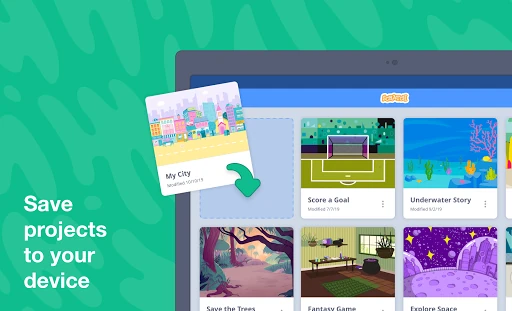
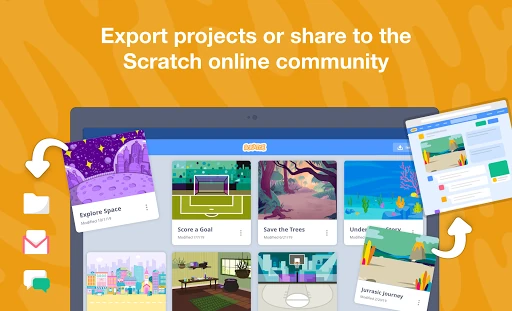
It also helps to decide early whether a project is just for personal practice or something to share. Scratch supports creating and saving projects offline, exporting and sharing them with friends and family, and sharing to its global creator community with an account. That makes it practical to work on an idea without an internet connection, then choose how to show it when ready.
More From Our News Desk

Zoom Meetings, Google Meet, or Teams: Which Is Easiest to Join?

How I Build a Free Streaming Lineup With Tubi

Why Crunchyroll Is the Default Anime App for So Many Fans

YouTube TV: A Practical Guide to Cutting Cable

Rummikub and the Small Comfort of Phone Games

TeamViewer Remote Control or AnyDesk for Helping Family?
Who may enjoy Scratch
I would recommend Scratch to kids who like inventing characters, making up stories, or wondering how games and animations are put together. It also looks useful for families and educators who want a creative activity with room for experimentation. The projects can be shared with friends, a classroom, or the wider Scratch community, so it suits learners who enjoy showing what they have made as well as building it.
It may be a weaker fit for someone who wants a polished game to play immediately, or for a creator who needs a full desktop production workflow. Scratch asks users to spend time making, adjusting, and testing their own projects. The app is described for Chrome and Android tablets, which is worth keeping in mind if your preferred device or working style is different.
Scratch is an education app from Scratch Foundation. On Google Play it has over one million installs and a 3.8-star rating from about 14,000 ratings. The app is free, with no in-app purchases and no ads. Its content rating is Everyone, making the store's age classification straightforward for families considering it.
The app was released on November 12, 2019, and its latest recorded update was June 2, 2025. The Android version requirement and current app version can vary, so check Google Play for the details that apply to your device. The description identifies the app as the official Scratch app for Chrome and Android tablets.
Making Ideas Work on a Tablet
A Welcoming Starting Point
When I first opened Scratch, the broad promise was easy to understand: use it to make stories, games, and animations. That variety gives a new user a few different ways into the app. Someone drawn to characters can begin with a story; someone more interested in play can aim for a game. The range makes it easier to choose a project based on an actual interest rather than a lesson title.
The app offers libraries of characters, backdrops, and sounds, with options to create characters and backdrops or record sounds yourself. That mix matters for getting started: a beginner can work with available material, while a more ambitious creator can personalize the result. I would treat the first session as a chance to explore those ingredients and settle on a small idea, not as a test of how much can be made at once.
The Everyday Creative Loop
The day-to-day appeal is the loop of making a change, seeing how a project behaves, and deciding what to try next. Scratch is built around creating interactive work, so the user is actively shaping the result rather than passively consuming it. That makes even a modest project useful as a creative exercise: the finished piece can reflect a personal idea, and revisions are part of the process.
I also appreciate that Scratch can be used offline to create and save projects. That can be handy during a car ride, in a classroom with limited connectivity, or at home when the internet is being used elsewhere. Sharing options provide a separate next step: a creator can export and share a project with people they know, or use an account to share with the global community.
Useful Creative Ingredients
The feature set is strongest when its ingredients work together. A character, setting, and sound can turn a bare idea into a more expressive story or animation, while an interactive game gives those same elements a different job. Scratch includes libraries to draw from and lets users create their own characters and backdrops, so a project can start quickly without being locked into a single look.
Sound has a similarly practical role. Users can select from a sound library or record their own, which gives a project another way to feel personal. I can imagine a child recording a line for a character or choosing a sound to mark a moment in a story. These are small creative choices, but they help make the result feel authored rather than assembled from a fixed template.
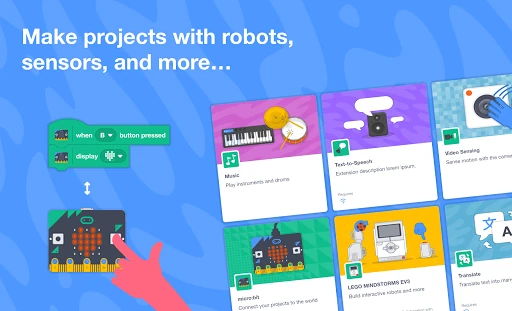
The app also describes connections to physical devices such as micro:bit, Makey Makey, LEGO MINDSTORMS, and a computer's webcam. That possibility expands the idea beyond the tablet screen for users with compatible equipment. I would see it as an additional direction to explore, rather than a requirement for enjoying the basic experience of making stories, games, and animations.
A Classroom or Home Routine
For a practical routine, I would set aside a short session to choose a project idea, then focus on one improvement at a time. A learner could begin with a character and backdrop, make a simple story or game, and add a sound after the main idea is working. Keeping that order makes the work easier to follow and gives the creator a visible sense of progress without needing a large assignment.
Educators have access to Scratch resources intended to help bring the app into a classroom, and the app also points users toward tutorials for getting started or going further. I like that those supports can sit alongside open-ended projects rather than replacing them. A student can follow guidance when stuck, then return to their own idea and make choices that give the project a distinct direction.
Keep the Scope in Mind
Scratch's open-ended nature is both its main strength and a small challenge. A child who expects an instantly playable game may need help understanding that the fun is in creating one. I would begin with a clearly limited goal and offer guidance if the blank canvas feels overwhelming. The app can support tutorials, but a curious beginner may still benefit from someone nearby to help turn a broad idea into a first step.
The app is described for Chrome and Android tablets, so device fit matters. Its Android requirement and version can vary, and I would check the current store details before planning around a particular tablet. Sharing to the global Scratch community requires an account, while offline creation and saving provide a way to keep working without connectivity. Those distinctions are useful to know when deciding how a project will be used.
Scratch works best for people who want to make something, not just open an app and be entertained. Its blend of stories, games, animations, sounds, tutorials, offline work, and sharing gives curious kids and classrooms several ways to build a project around their own ideas. I like the emphasis on experimenting, with enough ready-to-use material to help a first session get started.
I would recommend giving Scratch a try if you have an Android tablet and a learner who enjoys inventing and tinkering. Keep the first project modest, then let it grow as confidence does. If you need a quick game to play or a broader desktop workflow, this is probably not the right fit; for creative learning, it has a clear purpose.
Scratch Frequently Asked Questions
What is Scratch used for?
Scratch is used to create interactive stories, games, and animations. Users can choose characters, backdrops, and sounds from libraries, or make their own and record sounds. Projects can be created and saved offline, exported and shared with friends and family, or shared with the global Scratch community using an account.
Which devices can run the Scratch app?
The app is described as the official Scratch app for Chrome and Android tablets. If you plan to use it on a particular Android device, check its current Google Play page for compatibility details. The app's Android version requirement can vary, so the store is the best place to check what applies to your device.
What Android version does Scratch require?
The Android version requirement can vary. Before installing, check Google Play for the current requirement and whether it fits your tablet. The app is described for Android tablets, so it is worth checking both the software requirement and your device's compatibility in the store rather than assuming every Android device will have the same experience.
Does Scratch cost money or include purchases?
Scratch is free on Google Play, and it has no in-app purchases or ads. Store details can change, so it is sensible to check the current Google Play page before installing. Creating and saving projects offline is supported, while sharing a project with the global Scratch community requires an account.
Is Scratch suitable for kids and beginners?
Scratch has an Everyone content rating and is used by kids in and outside school. It is a good fit for beginners who want to make stories, games, or animations, especially with tutorials or educator resources for guidance. Its open-ended projects may be less appealing to someone looking only for ready-made entertainment.
Pros
- Supports creating stories, games, and animations around a learner's own ideas.
- Works offline for creating and saving projects.
- Includes character, backdrop, and sound libraries, plus options to make or record your own.
- Offers tutorials and ways to share projects with others.
Cons
- The open-ended creation process may feel daunting without a starting idea.
- The app is described for Chrome and Android tablets, limiting its stated device focus.
- Sharing to the global community requires creating an account.
- Category
- Education
- Version
- VARY











