RXCamView
- 15.35K
- 3.5
- Installs
- 1.00M
- Price
- Free
Screenshots
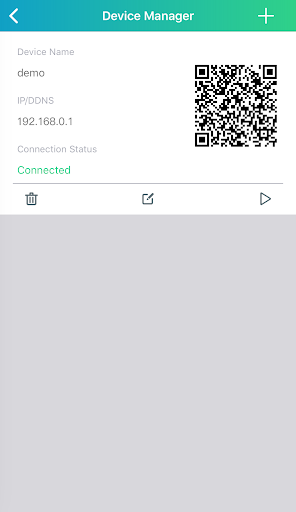
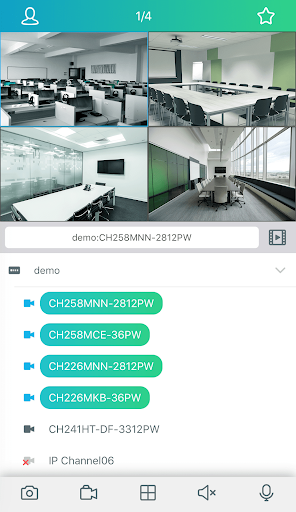
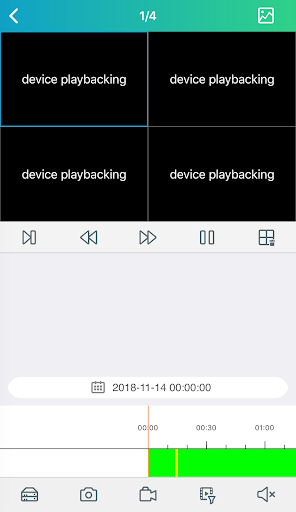
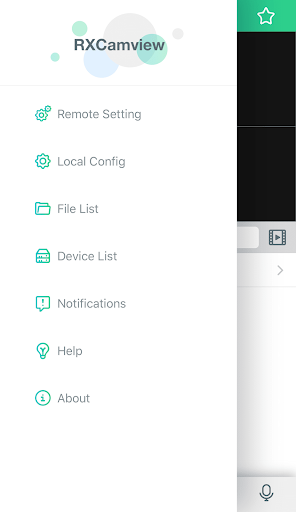
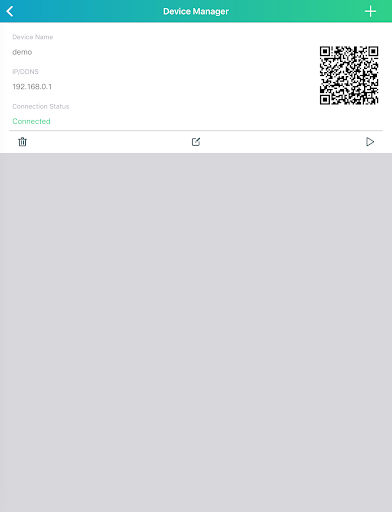
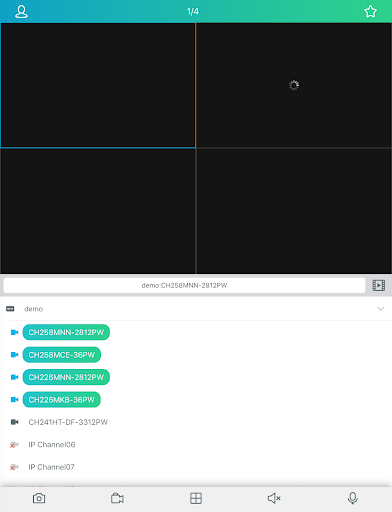
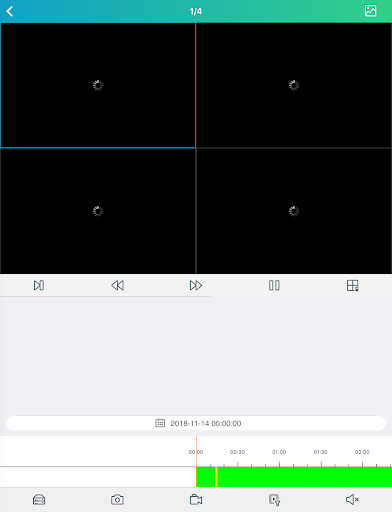
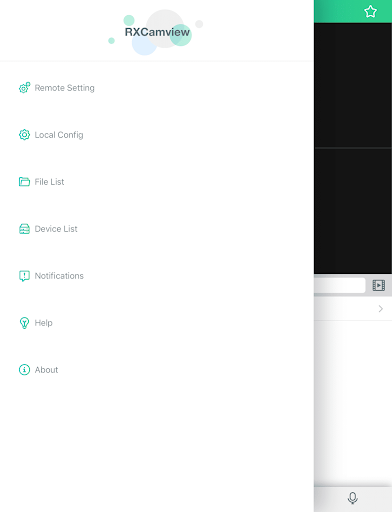
Analysis by Reviewed APKs
RXCamView is a companion app for compatible surveillance cameras and NVR or DVR systems, built for checking live video, reviewing recordings, and receiving event alerts from a phone. I can see it fitting people who already have supported camera equipment and want a straightforward way to keep an eye on a home, shop, or other place while away. Its useful range of monitoring tools is appealing, though its value depends on the camera system it works with.
A quick check from elsewhere
Picture leaving a small shop after closing and wondering whether everything is quiet. With RXCamView connected to a compatible camera system, I could open a live video preview and check the scene without being there. If I needed context beyond the present moment, the playback feature could help me look back at recorded video. That combination makes the app feel less like a general-purpose camera viewer and more like a remote window onto a specific place.
The alerts give that routine a second layer. The app can notify you about detected motion, a human form, or sound, and its alarm message service is intended to surface information from places you care about. I would treat those notifications as prompts to check the camera rather than as a complete account of what happened. Still, having live viewing, playback, and alerts in one companion app could save a few steps during a busy day.
A companion, not a camera
RXCamView makes the most sense alongside NVR, DVR, IPC, or other compatible surveillance camera equipment. It is not a camera in its own right, and it is not presented as a broad smart-home control hub. The distinction matters: before building a monitoring routine around it, I would first make sure my existing camera system supports the app. If it does, RXCamView offers a phone-based way to view footage and communicate through supported equipment.
Compared with simply checking a camera's live feed, RXCamView also describes historical video playback, alarm messages, and two-way audio. That gives it a wider monitoring role than a live-view-only tool, but it is still centered on surveillance video. I would not choose it for unrelated business tasks, general messaging, or camera recording without compatible equipment. Its usefulness depends more on the system it connects to than on the app alone.
Small habits that help
I would start by deciding what I actually need to monitor and when. RXCamView supports customizing detection areas and sensitivity, along with setting recording and alarm notification schedules. Those options suggest a practical approach: tune alerts around the areas and hours that matter, instead of treating every possible event as equally important. A little attention to these settings can make a monitoring routine feel more manageable and help keep notifications relevant to the place being watched.
When an alert arrives, I would use it as a reason to open the live preview or check historical footage, depending on whether I want to see what is happening now or what already happened. Two-way audio can be useful when a quick conversation with someone at the camera location makes sense. I would also make periodic checks of playback, rather than waiting for an alert to be my only reason to open the app.
More From Our News Desk

Zoom Meetings, Google Meet, or Teams: Which Is Easiest to Join?

How I Build a Free Streaming Lineup With Tubi

Why Crunchyroll Is the Default Anime App for So Many Fans

YouTube TV: A Practical Guide to Cutting Cable

Rummikub and the Small Comfort of Phone Games

TeamViewer Remote Control or AnyDesk for Helping Family?
Who may find it useful
I would recommend RXCamView to someone who already has a compatible surveillance setup and wants to check it from a phone. The blend of live video, playback, alarm messages, motion-related detection, and two-way audio covers several common monitoring needs. It could suit a small business owner checking a premises between visits, or someone who wants a remote view of another location they are responsible for.
It may not suit someone shopping for a camera system from scratch or expecting an app to work with any camera they own. Compatibility is the key practical question. It is also worth considering whether alerts, scheduled recording, and remote viewing match your actual routine; a long list of controls is only useful if the connected equipment supports them and you have a reason to use them.
RXCamView is a business app from ZhangHao. On Google Play, it has over 1 million installs and a 3.5-star rating from around 15,000 ratings. It is free to download, with no in-app purchases or ads indicated in the provided app details. The content rating is Everyone, making it broadly suitable by age, though the app's practical fit depends on having compatible surveillance equipment.
The current version is 5.42.1. RXCamView was released on December 8, 2015, and its most recent update is dated August 7, 2026. The Android version requirement can vary with app updates, so I would check the Google Play entry on the device before installing. The app is designed to work with NVR, DVR, IPC, and other surveillance cameras.
Remote monitoring, with the right equipment
The first impression
When I first considered RXCamView, the main thing I wanted to understand was what it connects to. This is a companion for surveillance equipment, not a standalone camera experience, and that shapes everything that follows. The app describes support for NVR, DVR, IPC, and other surveillance cameras. I would start by confirming that my particular system is compatible before spending time planning how to use its remote viewing and alert features.
Once that basic match is in place, the purpose is easy to grasp: use a phone to view live surveillance video and access footage from an earlier period. The feature set also includes event messages and two-way audio. I like that the description gives a clear picture of the app's main jobs, even if the connected camera system determines which parts of that experience are available in practice.
A useful daily check
The most straightforward day-to-day use is opening a live preview when I want to check a location. That might be a quick look during a lunch break or a check after a shop has closed. RXCamView is designed to let users view real-time surveillance video remotely, which makes it a natural fit for occasional checks rather than something that needs constant attention.
If a live view raises a question about what happened earlier, historical video playback is the other central part of the routine. Instead of relying only on whatever is visible at that moment, I could review a past period of video. That makes the app more useful for checking events after the fact, although it still relies on the connected equipment and its recordings.
Alerts and two-way audio
The alert options are among the more distinctive parts of RXCamView's described feature set. It can provide instant alerts when motion, a human form, or sound is detected, and users can customize detection area and sensitivity. Those controls matter because not every part of a camera's view is equally relevant. I would use them to focus notifications on the place and level of activity that deserve attention.
The app also supports an alarm message service and lets users set an alarm notification schedule. That gives a monitoring routine some flexibility: alerts can be arranged around a schedule rather than treated as a single all-day setting. The description does not make those options a substitute for checking footage, though. I would still use playback or live video to understand what an event message means.
Two-way audio adds a practical option when seeing a person is not enough. RXCamView describes voice intercom through the camera, allowing communication with people at the location. I can imagine using that for a brief exchange when someone is near the camera. It is a useful extra for supported equipment, but not a feature I would expect to matter in every monitoring situation.
A simple monitoring routine
For a small business, I would keep the routine uncomplicated: check the live view when opening or closing, and use playback if I need to look back at an earlier period. If an alarm message comes through during the day, I could open the relevant video to get more context. That approach uses the app's main functions without turning every notification into a reason to watch a screen continuously.
I would also review detection areas, sensitivity, recording schedules, and alarm notification schedules when setting up the routine. The point is not to adjust everything constantly, but to make the chosen settings fit how the location is used. A quiet office and a busy entrance may call for different detection choices. RXCamView provides those kinds of controls, while the connected camera system remains part of the equation.
Keep compatibility in view
The biggest limitation is also the simplest: RXCamView is useful only in the context of compatible surveillance equipment. Someone without an NVR, DVR, IPC, or supported camera system will not get the intended monitoring experience from the app by itself. I would make compatibility the first checkpoint, not an afterthought, especially if I were comparing it with a camera that comes with its own companion app.
The detection and alert features also need sensible expectations. A motion, human-form, or sound alert tells me that the system has detected something; it does not, by itself, explain the whole situation. I would check the live view or playback for context. The app's rating on Google Play is 3.5 stars, so I would read current user feedback and confirm that the app suits my equipment before relying on it.
Finally, the app's many monitoring options may be more than some people need. If all I wanted were an occasional live view, schedules, detection tuning, playback, and intercom could feel like extra setup. On the other hand, for someone who will use those tools, they give RXCamView a broader role than a basic video window. The right fit comes down to equipment compatibility and the amount of control I want.
RXCamView brings remote live viewing, historical playback, event alerts, and two-way audio together for compatible surveillance camera systems. I like the practical scope: it covers both quick checks and looking back at recorded video, with schedules and detection settings for a more tailored routine. The main caveat is straightforward but important: the app's usefulness starts with compatible equipment.
I would recommend giving RXCamView a look if you already use supported NVR, DVR, IPC, or other surveillance cameras and want phone-based monitoring. If you are choosing a camera system from scratch, I would first verify compatibility rather than assume this is a universal companion. For the right setup, it offers a useful collection of monitoring tools without a download cost or ads.
RXCamView Frequently Asked Questions
What is RXCamView used for?
RXCamView is a companion app for compatible surveillance cameras and NVR, DVR, or IPC systems. It is designed for remote live video viewing, historical playback, event messages, and two-way audio. Its described controls also include detection area and sensitivity, recording schedules, and alarm notification schedules. The exact experience depends on the connected surveillance equipment.
Which devices can run RXCamView?
RXCamView is an Android app available through Google Play. It is designed to work with NVR, DVR, IPC, and other surveillance cameras, so a compatible camera system is part of the intended setup. The minimum Android version can vary with updates; check the Google Play entry on your device for the current requirement.
Does RXCamView cost money?
RXCamView is free to download, and the provided app details indicate no in-app purchases or ads. Store information and app terms can change over time, so it is worth checking Google Play for the current details before installing. You will also need compatible surveillance equipment to use the app for its intended monitoring functions.
Can RXCamView send motion alerts?
The app describes instant alerts for detected motion, human forms, and sound, along with an alarm message service. It also includes settings for detection area, sensitivity, and notification schedules. These features are intended to work with supported camera equipment. For a particular setup, check the app and camera system details to see which options are available.
Who should use RXCamView?
RXCamView may suit people who already have compatible surveillance cameras and want to check live video, review past footage, or receive event messages from a phone. It is less suited to someone looking for a camera app that works independently or with any camera. Compatibility is worth confirming in the Google Play details and with the camera system.
Pros
- Combines live viewing and historical playback for compatible surveillance systems.
- Includes event alerts for motion, human forms, and sound.
- Offers two-way audio and customizable detection settings.
- Free to download, with no ads or in-app purchases indicated.
Cons
- Requires compatible surveillance equipment to provide its main functions.
- Alert usefulness depends on detection settings and the connected camera system.
- The 3.5-star Google Play rating suggests checking recent user feedback.
- Category
- Business
- Version
- 5.42.1











