Resident Portal
- 70.79K
- 4.8
- Installs
- 1.00M
- Price
- Free

Screenshots
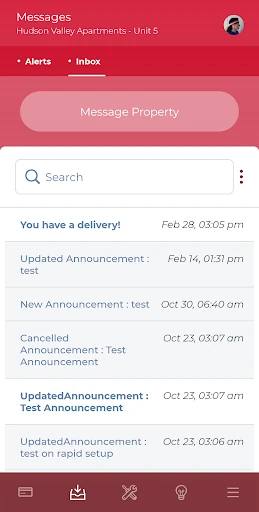
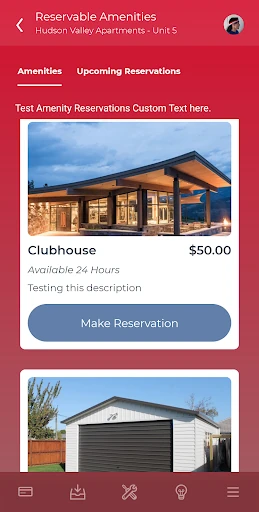
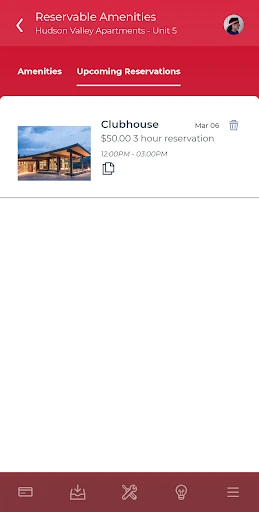
Analysis by Reviewed APKs
Resident Portal is a rent-payment and property-contact app for people living in communities that use Entrata’s ResidentPortal and ResidentPay products. It brings a few recurring apartment tasks—paying rent, sending maintenance requests, and contacting the property—onto a phone. I like the practical focus: it can make routine chores easier, though its usefulness depends on whether your building supports it.
A Rent-Day Routine
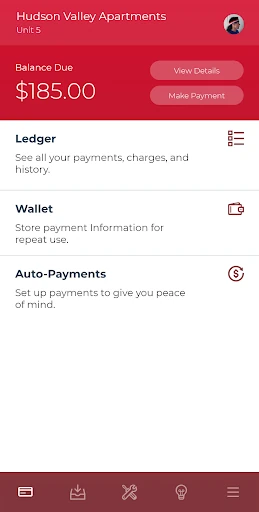
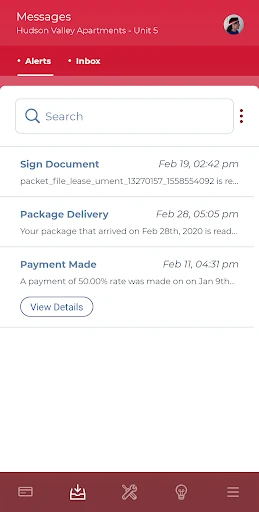
When rent day comes around, Resident Portal is designed to keep the payment step short. I can open the app, check the balance it shows, and make a one-time payment using the available method. If I prefer a repeating routine, the app also supports recurring payments, and push reminders can help bring the due date back to mind.
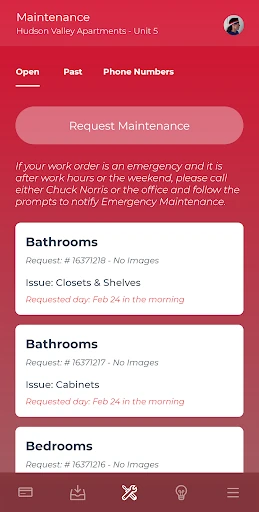
The same place is useful when something in the apartment needs attention. I can submit a maintenance request and attach a photo of the problem without switching to a separate camera app. For a question that needs a conversation, the Contact Property feature routes a call to the appropriate after-hours number when the office is closed. Those small conveniences make sense for ordinary resident tasks.
A Building-Specific Tool
Resident Portal is not a general-purpose rent tracker or a universal way to reach any landlord. It is meant for residents whose property uses Entrata’s ResidentPortal and ResidentPay products. That makes it more directly useful than a spreadsheet or calendar for supported residents, because payment and maintenance actions are tied to the property’s setup rather than kept as personal reminders.
It also is not a broad apartment-search app, a lease-advice service, or a substitute for urgent contact with property staff. What appears and what actions are available depend partly on property settings, including payment options and maintenance availability. I’d treat it as a practical resident access point, not assume every building offers the same tools or that every issue can be handled inside it.
Make It a Small Habit
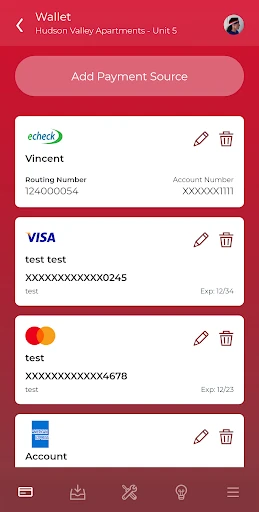
The app is easiest to use when I treat it as part of a simple monthly routine. I can check the balance before paying, choose a one-time payment or set up recurring payments if that option suits me, and leave reminders enabled if I tend to lose track of dates. The app can remember the last payment method for one-tap payment, which reduces repeated steps.
For maintenance, I’d take a clear photo while I’m already looking at the issue and include it with the request. That gives the property a visual reference without making the process complicated. I’d also use the in-app property contact route for ordinary questions, keeping in mind that available options depend on the community. These are modest habits, but they make the app feel more useful than an icon opened only when rent is due.
More From Our News Desk

Zoom Meetings, Google Meet, or Teams: Which Is Easiest to Join?

How I Build a Free Streaming Lineup With Tubi

Why Crunchyroll Is the Default Anime App for So Many Fans

YouTube TV: A Practical Guide to Cutting Cable

Rummikub and the Small Comfort of Phone Games

TeamViewer Remote Control or AnyDesk for Helping Family?
Who Will Find It Useful
I’d recommend Resident Portal to residents of a property that uses Entrata’s system, especially anyone who wants rent payments, reminders, maintenance requests, and property contact in one mobile app. It suits people who prefer handling small home-related tasks on a phone and who are comfortable with recurring payments when their property supports them.
It may be less useful if your community does not use the supported products, or if you want a comprehensive tenant organizer with tools beyond the tasks described here. Property-specific settings shape the experience, so residents in different buildings may see different payment choices or maintenance availability. I’d check that your property participates before building a routine around the app.
Resident Portal is developed by Entrata, Inc and is listed in the Lifestyle category on Google Play. The app has over one million installs and a 4.8-star rating from about 71,000 ratings. It is free to download, with no in-app purchases or ads reported in the provided app details.
The app has an Everyone content rating and requires Android 5.0 or later. The current version in the supplied details is 5.63.0. It was released on April 18, 2014, and was last updated on January 21, 2026.
A Closer Look at Resident Portal
Starting With the Basics
When I first opened Resident Portal, its purpose felt refreshingly straightforward: it is for the everyday dealings between a resident and a participating property. The first thing to keep in mind is that this is not a standalone account for every renter. Your property needs to use Entrata’s ResidentPortal and ResidentPay products for the app to fit your situation.
Once that prerequisite is met, the app’s core options are easy to understand from the description: rent payment, maintenance requests, and property contact. Setup details and available choices can vary by property. That flexibility may be helpful to communities with different policies, but it also means I would not expect every resident to see the same payment schedule or request options.
The Monthly Rhythm
In day-to-day use, the payment tools are the main draw. Residents can make a one-time payment, set up or remove recurring payments, and use one-tap payment with the last used method and balance due remembered. RentNotify can send push reminders. I can see these features being useful for keeping rent in a familiar routine instead of relying on a separate reminder and payment process.
There is a convenience trade-off: one-tap payment is only as helpful as the property’s enabled options and the resident’s confidence in the payment details shown. Recurring payments also deserve a quick review rather than a set-and-forget assumption. The description notes that property settings affect payment methods, days, and balance requirements, so the app’s exact flow is shaped by the community.
Helpful Resident Tools
Maintenance requests are another meaningful part of the app. I like that the description specifically says residents can take a picture of an issue inside the app and include it with the request. For a dripping fixture or a visible appliance problem, a photo can make the initial report more concrete than a short text description alone.
The Contact Property option keeps communication tied to the community, and the app routes calls to the appropriate after-hours number when the office closes. Fingerprint authentication is also described as an option after initial setup, offering a convenient way to log in. These tools stay focused on common resident needs rather than trying to turn the app into a general social or home-management platform.
Recent changes include 3D Secure verification for recurring payments, a new banner intended to speed up work-order submission, and general bug fixes and performance improvements. The update notes point to continued attention to payment and maintenance flows, the areas residents are most likely to use.
A Practical Weekly Check
A useful routine might be to open Resident Portal once a week or whenever a property issue comes up, rather than waiting until a payment is due. I could check what the app shows about rent, make sure a recurring payment still matches my preference, and use the reminder feature if a nudge helps. The app’s point is to put these small tasks close at hand.
If something needs repair, I’d take a photo and submit the request while the problem is easy to describe. If I have a question for the property, I can use Contact Property rather than searching for a number, with after-hours call routing handled by the app. This routine is most relevant to residents whose property has enabled those options; it is not a promise that every request or payment path is available everywhere.
Limits to Keep in Mind
The biggest limitation is compatibility with the property, not a lack of ambition. Resident Portal is only for residents of communities using Entrata’s ResidentPortal and ResidentPay products. If your building uses another system, this app may not help with rent or maintenance at all. I would verify that basic fit before spending time setting up a payment habit.
Property configuration can also change the experience. Payment methods, payment days, full-balance requirements, and maintenance request availability are among the settings that may differ. That means it is best to think of the app as a channel for your community’s chosen services, rather than a fixed set of features every resident can count on.
Finally, the app covers practical transactions and contact, not every aspect of renting. The supplied feature details center on payments, reminders, maintenance requests, photos, calls, and fingerprint login. Residents who want broader tools may still need other sources for their household organization, while those with a supported property may find this focused approach sufficient.
Resident Portal makes the most sense as a practical shortcut for supported residents. Rent payments, reminders, photo-assisted maintenance requests, and property contact are useful everyday jobs to gather in one place. I also appreciate that the app’s role is clear rather than sprawling.
I’d try it if my community uses Entrata’s ResidentPortal and ResidentPay products, then check which options my property has enabled. If that condition is met, it can simplify recurring apartment chores. If not, its main tools are unlikely to match your needs.
Resident Portal Frequently Asked Questions
What is Resident Portal used for?
Resident Portal is for residents of properties using Entrata’s ResidentPortal and ResidentPay products. It supports rent payments, one-time or recurring payment management, rent reminders, maintenance requests with photos, and contacting the property. Which options are available can depend on the property’s settings.
Which devices can run Resident Portal?
Resident Portal is an Android app on Google Play. The supplied requirements specify Android 5.0 or later. For current device compatibility, it is worth checking the app’s Google Play page, since supported devices and availability can vary.
How much does Resident Portal cost?
The app is free to download, and the supplied details report no in-app purchases or ads. Payment options and any payment-related conditions can depend on the property’s configuration. Check Google Play and your community’s information for the current details that apply to you.
Does Resident Portal work with any apartment?
No. Resident Portal is intended for residents of properties using Entrata’s ResidentPortal and ResidentPay products. Even at a participating property, features such as payment methods and maintenance requests can vary with its settings. Ask your property or check the app’s store information if you are unsure.
Is Resident Portal a good fit for me?
It may suit you if your property supports the service and you want to handle rent, reminders, maintenance requests, and property contact from your phone. It may not be useful at a community using another system, or if you want a wider set of rental-management tools than the app describes.
Pros
- Combines rent payments, reminders, maintenance requests, and property contact for supported residents.
- Lets residents attach a photo to a maintenance request from the app.
- Offers one-time and recurring payment options, subject to property settings.
- Fingerprint login is available after initial setup.
Cons
- Only works for properties using Entrata’s ResidentPortal and ResidentPay products.
- Payment methods and maintenance availability can differ by property.
- Its focused feature set may not replace broader rental-organization tools.
- Category
- Lifestyle
- Version
- 5.63.0











