Radio Fm Without Internet
- 3.04K
- 3.9
- Installs
- 1.00M
- Price
- Free
Screenshots
Analysis by Reviewed APKs
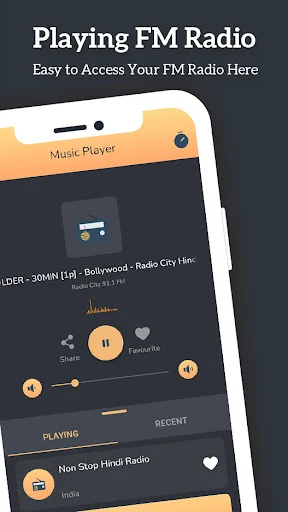
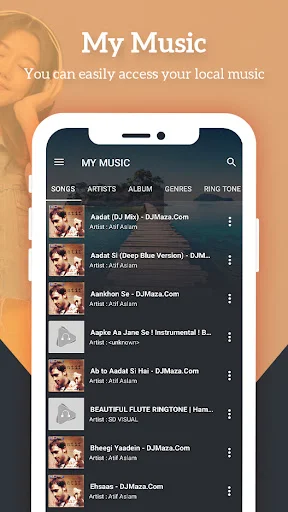
Radio Fm Without Internet is a radio and local music player for Android, with stations from different regions and genres alongside playback for music stored on your device. I found it most useful as a quick way to put on a familiar station or explore another country’s broadcasts. Despite its name, the description also emphasizes online radio, so I would treat it as a radio hub rather than assume every station works offline.
A station for the everyday
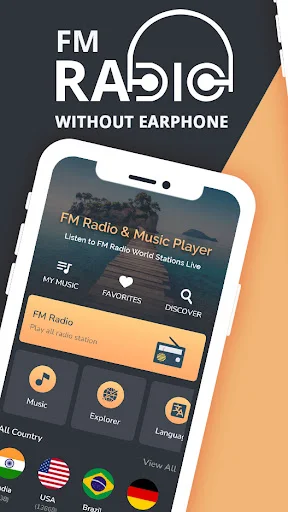
When I first opened the app, I imagined using it during breakfast: pick a local station, set the phone aside, and let news or music fill the room while I get ready. The appeal is the quick start. Popular stations for a country are presented as ready-to-play choices, and favorites offer a shorter route back to the channels I already know.
I also pictured a longer afternoon at home, switching from a music station to sports coverage without opening a separate radio app. The app describes stations across countries and genres, including news, sports, and regional language options. That breadth makes browsing part of the experience, although finding one particular station may take more patience than returning to a saved favorite.
Radio hub, not offline promise
The obvious alternative is a dedicated streaming radio app, and this one aims for a similar mix of live stations, discovery, and favorites. Its extra angle is a local music player, so radio and music already on the phone sit under one roof. I can see that being handy for someone who likes both broadcast programming and their own audio collection.
The title can suggest that the stations work without internet, but the description repeatedly talks about listening online. I would not choose it on the assumption that live broadcasts can be heard offline. It is also not a replacement for an on-demand music service: the material describes radio stations and local music playback, not a catalog of tracks to select or download.
Small habits, easier listening
The habit I would build first is favoriting a few dependable stations. That keeps a morning news choice, a music channel, and perhaps a sports station close at hand instead of making every listening session a fresh search. Stations are grouped by genres, and the description also calls out country and language options, which can help narrow the browsing when I want something specific.
For multitasking, I would start playback before moving to another app, then use the quick playback controls described for the notification or status bar. Sharing a station by social media, SMS, or email is another small convenience when a friend asks what is playing. These are modest workflow touches; they make listening easier without turning the app into a complicated library system.
More From Our News Desk

Zoom Meetings, Google Meet, or Teams: Which Is Easiest to Join?

How I Build a Free Streaming Lineup With Tubi

Why Crunchyroll Is the Default Anime App for So Many Fans

YouTube TV: A Practical Guide to Cutting Cable

Rummikub and the Small Comfort of Phone Games

TeamViewer Remote Control or AnyDesk for Helping Family?
Who may enjoy it
I would recommend Radio Fm Without Internet to Android users who like live radio and want a broad mix of regional stations, news, sports, and music in one place. It may be especially appealing if you already have local music on your phone and would rather keep that player alongside radio than switch between separate apps. Favorites and background listening suit casual, repeat listening well.
It may be less suitable for someone whose main requirement is reliable offline radio, since the description focuses on online stations and does not explain an offline station feature. Listeners looking for album-by-album music selection may also want a different kind of app. I would approach it as a convenient station browser and player, and check how its available stations fit my listening interests.
Radio Fm Without Internet is made by Thropical Tools and is in Google Play’s Music & Audio category. It has over one million installs and a 3.9-star rating from about 3,000 ratings. The app is free to install, contains ads, and offers in-app purchases priced from $1.49 to $48.99 per item.
Google Play gives the app an Everyone content rating. Version 6.4 is shown as the current version, with a release date of September 24, 2020, and a last update of February 23, 2026. The Android version requirement is worth checking on Google Play, since it can depend on the current app listing and device.
A closer look at radio listening
A simple first impression
When I first opened the app, the broad pitch was easy to understand: radio stations, plus a player for music stored locally. That combination is practical if my listening changes through the day. I might want a live news station while making coffee, then switch to music from my own collection later without treating those as entirely separate activities.
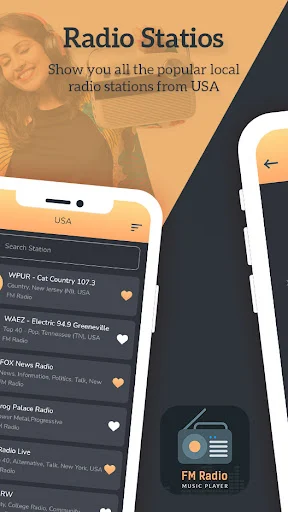
The description presents popular stations for a country as direct choices, with favorites available for repeat listening. That sounds approachable for someone who wants to press play rather than tune through a complex setup. The station selection is the main draw, so I would spend my first few minutes seeing whether the countries, languages, and genres I care about are represented.
Listening through the day
The everyday experience described here is built around live listening. I can start a station and continue using another app, which suits ordinary moments like checking a message or looking up a recipe while audio plays. Quick play, pause, and stop controls in the notification or status bar can make those interruptions less fiddly.
I would expect the best experience to come from building a small set of favorites rather than browsing from scratch each time. A station I use for news, one for music, and one for sports gives the app a familiar rhythm. The focus remains on choosing a broadcast and listening, not managing a detailed personal music collection.
Stations beyond the local dial
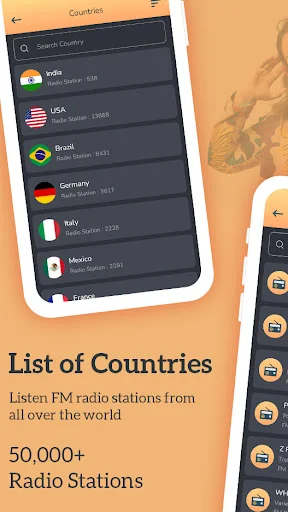
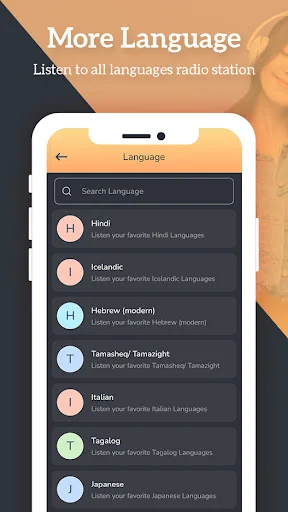
The international and regional emphasis stands out. The description names stations and content across a range of countries and languages, including Hindi, English, Tamil, Urdu, Arabic, and Nepali. It also points to news and sports programming, rather than presenting the app only as a way to hear music. That mix makes browsing by interest or region a central part of its appeal.
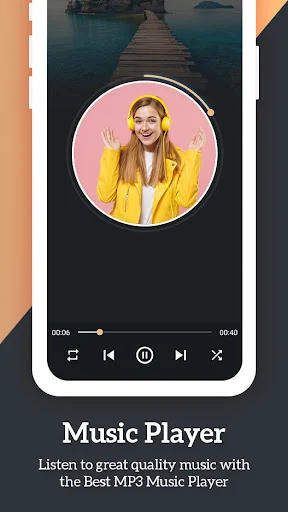
The app also describes a local music player, favorites, and playback through a phone’s loudspeaker, Bluetooth, or Chromecast. Sharing stations through social media, SMS, or email adds a way to pass a find along. These features support different listening situations, from keeping a station on at home to sending a friend a channel they might enjoy.
A practical listening routine
My routine would start by choosing a familiar station for a regular part of the day, then saving it as a favorite. On a commute or while doing chores, I could start playback and leave the app while I handle something else. If I wanted a different mood, I would browse the listed genres or country options and save any station worth revisiting.
For sports listeners, the description specifically mentions cricket commentary on match days and live cricket scores. I would treat those as useful reasons to check the app around a match, alongside its sports radio options. Later, I could switch to local music or share a station with someone. The best routine is uncomplicated: find, favorite, and return.
Keep expectations grounded
The biggest point to keep in view is the title’s offline implication. The app description repeatedly frames its radio stations as online listening, so I would not count on live broadcasts when disconnected. Anyone choosing an app mainly for offline radio should check the store details and their device’s needs before settling on this one.
A broad station selection can also mean more browsing before I find a personal favorite, and the app contains ads with optional in-app purchases. The listing’s rating is 3.9 stars, which is useful context but not a promise that every station will suit every listener. I would judge it by the channels I actually want and how well its simple workflow fits my day.
Radio Fm Without Internet makes a straightforward case for itself: live stations from different places and genres, favorites for quick access, and a local music player in the same app. I like the practical focus on everyday listening and the option to keep audio going while using another app.
I would try it if I wanted a broad radio browser and understood that the described stations are online. I would look elsewhere if offline broadcasts or on-demand music selection were the main priorities. For casual radio listeners, it is a useful option to explore, with ads and paid in-app items to keep in mind.
Radio Fm Without Internet Frequently Asked Questions
What is Radio Fm Without Internet used for?
Radio Fm Without Internet is for listening to radio stations across countries and genres, including music, news, and sports. Its description also includes a player for music stored on the device, station favorites, and playback while using another app. The radio content is described as online listening, so the app should not be assumed to provide offline live radio.
Which devices can run Radio Fm Without Internet?
Radio Fm Without Internet is an Android app distributed through Google Play. The description says audio can play through a phone’s speaker, Bluetooth, or Chromecast. Check the Google Play entry for the Android version requirement and compatibility with a particular device, since these details may vary.
What Android version does Radio Fm Without Internet require?
The Android version requirement is worth checking on Google Play for the current app and your device. The store identifies version 6.4 as the current version and gives February 23, 2026, as its last update date. Compatibility details can vary, so the current store entry is the best place to check before installing.
Does Radio Fm Without Internet cost money?
The app is free to install and contains ads. It also offers in-app purchases, with listed item prices ranging from $1.49 to $48.99. If you want to know the current purchase options or exact prices shown for your account, check the Google Play entry, as store details can vary.
Who is Radio Fm Without Internet best suited to?
It may suit Android listeners who want to browse international and regional radio, save favorite stations, and play local music from one app. People who mainly need offline live radio or an on-demand catalog may prefer a different option. The description focuses on online stations, so check the Google Play details if offline use is essential.
Pros
- Combines international radio stations with playback for music stored on the device.
- Favorites and notification controls make repeat listening more convenient.
- Includes described options for news, sports, regional stations, and multiple languages.
- Supports listening through the phone speaker, Bluetooth, or Chromecast.
Cons
- The title suggests offline radio, but the station description focuses on online listening.
- Contains ads and offers in-app purchases.
- A wide station selection may take browsing to find personal favorites.
- Category
- Music & Audio
- Version
- 6.4











