QR & Barcode Scanner
- 4.81M
- 4.8
- Installs
- 500.00M
- Price
- Free

Screenshots
Analysis by Reviewed APKs
QR & Barcode Scanner is a practical Android tool for reading QR codes and product barcodes, with extra options for creating codes and handling scans in batches. I find its appeal easy to understand: point the camera at a code and let the app do the work. It suits people who want a straightforward scanner close at hand, though ads and a broad set of extras may not appeal to everyone.
A quick scan on the go
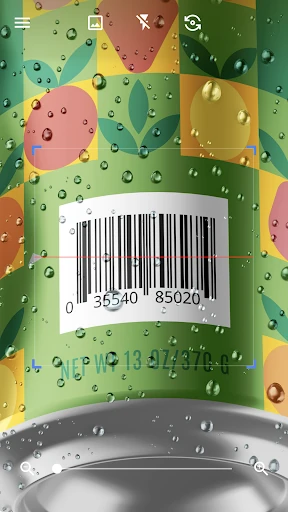
Imagine standing in a shop with a product barcode in front of you and wanting to check what it is before deciding whether to buy. With QR & Barcode Scanner, I can point the phone at the barcode and let the app scan automatically, rather than framing a photo or tapping a shutter button. It is the kind of small, useful task where a scanner earns its place: open it, aim, and see what the code contains.
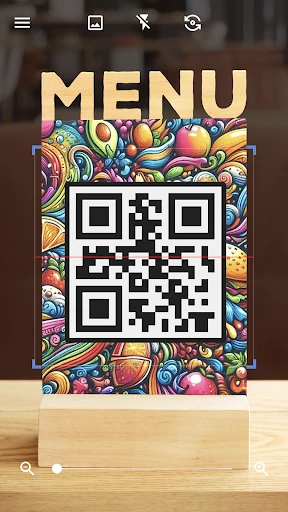
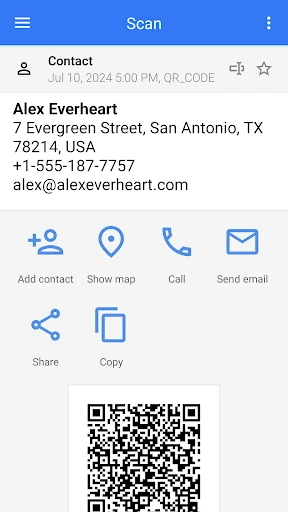
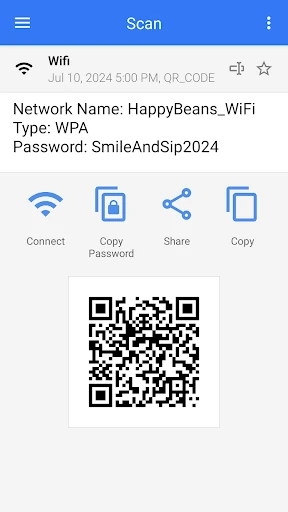
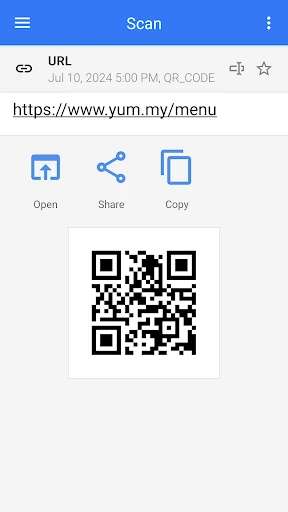
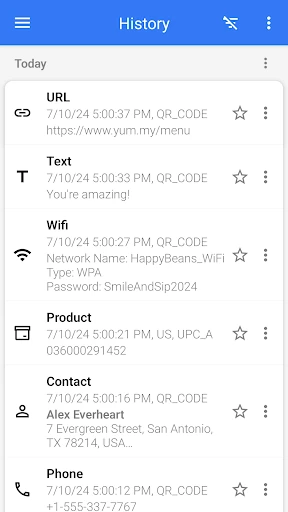
The same approach works for a QR code on a sign, a coupon, or a Wi-Fi card. The app recognizes several kinds of content, including links, text, contact details, calendar entries, email, locations, and Wi-Fi information, then presents options relevant to the scan. I like that the next step depends on the code instead of every result being treated as a generic string. For occasional everyday scans, that keeps the basic job simple.
A tool, not a shopping guide
Compared with opening a website or camera app and hoping it recognizes a code, this is a dedicated scanner with barcode reading and QR creation in one place. It can also work with codes saved as images, including pictures in the gallery, so a code does not have to be physically in front of the camera. That makes it more flexible than a scanner used only for live camera scans, especially when someone sends a QR image in a message.
It is still a utility, not a full shopping or coupon service. The description says barcode scans can be used to compare product prices with online prices, but the app is not presented as a dedicated price-comparison marketplace. Nor is it a general-purpose camera editor or a platform for managing every kind of digital pass. I would install it for reading and making codes, not expect it to replace those other services.
Small habits that help
For a single scan, the main habit is simply to give the camera a clear view of the code and let automatic scanning take over. If the code is far away, pinch-to-zoom is available; in dim conditions, the flashlight can help. Those two options are practical because they address common annoyances without requiring a separate camera app or a fiddly setup before each attempt.
For repeated work, batch scan mode can gather multiple QR codes at once, with results exportable as CSV or text. I would use that for a small collection of codes rather than tapping through each one individually. Favorites and sharing are useful when a result matters beyond the moment, while generating a QR from clipboard content can save retyping. These are optional workflow helpers, not steps needed for a quick scan.
More From Our News Desk

Zoom Meetings, Google Meet, or Teams: Which Is Easiest to Join?

How I Build a Free Streaming Lineup With Tubi

Why Crunchyroll Is the Default Anime App for So Many Fans

YouTube TV: A Practical Guide to Cutting Cable

Rummikub and the Small Comfort of Phone Games

TeamViewer Remote Control or AnyDesk for Helping Family?
Who will find it useful
I would recommend QR & Barcode Scanner to Android users who encounter codes in ordinary life and want a dedicated reader ready for them. It covers QR codes and product barcodes, can read codes from images, and can generate QR codes from entered data. The automatic scan approach makes the central task approachable, while the flashlight, zoom, batch mode, and export options give people a few ways to handle less routine situations.
It may be less appealing if you only scan a code once in a while and prefer not to install another utility, or if ads are a deal-breaker. People looking for a specialist shopping service should also keep expectations modest: barcode scanning is included, but the app's core job is reading and creating codes. Overall, I see it as a handy general-purpose scanner rather than an essential app for every phone owner.
QR & Barcode Scanner is a Tools app from Gamma Play. On Google Play it has over 500 million installs and a 4.8-star rating from around 4.8 million ratings. It is free to download and contains ads, with no in-app purchases. Its content rating is Everyone, so the store presents it as suitable for a general audience.
The listed version varies with device. The app was released on March 13, 2015, and its stated last update date is November 3, 2026. An Android minimum version is not specified in the supplied app details, so compatibility is best checked on Google Play for the particular device.
A closer look at everyday scanning
Opening and getting started
My first impression is that the app has a clearly defined purpose: scan a code without first learning a complicated workflow. The description says it starts scanning when the camera is pointed at a QR code or barcode, with no need to take a photo or press a scan button. That automatic approach is a good fit for quick errands, where the phone is already in hand and the code is only one small part of what I am doing.
The setup details are best kept simple. It is an Android app, and the store version can vary by device. Once open, the camera-based scanning is the central experience; the extra tools are there for situations such as scanning a saved image or creating a code. I would start with one ordinary QR scan, then explore the additional options only when a real task calls for them.
The everyday scan
Day to day, the useful part is the short path from pointing the phone to getting a decoded result. The app supports many common code contents, from web addresses and plain text to contact, calendar, email, location, and Wi-Fi information. It then offers options suited to the type of result. That is more convenient than treating every scan as an unexplained block of text and making me work out what it represents.
A shop barcode is a different sort of everyday scan, but it fits the same basic pattern. I can scan the product code and use the result as a starting point for checking online prices, as the app description suggests. I would not assume that every barcode produces a useful comparison, but having product scanning alongside QR reading makes the app relevant in more places than a QR-only reader.
Extras with a purpose
The strongest additions are the ones that solve a recognizable problem. Flashlight support helps when a printed code is in a dark spot, and pinch-to-zoom can help with a code that is not close enough to fill the camera view. Scanning from an image or gallery is useful when the QR code arrives digitally rather than on paper. These features extend the basic scanner without changing what the app is for.
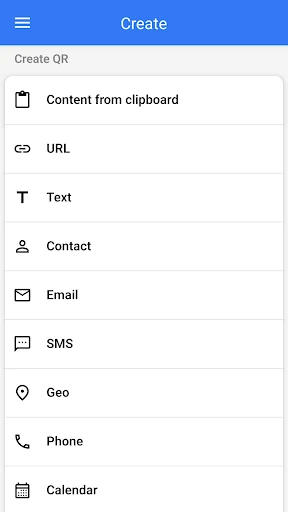
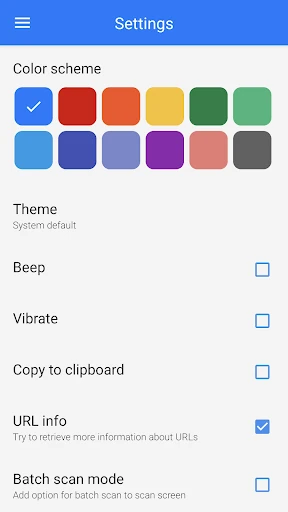
There is also a QR generator. I can enter data and create a code, and the app can make one from clipboard content as well. Other supported options include changing colors or themes, dark mode, sharing contact information through a QR code, and sharing images from other apps to scan. The range is broad, but each item still revolves around handling codes rather than becoming a separate productivity suite.
Batch scanning is the feature I would notice most when dealing with several codes in a row. The app can scan multiple QR codes at once and export results as CSV or text; it can also import CSV files. Favorites and easy sharing give results somewhere to go after scanning. Those tools matter more for repeated tasks than for a one-off scan, so occasional users can safely ignore them.
A simple repeatable routine
For a quick scan, I would open the app, point at the code, and wait for it to decode. If the result is a link, contact detail, or another recognized content type, I would use the relevant option shown for that result. That keeps the process tied to the task in front of me instead of turning every scan into a detour through settings or a long list of unrelated actions.
For a more organized session, I would use batch mode when several QR codes need attention, then export the results in a format that suits the next step. If someone sends a code as an image, I would scan it from the gallery instead of trying to display it on another screen. For a code I need to share, I would create it from the relevant data or clipboard content and use the sharing tools.
Limits to keep in mind
The app is free, but it contains ads, so the experience is not entirely free of interruptions. That is worth weighing if you prefer a minimal utility with no advertising. The feature list is also quite large for a simple scanner. People who only want to scan the occasional link may never need batch processing, imports, exports, themes, or QR creation, and that extra range may feel unnecessary rather than helpful.
Product barcode scanning can support a price check, but it should not be mistaken for a dedicated shopping comparison service. The app reads codes and provides relevant actions; what is useful after a scan depends on the result and the task. Compatibility details can vary by device, so checking the Google Play information for a particular phone is sensible before relying on it for a specific setup.
Finally, a camera scanner is most convenient when the code is visible and readable. The included flashlight and zoom address dimness and distance, while image scanning offers another route when the code is saved. Those options make the tool more adaptable, but they do not change its basic scope: it is for scanning and creating QR codes and barcodes, not for managing every task associated with them.
QR & Barcode Scanner does the everyday job well on paper: it reads QR codes and barcodes automatically, handles a wide range of content, and adds practical tools such as image scanning, QR creation, batch mode, flashlight, and zoom. Its biggest trade-off is straightforward too: it is free, but it contains ads, and some of its extra features will be more useful to frequent scanners than casual users.
I would recommend it to Android users who regularly scan codes or want both a reader and generator in one utility. If your needs stop at a rare QR scan, your phone's existing options may be enough. For people who want a dedicated tool with room for more involved scanning routines, this is a capable, broadly useful choice.
QR & Barcode Scanner Frequently Asked Questions
What is QR & Barcode Scanner used for?
QR & Barcode Scanner reads QR codes and product barcodes, then provides options based on the kind of content scanned. It can also scan codes from images, generate QR codes, and handle several common formats, including links, text, contacts, calendar items, email, locations, and Wi-Fi information.
Which phones can run QR & Barcode Scanner?
QR & Barcode Scanner is an Android app. Its version varies with device, and the Android minimum requirement may vary with the device and current store details. Check the Google Play information for your phone to see whether the available version is compatible.
Does QR & Barcode Scanner cost money?
The app is free to download and contains ads. The supplied app details show no in-app purchases. Store information can change over time, so check Google Play for the current details before installing if cost or advertising is an important consideration.
Can QR & Barcode Scanner create QR codes?
Yes. The app can generate QR codes from data you enter, and it can also create one from clipboard content. Its other code-handling options include scanning from images, batch scanning, sharing, and exporting results as CSV or text.
Is QR & Barcode Scanner right for casual users?
It can suit casual users who want a dedicated reader for occasional QR codes, Wi-Fi codes, coupons, or product barcodes. The automatic scanning is straightforward, but the app also contains ads and offers extras that infrequent users may not need. Its content rating is Everyone.
Pros
- Automatically scans QR codes and barcodes without requiring a shutter-button tap.
- Reads several content types and offers relevant actions for each result.
- Includes image scanning, QR generation, batch mode, and CSV or text export.
- Flashlight and pinch-to-zoom help with dim or distant codes.
Cons
- Contains ads, which may bother users who want an uninterrupted utility.
- The wide feature set may be more than occasional scanners need.
- Product scanning is not the same as a dedicated price-comparison service.
- Category
- Tools