Project Gutenberg
- 1.11K
- 3.9
- Installs
- 100.00K
- Price
- Free
Screenshots
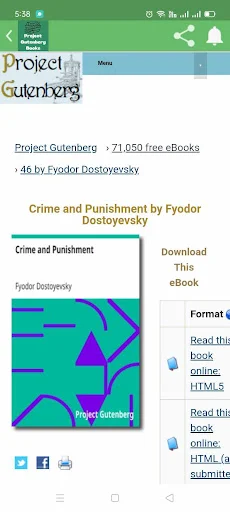
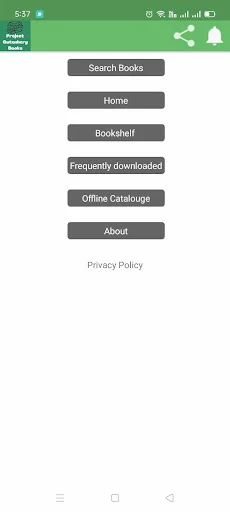
Analysis by Reviewed APKs
Project Gutenberg is a reading app for people who want to browse novels, stories, poetry, drama, and other books, especially literary classics. I’d consider it for a quiet commute, a spare moment at home, or a stretch when I want to explore an unfamiliar author without buying a book first. Its appeal is straightforward: a large free-reading collection and tools for finding and reading books, with some practical limitations to weigh.
A Book for Spare Moments
When I want something to read during a lunch break, I don’t always have a particular title in mind. Project Gutenberg is built for that sort of open-ended browsing: its library spans genres and authors, and the app includes search and book suggestions. I can imagine starting with a familiar classic, then using a little free time to see what else is available rather than spending the whole break deciding what to read.
It also suits a longer reading session. The description says books can be read online or offline, so a reader could choose a title before heading out and continue without relying on a connection. That makes the app more useful than a collection meant only for quick lookups. I’d still treat the reading experience as a personal fit: the selection may be the main attraction, while the interface and reading tools determine whether I want to stay for chapters.
A Library, Not a Store
Compared with a paid ebook shop, Project Gutenberg is oriented around browsing and reading a broad collection of free books rather than shopping for current releases. Its description emphasizes classic literature, with examples ranging from Shakespeare and Jane Austen to Jules Verne and George Orwell. That makes it a natural option when I’m curious about older works or want to revisit a title, rather than when I’m hunting for the newest bestseller.
It is also not a general-purpose book service with every contemporary title a reader might want. The description presents a wide range of genres, but its focus on timeless literature is the clearest reason to try it. I wouldn’t choose it as my only source for new releases or assume every named author or book will be available. Readers who already use another ebook app may find this most useful as a complementary place to explore classics.
Make Browsing Count
A small habit that should help is going in with a loose direction rather than a long wish list. I might search for an author I’ve been meaning to read, browse a genre such as poetry or mystery, or take a suggestion when I don’t have a plan. The app describes search and exploration tools, and that kind of focused browsing can keep a large collection from feeling like an endless shelf.
For a book I expect to read away from home, I’d look for it while connected and use the offline-reading option described for the app. I’d also try the reading customization features early, before settling into a long session, so the display feels comfortable for my habits. These are modest routines, but they make the app easier to return to: find a title, set up the reading experience, and keep a next book in mind.
More From Our News Desk

Zoom Meetings, Google Meet, or Teams: Which Is Easiest to Join?

How I Build a Free Streaming Lineup With Tubi

Why Crunchyroll Is the Default Anime App for So Many Fans

YouTube TV: A Practical Guide to Cutting Cable

Rummikub and the Small Comfort of Phone Games

TeamViewer Remote Control or AnyDesk for Helping Family?
Who Might Enjoy It
I’d recommend Project Gutenberg to readers who enjoy classic literature, want to explore unfamiliar authors, or would like a free collection to dip into between other reading habits. The range described includes novels, fiction and nonfiction, poetry, drama, and more. It could also work for someone who likes browsing by genre instead of arriving with one exact title, especially if offline reading is useful for their routine.
It may be less satisfying for readers whose priority is the latest commercial fiction or a specific contemporary title. The app’s description points toward literary classics, and a large catalog does not mean every book will match an individual reader’s tastes. I’d also be cautious about expecting a polished, particular style of ebook reader before trying it; the available material mentions customization but doesn’t detail every reading control. Those who prefer a carefully curated short list may find broad browsing less appealing.
Project Gutenberg is developed by Psi Dev and is listed in the Education category on Google Play. It has 100,000+ installs and a 3.9-star rating from 1,110 ratings. Google Play gives it an Everyone content rating. The current version shown in the supplied app details is 9.8, with a release date of July 6, 2023, and a last update date of September 12, 2026.
The app is free to download, with no in-app purchases indicated in the supplied details. It contains ads, so the reading experience may include advertising. The minimum Android version is not included in the available app facts, so Android users should check Google Play for device compatibility before installing. The description says the app offers free books and online reading, but the store information is the place to verify current availability and device requirements.
How the Reading Routine Takes Shape
First Look and Setup
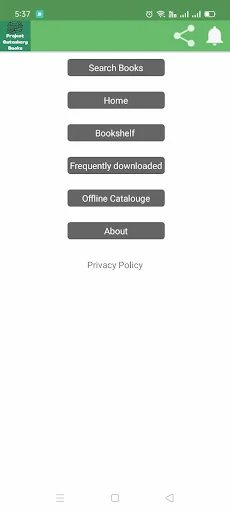
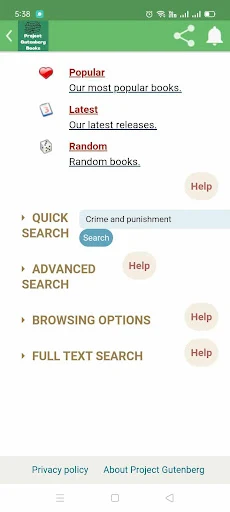
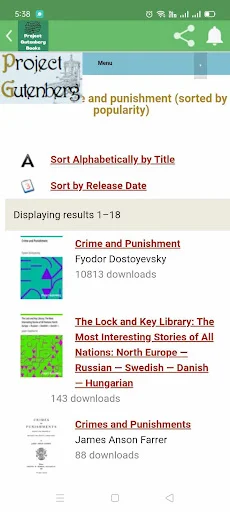
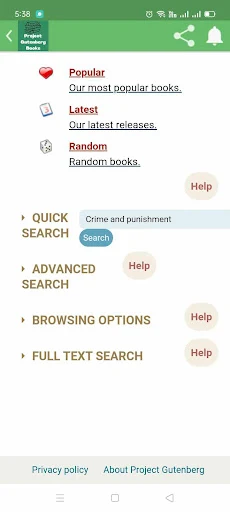
When I first opened an app built around a large book collection, my first question would be simple: can I get from a vague idea to a book without too much fuss? Project Gutenberg describes search and exploration as part of the experience, with genres and authors to browse. That gives it a practical starting point whether I arrive knowing a title or just wanting something to read.
I’d spend the first few minutes choosing a promising book and trying the reading customization options mentioned in the description. It’s worth doing that before I settle into a long session, rather than discovering halfway through that I’d prefer a different setup. The available details don’t spell out each control or step, so I wouldn’t promise a particular layout; the useful point is that the app says readers can tailor their experience.
Reading Day to Day
The everyday appeal is having books to browse and read without making each session depend on a purchase. I can picture opening the app when I have ten minutes to spare, searching for a familiar author, and picking up a story instead of scrolling through the same feeds. For a longer evening, I’d want a title ready so I can spend the time reading rather than repeatedly searching.
Offline reading is one of the more practical claims in the app description. If I’m going somewhere with unreliable access, being able to continue with a book offline could make the collection easier to fit into a commute or trip. The description also mentions online reading, which gives readers another way to approach a book. In either case, the basic routine remains focused on finding a title and making time for it.
What Stands Out
The strongest feature is the breadth of literary material the description sets out: classics alongside genres such as mystery, romance, science fiction, and nonfiction. The named examples include well-known writers such as Shakespeare, Jane Austen, Jules Verne, and George Orwell. That mix makes the app sound useful both for readers revisiting a favorite and for those who want a starting point for a new author.
Search, genre exploration, book suggestions, and reading customization give the collection several ways to be approached. I like that combination in principle: search helps when I have a destination, while suggestions and browsing are better when I’m undecided. The description also mentions offline reading, which is a meaningful convenience rather than just another catalog feature. These are the features that give the app its practical identity as a reading destination.
A Simple Weekly Habit
One low-effort way I’d use Project Gutenberg is to keep a short queue in mind: one book I’m currently reading and one possible next choice. When I finish a chapter or have a few quiet minutes, I can return to the current book instead of restarting the search process. If I’m ready for something different, I can browse by genre or use the app’s suggested books as a nudge.
For a weekend away or a day with limited connectivity, I’d look for the next title before leaving and use the offline-reading feature described by the app. That makes the collection part of a routine without requiring a big reading plan. I’d also keep expectations realistic: this works best when I’m interested in the books the app offers, rather than treating it as a universal answer to every reading need.
Keep Expectations Grounded
A broad collection can be a strength and a small challenge at the same time. If I arrive without a title, author, or genre in mind, browsing may take longer than reading. Search and suggestions should help, but I’d still expect to spend a little time deciding. Readers who prefer a tightly edited selection of recommendations may want a more curated experience.
The app’s description focuses heavily on classics and describes online and offline reading, but it doesn’t provide a detailed account of every reading control or title format. I’d avoid assuming that every book I want, or every feature I expect from an ebook reader, will be there. Ads are another practical consideration: the supplied details say the app contains them, which may interrupt the otherwise simple appeal of free reading.
Finally, the star rating is 3.9 from 1,110 ratings on Google Play, so the app may not suit everyone equally. I’d use that as context, not as a substitute for trying the actual browsing and reading flow. The core proposition is clear enough; the finer question is whether its selection and interface fit how I like to read.
Project Gutenberg’s case is easy to understand: it gives readers a place to explore and read a wide range of books, with classics at the center and offline access among its stated features. I like the idea of having a free collection for unplanned reading, though ads and the focus on older literature are worth keeping in mind.
I’d recommend giving it a try if classic books, genre browsing, and free reading sound appealing. If you mainly want current releases or a highly curated reading experience, it may not be the best fit. For curious readers who enjoy wandering through a library, it offers a straightforward reason to open an app and start a book.
Project Gutenberg Frequently Asked Questions
What is Project Gutenberg used for?
Project Gutenberg is a reading app for browsing and reading books, including novels, stories, poetry, drama, and other literature. Its description highlights classics and a range of genres, along with search, suggestions, reading customization, and offline reading. It is most naturally suited to people who want to explore books and read, rather than to shoppers looking primarily for new commercial releases.
Which devices can run Project Gutenberg?
The supplied app information places Project Gutenberg on Google Play, so this version is for Android devices. The minimum Android version is not included in the available facts. Check the Google Play store page for the current compatibility details for your device, since requirements can vary as apps are updated.
Does Project Gutenberg cost anything?
The app is listed as free to download, and the supplied facts say it has no in-app purchases. It does contain ads, so advertising may appear while using it. Store details can change over time, so check Google Play for the current terms before installing.
Can I read books offline in Project Gutenberg?
The app description says it supports offline reading as well as online reading. That makes it a possible option for continuing a book when you do not have a reliable connection. For the exact steps and which titles or reading options work offline, check the app itself and its current Google Play information.
Is Project Gutenberg a good fit for every reader?
It may suit readers who enjoy classics, want to browse different genres, or are looking for free reading. It may be less suitable if you mainly want current bestsellers or prefer a tightly curated selection. The app contains ads, and the best way to judge its reading experience is to see whether its catalog and tools match your habits.
Pros
- Offers browsing across classics and several genres, with search and book suggestions.
- Description includes offline reading for times when a connection is inconvenient.
- Free to download, with no in-app purchases indicated in the supplied facts.
- Reading customization is included among the app’s described features.
Cons
- Contains ads, which may interrupt reading sessions.
- Its classic-literature focus may not satisfy readers seeking current releases.
- A broad collection can take time to browse when you have no title in mind.
- Category
- Education
- Version
- 9.8











