Print Master
- 6.77K
- 2.8
- Installs
- 1.00M
- Price
- Free

Screenshots
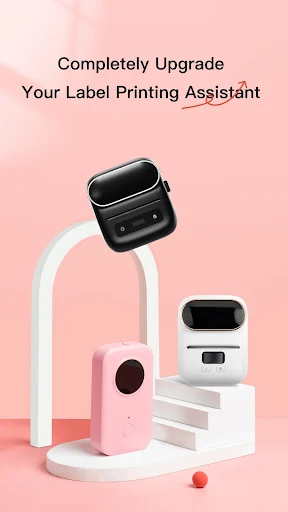
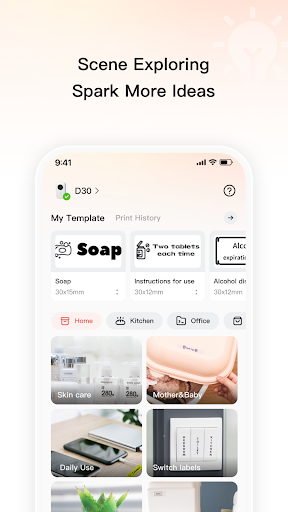
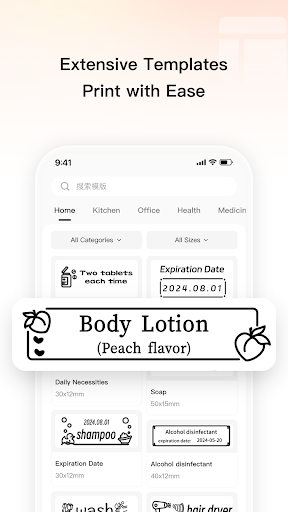
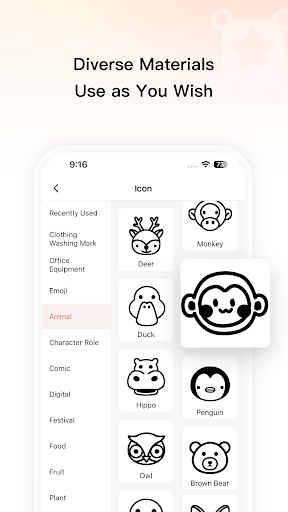
Analysis by Reviewed APKs
Print Master is a label-making app for people who want to organize shelves, kitchen containers, files, or small-business products with more than handwritten tape. I found its focus on templates and personalized label layouts more useful than a general-purpose printing pitch. It suits home organizers and sellers with batches of items, though the modest Google Play rating is a reason to approach it with measured expectations.
A Labeling Afternoon
When I picture using Print Master at home, it is during the sort of weekend reset when pantry jars, storage bins, and file folders all need clearer names. Rather than writing each label by hand, I would start with a template that fits the job, then adjust its text, font, icons, and layout. The appeal is practical: a few consistent designs can make a crowded cupboard or a stack of paperwork easier to scan.
The same idea works for a small seller preparing labels for food, clothing, jewelry, or retail products. Print Master describes importing spreadsheet data from Excel for batch printing, which could save repetitive typing when many items need similar labels. I would still plan the data carefully before starting; the useful promise here is handling repeated label content, not magically deciding what information belongs on each product.
A Focused Printing Tool
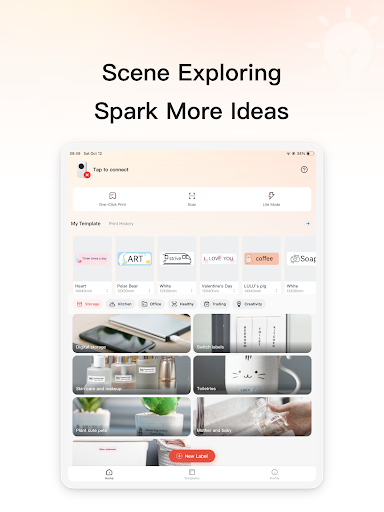
Print Master makes most sense beside a general design app or a handwritten label routine, rather than as a replacement for every kind of print work. Its template categories cover home, kitchen, office, business, health, and creative projects, while its editing choices center on label design. That focus can be a plus when I want to get from a basic idea to a repeatable label without building a layout from scratch.
It is not presented as a document editor, photo-printing suite, or a broad office workflow. I would not choose it to write a report or design a multi-page presentation. Instead, I would use it when the final job is a label, especially when a template or batch of repeated entries is helpful. People who want complete control over every aspect of a larger graphic project may prefer a broader design tool.
Small Habits That Help
A little preparation can make label sessions smoother. I would group the items by purpose first—pantry, storage, or paperwork—then choose one template style for each group. Keeping wording short and consistent makes labels easier to read at a glance. Print Master’s options for fonts, icons, and layouts give me room to distinguish categories without turning every small label into a separate design project.
For a batch, I would organize the Excel data before importing it and check that each row contains the details I want printed. For occasional home labels, I would save time by reusing a visual style rather than making every label from zero. These are ordinary workflow habits, but they matter: the app can help arrange and repeat label content, while the user still needs to decide what to include and how to group it.
More From Our News Desk

Zoom Meetings, Google Meet, or Teams: Which Is Easiest to Join?

How I Build a Free Streaming Lineup With Tubi

Why Crunchyroll Is the Default Anime App for So Many Fans

YouTube TV: A Practical Guide to Cutting Cable

Rummikub and the Small Comfort of Phone Games

TeamViewer Remote Control or AnyDesk for Helping Family?
Who Might Find It Useful
I would recommend Print Master to people who regularly label household storage, kitchen containers, folders, or items for a small retail or craft operation. The template library gives newcomers somewhere to start, and the font, icon, and layout choices provide some personalization without requiring a blank-canvas approach. Spreadsheet import for batch printing is particularly relevant if the labels share a format but need different data.
It may be less appealing to someone who rarely prints labels, wants a full-featured graphic design studio, or expects a general document-printing app. The Google Play rating is 2.8 from around 6,800 ratings, so I would check recent user feedback and make sure the workflow fits before relying on it for an important batch. Its narrower purpose is its main strength, but it also defines who is likely to get the most from it.
Print Master is an Android tools app from ZHUHAI QUIN TECHNOLOGY CO.,LTD. Google Play shows over 1 million installs and a 2.8-star rating from 6,773 ratings. The app is free to download and contains in-app purchases; listed items range from $0.49 to $39.99. It does not contain ads, and its content rating is Everyone.
The current version in the supplied app details is 5.23.1. Print Master was released on June 23, 2019, and its last update is dated October 15, 2026. An Android minimum version was not provided in the app facts, so check the Google Play store page for device compatibility before installing. The listed price and purchase options may also change over time.
A Closer Look at Label Making
Getting Started
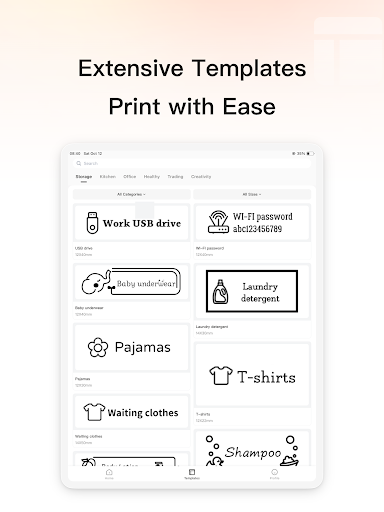
My first impression of Print Master is that it has a clearly defined job: help make labels for everyday organization and business use. The template library is the natural place to begin, with categories spanning home, kitchen, office, business, health, and creative projects. That selection matters because the hardest part of a small design task is often figuring out how to start, not choosing a font.
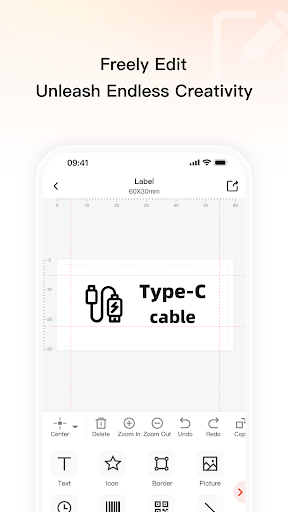
Once I have a direction, the app’s described controls let me personalize a design with fonts, icons, and layouts. I like that combination for labels because it offers ways to signal categories while keeping the text central. I would start with a simple template and only make changes that help the label do its job. A small container label needs clarity more than decorative complexity.
The Everyday Workflow
For a one-off job, the basic rhythm is easy to imagine: choose a suitable template, shape its text and appearance, then prepare the label for printing. That structure works for kitchen storage or a folder system because the design task stays connected to a concrete need. Instead of opening a general design canvas and making every choice myself, I can use a purpose-oriented starting point.
Day to day, consistency is more valuable than endless variation. If I am labeling several pantry containers, I would reuse a layout and change the wording rather than reinventing each label. Print Master’s design options support that kind of light customization. The experience sounds best suited to focused sessions, whether that means a few home labels or a larger run, rather than constant use as an all-purpose creative workspace.
Templates and Batch Printing
The template range is the most immediately useful feature for casual users. Home and kitchen labels solve familiar problems, while office and business categories make the app relevant beyond household organization. The templates are paired with font, icon, and layout choices, so the starting point need not dictate the finished look. I can see that being handy when I want labels to feel coordinated without spending a long time designing them.
Batch printing is the feature that stands out for repeated work. Print Master describes importing data from Excel to create multiple labels, a practical fit for apparel, food, jewelry, and retail products. That could reduce the tedious part of repeating the same layout with different details. I would treat it as a workflow aid, though: the spreadsheet still needs sensible, well-organized information before it can make a batch useful.
A Practical Routine
For a home project, I would set aside a short session and tackle one zone at a time. I might begin with kitchen storage, pick a template style, and write concise names for the containers before adjusting fonts or icons. Moving through a single category keeps the visual treatment consistent and makes it easier to notice which items still need a label. Then I can switch to files or storage bins later.
For a small product run, I would prepare the spreadsheet first, check the entries, and use the batch option for repeated labels. I would keep a basic design that leaves enough room for the information that matters. This approach uses Print Master for the parts it is meant to handle—templates, personalized layouts, and repeated label data—while leaving the planning and data cleanup in my hands.
Limits to Keep in Mind
Print Master is built around labels, so I would not expect it to cover unrelated print projects such as long documents or complex page layouts. Its described strengths are templates, basic design personalization, and batch work. That focused scope is useful when the job matches, but it may feel limiting to someone who wants one app for everything from posters to office paperwork.
The rating on Google Play is 2.8 stars from 6,773 ratings, which gives me pause before making the app central to a time-sensitive workflow. I would read recent reviews and test a small project before preparing a large batch. The supplied details also do not give a minimum Android version, so compatibility is worth checking on the store page. The free download includes in-app purchases, with listed items spanning a broad price range.
Print Master has a sensible niche: making labels for home organization, kitchen storage, office filing, and small product runs. I like the combination of templates and small design choices, with spreadsheet-based batch printing as a useful option for repeated work. It is a focused helper rather than a universal printing or design app.
I would try it if I had a real labeling project and wanted a template-led workflow, especially for organizing a home or preparing similar product labels. I would be more cautious about relying on it for a deadline without first testing the process, given its modest Play rating. For occasional document printing or broad graphic design, I would look elsewhere.
Print Master Frequently Asked Questions
What is Print Master used for?
Print Master is for creating labels for uses such as home organization, kitchen storage, document filing, health reminders, and holiday messages. It offers templates and ways to adjust fonts, icons, and layouts. For business use, its description also includes importing Excel data to prepare multiple labels, which may help when many items share a format.
Can I use Print Master on an iPhone or computer?
The app facts identify Print Master as an Android app, so the relevant store is Google Play. They do not establish availability for iPhone, iPad, or desktop computers. If you need a particular device or printer setup, check the current Google Play page and the app’s details before planning a project around it.
What Android version does Print Master require?
The minimum Android version is not included in the supplied app details. Requirements can vary as an app is updated, so check the Google Play store page for the current compatibility information for your device. The listed version is 5.23.1, but that alone does not indicate which Android releases it supports.
Does Print Master cost money?
Print Master is free to download and contains in-app purchases. The supplied price range for individual in-app items is $0.49 to $39.99, and the app does not contain ads. Purchase options and prices can change, so review the Google Play page for current details before buying anything.
Is Print Master a good fit for casual users?
It could suit someone who wants templates for household labels or needs to prepare repeated labels for products. The app is focused on label-making rather than general document or graphic design. Its Google Play rating is 2.8 stars, so I would read recent reviews and try a small, low-stakes project before depending on it for a larger task.
Pros
- Templates cover household, kitchen, office, business, health, and creative label projects.
- Fonts, icons, and layouts give labels straightforward personalization options.
- Excel data import is intended to support printing multiple labels.
- Free to download and contains no ads.
Cons
- Its label-first focus does not make it a general document or design tool.
- The 2.8-star Google Play rating suggests checking recent user feedback first.
- In-app purchases range from $0.49 to $39.99 per item.
- Category
- Tools
- Version
- 5.23.1











