Phone Cleaner - AI Cleaner
- 758.56K
- 4.8
- Installs
- 100.00M
- Price
- Free

Screenshots
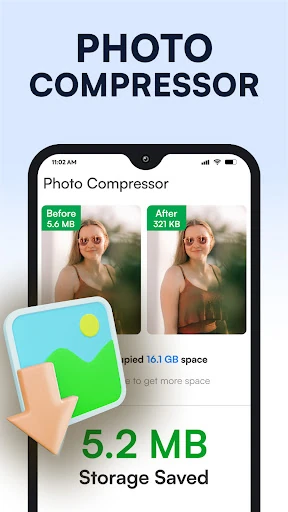
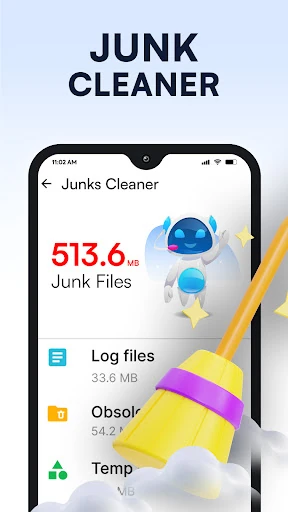
Analysis by Reviewed APKs
Phone Cleaner - AI Cleaner is a storage utility for Android that brings junk-file cleanup, large-file and duplicate detection, app management, and file browsing together. I’d consider it for a phone where storage is getting tight and I want a straightforward way to inspect what is taking up space. Its appeal is the all-in-one approach, though I’d still want to review suggested files before deleting anything.
When Storage Starts Feeling Tight
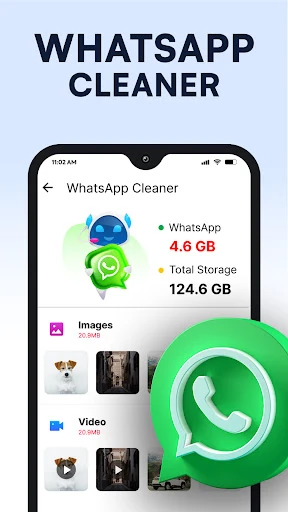
When I first opened a storage cleaner, the job I wanted it to do was simple: help me work out why my phone had less room than I expected. Phone Cleaner - AI Cleaner is built around that sort of check. It can scan for temporary and residual files, and it also identifies categories such as duplicate photos, old screenshots, and large files that may be worth reviewing.
I’d use it on an ordinary evening after a few weeks of taking photos, saving documents, and letting chat apps accumulate media. A scan gives me a place to start instead of making me browse every folder at random. The app lists items it considers removable, so I can look through the results and choose what to delete. That review step matters: a file that looks old may still be something I want.
Cleaner, Not a Phone Upgrade
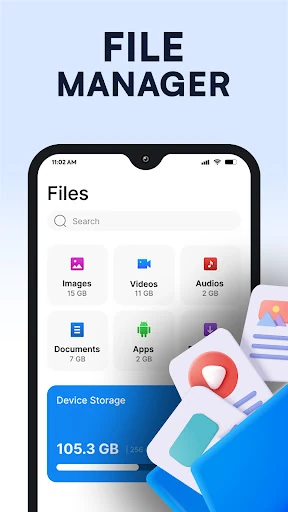
Compared with opening the phone’s built-in storage settings, this app gathers several kinds of cleanup and file management in one place. It can scan junk files, highlight large files and duplicate images, show installed apps with their storage use, and browse files by category. That combination is useful when I want a broader view of what is taking space without jumping between separate tools.
It is still a storage utility, not a substitute for a general-purpose cloud backup, photo editor, or device repair service. The description focuses on finding and managing files already on the phone; it does not promise to recover deleted content or expand storage. I’d treat its suggestions as a way to find candidates for cleanup, not as a reason to remove everything it flags automatically.
Make Cleanup a Small Habit
A little routine can make a cleaner easier to use. I’d check available storage when I notice downloads taking longer to organize or the phone warning that space is low, then scan and inspect the results a category at a time. Starting with large files or duplicate images can make the review feel more manageable than trying to sort every file type in one sitting.
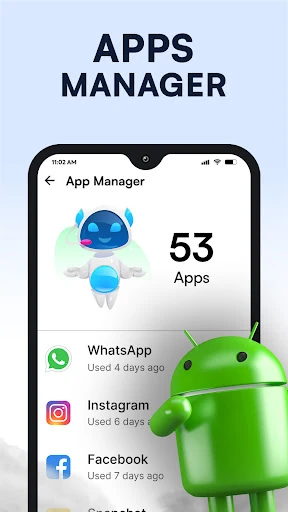
The app manager can also help me notice which installed apps occupy the most space, while the file manager gives me another way to locate photos, videos, and documents. I’d use those views to decide what I actually need, rather than assuming that a large app or file is automatically disposable. A short, occasional check is more practical than treating cleanup as a daily chore.
More From Our News Desk

Zoom Meetings, Google Meet, or Teams: Which Is Easiest to Join?

How I Build a Free Streaming Lineup With Tubi

Why Crunchyroll Is the Default Anime App for So Many Fans

YouTube TV: A Practical Guide to Cutting Cable

Rummikub and the Small Comfort of Phone Games

TeamViewer Remote Control or AnyDesk for Helping Family?
Who Might Find It Useful
I’d recommend Phone Cleaner - AI Cleaner to Android users who want a single place to inspect storage and browse files, especially if they regularly collect photos, screenshots, downloads, or chat media. The mix of junk scanning, large-file discovery, app size information, and file management gives it several practical jobs beyond simply displaying a storage total.
It may be less appealing if you prefer to manage every file yourself through your phone’s existing settings, or if you expect a cleaner to make a device feel faster without any decisions on your part. The app’s useful work depends on reviewing what it finds and choosing what to remove. Since it includes ads and in-app purchases, those are also worth considering if you prefer utilities with no interruptions or paid options.
Phone Cleaner - AI Cleaner is a free Android tools app from Brain Trust. Google Play shows more than 100 million installs and a 4.8-star rating from about 759,000 ratings. Its content rating is Everyone. The app includes ads and offers in-app purchases, with listed in-app products priced at $19.99 per item.
The current version shown is 1.0.106. The app was released on June 27, 2023, and its last update is dated October 28, 2026. The supplied app information does not give a minimum Android version, so check Google Play for compatibility with a particular device.
A Closer Look at Everyday Cleanup
A Practical First Impression
The app’s pitch is easy to understand: it combines storage cleanup with file and app management. I like that the listed jobs cover both finding possible clutter and browsing the contents of the phone. That gives me more than a single scan button to work with when I am trying to understand what has filled up my available space.
I’d begin by checking the scan results rather than immediately clearing everything. The app describes its cleaner as scanning for temporary, residual, and obsolete files, alongside items such as duplicate photos and large files. Those categories can point me toward useful cleanup opportunities, but I’d still want to recognize the files before deleting them.
The Day-to-Day Scan
For occasional maintenance, the core experience is about finding items that could be taking up room and making them visible in a list. That is a sensible approach for someone who does not remember where every download or screenshot ended up. I can review what the app identifies and make my own decision about whether it is safe to remove.
The description also says the app monitors available storage. That context can help turn a vague feeling that space is disappearing into a more concrete reason to check large files or installed apps. I would not expect the scan itself to decide what matters to me; the practical value is having candidates gathered for a deliberate review.
More Than Junk Files
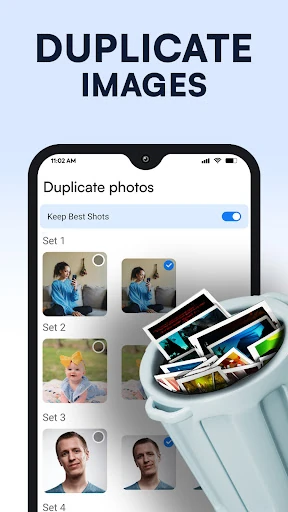
The feature that broadens the app’s usefulness is its AI cleaning category. It is described as detecting items such as duplicate photos, old screenshots, and large files, then listing results for the user to inspect. In everyday terms, that could help when a camera roll or a folder of saved images has become difficult to sort manually.
There is also an app manager that lists installed applications and shows how much space they occupy, plus a file manager for browsing files and folders by category. I can see the benefit of having those views together: I might check a large app one day and look for a document or video the next, without treating every storage issue as junk.
A Low-Fuss Routine
My preferred way to use a tool like this would be a quick storage check when the phone starts feeling cluttered, followed by one focused pass through the results. I might look at large files first, then review duplicate images or screenshots, and finally glance at the app list for programs that take up notable space. Keeping the review focused helps avoid turning a simple task into a full afternoon of sorting.
If I were organizing a particular file, I’d switch to the file manager and browse its categories rather than running another cleanup scan. The distinction is useful: scanning is for surfacing possible space savings, while browsing is for finding and managing files I want to keep. In both cases, a quick look before taking action is a sensible habit.
Keep Expectations Grounded
A cleaner can help identify files to review, but it cannot know which personal photos, downloads, or documents I may want later. I would be cautious about deleting anything just because it appears in a cleanup result, especially when I have not recognized the file. The app’s role is to present options, not to make personal decisions on my behalf.
The app includes ads and in-app purchases, so the experience may not suit someone seeking an entirely ad-free utility. It is also focused on storage management rather than broader device maintenance. I’d judge it by whether its scans and file views make it easier to find things I can confidently remove, not by expecting it to solve every issue that makes a phone feel slow.
Phone Cleaner - AI Cleaner brings several useful storage tasks into one Android app: junk scanning, discovery of large or duplicate items, app size checks, and file browsing. I like the practical range, particularly for someone who wants help finding where space is going without manually checking every folder.
I’d give it a try if storage clutter is a recurring annoyance and I’m comfortable reviewing cleanup suggestions myself. If I already prefer my phone’s built-in tools, or do not want ads and paid options in a utility, I may be happier sticking with what I have.
Phone Cleaner Frequently Asked Questions
What is Phone Cleaner - AI Cleaner used for?
Phone Cleaner - AI Cleaner is a storage and file management app for Android. It can scan for junk and temporary files, identify large files, duplicate photos, and old screenshots, show storage used by installed apps, and help browse files and folders. It presents items for review so users can choose what to manage or delete.
Which devices support Phone Cleaner - AI Cleaner?
The app is for Android devices and is distributed through Google Play. The supplied app details do not give a minimum Android version. Compatibility can depend on the device and software version, so check the Google Play store page for current requirements before installing.
Does Phone Cleaner - AI Cleaner cost money?
The app is free to download, but it contains ads and offers in-app purchases. Google Play shows in-app products priced at $19.99 per item. The available purchase options can vary, so check the store page for the current details before buying.
Can Phone Cleaner - AI Cleaner delete files automatically?
The app scans and lists files it considers suitable for cleanup, including items such as duplicate images and large files. Its description says users can select and delete items. I’d review the results carefully before removing anything, since only you can decide whether a personal file is still useful.
Who should try Phone Cleaner - AI Cleaner?
It may suit Android users who want cleanup scanning, app size information, and file browsing in one utility, particularly when storage is getting crowded. It may be less suitable for people who prefer to manage files entirely on their own or who want a utility without ads or in-app purchases.
Pros
- Combines junk scanning, large-file discovery, app management, and file browsing.
- Lists duplicate photos and old screenshots for a user-led review.
- Shows how much space installed apps occupy.
Cons
- Includes ads and in-app purchases.
- Cleanup results still require careful personal review before deletion.
- The supplied details do not specify a minimum Android version.
- Category
- Tools
- Version
- 1.0.106











