Phone Call
- 71.99K
- 4.2
- Installs
- 5.00M
- Price
- Free

Screenshots

Analysis by Reviewed APKs
Phone Call is an Android dialer and contact manager for people who want to search contacts, check recent calls, and handle unwanted numbers from one place. I found its appeal in familiar, practical jobs rather than flashy extras: dialing by name or number, reaching favorites quickly, and looking up callers. It could suit someone ready to replace a basic phone app, though ads and the broad feature claims call for a measured approach.
A quicker call routine
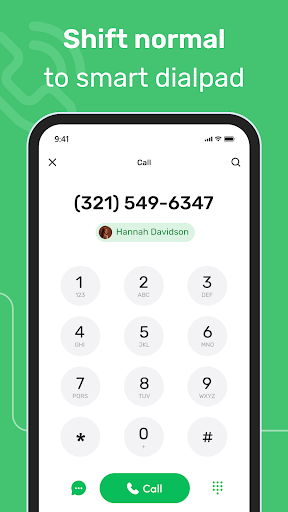
When I picture using Phone Call during a busy day, it is between errands, with one hand free and a name in mind but no time to scroll through a long contact list. The T9 dialer is meant to search by names and phone numbers as I type, while the favorites area offers a shorter route to people I call often. Those are modest conveniences, but they address real points of friction in everyday calling.
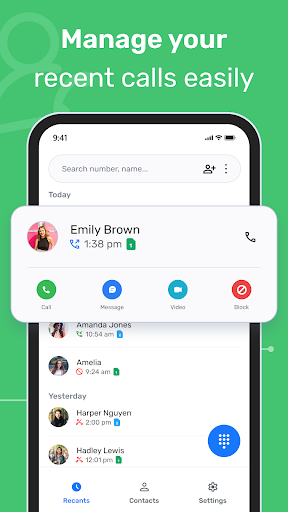
The call log gives the routine another useful anchor: after a missed call or a quick conversation, I can return to recent activity instead of trying to remember when someone called. Phone Call also describes caller ID and number lookup for unfamiliar numbers. I would treat those as tools for deciding what to do next, not as a reason to answer every unknown caller. The central job remains ordinary phone calling, organized with search and contact access.
A dialer, not a messenger
Phone Call belongs beside the phone app that comes with an Android device, rather than in the same category as messaging or video-call services. Its focus is the contact list, dialing, call history, favorites, caller identification, and call blocking. If the default dialer already handles those jobs comfortably, there may be little reason to switch. If I regularly hunt for contacts or want call-related tools together, the alternative may be worth a look.
It is not presented as a way to chat over the internet, record conversations, or manage every part of a person's digital life. I would not install it expecting those things. The description emphasizes replacing a stock phone app, so a user should think about whether they are comfortable giving a different app a central place in their calling routine. That trade-off matters more than a promise of a prettier keypad.
Make search work for you
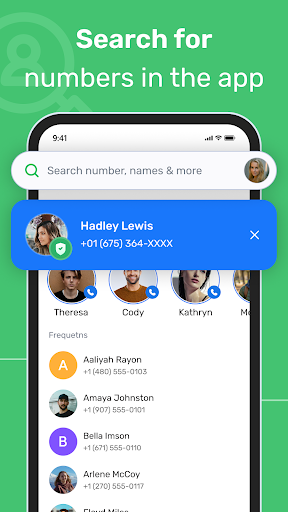
A small habit that could make Phone Call more useful is to type a few letters or digits into the T9 dialer before scrolling manually. That is especially handy when I know part of a name or number but cannot recall exactly where the contact sits. Keeping frequently called people in favorites can also trim down the steps for repeat calls, while the call log is a natural place to start when returning a recent call.
For unfamiliar numbers, I would use caller identification or number lookup as a prompt to pause and assess, not as a substitute for judgment. Call blocking is another feature to consider when unwanted calls become a nuisance. The description says the app can block calls, but it does not explain every setting or how results are handled. A practical approach is to explore the available controls and keep expectations grounded in what the app actually offers.
More From Our News Desk

Zoom Meetings, Google Meet, or Teams: Which Is Easiest to Join?

How I Build a Free Streaming Lineup With Tubi

Why Crunchyroll Is the Default Anime App for So Many Fans

YouTube TV: A Practical Guide to Cutting Cable

Rummikub and the Small Comfort of Phone Games

TeamViewer Remote Control or AnyDesk for Helping Family?
Who may find it useful
I would recommend Phone Call to Android users who want a dialer centered on quick contact search, recent calls, and easy access to favorites. It may be particularly convenient for someone who calls the same people often or wants caller ID and number lookup close to the dial pad. The app's stated features are easy to understand, and the combination could make routine calling feel more organized without changing what a phone call is.
It may be less appealing if the built-in phone app already fits your habits, or if you prefer not to replace a core system app. People looking for messaging, voicemail transcription, or call recording should not assume those features are included; they are not part of the supplied app description. Ads are present, which may also be a drawback in an app opened for quick, focused tasks. I would compare its actual behavior with my needs before making it my default.
Phone Call is a Tools app from Caller ID Name. On Google Play, it has more than 5 million installs and a 4.2-star rating from about 72,000 ratings. The app is free to download, and the supplied facts show no in-app purchases. Ads are present, so the experience is not entirely free of commercial interruptions.
The app has an Everyone content rating and is currently identified as version 3.3.2.0. Its release date is September 5, 2021, and its last update is recorded as October 15, 2026. The available details do not give a minimum Android version, so anyone checking compatibility should consult the Google Play store page for their device.
Everyday Calling, With More Ways to Find
First look and setup
When I first opened the idea of Phone Call, what stood out was its straightforward ambition: take over the familiar dialer job and add contact search, call history, favorites, caller ID, and blocking. That is a practical bundle, not a new way to communicate. The description frames it as a replacement for a stock phone app, so the first decision is whether I want a separate app handling a routine I already know well.
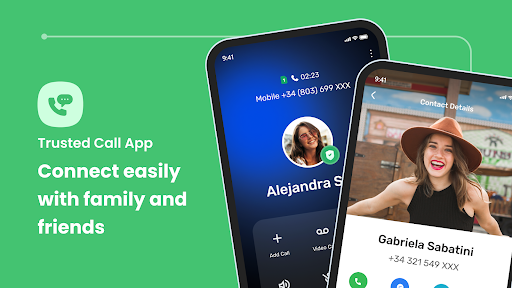
Contact access is central to what the app describes. It is intended to work with contacts from personal, business, and other accounts, which should make searching more useful for people whose address books span more than one account. I would approach setup with a quick check of the permissions and contact organization on my own device. The supplied details do not spell out the setup screens, so the sensible expectation is to evaluate the app as it appears on the phone.
The daily calling flow
Day to day, the T9 dialer is the feature most likely to change how I reach someone. Instead of paging through names, I can search by typing a name or phone number. That can be useful when I am moving between tasks and remember only a few letters, or when I need to place a call without spending time browsing. The app also supports adding a new contact from the dialer, keeping that small task close to the call itself.
Favorites and call history cover two different kinds of repeat use. Favorites are for people I contact regularly; the log is for calls that have already happened and may need a follow-up. I like that distinction because it mirrors how I actually think: some calls are planned, while others are simply returns. Phone Call's usefulness will depend on how smoothly these familiar routes fit into my habits, rather than on a feature count alone.
Caller tools in one place
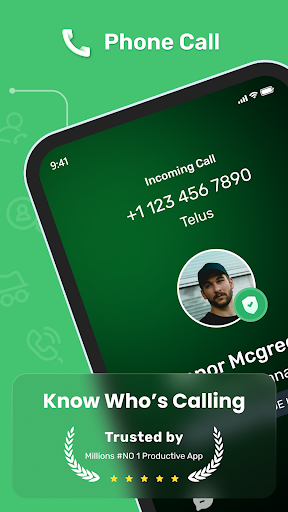
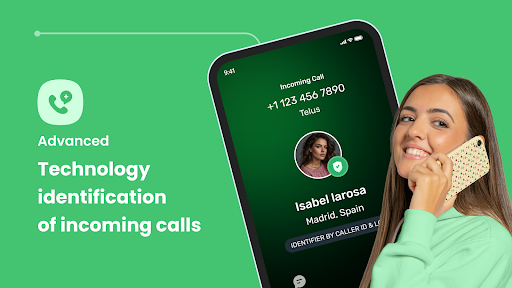
Caller ID and phone number lookup are the more distinctive promises in Phone Call's description. The app says it can help identify callers and search numbers, which gives me a way to investigate an unfamiliar call before deciding whether to respond. That could be helpful when a number appears without a saved name. I would still treat the result as information to consider, not an infallible answer about who is calling.
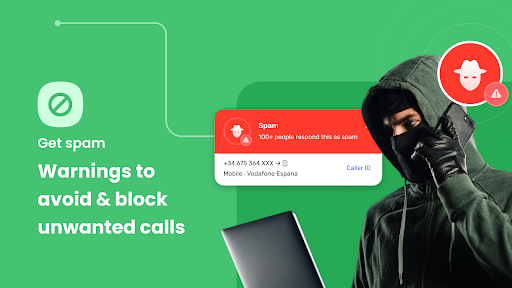
Call blocking is another practical addition, especially for people bothered by telemarketing or spam calls. It puts call management alongside contact search rather than making the dialer only a place to enter numbers. The description does not detail the blocking controls or how identification works in every case, so I would explore the actual options on the device before relying on them. The main value is having these caller-related tools in the same general workflow.
A useful weekly rhythm
A realistic routine might start with favorites for the handful of people I call most, then use T9 search for everyone else. During the day, I could glance at call history when I need to return a missed call. If an unfamiliar number appears, caller ID or lookup gives me another point of reference before I decide what to do. It is a simple sequence, but it covers the small decisions that make up a lot of ordinary phone use.
I would also make a habit of keeping contact details tidy in the accounts Phone Call can access. Search is only as useful as the names and numbers behind it, and a well-organized address book makes any dialer easier to use. For unwanted calls, the blocking feature may help shape a less disruptive routine. I would check its behavior over time rather than assuming every nuisance call will be handled the same way.
Keep expectations grounded
The first limitation is that a replacement dialer has to earn its place. If the phone's existing app already makes calls, searches contacts, and displays recent activity in a way I like, switching may add little. Phone Call's feature set is relevant, but the description does not provide enough detail to compare every control with a particular device's stock dialer. A few minutes of real use will matter more than the broad claim that it is easier.
Ads are part of the package, and that matters in a tool I may open briefly throughout the day. I would notice whether they interrupt the quick tasks I care about, such as finding a contact or checking a recent call. Also, caller identification and call blocking are described as features, but no detailed performance figures are provided. I would value them as conveniences while keeping a sensible level of caution around unknown callers.
Finally, Phone Call is for Android, and the minimum Android requirement is not included in the available facts. Anyone considering it should check the Google Play store page for device compatibility. The app's description is focused on calling and contact management, so I would not choose it for features outside that scope. Its strongest case is a desire for a different dialer workflow, not a promise to transform every aspect of phone use.
Phone Call brings together a searchable dialer, favorites, call history, caller identification, number lookup, and call blocking. I like the practical focus: it aims to make common calling tasks easier to reach, rather than asking users to learn a new communication style. Its usefulness will come down to how well those tools fit a person's Android device and daily habits.
I would try it if contact search and caller tools are missing from my current routine, while keeping ads and the switch from the stock dialer in mind. If the built-in app already works well, there is no pressing reason to change. Phone Call is best suited to users who want a more feature-focused home for everyday calls.
Phone Call Frequently Asked Questions
What is Phone Call used for?
Phone Call is an Android dialer and contact manager. Its described tools include a T9 search for names and numbers, favorites, call log history, caller ID, phone number lookup, and call blocking. It is intended to handle everyday phone calls and related contact tasks, rather than messaging or internet-based conversations.
Which devices can run Phone Call?
Phone Call is an Android app distributed through Google Play. The available details do not specify a minimum Android version, so compatibility can depend on the device and may change over time. Check the Google Play store page on the phone you plan to use before installing.
Does Phone Call cost money?
Phone Call is free to download, and the supplied app facts show no in-app purchases. Ads are present. Store details can change, so check the Google Play page for the current information before downloading or using the app.
Can Phone Call identify unknown callers?
The app describes caller ID and phone number lookup as ways to identify or search unfamiliar numbers. It also includes call blocking among its listed tools. These features can help inform how you handle a call, but the description does not provide detailed performance information. Check the app's current store information for further details.
Is Phone Call a good fit for everyone?
It may suit Android users who want quick contact search, favorites, recent call history, caller identification, and blocking together. It may be less appealing if the built-in dialer already meets your needs or you do not want ads in a frequently used tool. Whether it fits depends on your device and calling habits.
Pros
- T9 search can find contacts by name or phone number.
- Favorites and call history support quick access to routine calls.
- Caller ID, number lookup, and call blocking are included in its stated focus.
- Free to download, with no in-app purchases in the supplied facts.
Cons
- Ads may interrupt a tool used for quick everyday tasks.
- Replacing the stock dialer may not be worthwhile for satisfied users.
- The available details do not specify the minimum Android version.
- Category
- Tools
- Version
- 3.3.2.0











