ParentVUE
- 199
- 1.9
- Installs
- —
- Price
- Free

Screenshots
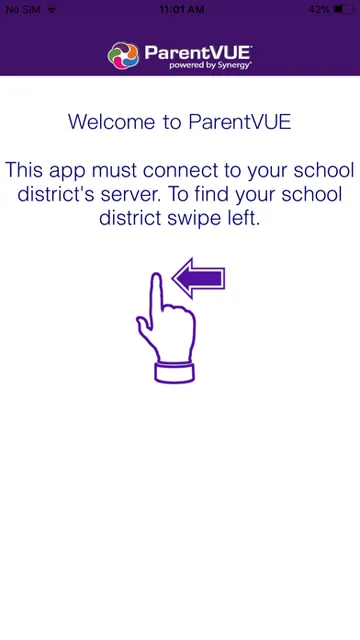
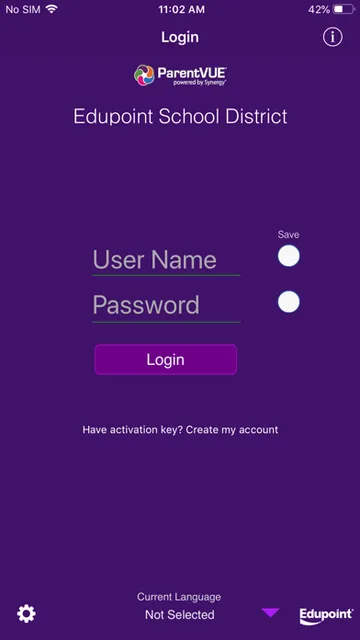
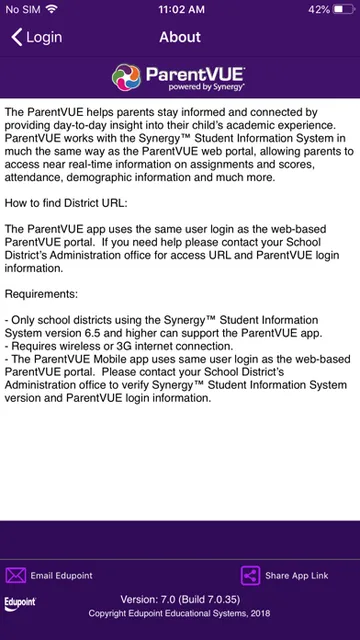
Analysis by Reviewed APKs
ParentVUE is a school information app for parents who want a clearer view of their children’s assignments, scores, attendance, and basic student details. It connects to districts that use the Synergy student information system, so it is not a universal school portal. I see its appeal in quick, practical check-ins: useful when your district supports it, but dependent on school access and setup.
A quick school-day check-in
Picture a weekday evening when I am trying to work out whether a child has an assignment due or missed a class. ParentVUE gives me a place to look at school information such as assignments, scores, and attendance, rather than relying on a paper note or waiting to ask at the next meeting. The information is described as near real time, which makes the app most useful for routine checks rather than occasional big-picture planning.
The first practical hurdle is getting connected to the right school district. ParentVUE uses the same login as the district’s web portal, and the district needs to use a compatible version of Synergy. Once those pieces are in place, the app can show information for multiple children with one sign-on, even when they attend different schools. That makes it easier to check a family’s school details from one place.
A companion to the portal
ParentVUE is best understood as a mobile counterpart to the ParentVUE web portal, not as a replacement for every conversation with a teacher or every school system. Its job is to bring academic and attendance details into a phone-friendly setting. If a parent already uses the web portal, the shared login makes the app a convenient alternative for checking information while away from a computer.
It is also not a general-purpose learning app, tutoring service, or school communication platform based on the available description. Its usefulness depends on the district using the Synergy student information system and providing access information. If a school does not support the required setup, there is no reason to expect the app alone to provide a complete view of a student’s school life.
Make checks more useful
I would get the most from ParentVUE by making it part of a simple routine instead of opening it only when something seems wrong. A quick look at assignments and scores after school can help me notice what needs follow-up, while checking attendance now and then keeps another everyday detail close at hand. The app’s purpose is visibility, so a regular, brief check is more natural than treating it like a full academic planner.
For a household with more than one child, I would make a habit of checking each child’s information before moving on. ParentVUE’s single sign-on is designed to bring children’s records together, including those from different schools, but it is still worth being deliberate about whose details I am viewing. Keeping the district’s login and access instructions handy also makes the initial setup less of a scavenger hunt.
More From Our News Desk

Zoom Meetings, Google Meet, or Teams: Which Is Easiest to Join?

How I Build a Free Streaming Lineup With Tubi

Why Crunchyroll Is the Default Anime App for So Many Fans

YouTube TV: A Practical Guide to Cutting Cable

Rummikub and the Small Comfort of Phone Games

TeamViewer Remote Control or AnyDesk for Helping Family?
Who will find it useful
I would recommend ParentVUE to parents and guardians whose school district uses Synergy and who want a convenient way to check assignments, scores, attendance, and student details. It has a particularly clear use for families managing information for multiple children: one sign-on can bring their school records together, even when the children attend different schools. For an existing ParentVUE portal user, the app offers a mobile route to familiar information.
It may not suit someone whose district does not support ParentVUE or who wants a broad set of classroom tools beyond viewing student information. The app also depends on having the district’s access URL and login details, so a parent without those may need help from the school administration before getting started. I would treat it as a useful information window, not a substitute for contacting the school when a question needs a personal answer.
ParentVUE is an Education app from Edupoint for iPhone and iPod touch. The App Store lists it as free, with a 4+ age rating. Its current listed version is 12.5, and the release date shown is December 30, 2010. The App Store rating is 1.9 out of 5 from 199 ratings.
The listed minimum requirement is iOS 15.6. The App Store shows June 9, 2026 as the date of its latest update. ParentVUE is intended for districts using Synergy student information system version 6.5 or higher, and it requires a wireless or 3G internet connection. Access uses the same login as the ParentVUE web portal.
A practical window into school life
Getting started
When I first opened the idea of ParentVUE, the key question was not which button to tap; it was whether my district supported the system. The app works with Synergy, and the district needs a supported version. That dependency is important to understand before expecting the app to work as a standalone sign-up service.
Setup relies on the same login used for the web-based ParentVUE portal. If I did not have the district URL or login information, the app’s instructions point me to the school district administration office for help. That is a reasonable route for a school-connected service, though it does mean getting started can involve an extra step outside the app.
The everyday view
The core experience is about checking school information, not building a new workflow from scratch. ParentVUE provides access to assignments and scores, attendance, and demographic information. For a parent who wants a quick answer to a practical question—what work is recorded, or whether attendance information is visible—that focused set of details is the main attraction.
The information is described as near real time, which supports checking in during ordinary routines instead of waiting until I am back at a computer. I would still treat the app as a convenient view into the school’s system, rather than assuming every update or explanation will be available there. Its value comes from easy access to the records it is designed to show.
One sign-on, several children
The most notable convenience is that ParentVUE can bring information for all of a parent’s children under one sign-on, even if they attend different schools. That is a useful design choice for families who would otherwise have to keep track of separate school views. It makes the app’s family-wide role clearer than a collection of unrelated student pages.
The other standout is its close relationship to the web portal. Parents can use the same login rather than learning a separate account system for the mobile app. In practice, that makes ParentVUE feel like an additional way to reach the district’s information, rather than a distinct service with a separate purpose or a different kind of school record.
A simple weekly routine
A workable routine might be a short check after school or before the evening gets busy. I would look at assignments and scores when helping a child plan what to focus on, then check attendance information when there is a reason to review it. Keeping the app in that supporting role avoids turning a quick information check into a complicated tracking project.
For multiple children, I would make the check child by child and use the single sign-on to move between their information. If something is inaccessible or the login is not working, I would first confirm that I have the district’s correct URL and portal credentials. The school district administration office is the stated place to get help with access information.
Where it falls short
The biggest limitation is that ParentVUE depends on district compatibility. A parent cannot assume the app will connect to every school, because the district must use the Synergy student information system at version 6.5 or higher. That requirement makes the app potentially valuable in one family’s school district and irrelevant in another’s.
The app also requires an internet connection, described as wireless or 3G, so it is not intended as an offline record book. Its focus is a set of student information, rather than a broad suite of learning or family-management tools. Parents who need a conversation or clarification will still need to use the school’s appropriate channels.
ParentVUE has a straightforward purpose: give parents a mobile way to view selected school information through a compatible district system. Its shared login and support for multiple children are genuinely practical touches, while the Synergy requirement and district-provided access details define who can use it.
I would recommend it to parents already connected to a participating district who want convenient checks on assignments, scores, and attendance. If your district does not use the supported system, or you are looking for more than a student information view, this is unlikely to be the right tool.
ParentVUE Frequently Asked Questions
What is ParentVUE used for?
ParentVUE lets parents access school information through districts that use the Synergy student information system. The app provides near-real-time access to assignments and scores, attendance, and demographic information. It can show information for a parent’s children with one sign-on, including children who attend different schools.
Which devices can run ParentVUE?
ParentVUE is an iPhone and iPod touch app on the Apple App Store. The stated minimum operating system requirement is iOS 15.6. It also requires a wireless or 3G internet connection, and the school district needs to support the Synergy system for the app to connect to school information.
What iOS version does ParentVUE require?
The listed minimum is iOS 15.6. ParentVUE also depends on the district using Synergy student information system version 6.5 or higher. If you are unsure whether your district supports it or need the district URL and login details, contact the district administration office.
Does ParentVUE cost money?
ParentVUE is listed as free on the App Store. Details such as in-app purchases or other store terms may vary, so it is worth checking the current App Store information before downloading. You also need access through a participating school district and the same login used for its ParentVUE web portal.
Is ParentVUE right for my family?
It may suit parents who want a mobile view of assignments, scores, attendance, and student details, particularly when they have children at multiple schools supported by the system. It is not a universal school app: the district must use a compatible Synergy version and provide access. If that setup is unavailable, the app may not be useful.
Pros
- Puts assignments, scores, attendance, and student details in a mobile view.
- One sign-on can show information for children attending different schools.
- Uses the same login as the ParentVUE web portal.
- Offers a focused way to check school information during everyday routines.
Cons
- Only works with districts using a compatible Synergy student information system.
- Parents need district-provided access details and portal login information.
- Requires an internet connection and does not serve as an offline record book.
- Category
- Education
- Version
- 12.5











