Panda Express
- 62.01K
- 4.7
- Installs
- 5.00M
- Price
- Free
Screenshots
Analysis by Reviewed APKs
Panda Express is an ordering and rewards app for people who already enjoy the restaurant and want an easier way to plan a meal. I found its appeal pretty straightforward: choose a pickup, dine-in, or delivery order, save favorites for next time, and earn points on qualifying purchases. It is most useful when Panda Express is already part of your routine, rather than as a general restaurant-discovery tool.
A smoother meal run
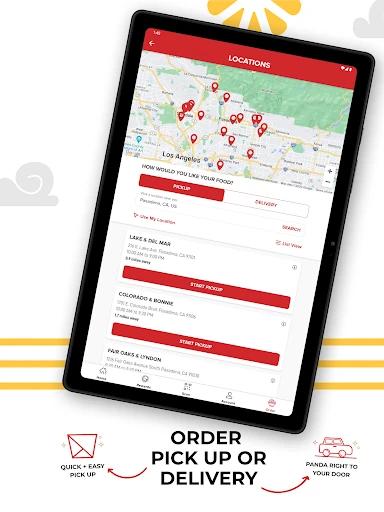
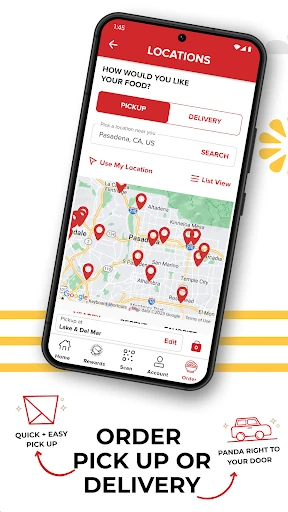
Picture a busy lunch break when I have only a short window to pick up food. With Panda Express, I can place an order in the app for takeout rather than deciding what to order after arriving. The app also supports dine-in and delivery, and lets me choose ASAP or schedule an order for later. That makes it useful for fitting a familiar meal around the day instead of building the day around a stop.
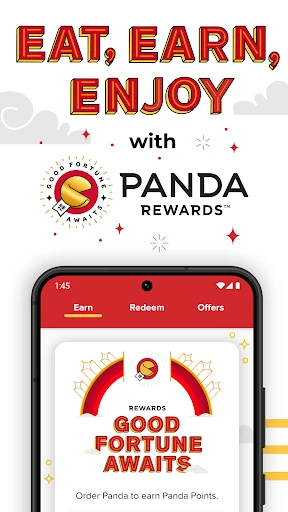
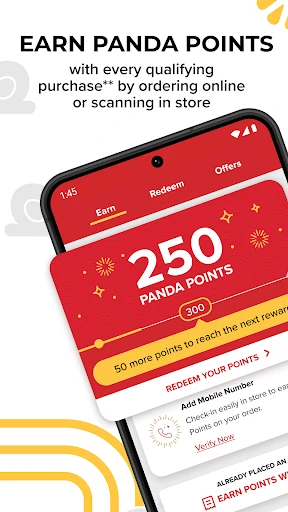
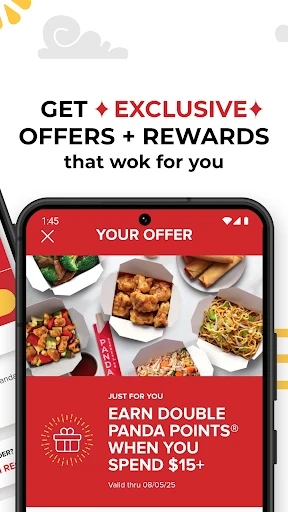
Rewards add a small extra reason to use the app. I can earn Panda Points on qualifying purchases made through the app, or scan a QR code in a store or drive-thru. The points can be used to unlock rewards, and surprise offers may appear as well. I would think of these as a bonus to ordering, not a reason to buy more than I planned.
Ordering, not restaurant discovery
Compared with a broad food-delivery service, Panda Express is focused on ordering from Panda Express. That narrower scope suits someone who already knows they want the restaurant’s food and would rather keep ordering and rewards together. The app supports several ways to receive an order, plus catering, but its main job remains helping me plan and place a Panda Express meal.
It is not a general guide to nearby restaurants or a place to compare menus from different chains. I also would not treat it as a meal-planning or nutrition tool; the supplied features center on ordering, saved favorites, catering, and rewards. If I am undecided about where to eat, a wider dining app may be a better starting point. If the decision is already Panda Express, this app is more direct.
Small habits that help
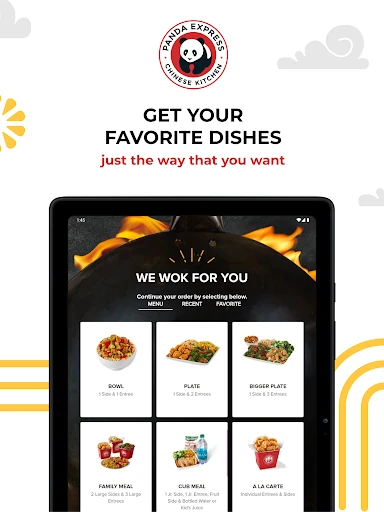
The easiest habit is saving an order I expect to want again. The app says saved favorites can be reordered with a single tap from an account, which is handy for a regular lunch or a predictable dinner pickup. I would still review the order before submitting it, especially when ordering for a different occasion, but saving a familiar choice can cut down on repeated decisions.
I would also make a quick check of timing before placing an order. For an immediate meal, ASAP ordering is the simple choice; for a planned break or later pickup, scheduling may fit better. When I order in person or use the drive-thru, remembering the rewards QR code gives me another way to earn points on qualifying purchases. These are small routines, but they make the app feel less like an extra step.
More From Our News Desk

Zoom Meetings, Google Meet, or Teams: Which Is Easiest to Join?

How I Build a Free Streaming Lineup With Tubi

Why Crunchyroll Is the Default Anime App for So Many Fans

YouTube TV: A Practical Guide to Cutting Cable

Rummikub and the Small Comfort of Phone Games

TeamViewer Remote Control or AnyDesk for Helping Family?
Who will find it useful
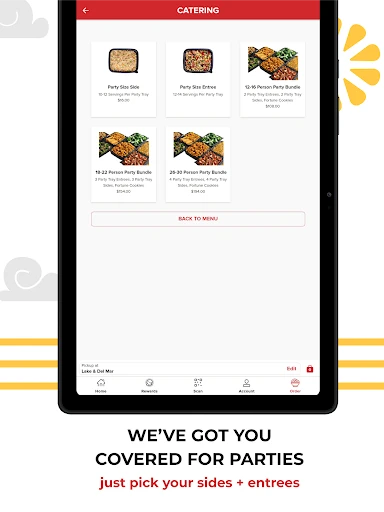
I would recommend Panda Express to regular customers who like ordering ahead, want to save repeat choices, or enjoy keeping track of rewards. It can also suit someone coordinating a meal for a group, since the app includes catering options where sides and entrees can be selected. If Panda Express is already a familiar stop, the app’s focused set of tools is easy to understand.
It may not be worth keeping on a phone for someone who rarely visits Panda Express or prefers choosing among many restaurants in one place. Rewards are tied to qualifying purchases, so they are most relevant to people who order there anyway. I would also look elsewhere for broader restaurant discovery or tools beyond ordering and loyalty. For occasional customers, opening the app only when a Panda Express meal is in the plan may be enough.
Panda Express is developed by Panda Restaurant Group, Inc. On Google Play, it has over 5 million installs and a 4.7-star rating from about 62,000 ratings. The app is free to download, and the supplied store facts indicate that it contains ads. Its content rating is Everyone, and it requires Android 7.0 or later.
The current version shown in the supplied facts is 7.5.0. Panda Express was released on August 20, 2014, and its last update is dated January 27, 2026. There are no in-app purchases reported in the supplied facts. Those details make the basic cost easy to understand: downloading the app is free, while the app is intended for ordering food and using its rewards features.
How Panda Express Fits a Busy Day
A focused first impression
When I first opened Panda Express, the clearest idea was that this is a companion to ordering from the restaurant, not a broad food directory. Its core promise is practical: place an order, choose how and when to get it, and connect eligible purchases with Panda Rewards. That focus helps set expectations before I spend time exploring.
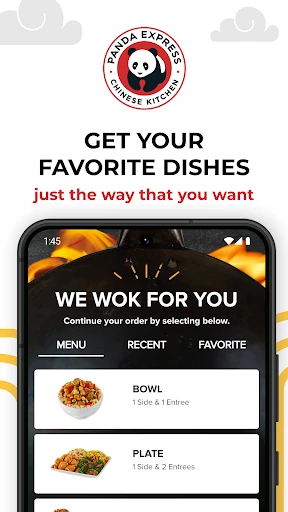
Getting value from it starts with deciding how I usually order. If I tend to pick up lunch, the takeout option is the natural fit; for a meal at home, delivery is available. Dine-in ordering is supported too. The app also has an account-based favorite and reorder feature, so saving a repeat choice makes sense once I have settled on one.
The everyday order
The day-to-day appeal is less about a complicated feature set and more about reducing friction around a meal I already plan to have. I can choose an order for ASAP or set it for later, which is useful when my lunch break has a predictable start. I like that scheduling is part of the stated ordering options rather than having to rely only on ordering at the last minute.
A saved favorite can make repeat visits quicker. Once an order is saved in my account, the app says I can reorder it with a single tap. That is a useful shortcut for a habitual choice, though I would not assume every occasion calls for the same order. The best approach is to use the shortcut when it fits and take a moment to check what I am ordering.
Rewards and catering
Panda Rewards is the feature that gives the app a little more purpose than a digital ordering form. Qualifying purchases can earn Panda Points through app orders, or by scanning a QR code in-store or in the drive-thru. Points can be used to unlock rewards and redeem them for Panda favorites. Surprise offers are another possible perk, though I would treat them as occasional extras rather than the main reason to use the app.
Catering makes the app relevant beyond a solo lunch. The supplied description says customers can choose sides and entrees for a group order. That gives me a starting point when arranging food for a gathering without turning the app into a general event-planning tool. The practical benefit is keeping a larger Panda Express order within the same service used for an individual meal.
A routine that works
For a workday, I would open the app when I know I want Panda Express, choose an order, and set the timing based on my break. If I tend to get the same meal, saving it can make the next visit faster. Before placing the order, I would make sure the saved choice still suits the day, then use the app’s ordering option that matches how I plan to receive the food.
On a day when I am already at a store or drive-thru, the rewards QR code offers another way to connect a qualifying purchase to my points. For a group meal, I would switch to the catering option and select sides and entrees. These routines are simple, but they show why the app is most effective when I use the part that matches the meal instead of treating every order as the same.
Limits to keep in mind
The biggest limitation is the app’s narrow scope. It is designed for Panda Express orders and rewards, so it cannot replace a multi-restaurant ordering service when I want to compare many places. That specialization is a strength for a regular customer, but it also means the app may sit unused if Panda Express is only an occasional choice.
Rewards depend on qualifying purchases, and surprise offers are not something I would build a budget or meal plan around. The app also has ads according to its Google Play facts. None of that changes the basic ordering purpose, but it is worth knowing if I prefer a purely transactional app or do not expect to use a restaurant-specific loyalty program.
Panda Express does its best work as a convenient add-on to an existing habit. Ordering for different occasions, scheduling a meal, saving favorites, and earning points all serve a clear purpose without asking me to learn a complicated system. Catering extends that usefulness to group meals, while the restaurant-specific focus keeps the app from being a fit for every diner.
I would recommend it to regular Panda Express customers who want to order ahead or make use of Panda Rewards. If I only visit occasionally, I would install it when a meal is coming up and decide whether the saved-order and rewards options are useful over time. For people seeking a broad restaurant marketplace, this is not the right tool.
Panda Express Frequently Asked Questions
What is the Panda Express app used for?
Panda Express is used to order food for dine-in, takeout, or delivery, either ASAP or scheduled for later. Customers can save and reorder favorites, use catering options, and earn Panda Points on qualifying purchases through the app or by scanning a QR code in a store or drive-thru.
Which devices can run the Panda Express app?
The supplied platform information identifies Panda Express as an Android app available through Google Play. It requires Android 7.0 or later. For current compatibility and device details, check the Google Play store entry, since requirements can change over time.
What Android version does Panda Express require?
Panda Express requires Android 7.0 or later according to the supplied app facts. If you are unsure which Android version your phone uses, check the device settings and compare them with the current Google Play information before installing.
Does Panda Express cost money?
The app is free to download, and the supplied facts report no in-app purchases. It contains ads. Food orders are a separate matter from downloading the app; check the app or Google Play information for current details that may apply to a specific order.
Is the Panda Express app worth using for occasional customers?
It can be useful if you want to place a Panda Express order, save a favorite, or earn points on a qualifying purchase. Regular customers are more likely to benefit from those features. If you rarely visit or want to compare many restaurants, a broader dining app may suit you better.
Pros
- Supports dine-in, takeout, and delivery orders, with ASAP and scheduled timing options.
- Saved favorites can be reordered from an account with a single tap.
- Panda Rewards supports points through app orders and QR-code scans.
- Catering options cover group orders with selected sides and entrees.
Cons
- Its restaurant-specific focus is less useful for comparing different dining options.
- Rewards apply to qualifying purchases, so occasional customers may get less from them.
- The Google Play facts indicate that the app contains ads.
- Category
- Food & Drink
- Version
- 7.5.0











