Open WiFi Connect
Listed on Google Play as “Wifi Scout and Connect”
- 178.75K
- 4.1
- Installs
- 10.00M
- Price
- Free

Screenshots
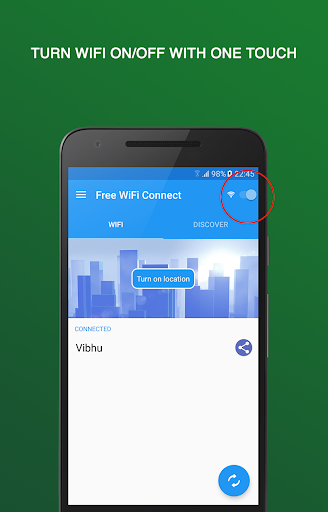
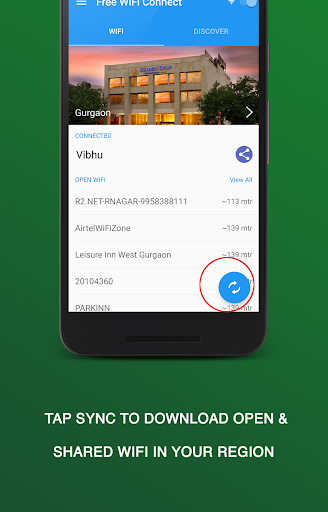
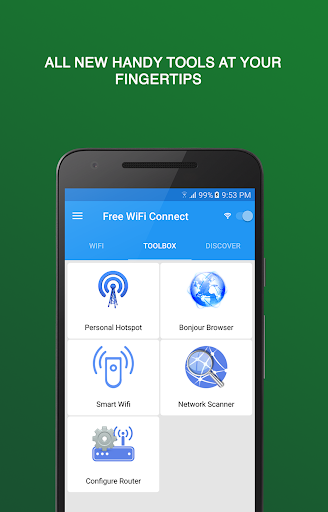
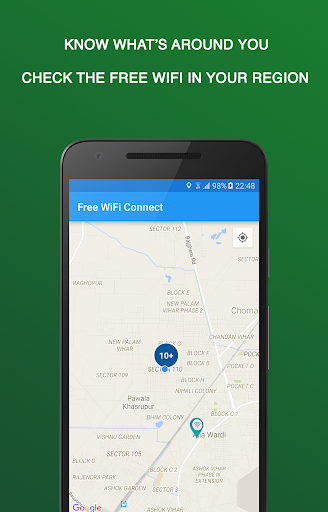
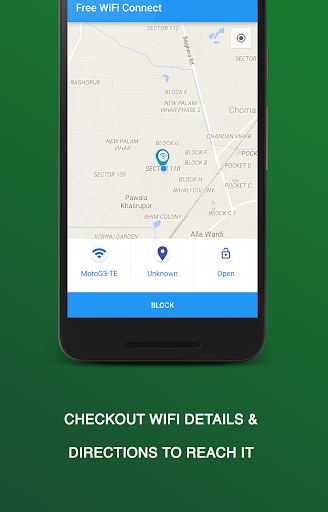
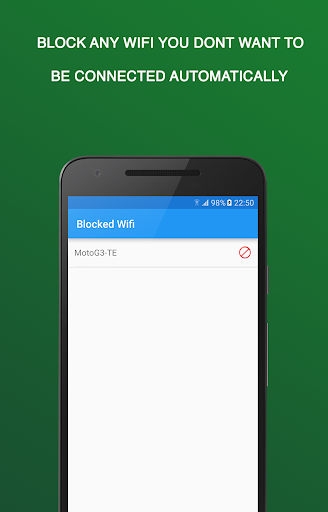
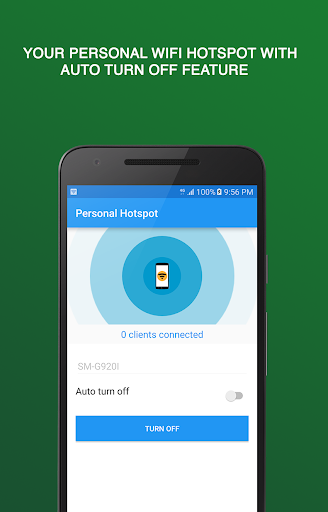
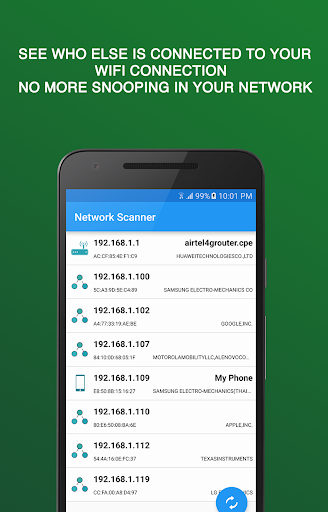
Analysis by Reviewed APKs
Wifi Scout and Connect is for finding nearby open or community-shared WiFi, connecting to networks, and keeping track of the ones you use. It suits people who move between familiar public places and want more than the standard WiFi settings screen. I like the mix of automatic connection and practical network tools, though its public-network features are best treated as a convenience, not a substitute for caution.
A smoother stop for WiFi
When I first opened Wifi Scout and Connect, I pictured using it during an ordinary coffee-shop stop: scan what is nearby, check which networks are open or shared, and choose one without digging through a long system list. The app is built around that simple job. Its scan can show available networks, while details such as signal and security score give me more context before I decide what to join.
The auto-connect option is the part that could save the most effort on a repeat route. When it is enabled, the app can connect to a suitable open or shared network when one is in range. I would still look at the network information rather than assume every available hotspot is appropriate. The point is less tapping and a clearer view of nearby choices, not a promise that every connection will be fast or private.
More than WiFi settings
A phone’s built-in WiFi controls are enough when I only need to join a known network. Wifi Scout and Connect makes more sense when I want to browse nearby options, save favorites, block networks I do not want to use, or revisit a connection in my history. It also brings several networking utilities together, so it can be useful to someone who likes having connection details and tools in one app.
It is not a general internet-speed booster, a replacement for a router, or a way to make every public hotspot safe. The description says it scores networks based on encryption and signal strength and flags suspicious access points; that information can help inform a choice, but it is not a reason to share sensitive details casually. If I only connect to home WiFi, the extra scanning and management may feel unnecessary.
Small habits that help
I would start by scanning in places I visit regularly, then save useful networks as favorites and block ones I never want the app to select. That makes the network list more personal over time and gives the auto-connect feature a more deliberate role. Checking the connection history can also help me remember which places I have used, rather than relying on a vague recollection of a network name.
The home-screen widget is handy for quick checks: the description says it can show connection status, toggle auto-connect, or start a scan. I would use those shortcuts when arriving somewhere new, then open the app for fuller network details if needed. Tasker support offers another route for people who already automate phone routines, while the hotspot manager and speed test are useful extras when the situation calls for them.
More From Our News Desk

Zoom Meetings, Google Meet, or Teams: Which Is Easiest to Join?

How I Build a Free Streaming Lineup With Tubi

Why Crunchyroll Is the Default Anime App for So Many Fans

YouTube TV: A Practical Guide to Cutting Cable

Rummikub and the Small Comfort of Phone Games

TeamViewer Remote Control or AnyDesk for Helping Family?
Who may find it useful
I would recommend Wifi Scout and Connect to people who often work, study, or take breaks in places with public WiFi and want a more organized way to find and manage networks. Favorites, a connection history, network blocking, and optional auto-connect are practical touches for someone who returns to the same locations. The built-in scanner and speed test may also appeal to curious users who like checking what is happening on a current connection.
It may not suit someone who rarely leaves a trusted home or office network, or anyone expecting a tool that makes public WiFi risk-free. Its many utilities could be more than a casual user needs, and ads are part of the free app. People who prefer to connect manually can still use the scan and network information, but the app’s strongest convenience comes from using its management and automation options.
Wifi Scout and Connect is developed by Mentisco and is in the Communication category. On Google Play, it has over 10 million installs and a 4.1-star rating from around 179,000 ratings. The app is free to download, contains ads, and does not offer in-app purchases. Its content rating is Everyone, making the store’s age classification suitable for a broad audience.
The supplied app information gives version 8.10.3, an original release date of March 20, 2014, and a last update date of June 13, 2026. No minimum Android version is provided in the available details, so check the Google Play page for the requirement on your device. The description says no account is required and presents the app as a free WiFi discovery and network-management tool.
A closer look at everyday connection management
First look and setup
My first impression is that this is meant to be a control center for finding and managing WiFi, rather than just another screen for entering a password. The core idea is easy to grasp: scan nearby networks, review the information shown, and connect manually or turn on auto-connect. The app’s description also says an account is not required, which keeps the stated starting point simple.
I would begin with a scan and take a moment to understand the network details before switching on automatic connection. The security score is based on encryption type and signal strength, and the app says it flags suspicious access points. Those indicators give the choice some context, but they should be read as information to consider, not as a blanket assurance about a network.
Day-to-day network choices
In daily use, the main appeal is reducing the small repeated chores around WiFi. A scan can show nearby open or community-shared networks, and auto-connect can handle joining a suitable one when it comes into range. That makes the app especially relevant if I move between familiar locations during the week. I can still choose to inspect the options rather than hand every decision over to automation.
The management features help keep those choices from becoming a jumble. I can save favorites for quick access, block networks I do not want to connect to, and look back at a history of connections. Full network details include passwords and map location, according to the description. Those tools make the app feel oriented toward ongoing use, rather than a one-time search for a hotspot.
Useful extras in one place
What stands out beyond discovery is the range of built-in networking tools. There is a mobile hotspot manager, a scanner for devices on the current WiFi, a Bonjour browser for service discovery, a router-configuration shortcut, and a WiFi speed test. I would not expect to need all of them every day, but they give the app a broader role for people who like to troubleshoot or inspect a connection.
The home-screen widget is a more everyday extra. It can show connection status, toggle auto-connect, or launch a scan without requiring a trip through the main app. Tasker support is another specific addition: the description says users can automate the app with built-in trigger and action intents. That is most relevant to people who already build phone routines, rather than someone looking for a basic WiFi switch.
A repeat-visit routine
A sensible routine would be to scan when I arrive at a new café, library, or other public place, compare the available networks, and connect only after reviewing the details. If I return often, I can save a useful network as a favorite. If a network is one I do not want selected later, the block option gives me a way to keep it out of my choices.
At the next visit, the widget could provide a quick status check or start another scan. Auto-connect can take over for networks I am comfortable using, while the connection history gives me a record to refer to afterward. This is a modest workflow rather than a complicated setup: scan, make a considered choice, and use favorites or blocking to reduce repeat work.
Limits to keep in mind
Public WiFi always calls for judgment, and an in-app security score cannot tell me everything about who operates a hotspot or how it is used. The app describes scores based on encryption and signal strength and says suspicious access points are flagged. I would treat those as helpful signals, not as a complete security assessment or a reason to share information I would otherwise keep private.
There are also practical trade-offs. The app contains ads, and people who do not need network scanning, history, or automatic connection may find the extra layer unnecessary. Its tools are most useful when there are multiple networks to manage or when I want a quick look at a current connection. For simply joining my home router, the phone’s built-in WiFi controls may be enough.
Wifi Scout and Connect is a useful bundle for people who regularly encounter public WiFi and want scanning, connection management, and a handful of network tools together. Its best ideas are the practical ones: favorites, blocking, history, optional auto-connect, and a widget for quick actions.
I would try it if moving between networks is part of my routine, while keeping a measured approach to public hotspots. If I only need to join one trusted network now and then, the built-in phone controls are simpler. For more active WiFi users, the extra visibility and shortcuts make this app worth considering.
Open WiFi Connect Frequently Asked Questions
What is Wifi Scout and Connect used for?
Wifi Scout and Connect is designed to scan nearby WiFi networks, show open or community-shared options, and help manage connections. It can connect automatically to suitable networks when enabled, and includes favorites, network blocking, and connection history. The app also has tools such as a WiFi speed test and a scanner for devices on the current network.
Which devices can run Wifi Scout and Connect?
The supplied details describe Wifi Scout and Connect as an Android app distributed through Google Play. They do not give a minimum Android version, so the requirement may vary by release or device. Check the Google Play page for the version currently supported by your phone or tablet before installing.
Does Wifi Scout and Connect cost anything?
The app is free to download and the supplied information says it has no in-app purchases. It does contain ads. Store details can change over time, so check the Google Play page for current availability and any updated pricing or purchase information.
Does Wifi Scout and Connect require an account?
The app description says no account is required. It also says a third party uses current location for market research and that users can opt out in the app. For the latest details about location use and the available choices, review the information on the Google Play page and the app’s privacy materials.
Who should use Wifi Scout and Connect?
It is most suited to people who regularly move between WiFi networks and want tools for scanning, saving favorites, blocking unwanted networks, or connecting automatically. Someone who uses only a trusted home connection may not need its extra features. It is not a reason to assume a public hotspot is risk-free; the app’s security information is one factor to consider.
Pros
- Combines network scanning with favorites, blocking, and a connection history.
- Optional auto-connect can simplify repeat visits to familiar public WiFi locations.
- Includes a widget, Tasker support, and several additional networking tools.
- Free to download with no in-app purchases.
Cons
- Contains ads, which may interrupt an otherwise practical utility.
- Public-network security scores are useful context, not a complete safety assessment.
- Its range of tools may be unnecessary for people who use only home WiFi.
- Category
- Communication
- Version
- 8.10.3











