Notes
- 51.90K
- 4.5
- Installs
- 5.00M
- Price
- Free
Screenshots
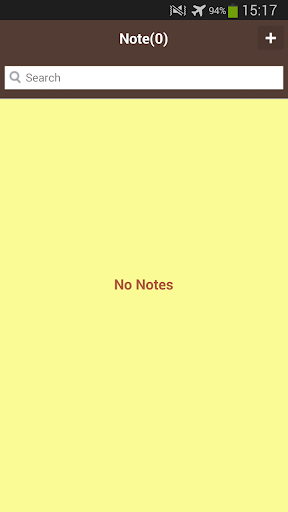
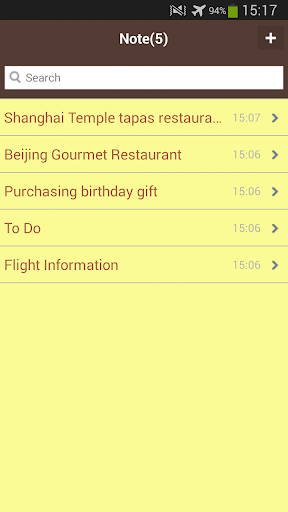
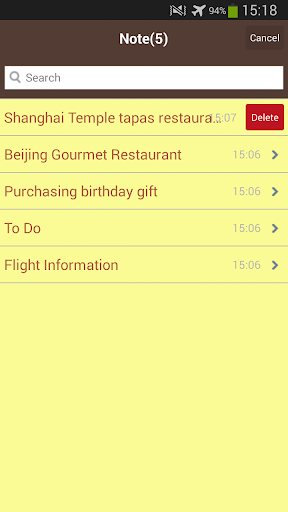
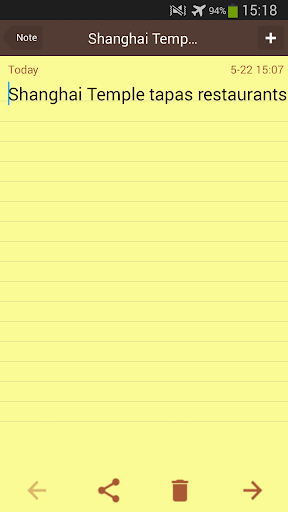
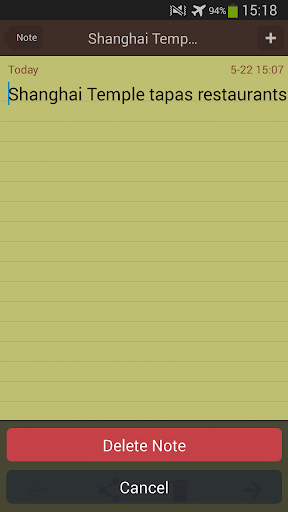
Analysis by Reviewed APKs
Notes is a quick notepad for capturing everyday thoughts, to-do lists, shopping reminders, and work or study notes. It suits anyone who wants a straightforward place to jot things down and sort them later. After spending time with it, I found its appeal is practical rather than elaborate: tags, pinned notes, and optional cloud backup help keep small bits of information easy to find.
A quick stop for daily notes
When I first opened Notes, I pictured using it during the small gaps in a normal day: writing down a grocery item before leaving home, saving a reminder between errands, or collecting a thought before it slips away. The app is built around quick notes, memos, and lists, so those moments do not need to become a bigger planning project. I could put the information somewhere dependable and return to it later.
For example, I might start a shopping list while making breakfast, add an item after checking the cupboard, then pin a frequently used note so it stays near the top. Tags give me another way to group notes when a single flat list starts to feel crowded. That combination makes Notes useful for everyday capture: it helps me keep track of information without asking me to build a complicated system first.
A simpler kind of organizer
Notes sits between a scrap of paper and a more involved productivity or project-management tool. I would reach for it when I need to record a quick idea, keep a basic to-do list, or store notes for work and study. Tags and pinning add some organization, while recently deleted notes and backup options offer a little more flexibility than a disposable pad.
It is not presented as a collaborative workspace or a multimedia notebook, so I would not choose it for shared editing, team discussions, or notes built around recordings and images. Its focus is writing and keeping simple lists. If my main need were a detailed project plan with many moving parts, I would look for a tool designed around that job instead of expecting this notepad to become one.
Small habits that help
I get more out of a note app when I capture information at the moment I think of it, rather than trusting myself to remember it later. With Notes, I can make a short memo for an immediate task and use a tag when I know I will want to find it among other notes. Pinning a note that matters right now can also reduce the time I spend looking for it.
A useful routine is to give notes clear, recognizable names and keep lists focused on one purpose. I might maintain one shopping list, a separate note for work reminders, and a study note for ideas worth revisiting. Before clearing anything out, the recently deleted area and local backup or export options are worth keeping in mind. If I want notes backed up and synced between devices, I can consider the optional Cloud Sync subscription.
More From Our News Desk

Zoom Meetings, Google Meet, or Teams: Which Is Easiest to Join?

How I Build a Free Streaming Lineup With Tubi

Why Crunchyroll Is the Default Anime App for So Many Fans

YouTube TV: A Practical Guide to Cutting Cable

Rummikub and the Small Comfort of Phone Games

TeamViewer Remote Control or AnyDesk for Helping Family?
Who will find it useful
I would recommend Notes to people who want a lightweight place for quick writing, simple lists, and everyday reminders. It can suit students keeping study notes, workers collecting memos, or anyone who likes having shopping items and daily plans in one app. Tags and pinned notes add modest structure without making the process feel like a full-time organizing task.
It may be less appealing if you need a feature-rich workspace, shared editing, or extensive media tools. The app description focuses on text notes and lists, rather than collaboration or multimedia. People who want notes synced across devices should also account for the optional subscription. For someone who simply wants to write something down and find it again, though, the basic approach makes sense.
On Google Play, Notes is published by Qenlira. It has more than 5 million installs and a 4.5-star rating from about 51,900 ratings. The app is free to download, contains ads, and offers in-app purchases. Google Play gives its content rating as Everyone. The current version is 2.7.7, and the release date shown is September 17, 2014.
The most recent update date provided is August 28, 2026. In-app purchases are listed at $3.99 to $29.99 per item. The optional Cloud Sync subscription has monthly and yearly plans; its price is shown in Google Play before purchase. Subscription payments renew automatically unless canceled at least 24 hours before the current period ends, and subscriptions can be managed through Google Play.
A closer look at everyday note taking
Getting started with Notes
My first impression is that Notes is meant to reduce friction. Its basic job is clear from the outset: write a quick note, memo, or list and keep it available for later. I can imagine opening it while standing in a store aisle or between tasks at work, when I need to record a detail without setting up a larger document.
The available organization tools give me somewhere to go once a handful of notes become a collection. Tags can group related entries, and pinning can keep an important one near the top. I also like that the description includes a recently deleted area, which gives the app a little more breathing room than a workflow where every removal feels final.
The everyday writing flow
Most of my imagined use is pleasantly ordinary: a short list, a reminder, or a few lines of study notes. Notes is aimed at writing in seconds, so the value is in capturing information before it disappears from my mind. I do not need to turn a grocery list into a project or decide on an elaborate folder structure before putting down the next item.
That simplicity is also the main trade-off. I would keep notes concise and give them titles that make sense when I return later. Tags help when topics overlap, while pinning can make an active memo easier to reach. These are practical touches for a notepad, not a substitute for a larger system when I have complicated projects to manage.
Useful ways to stay organized
The standout features are the ones that support keeping and retrieving notes: tags, pinning, and Recently Deleted. Together, they help me separate useful information from the newest entry and keep an important item visible. For someone who tends to jot down many small reminders, those modest options can make a simple notepad feel more manageable over time.
Notes also provides import and export options, along with local backup files. Those are useful details for anyone who wants to keep a copy or move information through a backup workflow. For people who want cloud backup and syncing across devices, the app offers Cloud Sync using private Google Drive app data space. That is optional and tied to a subscription, rather than part of the basic free download.
A routine that stays lightweight
I would use Notes in short bursts throughout the day. In the morning, I might write a daily plan or add essentials to a shopping list. During work or study, I could capture a memo or an idea, then add a tag if it belongs with a broader topic. Pinning the current priority gives me a quick way to keep it close while other notes accumulate.
At the end of the day, I would scan the notes that are still useful, rename anything too vague, and remove entries I no longer need. Recently Deleted gives a place to revisit removed notes, while local backup and export options can help with keeping a copy. If access across devices is part of my routine, I would look at the Cloud Sync subscription details before relying on it.
Limits to keep in mind
Notes is best judged as a straightforward note-taking app, not as a complete productivity suite. The described features cover notes, memos, to-do lists, tags, pinning, deleted-note recovery, and backup options. There is no reason to expect shared editing or multimedia note creation from that feature set. I would choose it for writing and organizing simple information, not for managing a team’s work.
The free app includes ads, and Cloud Sync is an optional paid subscription. That may matter if I want a cleaner experience or syncing between devices, since those benefits are connected to the subscription. I would check the current Google Play details before subscribing, and I would keep local backup or export in mind if my needs are limited to maintaining a copy of my notes.
Notes earns its place through a clear, everyday job: capturing short thoughts and lists, then making them easier to revisit with tags and pinning. I like that the feature set stays focused and includes practical backup options. The ads and paid Cloud Sync are worth weighing, but they do not change what the basic notepad is for.
I would recommend Notes to anyone who wants a simple place for reminders, shopping lists, study notes, or work memos. It is less suited to people looking for collaboration or a more elaborate workspace. If quick capture matters more than advanced organization, this is a sensible app to try.
Notes Frequently Asked Questions
What is Notes by Qenlira used for?
Notes is a notepad for quick notes, memos, to-do lists, shopping lists, work notes, study notes, and daily plans. It also supports tags, pinning notes, and a Recently Deleted area. Import, export, and local backup files are included, while Cloud Sync is an optional subscription for backup and syncing across devices.
Which devices can I use Notes on?
The supplied store information is for the Android app on Google Play. Cloud Sync is described as a way to back up notes and sync across devices using Google Drive app data space. For current device compatibility and any requirements, check the Google Play store details, since those can vary.
What Android version does Notes require?
The Android version requirement can vary with the current release and device. Check the Google Play store details for the version that applies to your phone or tablet before installing. The app is published on Google Play by Qenlira and is categorized as a Tools app.
Is Notes free, and does it have in-app purchases?
Notes is free to download and contains ads. It offers in-app purchases listed from $3.99 to $29.99 per item. Cloud Sync is an optional auto-renewing subscription with monthly and yearly plans, and Google Play displays the price before purchase. Subscription management and cancellation are handled through Google Play.
Is Notes a good fit for my needs?
It may suit you if you want a simple place for everyday notes, reminders, and lists, with tags and pinning for basic organization. It may not suit you if you need collaborative editing or a feature-rich project workspace. The app has an Everyone content rating; check Google Play for current details that matter to you.
Pros
- Quick notes and lists suit everyday reminders, errands, work, and study.
- Tags and pinned notes offer straightforward ways to find important information.
- Recently Deleted, import, export, and local backup add useful flexibility.
- Optional Cloud Sync can back up notes and sync across devices.
Cons
- Ads are included in the free app.
- Cloud Sync requires an optional subscription with automatic renewal.
- Its described tools focus on notes and lists, not collaboration or rich media.
- Category
- Tools
- Version
- 2.7.7











