NewsNation
- 832
- 3.1
- Installs
- 100.00K
- Price
- Free
Screenshots
Analysis by Reviewed APKs
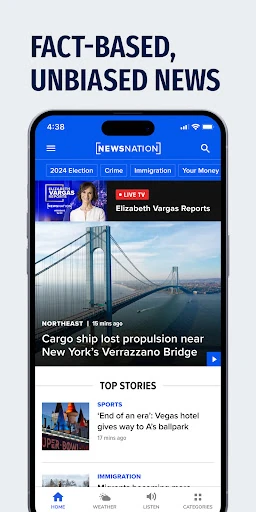
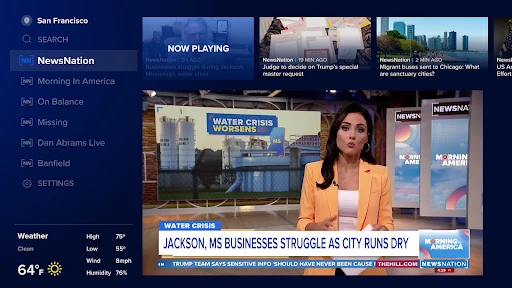
NewsNation is a news and video app for keeping up with the network’s broadcasts, watching on-demand breaking-news clips, and checking local weather. I’d recommend it to someone who prefers television-style reporting and wants a few practical extras in the same app. Its mix of scheduled shows, video, weather, and customizable alerts gives it a clear purpose, though it isn’t a general-purpose news aggregator.
A Quick Check-In
On a busy weekday, I can see NewsNation fitting into the gaps around a normal routine. I might check the hourly forecast for my area before leaving home, then return later for an on-demand video about a developing story. If I want a longer catch-up, the app also offers scheduled NewsNation programs. That combination makes it useful for brief updates as well as a more deliberate evening news habit.
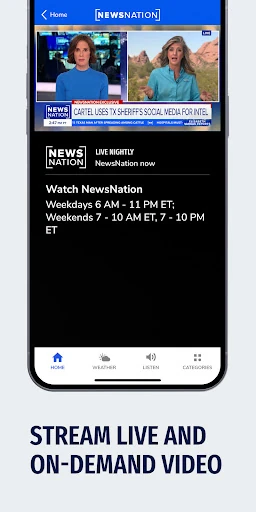
The broadcast schedule gives the app a recognizable rhythm: Morning in America starts at 6 a.m. ET, while NewsNation Prime is listed at 8 p.m. ET, with other programs in between. I like having named shows and times to choose from rather than treating every visit as an open-ended scroll. For full episodes, though, the app requires a cable-provider login, so access depends on what you have.
A Network, Not an Aggregator
The obvious alternative is a broad news app that collects headlines from many publishers. NewsNation is different: its focus is its own network’s reporting and shows, including on-demand video from the NewsNation team. That narrower identity can be a plus if I want a familiar source and television-style coverage, but it is less suited to comparing a wide range of outlets in one place.
I wouldn’t treat it as a replacement for every kind of news source or as a deep text-first research tool. The material describes broadcasts, video, weather, and notifications; it doesn’t present the app as a multi-publisher aggregator. NewsNation describes its approach as fact-based and focused on local communities, but the practical fit still comes down to whether you want its network’s coverage and programming.
Make Alerts Work for You
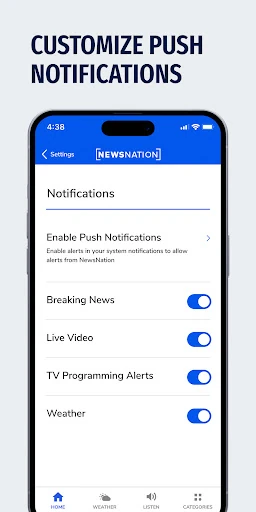
A useful first habit is to customize push notifications instead of accepting every possible interruption. NewsNation says you can choose the news that matters most to you, which makes alerts more practical for someone who checks headlines between errands or during a workday. I’d keep the selection focused on the topics I genuinely want breaking updates about, then use the app itself when I have time for more.
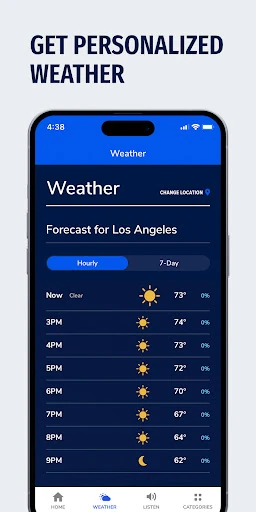
Weather is another feature that makes sense as a quick daily check. Personalizing the interactive radar and hourly forecast for where you live means the information is tied to a place that matters to your plans. I’d pair that with a scheduled show or an on-demand clip, rather than trying to watch everything. The app is likely most useful when I give each visit a small, clear purpose.
More From Our News Desk

Zoom Meetings, Google Meet, or Teams: Which Is Easiest to Join?

How I Build a Free Streaming Lineup With Tubi

Why Crunchyroll Is the Default Anime App for So Many Fans

YouTube TV: A Practical Guide to Cutting Cable

Rummikub and the Small Comfort of Phone Games

TeamViewer Remote Control or AnyDesk for Helping Family?
Who May Find It Useful
I’d suggest NewsNation to viewers who already enjoy the network’s programs or want a convenient way to watch its on-demand breaking-news videos. The schedule may appeal to people who prefer tuning in at set times, while personalized weather and customizable alerts add value for someone who wants a quick check during the day. It brings those related uses together without asking the user to build a collection of separate news and weather apps.
It may be a weaker match for readers who want a wide-ranging aggregator, lots of publisher perspectives in one feed, or full episodes without a cable-provider login. The app’s stated focus is the NewsNation network, so its usefulness depends on whether that coverage and its programs suit your interests. I’d also keep the Google Play rating in mind as one signal, rather than assuming every viewer will have the same experience.
NewsNation is developed by Nexstar Inc. and is listed in Google Play’s News & Magazines category. It has over 100,000 installs and a 3.1-star rating from 832 ratings. The app is free to download, contains ads, and does not offer in-app purchases. Its content rating is Everyone, making the store’s age classification broad, though individual news topics can naturally vary.
The app was released on August 26, 2020, and its most recent update was February 4, 2026. The minimum Android version and current app version vary, so check Google Play for the requirements that apply to your device. The recent update notes mention bug fixes and general performance improvements. Full episodes of the listed broadcast shows require a cable-provider login.
How NewsNation Fits a Daily Routine
First Impressions and Setup
When I first consider an app like this, I want to know what it is built around. NewsNation makes that fairly clear: it centers on network broadcasts and on-demand video, with local weather and notification controls alongside them. That mix gives me a few obvious reasons to open it, rather than asking me to figure out an unfamiliar collection of services.
The setup choices described are practical ones. I can personalize the interactive radar and hourly forecast for my location, and I can customize push notifications around the news I care about. I’d make those choices early so the app feels relevant without turning every phone notification into an interruption. If I plan to watch full episodes, I’d also keep the cable-provider login requirement in mind.
The Everyday Viewing Experience
Day to day, the schedule is a useful guide for choosing a program. NewsNation lists Morning in America at 6 a.m. ET, Rush Hour at 5 p.m., On Balance with Leland Vittert at 7 p.m., and more shows into the evening. I can imagine checking the schedule when I have a particular window to watch, rather than expecting the app to turn every spare minute into a long viewing session.
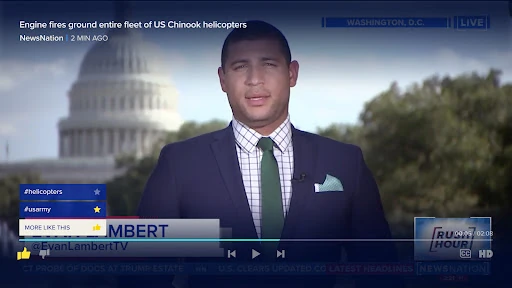
On-demand breaking-news video serves a different need: catching up when a story is moving and I don’t want to wait for a scheduled program. I like that this is part of the same app as the broadcast shows. The experience described is distinctly video-oriented, so viewers who prefer to read a stream of written headlines may find the app less aligned with their usual routine.
Features With a Clear Purpose
The local weather tools are a welcome practical extra. NewsNation lets users personalize an interactive radar and an hourly forecast for where they live. That gives me a reason to open the app even when I’m not looking for a full news program, such as checking the forecast before making plans. It is a focused addition rather than a claim that the app replaces a dedicated weather service.
Customizable push notifications are the other feature I’d pay attention to. The app describes them as a way to choose which news matters most and receive breaking-news updates. That control can help make alerts more relevant, especially for someone who wants timely news but doesn’t want every topic competing for attention. I’d use it selectively and let the app’s video content handle the deeper catch-up.
A Simple Daily Routine
A realistic routine could start with the hourly forecast and radar before heading out. Later, if a major story breaks, I could use the on-demand video for a quick update. In the evening, I might choose one of the scheduled programs that fits my time. Each step has a distinct role, which makes the app easier to use with intention instead of opening it repeatedly without knowing what I’m after.
For a calmer notification routine, I’d customize alerts around the subjects I most want to follow, then check the app when I have a few minutes to watch. The schedule gives me a natural stopping point, and the weather tools make a quick visit worthwhile even on quieter news days. That’s the kind of small workflow where NewsNation’s mix feels cohesive rather than like unrelated features collected together.
Limits to Keep in Mind
The main limitation is that NewsNation is centered on its own network. That focus may be exactly what a viewer wants, but it isn’t the same as gathering coverage from a variety of publishers. I’d choose it for access to NewsNation’s shows and video, not as my only option for comparing reporting across many sources or exploring every viewpoint on a subject.
There is also a difference between watching on-demand clips and streaming full episodes: the description says full episodes require a cable-provider login. That can affect how much of the broadcast schedule is available to a particular user. The app contains ads, too, and its Google Play rating is 3.1 stars from 832 ratings, so I’d weigh those practical points against the features I actually plan to use.
NewsNation has a coherent role: it brings the network’s scheduled shows and breaking-news videos together with personalized local weather and customizable alerts. I especially like the way those options can support both a quick check and a planned viewing session. The cable login requirement for full episodes is the clearest access limitation to remember.
I’d recommend giving it a try if you follow NewsNation or want a network-focused video news app with weather and alert controls. If you mainly want a broad, multi-source headline reader, it may not be the best fit. Its features are straightforward, but the value depends on whether this particular network’s coverage suits your habits.
NewsNation Frequently Asked Questions
What is the NewsNation app used for?
NewsNation is for watching the network’s broadcast shows and on-demand breaking-news videos, checking personalized local weather, and choosing which news notifications to receive. It is focused on NewsNation’s coverage rather than described as a general aggregator of publishers. Full episodes of the listed shows require a cable-provider login.
Which devices can run NewsNation?
NewsNation is an Android app available through Google Play. The minimum Android version varies, so check the Google Play store page for the requirement that applies to your device. The available information describes the Android app; it does not establish support for other platforms or device types.
What Android version does NewsNation require?
The minimum Android version for NewsNation varies. Before installing or updating, check the app’s Google Play page for the current requirement on your device. The current app version also varies, so the store is the best place to check which version is available.
Does NewsNation cost money?
NewsNation is free to download and does not offer in-app purchases. It contains ads. Full episodes of its broadcast shows require a cable-provider login, so access to those episodes depends on having the required provider credentials.
Is NewsNation a good fit for every news reader?
It may suit viewers who want NewsNation’s broadcast programs, on-demand breaking-news video, local weather, and customizable alerts. It may be less suitable for someone looking for a broad collection of publishers in one feed or full episodes without a cable-provider login. The best fit depends on the coverage and viewing style you prefer.
Pros
- Combines scheduled NewsNation programs with on-demand breaking-news video.
- Offers personalized interactive radar and hourly local weather forecasts.
- Lets users customize push notifications around news they care about.
- Free to download, with no in-app purchases.
Cons
- Full episodes of broadcast shows require a cable-provider login.
- Its focus is NewsNation, not a broad multi-publisher news aggregator.
- Contains ads, and its Google Play rating is 3.1 stars.
- Category
- News & Magazines
- Version
- VARY