HuffPost - News & Politics
- 82.92K
- 3.9
- Installs
- 5.00M
- Price
- Free

Screenshots
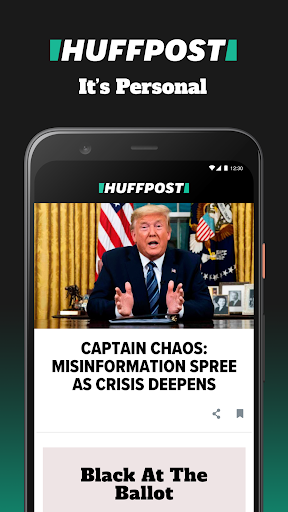
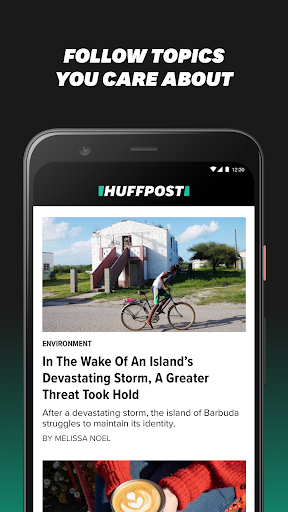
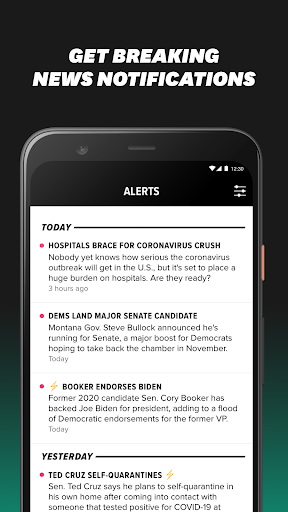
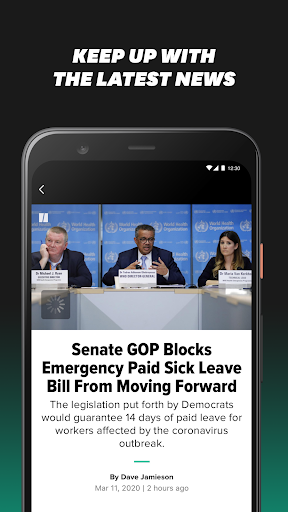
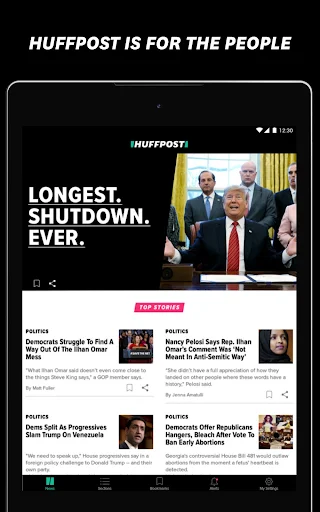

Analysis by Reviewed APKs
HuffPost - News & Politics is a news reader for following breaking stories, politics, world news, entertainment, lifestyle and more. I found its appeal in having several kinds of coverage in one place, with options to shape sections and save articles for later. It suits readers who want a broad, frequently checked news feed; it is less compelling if you want a narrow specialist source or an ad-free experience.
A quick check between plans
When I first opened HuffPost, I thought of the familiar in-between moments: checking the news over breakfast, then returning to a story while waiting for a ride. The app is built for those short visits, with breaking news and top stories alongside coverage of politics, world events, entertainment and lifestyle. Rather than opening several topic-specific apps, I can use one place to see what is happening across a wider range of subjects.
The alerts are a practical part of that routine. HuffPost describes them as customizable, so a reader can tailor news notifications around the stories they want to follow. I would keep that personal choice deliberate: the point is to get useful updates without letting every headline interrupt the day. When I have only a minute, a top-story alert can flag something worth reading; when I have more time, I can open the app and explore further.
Broad coverage, not a specialist desk
Compared with a single-topic news app, HuffPost aims for breadth. Its coverage spans politics and world news, but also entertainment, global issues, lifestyle tips and personal stories. That mix can be handy when I want one quick check that moves from a major story to something lighter. The app also brings its editions together, including local and international perspectives, rather than focusing only on one city or one subject.
That range is also a reason to choose carefully. HuffPost is not presented as a tool for research, a specialist reference library or a replacement for comparing coverage across different sources. It is a general news app with its own editorial selection, and readers looking for a tightly focused feed may find the variety less useful. I see it as a convenient way to follow HuffPost’s reporting, not as the only place to understand a complicated story.
Save the good reads
A small habit that makes the app more useful is bookmarking a story as soon as I realize I do not have time to finish it. That keeps an interesting article from getting lost in a busy day and gives me something to return to later. I would use the same approach for longer reads or stories I want to revisit, rather than relying on memory or leaving a crowded browser tab open.
The offline download option adds another simple workflow: choose articles from favorite sections when a connection is available, then read them later on the go. Custom sections can help keep the everyday feed closer to my interests, while alerts are best reserved for updates I actually want to notice promptly. Those choices work together. A focused set of sections, selective notifications and saved articles make a broad app feel more manageable without turning it into a complicated project.
More From Our News Desk

Zoom Meetings, Google Meet, or Teams: Which Is Easiest to Join?

How I Build a Free Streaming Lineup With Tubi

Why Crunchyroll Is the Default Anime App for So Many Fans

YouTube TV: A Practical Guide to Cutting Cable

Rummikub and the Small Comfort of Phone Games

TeamViewer Remote Control or AnyDesk for Helping Family?
Who may enjoy HuffPost
I would recommend HuffPost to readers who like a varied daily scan and want politics, breaking news, entertainment and lifestyle coverage within one app. It can fit someone who checks headlines in short bursts but also wants the option to settle in with articles, videos or interactive content. The international editions and locally staffed newsrooms may appeal to readers who want a wider view than a purely local news feed.
It may be a weaker fit for anyone who wants only one subject, dislikes advertising in apps or prefers to build a news routine around several competing perspectives. The broad selection is convenient, but it does not remove the need to choose what to read and how much attention to give it. If you want a quiet, tightly curated experience with no notifications, you may prefer to leave alerts off and use HuffPost as an occasional reading destination.
HuffPost - News & Politics is developed by HuffPost and is listed in Google Play’s News & Magazines category. It has more than 5 million installs and a 3.9-star rating from about 83,000 ratings. The app is free to download, and Google Play indicates that it contains ads.
The content rating is Everyone 10+. The current version shown is 2026.7.3, and the app was last updated on October 16, 2026. Google Play lists no in-app purchases. Android requirements can depend on the device and app release, so check the store page for compatibility with a particular phone or tablet.
A Flexible Reader for the News Cycle
A straightforward first visit
My first impression is of an app organized around the simple job of catching up. HuffPost presents news and top stories alongside a broad set of subject areas, so the reader can move between headlines without treating each visit as a deep research session. That is a sensible starting point for a general news app: open it when there is a spare moment, scan what matters, and choose whether to read further.
The setup choices described for the app are practical rather than elaborate. I can personalize coverage with custom sections and decide which kinds of alerts I want. Those controls matter because a broad feed can otherwise feel like too much of everything. I would start with the subjects I actually follow, then adjust after using the app for a few days instead of trying to configure the perfect news routine on the first visit.
Reading through the day
Day to day, the app’s value is in switching between quick updates and longer reading. A breaking story can bring me in for a short check, while a saved article gives me a reason to return when I have more time. The combination suits an uneven schedule: a few minutes before work, a glance during a break, or a longer read at home without needing every visit to have the same shape.
HuffPost covers several broad categories, so a reader can browse beyond politics when the news cycle gets heavy. Entertainment, lifestyle and personal stories sit alongside world news and global issues. I like that flexibility for casual reading, though it also means I need to make choices about what deserves my attention. Custom sections can make the flow more relevant, but they do not change the app’s basic identity as a wide-ranging news source.
Useful ways to follow stories
Custom sections are one of the more useful ideas because they let readers put preferred subjects closer to the center of their experience. Someone who follows politics closely can prioritize it; another reader may want more entertainment or global coverage. That personalization helps a general-interest app feel less generic, especially when the default breadth might otherwise make every visit feel like a long scroll through unrelated topics.
The app also includes articles, videos and interactive content, giving stories more than one format. Bookmarks provide a straightforward way to keep an article for later, and downloads allow articles from favorite sections to be read offline. These features address ordinary reading problems rather than adding complexity: I can hold onto a story, choose a suitable time to read it, and keep some reading available when I am away from a reliable connection.
A routine that stays manageable
A practical routine could start with a quick morning glance at top stories, followed by a more deliberate read later in the day. I would use alerts selectively for important updates and leave less urgent browsing for a time I have chosen. If an article catches my eye during a rushed check, bookmarking it is easier than pretending I will remember the headline after a dozen other things compete for attention.
For a commute or another stretch without dependable access, downloading articles from favorite sections ahead of time can turn spare minutes into reading time. I would keep the offline list focused on pieces I genuinely expect to read, rather than treating every headline as a must-save. Pairing that habit with custom sections creates a modest, repeatable workflow: prioritize, save, and return when convenient.
Trade-offs to keep in mind
The first trade-off is breadth. HuffPost brings together many subjects and editions, which is useful for general browsing but may not suit readers who want a carefully limited topic feed. Notifications can also become distracting if chosen too broadly. Since the app offers customizable alerts, it is worth being selective about what earns a place on the phone’s lock screen and what can wait for a manual check.
The app contains ads, which is worth knowing if advertising interrupts your reading. And while articles, videos, interactive content, bookmarks and offline reading offer several ways to engage, HuffPost remains a publisher’s app rather than a neutral index of every news source. Readers who want to compare reporting should make room for other sources in their routine. For an everyday HuffPost reader, that is a sensible limitation to understand, not a reason the app cannot be useful.
HuffPost - News & Politics makes the most sense as a flexible daily reading companion: broad coverage, customizable sections, alerts, bookmarks and offline articles all support ordinary, stop-and-start news habits. Its advertising and wide editorial range are real considerations, but the app’s mix of short updates and longer content gives it more than one way to fit into a day.
I would try it if you want HuffPost’s reporting and a range of topics in one place, especially if you like saving stories for later. If you want a narrow specialist feed or avoid ads, it may not be your first choice. My recommendation is to tailor the sections and keep notifications focused so the breadth remains useful rather than noisy.
HuffPost Frequently Asked Questions
What is HuffPost - News & Politics used for?
HuffPost - News & Politics is for following breaking news, top stories, politics, world news, entertainment, lifestyle and other subjects. It offers articles, videos and interactive content, along with customizable sections and alerts. Readers can also bookmark articles to return to later or download articles from favorite sections for offline reading.
Which devices can run HuffPost - News & Politics?
HuffPost - News & Politics is an Android app available through Google Play. It is intended for compatible Android phones and tablets. The Android version required can vary with the device and app release, so check the Google Play page for the current compatibility details before installing it.
What Android version does HuffPost - News & Politics require?
The Android version requirement may vary by device and release. For the most useful compatibility check, open HuffPost - News & Politics in Google Play on the phone or tablet you plan to use. The store page can show whether that device can install the current release.
Does HuffPost - News & Politics cost money?
HuffPost - News & Politics is free to download on Google Play, and the store indicates that it contains ads. Google Play lists no in-app purchases. Store details can change over time, so it is worth checking the current page if you want the latest cost and advertising information.
Who is HuffPost - News & Politics best suited for?
It may suit readers who want a broad mix of news and lifestyle coverage, customizable sections, story alerts and options to save articles for later. Readers who prefer a single-topic feed or an ad-free app may find it less appealing. Its range of subjects makes it useful for general browsing rather than specialist research.
Pros
- Combines politics, world news, entertainment and lifestyle coverage in one app.
- Custom sections and alerts let readers shape what they follow.
- Bookmarks and offline article downloads support reading at convenient times.
- Includes articles, videos and interactive content across varied topics.
Cons
- Advertising may interrupt the experience for readers who prefer an ad-free app.
- The broad range can feel unfocused if you want one specialist subject.
- Alerts need careful selection to avoid adding noise to the day.
- Category
- News & Magazines
- Version
- 2026.7.3