SmartNews: Breaking News
- 694.69K
- 3.7
- Installs
- 50.00M
- Price
- Free

Screenshots
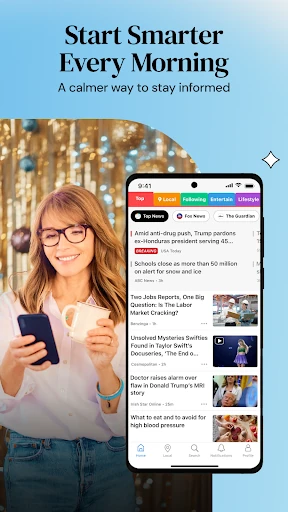
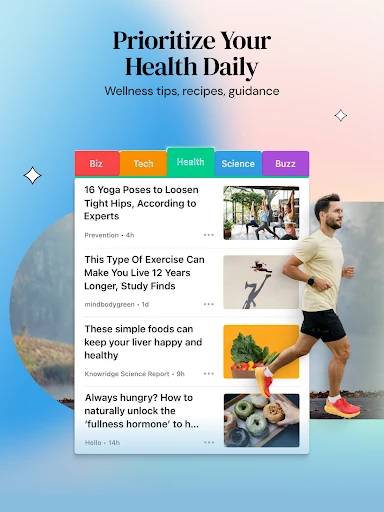

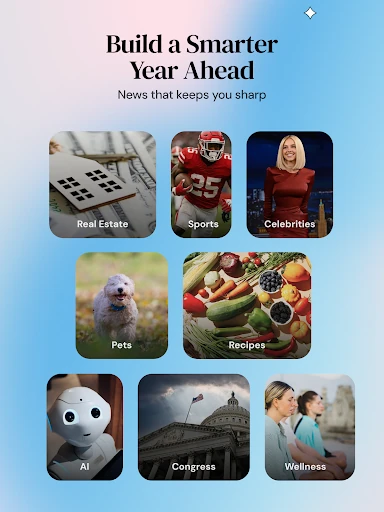
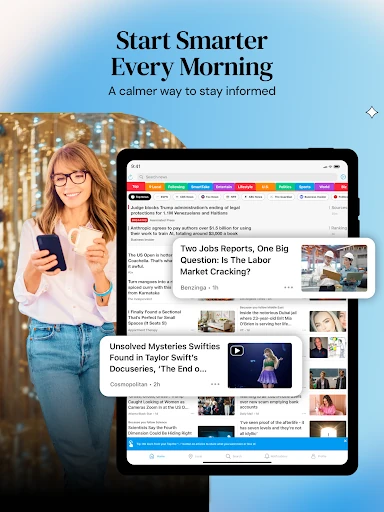
Analysis by Reviewed APKs
SmartNews: Breaking News brings articles from a wide range of publishers into a single news-reading app, with channels for interests such as local news, politics, sports, travel, and entertainment. I found it most useful as a flexible way to scan headlines and follow several subjects without hopping between publisher apps. It suits curious daily readers, though anyone wanting one publication’s distinct voice may prefer to go straight to the source.
A Morning Headline Check
When I first opened SmartNews, I thought about the small window of time I usually have in the morning: coffee brewing, a quick look at the day ahead, and a few minutes to catch up. The app’s central job is to gather articles from publishers in one place, so I could browse a range of headlines without starting by choosing a single newspaper or magazine.
The practical appeal is the variety. A quick session can include national coverage, a local story, and something tied to a personal interest such as sports or entertainment. SmartNews also describes location-based local coverage that can include government, traffic, weather, politics, and community events. That makes it useful for an everyday scan, especially when I want a broad sense of what is happening rather than a deep dive into one story.
An Aggregator, Not a Newspaper
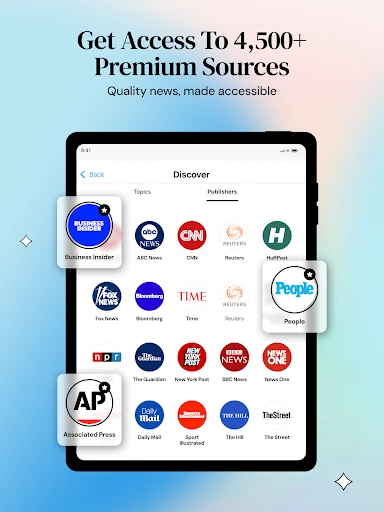
I think of SmartNews as a news aggregator rather than a replacement for every publisher I read. It brings articles from sources including Reuters, AP, Bloomberg, The Atlantic, USA Today, TIME, The Verge, and Vox into a shared reading experience. That breadth is handy when I want to compare coverage or stumble across a topic I had not planned to follow.
The trade-off is that the app’s strength is discovery and range, not the focused identity of one publication. If I want a particular paper’s full package or a single editor’s perspective, that publisher’s own app may be a better fit. SmartNews is also not a substitute for investigating a story in depth. It helps me find coverage; I still need to decide what deserves more of my attention.
Small Ways to Make It Useful
I would start by treating the channels as a way to shape a more relevant reading session. SmartNews says readers can curate a feed around topics and passions, so it makes sense to give attention to the subjects I actually follow instead of trying to read everything. A few focused channels can make a short browse feel more purposeful, whether I am checking sports results or looking for local updates.
The app’s subject range also lends itself to different moments in the week. I might check local stories when planning the day, browse travel coverage while considering a trip, or catch up on entertainment when I have time to spare. Sports readers can set notifications for favorite teams, according to the app description. Used selectively, those options can make the feed feel more personal without turning every idle minute into a news session.
More From Our News Desk

Zoom Meetings, Google Meet, or Teams: Which Is Easiest to Join?

How I Build a Free Streaming Lineup With Tubi

Why Crunchyroll Is the Default Anime App for So Many Fans

YouTube TV: A Practical Guide to Cutting Cable

Rummikub and the Small Comfort of Phone Games

TeamViewer Remote Control or AnyDesk for Helping Family?
Who May Enjoy SmartNews
I would recommend SmartNews to readers who like having several kinds of coverage close at hand. Its mix of publishers and channels can suit someone who checks headlines in short bursts, follows local and national news, or likes to browse beyond a single subject. The local and travel sections add a practical angle, while politics, health, entertainment, and sports give the feed room to match different interests.
It may be less satisfying for someone who wants a single publication’s carefully unified presentation or prefers to follow only a small, fixed set of sources. A broad feed can make discovery easy, but it also asks the reader to choose what to open and how much time to spend. I would use SmartNews as a starting point for keeping up, then visit individual publishers when a story calls for more context.
SmartNews: Breaking News is a News & Magazines app from SmartNews, Inc. On Google Play, it has over 50 million installs and a 3.7-star rating from about 695,000 ratings. The app is free to install and contains ads. Google Play also lists in-app purchases, with items priced from $3.99 to $4.99.
Google Play gives the app a Teen content rating and lists Android 8.0 as the minimum requirement. The current version shown in the provided app details is 26.2.10. SmartNews was released on March 26, 2013, and its most recent update was February 6, 2026. The update notes mention performance improvements and bug fixes.
How SmartNews Fits a Daily Reading Habit
Opening the News Feed
My first impression is that SmartNews is built around getting readers to useful coverage quickly. Instead of beginning with a single publisher, I can approach the day by topic and publisher, with options spanning local news, politics, travel, entertainment, sports, and health. That broad starting point is a good match for the way many people read in spare moments: a little of what matters now, then a little of what interests them.
Getting value from a wide feed depends on making it your own. The app describes topic-based curation, so I would begin with the subjects I care about and adjust what I follow as my interests change. I like that this idea does not require deciding on one publication for every kind of story. It gives the app a clearer role: a place to discover coverage and choose what I want to read next.
A Flexible Daily Browse
In everyday use, the main appeal is moving between different kinds of coverage without changing apps. I might check a local development, then browse a national headline or an article about a team I follow. SmartNews says its local stories can cover subjects such as traffic, weather, government, school boards, politics, and cultural events, which gives that channel a practical connection to daily life.
I would not expect every visit to turn into a full reading session. Sometimes a quick scan is enough to spot a story worth opening; other times I might settle into a subject I follow. The app’s range supports both habits. Its value is less about forcing a fixed routine and more about making several kinds of news available when I have a few minutes to browse.
Coverage Across Interests
The publisher mix is one of the app’s clearest distinguishing features. SmartNews names sources such as AP, Reuters, Bloomberg, The Atlantic, USA Today, TIME, and The Verge, alongside other publishers. Seeing a range of outlets in one app can help me find different reporting on current events and discover publications I might not open on their own.
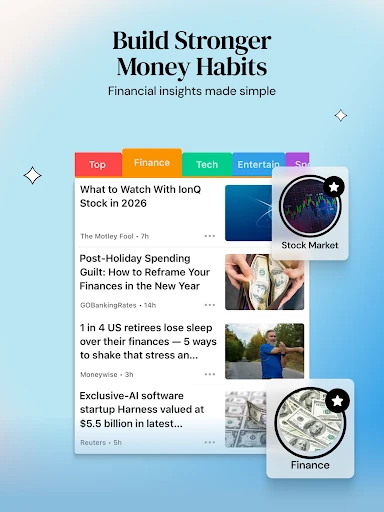
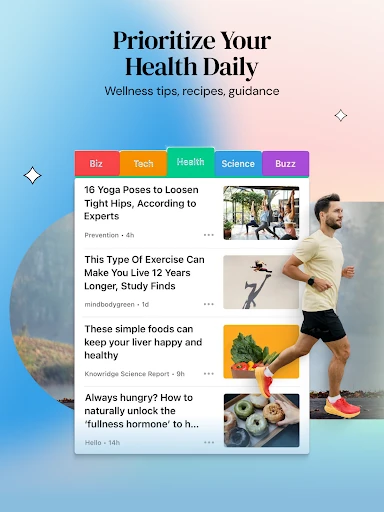
The subject channels also reach beyond breaking headlines. Travel coverage can include destination ideas and travel tips, while entertainment brings together stories about movies, television, and actors. Politics covers elections and debates, and sports includes updates on games, teams, and players. These are concrete ways the app can support different interests, rather than leaving the reader with a feed devoted only to general national headlines.
A Practical Reading Routine
A routine I can imagine is a brief morning scan of local and general news, followed by a longer read later if something catches my eye. That keeps the app useful without requiring me to chase every headline. When I am thinking about a trip, the travel coverage gives me a relevant subject to browse; when I want a lighter break, entertainment offers a different kind of reading.
For sports followers, SmartNews says users can set notifications for favorite teams. I would keep that kind of feature tied to a genuine interest, so it helps me follow a team rather than adding noise to the day. The same principle applies to topic curation: choosing a manageable set of subjects makes a quick visit easier to navigate and leaves room to explore when I have more time.
Keep the Broad Feed in Mind
The breadth that makes SmartNews useful can also make it feel like a lot to sort through. A feed that spans local affairs, politics, sports, health, travel, and entertainment will naturally include stories that do not matter to every reader. Topic curation helps address that, but the experience still suits people who enjoy browsing more than those who want a narrowly defined reading list.
I would also keep the aggregator format in perspective. A collection of articles is a convenient way to find coverage, but the app does not make every story equally relevant to me. When a topic matters, I would read beyond a headline and consider the publisher and context. SmartNews can make discovery easier; it works best when I bring my own judgment to what I choose to read.
SmartNews: Breaking News is a practical option for people who want a varied news feed and appreciate being able to browse local stories alongside national coverage and personal interests. I like its range of publishers and topics, and its role as a discovery tool is easy to understand. The broad approach is its main strength, but it also means the best experience comes from choosing what to follow.
I would recommend giving it a try if you enjoy scanning headlines from multiple sources in one place. If you prefer the consistency of one publication or a tightly controlled set of stories, it may not become your main reading app. For me, SmartNews makes the most sense as a flexible starting point for a daily news habit, with deeper reading left to the articles that earn my attention.
SmartNews Frequently Asked Questions
What is SmartNews: Breaking News used for?
SmartNews: Breaking News brings articles from multiple publishers together and lets readers curate around topics they care about. It covers areas including local news, politics, travel, entertainment, sports, and health. I would use it to browse headlines, find stories from different sources, and keep up with subjects that matter to me. It is an aggregator rather than a single newspaper.
Which devices can run SmartNews: Breaking News?
The app is available on Google Play for Android devices. The minimum Android requirement shown is Android 8.0. I would check the Google Play entry on a particular device for the latest compatibility details, since requirements and availability can vary over time. The supplied app information covers the Android version of SmartNews.
Does SmartNews: Breaking News cost money?
SmartNews: Breaking News is free to install and contains ads. Google Play also lists in-app purchases, with prices from $3.99 to $4.99 per item. The app’s basic news-browsing offer is described as free, but purchase details can change, so it is worth checking the current Google Play entry before buying anything.
What Android version does SmartNews: Breaking News need?
The stated minimum is Android 8.0. If you are unsure whether your phone or tablet is compatible, check the SmartNews: Breaking News page on Google Play from that device. Store compatibility can vary as app versions and device requirements change, so the current store information is the best place to confirm before installing.
Is SmartNews: Breaking News a good fit for me?
It may suit readers who like browsing coverage from multiple publishers and switching between topics such as local news, politics, sports, and entertainment. It may be less appealing if you want one publication’s complete experience or a very narrow reading list. I see it as a convenient place to discover stories, with the reader choosing what deserves a closer look.
Pros
- Combines articles from a broad range of publishers in one news-reading app.
- Offers channels spanning local news, politics, travel, sports, and entertainment.
- Topic curation can make a varied feed more relevant to individual interests.
- Local coverage connects headlines with practical community subjects and events.
Cons
- A wide selection of subjects can take effort to narrow to personal priorities.
- The aggregator format may not replace the focused experience of a single publisher.
- The free app contains ads and offers in-app purchases.
- Category
- News & Magazines
- Version
- 26.2.10