Citizen: Protect The World
- 102.23K
- 4.5
- Installs
- 5.00M
- Price
- Free

Screenshots
Analysis by Reviewed APKs
Citizen: Protect The World is a location-based safety and news app for people who want alerts about nearby emergencies and a clearer sense of what is happening around them. I see its strongest fit as a quick awareness tool for daily routines, especially in areas where its free alerts are well supported. It offers useful context, but it works best as one source of information rather than a substitute for emergency services.
A Quick Check Before Heading Out
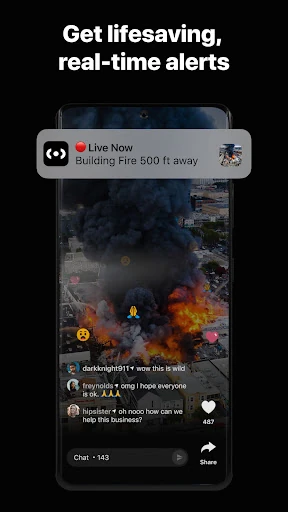
When I’m about to walk to a bus stop or drive across town, I want a little context about what may be happening nearby without turning the check into a research project. Citizen is built for that moment: its location-based alerts cover incidents such as fires, crimes, natural disasters, and protests, while incident videos can offer a closer look at breaking events. The idea is to help me stay aware as plans change.
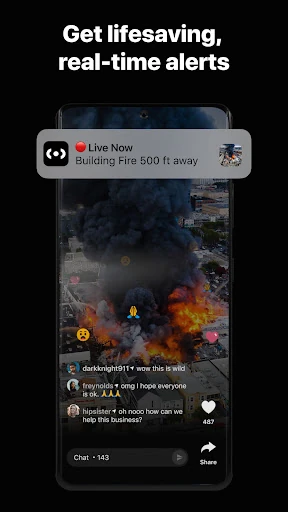
The app’s appeal is immediacy, but that also calls for a measured response. An alert can arrive while an incident is still unfolding, and the description notes that reports may precede police response. I would treat a notification as a reason to pay attention and seek reliable updates, not as a complete account of events. Used that way, Citizen can add useful local context without turning every alert into a reason to panic.
Local Awareness, Not a Newsroom
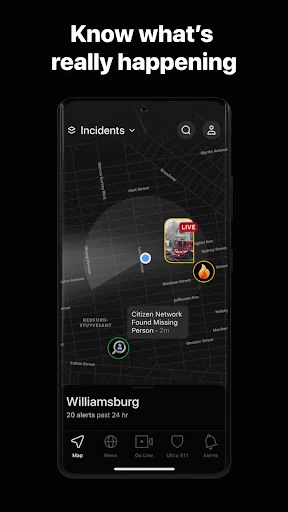
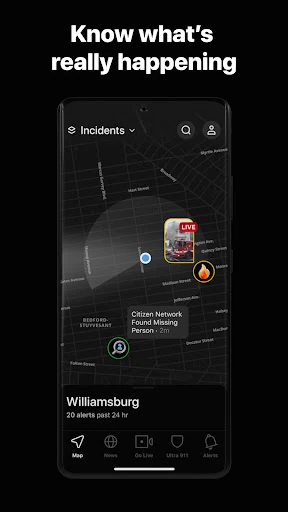
Compared with checking a general news app, Citizen is focused on nearby incidents and safety information rather than broad headlines. Its features include alerts, live incident video, city news, missing-person alerts, crime trends, and a map of registered offenders. That collection makes it more locally oriented than a typical headline feed. For someone who wants to know why emergency vehicles are nearby, that focus is the point.
It is not a replacement for emergency services, an official incident report, or a comprehensive picture of every neighborhood. The app is available in the US and Canada, and its free safety alerts are best supported in certain listed cities. Coverage matters: the usefulness of location-based information can depend on where I am. I would not use a stream of reported incidents alone to judge a place or make major decisions.
A Few Useful Habits
I’d make Citizen more useful by checking it at natural moments rather than watching it constantly: before leaving home, when a route changes, or after hearing unusual activity nearby. If I use alerts, I’d pay attention to whether the information concerns my immediate area and whether it affects the plan I already have. That keeps the app in a supporting role instead of letting a steady stream of notifications run the day.
The paid tiers are aimed at different kinds of follow-up. Citizen Plus adds scanner audio clips, incident archives, multiple alert zones, and a customizable notification radius; Premium offers access to Safety Agents by video, voice, or text. Those may suit someone who wants more detail or support, but the basic alerts are available for free. I’d start with the free experience and decide whether a particular paid feature fits my routine.
More From Our News Desk

Zoom Meetings, Google Meet, or Teams: Which Is Easiest to Join?

How I Build a Free Streaming Lineup With Tubi

Why Crunchyroll Is the Default Anime App for So Many Fans

YouTube TV: A Practical Guide to Cutting Cable

Rummikub and the Small Comfort of Phone Games

TeamViewer Remote Control or AnyDesk for Helping Family?
Who May Find It Useful
I’d recommend Citizen to people who want a local safety feed alongside their usual news sources, especially those living or traveling in an area where the app’s free alerts are well supported. The combination of location-based notifications and incident information can help explain what is unfolding nearby. People who follow community news, want missing-person alerts, or are curious about historical crime patterns may also find features worth exploring.
It may be a poor fit for someone who finds frequent reports stressful, expects every area to have equally strong coverage, or wants only polished, confirmed summaries. The app describes breaking incidents and community video, so information can be fast-moving. I’d also be cautious about paying for extras before deciding I would use them. Citizen is most useful when I can treat its updates as context and keep a calm, practical perspective.
Citizen: Protect The World is developed by Sp0n Inc. and is in the News & Magazines category. On Google Play it has over 5 million installs and a 4.5-star rating from about 102,000 ratings. The app is free to download, contains no ads, and offers in-app purchases. The listed in-app product prices range from $4.99 to $399.99 per item.
Google Play gives the app a Teen content rating and lists Android 9 as the minimum version. The current version is 0.1278.1. Citizen was released on January 16, 2017, and its most recent listed update was January 30, 2026. The app is available in the US and Canada; the description says free safety alerts are best supported in a set of cities in those countries.
A Closer Look at Citizen Day to Day
First Look and Setup
My first impression of Citizen is that it asks a practical question: what is happening around me right now? Its main idea is easy to understand because the alerts are tied to location and cover recognizable events, from fires to vehicle pursuits and severe weather. I’d begin by deciding how much local information I actually want on my phone, rather than assuming every alert will be relevant to my day.
Location-based alerts are central to the experience, so the app makes most sense when I’m comfortable using it in that context. I’d also keep the coverage note in mind before forming an opinion about how active the feed is. Citizen is available in the US and Canada, but its free safety alerts are best supported in specific cities. A quiet feed may say as much about local coverage as about local events.
The Everyday Alert Feed
The day-to-day value is the chance to hear about nearby emergencies as they develop. Citizen says its alerts can cover crimes, fires, natural disasters, protests, and other incidents. That can be useful when I’m at home and hear sirens, or when I’m on the way somewhere and want to understand whether an event might affect my surroundings. It turns a vague sense that something is happening into information I can consider.
The trade-off is that immediacy does not mean an alert tells the whole story. A report may arrive before police respond, and a developing incident can change. I’d read available details carefully and avoid treating a quick notification as a final account. This is a simple but important part of using the app sensibly: Citizen can help me notice an event, while judgment about what it means still rests with me.
Features Beyond Alerts
Incident video is one of the more distinctive parts of the offering. Citizen says users can watch breaking incidents from different angles and broadcast live from a scene to help their community. That adds a visual, community-oriented layer to the alerts. It also makes restraint important: a video can show part of an event without explaining everything, so I would use it as context rather than assume it provides a complete account.
Other features broaden the app beyond immediate alerts. It includes a nationwide map of registered sexual offenders, notifications when an offender registers nearby, crime trends, city news, and missing-person alerts for pets or loved ones. These are different kinds of information, so the app can serve several local-awareness needs. I’d explore the features that match my interests instead of treating every section as equally relevant to my routine.
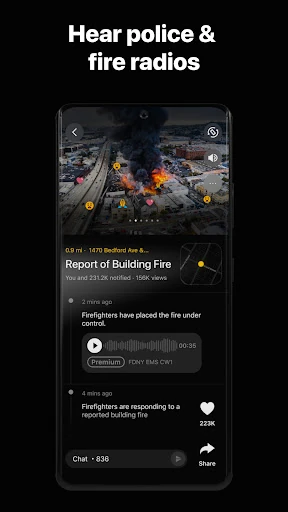
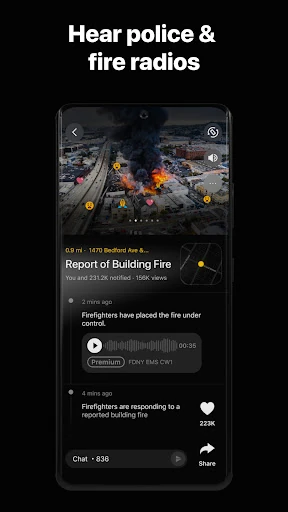
Paid options add more specialized tools. Citizen Plus includes police and fire scanner audio clips, detailed incident archives, multiple alert zones, and control over notification radius. Citizen Premium includes access to Safety Agents through video, voice, or text. These are meaningful differences from the free alert experience, but they are optional upgrades, not prerequisites for using Citizen’s free safety alerts.
A Practical Check-In Routine
A low-effort routine seems like the best way to use Citizen. I might check nearby alerts before leaving for a walk, glance at the feed after hearing sirens, or look for local context when plans take me across town. If an item seems relevant, I can read its details and consider whether it affects my immediate plans. If it does not, I can move on instead of keeping the app open.
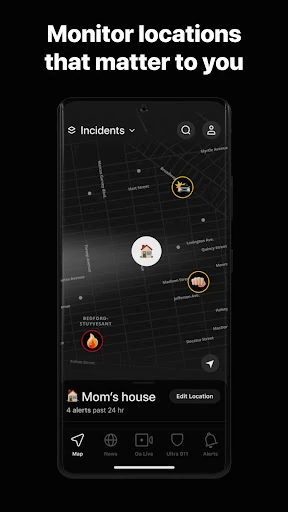
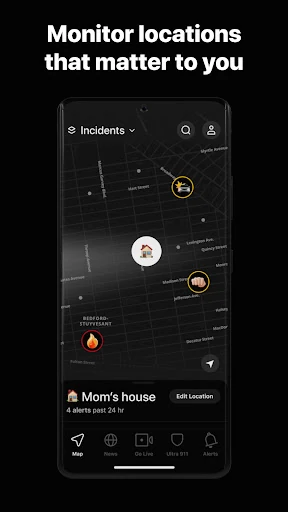
Someone who regularly moves between home, work, and school may be interested in the Plus option’s multiple alert zones and adjustable notification radius. A person who wants access to a live agent in an uneasy situation may consider Premium’s Safety Agent feature. I’d first identify a specific need, then weigh whether the paid option addresses it. That is a more grounded approach than upgrading simply because an app offers extra tools.
Limits to Keep in Mind
Coverage is the clearest limitation. Citizen is available in the US and Canada, but the description says its free safety alerts are best supported in particular cities. If I live outside those areas, I would not assume the alert experience will be just as useful. Even within supported locations, local activity and the nature of an incident can shape how much information appears.
The subject matter can also feel intense. Reports about crimes, fires, and other emergencies are not light background reading, and live incident videos may be unsettling. I’d be selective about when I check the app and how much time I spend with it. The goal is to stay informed, not to follow every disturbing event in real time.
Finally, the app’s alerts should not be mistaken for a complete or official explanation of an emergency. Citizen itself notes that it may report a crime in progress before police respond. Details can evolve as an incident unfolds, so I’d avoid drawing strong conclusions from one notification or video. For me, the app works best as an awareness tool with clear limits.
Citizen: Protect The World is a focused option for people who want nearby safety alerts and community incident information in one app. Its mix of alerts, video, city news, and other local features gives it more range than a simple notification feed, while the Plus and Premium tiers add specific tools for people who need them.
I’d try Citizen if local awareness is useful to my routine and the app has good coverage where I live. I would not rely on it as the sole source of information, and I’d keep a light touch with notifications if breaking reports become stressful. For the right user, it is a practical supplement to everyday news and awareness.
Citizen Frequently Asked Questions
What is Citizen: Protect The World used for?
Citizen: Protect The World provides location-based alerts about nearby crimes, fires, natural disasters, protests, and other incidents. It also includes live incident video, city news, crime trends, missing-person alerts, and a map of registered offenders. I’d describe it as a local awareness app: it can help users follow events near them, but a developing alert may not tell the full story.
Which phones and regions support Citizen: Protect The World?
Citizen: Protect The World is an Android app available through Google Play, and the listed minimum requirement is Android 9. The description says it is available in the US and Canada. Most features work everywhere, while free safety alerts are best supported in a set of cities. Coverage can vary by location, so it is worth checking the app’s Google Play information for current details.
Does Citizen: Protect The World cost money?
Citizen: Protect The World is free to download and its description says real-time safety alerts are available for free. It also offers optional Citizen Plus and Citizen Premium upgrades. Google Play lists in-app product prices from $4.99 to $399.99 per item. The exact price or availability of an option may vary, so check the current Google Play listing before purchasing.
What Android version does Citizen: Protect The World need?
Google Play lists Android 9 as the minimum Android version for Citizen: Protect The World. The app is developed by Sp0n Inc. and its listed version is 0.1278.1. Device compatibility can depend on the device and current store information, so I’d check the Google Play page on the phone I plan to use before installing.
Who is Citizen: Protect The World suitable for?
Citizen: Protect The World may suit people who want nearby emergency and crime updates, local incident information, or community news. Its usefulness depends partly on location, since free safety alerts are best supported in certain cities. It may not suit people who find breaking emergency reports stressful or expect every alert to provide a complete account. I’d use it as one source of context.
Pros
- Location-based alerts cover a range of nearby emergencies and incidents.
- Live incident video and city news add local context beyond notifications.
- Free safety alerts are available, with optional paid features for more detail.
- Includes missing-person alerts, crime trends, and a registered-offender map.
Cons
- Free safety alerts are best supported in specific cities, so coverage varies.
- Fast-moving reports may appear before police respond and can be incomplete.
- Emergency news and live incident video may feel distressing to some users.
- Category
- News & Magazines
- Version
- 0.1278.1