Haystack News: Local TV News
- 34.75K
- 4.2
- Installs
- 5.00M
- Price
- Free

Screenshots

Analysis by Reviewed APKs
Haystack News: Local TV News brings local, national and international video coverage into one app, with choices shaped around the topics and sources you care about. I found its appeal easy to understand: it can replace hopping between station apps when I want a quick video catch-up. It suits people who prefer watching news to reading it, though its broad mix takes a little curation.
A quicker morning briefing
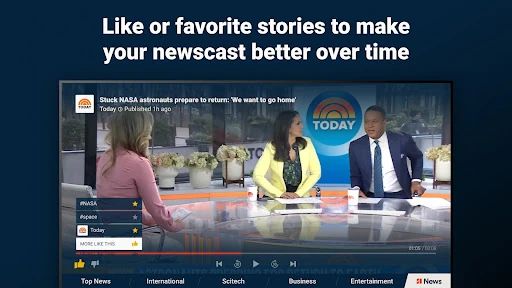
When I first opened Haystack News, I pictured using it during the small gap between making coffee and heading out the door. Rather than opening several station apps, I could choose topics and sources for a newscast that better matches what I want to follow. A few local stories, then a national update, makes for a more focused start than scrolling through an entire social feed.
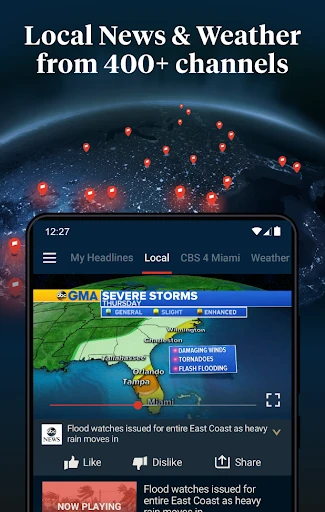
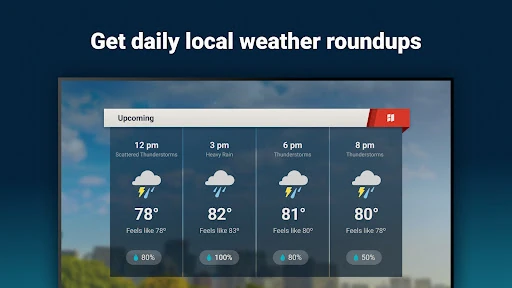
The local angle is especially useful when a neighborhood story matters more to me than another national headline. Haystack offers local news streams, along with the latest local weather for your neighborhood. I can also turn to live news channels or explore on-demand coverage when I have more time. It gives a short routine room to expand without making every check-in feel like a full research session.
A video-first news alternative
I think of Haystack as a video companion to news websites and station apps, not a replacement for every way of following the news. Its central draw is bringing coverage from different sources and topics together, including local, world, international and entertainment news. If I want to watch a report instead of reading a text article, that arrangement is convenient; if I need a deep text archive, this is not what the description promises.
Compared with choosing one broadcaster and staying there, Haystack gives me a broader mix of sources in one place. That can be handy when I want more than one perspective, but the range also means I need to make choices about what I want in my feed. It is a news-watching app, rather than a general-purpose weather or traffic tool; the described local extra is weather.
Make the mix your own
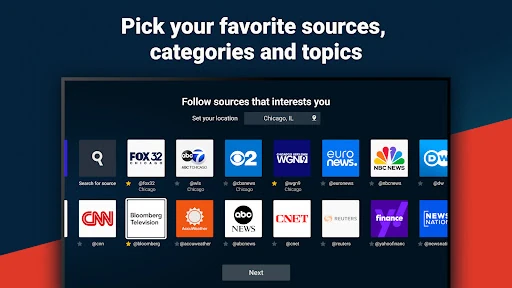
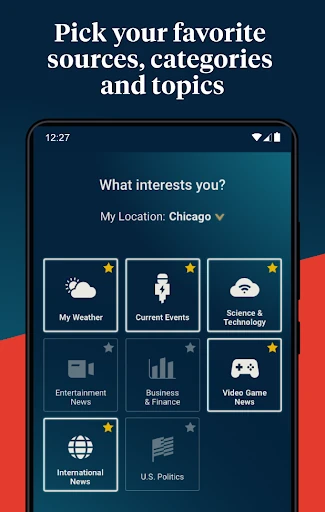
A useful habit is to spend a little time choosing categories, sources and topics before relying on the app for a regular catch-up. That gives the newscast a clearer purpose: local coverage for the morning, perhaps, with a few national or international sources alongside it. I would rather make those selections deliberately than expect a broad news service to guess exactly what matters to me.
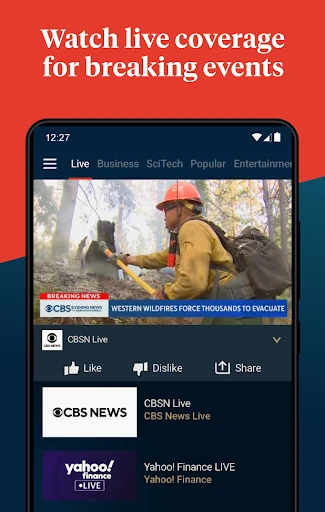
I would also treat live channels and on-demand channels as different ways to use the app, depending on the moment. Live coverage suits a check-in when I want current programming, while on-demand options let me explore categories such as international or entertainment news. Breaking news alerts can help surface important updates, but I would keep the alert choice intentional so a quick briefing does not become a constant interruption.
More From Our News Desk

Zoom Meetings, Google Meet, or Teams: Which Is Easiest to Join?

How I Build a Free Streaming Lineup With Tubi

Why Crunchyroll Is the Default Anime App for So Many Fans

YouTube TV: A Practical Guide to Cutting Cable

Rummikub and the Small Comfort of Phone Games

TeamViewer Remote Control or AnyDesk for Helping Family?
Who will get the most from it
I would recommend Haystack to people who like video news and want local coverage alongside national and international reporting. It has a practical place in a morning routine, a lunch break or an evening catch-up, especially for anyone tired of jumping between individual broadcaster apps. The option to choose sources and topics also makes it more appealing to viewers who want a mixed lineup rather than one channel's perspective.
It may be less satisfying for someone who mainly reads articles, wants a narrowly defined single-source experience, or dislikes ads in a free app. The selection can also feel like a lot until you settle on the categories and sources you actually want. I would approach it as a customizable viewing hub, not as a promise that every story will be covered or that every local channel will suit every viewer.
Haystack News: Local TV News is made by Haystack News and is in the News & Magazines category on Google Play. It has more than 5 million installs and a 4.2-star rating from about 34,700 ratings. The app is free to install, contains ads and offers in-app purchases. Google Play gives an in-app product price range of $4.99 to $49.99 per item.
Google Play rates the app Everyone 10+. Its listed version varies with device. The release date is February 28, 2014, and the last update date shown is October 28, 2026. The Android version requirement is not included in the available facts, so check the Google Play entry for the requirement that applies to a particular device.
A More Personal Way to Watch the News
A straightforward starting point
My first impression is that Haystack's purpose is easy to grasp: make a news lineup from sources and topics I choose. The description emphasizes local, live and world coverage, so it is not built around a single type of story. That variety sounds useful, but it also makes the initial decisions matter. A little setup can turn a wide menu of coverage into a more manageable daily watch.
I would begin with the areas I actually follow, rather than trying to select everything. Choosing categories, sources and topics is the stated way to shape a newscast, which is a practical starting point for a personalized routine. The app also offers local weather for a neighborhood. Those choices give the experience a local anchor while leaving room for broader stories when I want them.
The everyday viewing rhythm
Day to day, the appeal is having different kinds of news coverage available in one app. I can imagine a quick local check before work, a live channel when I want ongoing programming, and an on-demand category when I am looking for a particular kind of coverage. That is a more flexible rhythm than committing to one broadcaster every time I open a news app.
The mix works best when I remember that it is still a video-first experience. Watching a report asks for more attention than skimming a headline, so it fits a break or a settled moment better than every spare minute. I would use the topic and source choices to keep the lineup relevant, then let the wider selection serve as an option rather than an obligation.
Live and on-demand options
The standout feature is the combination of live news channels and on-demand channels. They answer slightly different needs: live viewing offers a channel to tune into, while on-demand coverage lets me explore areas such as international news and entertainment news. That distinction makes the app feel more useful across the day than a feed composed of only one format.
Haystack also describes dedicated channels that bring coverage from around the world together around important topics and trends. That can be a helpful way to follow an issue through multiple sources rather than treating every report as an isolated clip. I would still choose topics with care, but the idea of gathering related coverage in one place is a clear reason to try the app.
A practical daily routine
For a realistic routine, I would set up a small selection of local and national sources, then check local weather and a few relevant stories over breakfast. If something significant is happening, a live channel or breaking news alert could bring it to my attention. Later, I could use on-demand channels for a slower look at an international or entertainment topic.
The key is to make the app serve a routine rather than turning every visit into an open-ended browse. I would review my chosen topics occasionally and remove anything that no longer feels useful. Since the app offers alerts, I would be selective about which breaking updates I want on my phone. That keeps the quick morning catch-up useful without letting news take over the day.
Keep expectations grounded
Haystack's range is a strength, but a wide collection of sources can also require some sorting. A personalized newscast depends on the choices I make, so the first lineup may need adjustment before it feels like mine. Viewers who prefer one familiar broadcaster or mostly text-based reporting may not get as much from this approach.
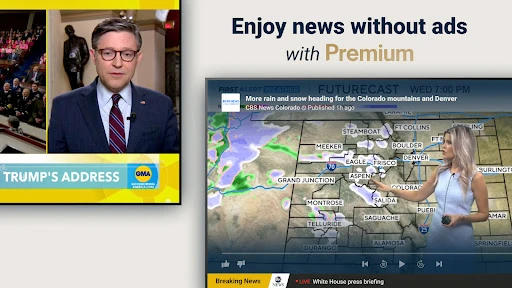
The app is free to install, but it contains ads and offers paid in-app purchases, so it is not an ad-free experience by default. The available information does not detail what each purchase includes, and the version varies with device. I would check the Google Play entry for current purchase and device details before installing, particularly if those details affect how I plan to use it.
Haystack News: Local TV News makes a sensible case for itself: local, live and on-demand video coverage from a range of sources, shaped around topics I choose. I like its potential as a convenient daily viewing hub, especially when I want local context without giving up national and international stories.
I would recommend it to video-news viewers willing to spend a little time tailoring their lineup. It is less compelling for readers who want articles first or anyone who expects a tightly curated experience without setup. If the mix of sources and the ad-supported model suit you, it is worth a look.
Haystack News Frequently Asked Questions
What is Haystack News: Local TV News used for?
Haystack News: Local TV News is for watching local, national and international news coverage in one app. You can choose categories, sources and topics to shape a newscast, watch live news channels, explore on-demand channels and receive breaking news alerts. It also provides the latest local weather for your neighborhood.
Which devices can run Haystack News: Local TV News?
Haystack News: Local TV News is an Android app available through Google Play. The version is listed as varying with device, and the Android version requirement may depend on the current app and device. Check its Google Play entry for the requirements that apply to your phone or tablet.
Does Haystack News: Local TV News cost money?
Haystack News: Local TV News is free to install on Google Play. It contains ads and offers in-app purchases, with the listed product prices ranging from $4.99 to $49.99 per item. The purchase details may vary, so check the Google Play entry for current information before buying.
Does Haystack News: Local TV News show local coverage?
Yes. Haystack News: Local TV News offers local news streams as well as national and world coverage. Its description also mentions local weather for your neighborhood. The sources and topics you choose help shape the newscast, so the available mix is worth checking in the app for your area.
Who is Haystack News: Local TV News best for?
Haystack News: Local TV News is best suited to people who like watching news and want a mix of local, live and on-demand coverage from different sources. It may be a weaker fit for someone who prefers reading articles or wants a single-source experience. The app contains ads, which may also matter to some viewers.
Pros
- Combines local, national and international video coverage in one app.
- Lets viewers choose categories, sources and topics for a tailored newscast.
- Offers both live channels and on-demand news categories.
- Includes local weather and breaking news alerts.
Cons
- The wide range of sources may take some setup to make manageable.
- Ads are part of the free app experience.
- Video-first coverage may not suit people who prefer reading news.
- Category
- News & Magazines