NETGEAR Nighthawk WiFi Router
- 176.99K
- 4.3
- Installs
- 5.00M
- Price
- Free
Screenshots
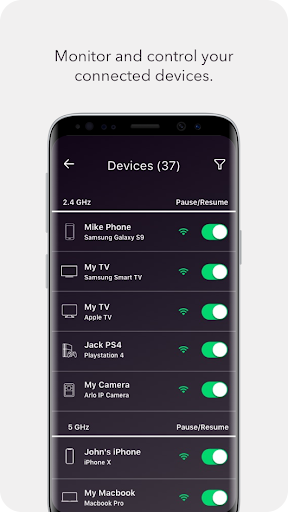
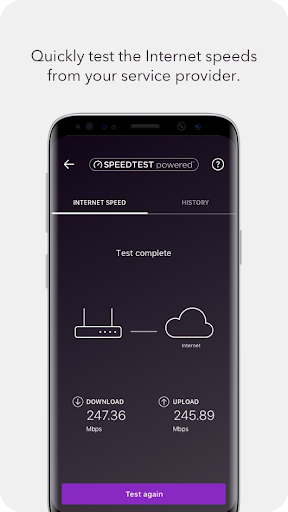
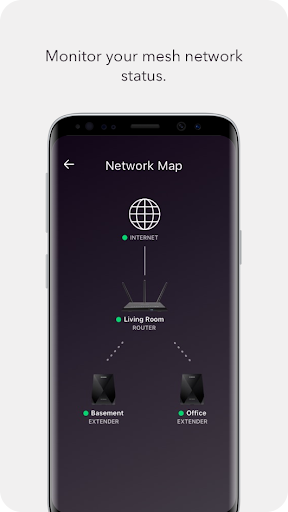
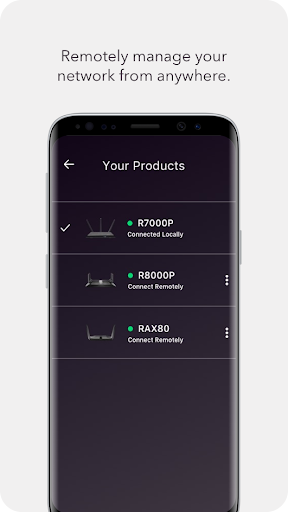
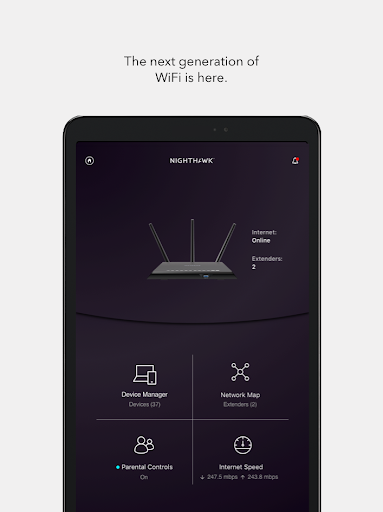
Analysis by Reviewed APKs
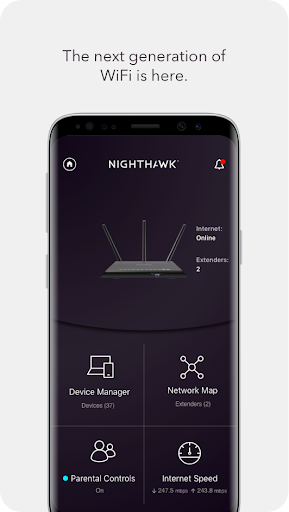
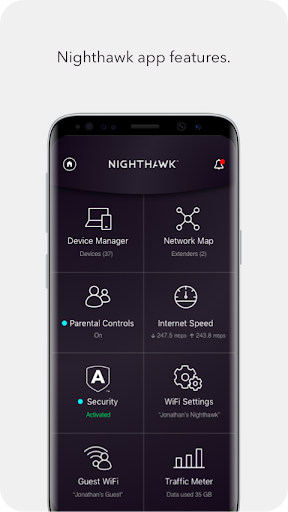
NETGEAR Nighthawk WiFi Router is a companion app for checking and managing features on a NETGEAR router. I’d consider it for someone who wants basic network controls and status checks close at hand, rather than having to manage everything from a computer. Its mix of remote access, guest WiFi, speed testing and usage monitoring is practical, though the exact options depend on the router and service you use.
A quick home network check
Picture a familiar moment: a guest asks for WiFi, or someone at home says the connection feels slow. With the Nighthawk app, I can use my phone to reach router features such as setting up a separate guest network or running a speed test. That makes the app useful for small network chores that otherwise tend to get postponed until I am back at a computer.
The speed test is especially easy to understand as a practical check: it shows whether the broadband speed reaching the router is close to what you expect to be paying for. It will not explain every possible cause of a slow connection, but it gives me a starting point before I decide whether the issue is worth investigating further.
Router companion, not a fix-all
I see Nighthawk as a control panel for compatible NETGEAR router features, not a general WiFi utility that can manage any router. Its strengths are the routine tasks around a home network: checking usage, pausing WiFi, managing guest access and reaching certain controls remotely. That is a different job from simply connecting a phone to a wireless network or diagnosing every internet problem.
It also is not a replacement for a broadband provider’s account tools or a promise that every feature will be available on every setup. The description names options such as Circle-based parental controls and Armor security, but those depend on the relevant router or service. If you only need to join WiFi, your phone’s regular network settings are likely enough; this app is for people who manage the router itself.
Make checks part of a routine
A little routine makes the app more useful than opening it only during a connection problem. I’d run the speed test when the connection seems unusually sluggish, then check the traffic meter over time if I want a broader sense of internet use. Those two views answer different questions: one is a snapshot of broadband speed, while the other helps track usage across a period.
For household changes, I’d keep guest WiFi and pause controls in mind as practical options rather than settings to tinker with every day. If I’m expecting visitors, a separate guest network can keep their access distinct from the main WiFi. When away from home, Anywhere Access can be handy for checking or controlling supported router features without waiting until I return.
More From Our News Desk

Zoom Meetings, Google Meet, or Teams: Which Is Easiest to Join?

How I Build a Free Streaming Lineup With Tubi

Why Crunchyroll Is the Default Anime App for So Many Fans

YouTube TV: A Practical Guide to Cutting Cable

Rummikub and the Small Comfort of Phone Games

TeamViewer Remote Control or AnyDesk for Helping Family?
Who may find it useful
I’d recommend Nighthawk to people who already use a compatible NETGEAR router and want convenient phone access to its management features. It suits a household that occasionally needs to check connection speed, share guest WiFi, review usage or pause WiFi. Remote access is another useful reason to keep it around, especially if you sometimes need to check the home network while away.
It may be less appealing if you do not have a NETGEAR router, or if your only goal is to connect a device to WiFi. Some named features are tied to particular router capabilities or services, so I would not choose the app on the assumption that every control applies to every setup. People who rarely adjust router settings may also have little reason to open it often.
NETGEAR Nighthawk WiFi Router is published by NETGEAR, Inc and is listed in Google Play’s Tools category. It is free to download, with no in-app purchases or ads reported in the supplied app facts. The content rating is Everyone. Its release date is September 13, 2016, and the current version shown is 2.55.0.5756.
On Google Play, the app has more than 5 million installs and a 4.3-star rating from about 177,000 ratings. The supplied version information gives an update date of October 9, 2026. A minimum Android version was not included in the available app facts, so check the Google Play page on your device for current compatibility details.
Everyday control for your home WiFi
Starting with the basics
When I first opened the idea of Nighthawk, what stood out was its focused purpose: this is about reaching router tools from a phone, not about turning the phone into a WiFi analyzer. The listed features cover several ordinary needs, from testing broadband speed to setting up guest access. That clear scope makes it easier to see whether it belongs in your routine.
The app’s value depends on having a NETGEAR router with the features you want to use. I would start by checking which controls are relevant to my particular setup, rather than expecting every option described to appear or work the same way. That is a practical distinction for any router companion app, especially when security and parental-control options may rely on additional services.
Useful checks, when needed
Day to day, the appeal is having several small network tasks in one place. If a connection feels off, a speed test offers a quick reference. If I want to understand internet use over time, the traffic meter is aimed at that broader view. And when I need to share access, guest WiFi provides a separate network option rather than making the main one the default choice.
These controls are most helpful when there is a clear reason to use them. I would not expect to spend time in the app every day, and that is fine: router management is usually occasional. Being able to pause WiFi or reach features remotely gives the app more value during particular moments, without making it a substitute for the router or the internet connection itself.
Features with a clear purpose
Anywhere Access is one of the more convenient ideas in the feature set. It is intended to let users monitor and control home WiFi remotely, which could save a trip back to the router when a supported setting needs attention. The description also calls out firmware updates and the ability to pause WiFi, giving the app a role beyond simply reporting network status.
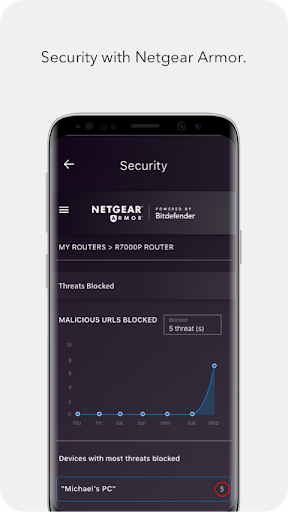
For households, Smart Parental Controls are described as content filtering and automatic limits on time online through Circle on NETGEAR. Armor is presented as cybersecurity for devices on the network. I would treat these as router- and service-dependent options, not assume they are included in every setup. The guest network and traffic meter, meanwhile, address more straightforward access-sharing and usage-monitoring needs.
A simple household routine
Here is how I would use it without turning network management into a hobby: keep it available for the occasional speed check, review the traffic meter when I want a longer view, and use guest WiFi when visitors need access. If I am away from home and need to check on supported router controls, Anywhere Access is the feature designed for that situation.
That routine keeps each tool tied to a real question. A speed test is for a moment when performance seems different; the traffic meter is for watching usage over time. Guest access is for sharing WiFi separately, while parental controls and Armor may matter to households that use the related services. I would explore only the options that match my router and needs.
Keep expectations realistic
The main limitation is compatibility and feature availability: this app is built around NETGEAR router management, and the description does not promise that every listed feature works with every router. Circle-based controls and Armor are particularly worth checking against your setup. That does not undermine the useful basics, but it does mean the app’s full value can vary from one household to another.
It also cannot resolve every broadband issue just because it includes a speed test. The test can help show the speed being received, but it is only one piece of understanding a connection problem. Likewise, a traffic meter helps monitor usage rather than explain what every device is doing. I’d see Nighthawk as a handy management companion, not a complete network troubleshooting service.
NETGEAR Nighthawk WiFi Router makes sense when you want router controls and useful checks within reach on your phone. I like the practical spread: speed testing, guest WiFi, usage monitoring, pausing WiFi and remote access address real household tasks without requiring constant attention.
I’d recommend it to NETGEAR router owners who expect to use those controls, while urging them to check feature compatibility for their setup. If you simply need to join a wireless network, it is more app than you need. For occasional home network management, though, it offers a convenient place to start.
NETGEAR Nighthawk Frequently Asked Questions
What is NETGEAR Nighthawk WiFi Router used for?
NETGEAR Nighthawk WiFi Router is a companion app for accessing supported NETGEAR router features. It can be used for tasks such as checking broadband speed, monitoring internet usage, setting up guest WiFi, pausing WiFi, updating firmware and managing the home network remotely. Which controls are available depends on the router and relevant services.
What devices can run NETGEAR Nighthawk WiFi Router?
The app is available for Android through Google Play. The supplied app facts do not give a minimum Android version, so check the current Google Play page to see whether your device is compatible. The app is intended to work with NETGEAR router features; it is not described as a general-purpose manager for routers from other brands.
What Android version does NETGEAR Nighthawk require?
The minimum Android version is not included in the supplied details. Requirements can change as an app is updated, so the most useful place to check is the Google Play page on your device. Also keep in mind that having a compatible Android device does not guarantee that every router feature will be available on your particular NETGEAR setup.
Does NETGEAR Nighthawk cost money or include purchases?
The app is free to download on Google Play. The supplied facts indicate that it has no in-app purchases and contains no ads. Some features described, including Circle-based parental controls and Armor security, may depend on the router or related service, so check the app and store information for details that apply to your setup.
Is NETGEAR Nighthawk suitable for my household?
It is best suited to people who use a compatible NETGEAR router and want phone access to network management, guest WiFi, speed testing or usage monitoring. It may not be useful if you only need to connect to WiFi or use a different router brand. Check the Google Play information and your router’s feature support before relying on a particular control.
Pros
- Combines speed testing, guest WiFi, usage monitoring and router controls in one app.
- Anywhere Access is designed for checking supported home WiFi features remotely.
- Free to download, with no ads or in-app purchases reported.
Cons
- Designed for NETGEAR routers, so it is not a universal router-management app.
- Some features depend on the router or related services.
- A speed test can inform checks but cannot explain every connection problem.
- Category
- Tools
- Version
- 2.55.0.5756











