My Contacts - Backup&Transfer
- 59.87K
- 3.8
- Installs
- 5.00M
- Price
- Free
Screenshots
Analysis by Reviewed APKs
My Contacts - Backup&Transfer is a phonebook backup and migration app for people who want a separate way to preserve contacts and SMS before changing or resetting a phone. I see its appeal in a practical, occasional task: make a copy, then restore it on another device. It also offers automatic contact syncing and web-based list editing. The main trade-off is a focused utility experience rather than a complete contacts manager.
Before changing phones
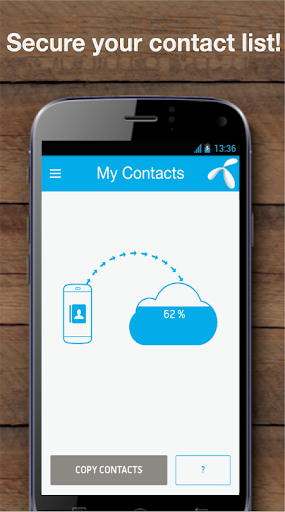
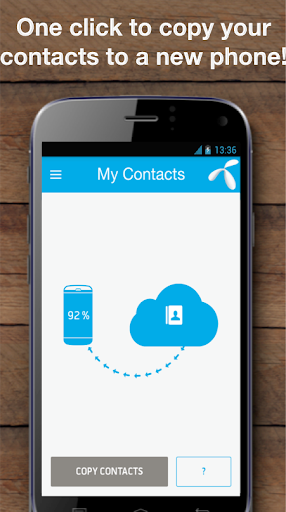
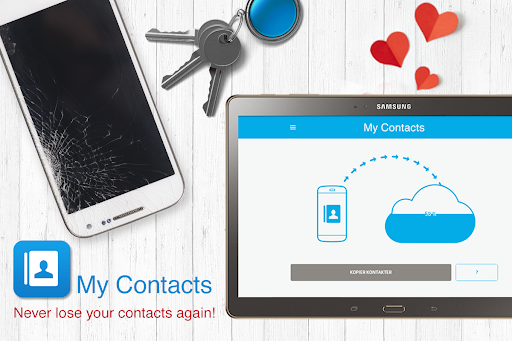
When I’m preparing to move to a new phone, the tedious part is often making sure the numbers I rely on come along too. My Contacts is built around that moment. I create an account, tap “Copy contacts” on the old phone, then sign in and copy them on the new one. The process is designed to keep the task short, rather than turning a device change into a manual export-and-import project.
It can also back up SMS, which gives the app a little more purpose than a phonebook-only copy tool. The description says to activate SMS backup separately, so I’d treat that as an additional step rather than assume messages are covered by a contact backup. This makes sense for someone who wants both types of information kept available, especially before a reset or when an old handset is being replaced.
A focused backup tool
The obvious alternatives are whatever contact-sync tools are already built into a phone or a manual transfer method. My Contacts takes a more dedicated route: sign in on the old and new devices, back up the contacts, and retrieve them on the other handset. The app describes support for Android, iPhone, and feature phones, and also provides a web interface for managing a contact list.
That narrow focus is useful, but it also sets expectations. I wouldn’t choose it as a broad address-book replacement or a general file-transfer app. Its job is to preserve and move contacts, with SMS backup as an extra. If all I need is to browse people, call someone, or organize a full digital life, this app is more specialized than that; it concentrates on keeping data available across a phone change.
Make backups a habit
For a one-off move, manual syncing is the straightforward option: open the app and use its “Sync now” control. If I wanted a more regular safeguard, the app also describes an automatic sync option that takes a daily contact backup while it runs in the background. That can suit a routine where I’d rather let a backup happen than remember to make one before a device change.
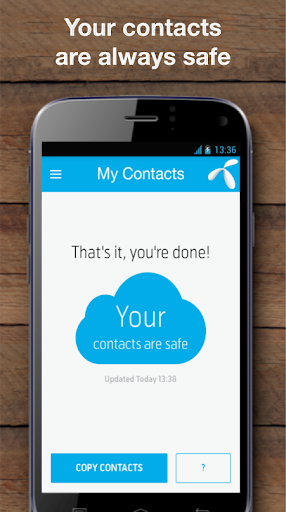
I’d still make the first backup a deliberate checkpoint. Open the app, sign in, copy the contacts, and make sure I understand the separate SMS backup setting if messages matter to me. For a move between phones, I’d install the app on both devices and use the same account as described. Those small steps make the process easier to follow than leaving everything until the old phone is already gone.
More From Our News Desk

Zoom Meetings, Google Meet, or Teams: Which Is Easiest to Join?

How I Build a Free Streaming Lineup With Tubi

Why Crunchyroll Is the Default Anime App for So Many Fans

YouTube TV: A Practical Guide to Cutting Cable

Rummikub and the Small Comfort of Phone Games

TeamViewer Remote Control or AnyDesk for Helping Family?
Who may find it useful
I’d recommend My Contacts to someone who is switching phones, preparing for a reset, or simply wants a separate contact backup routine. It is also worth considering if SMS backup is part of the plan, or if editing and cleaning up contacts through the web interface sounds more convenient than doing it on a handset. Its purpose is easy to understand: copy the information you want to keep, then retrieve it when needed.
It may be less appealing to someone who already has a backup workflow they trust and doesn’t need another account-based service, or to anyone looking for a full-featured contact manager. The app contains ads, and its Google Play rating is 3.8 from around 60,000 ratings, so I’d approach it as a practical utility rather than a polished must-have. I’d also check the current store details before relying on it for a particular device.
My Contacts - Backup&Transfer is developed by Telenor Norway. On Google Play it has over 5 million installs and a 3.8-star rating from around 60,000 ratings. It is free to download, contains ads, and has no in-app purchases. The content rating is Everyone. Its version varies by device.
The app was released on March 25, 2015. The minimum Android version and most recent update date are not included in the available app details, so check Google Play for current device compatibility and release information. The description says it supports moving contacts between Android, iPhone, and feature phones, with an iPhone/iPad version also mentioned.
A closer look at the backup routine
A straightforward first step
My first impression is that the app is built to get to a specific task quickly. Its setup begins with signing up or logging in, then the central action is “Copy contacts.” That direct wording makes the main purpose clear, especially if I’ve opened the app because a phone change is already on my to-do list.
The account is part of the workflow, not an optional detail in the instructions. I’d set that up before a stressful device handoff, then make a backup while I still have the old phone in hand. The description also says the app can use a foreground service for regular syncing and incoming-call number lookup, with a visible notification when that service is active.
The everyday experience
This is not the kind of app I expect to open many times a day. Its value is more likely to show up in a few deliberate moments: making a backup, checking the automatic sync option, or restoring contacts after moving to a new handset. That makes it feel like a maintenance tool for my phone rather than another app I need to keep checking.
For regular contact protection, the described daily automatic backup is the more hands-off choice; for a one-time check, manual syncing offers a clear alternative. The app says data usage is low, which suits the background role it aims to fill. I’d still pay attention to its service notification and make sure the backup approach matches what I intend to preserve.
Beyond contact copying
SMS backup is the main extra alongside contact storage and transfer. The description presents it as an option that can make backed-up messages accessible from devices, and says to activate it separately. That distinction matters in practice: if I care about keeping texts, I wouldn’t assume the “Copy contacts” action covers them automatically.
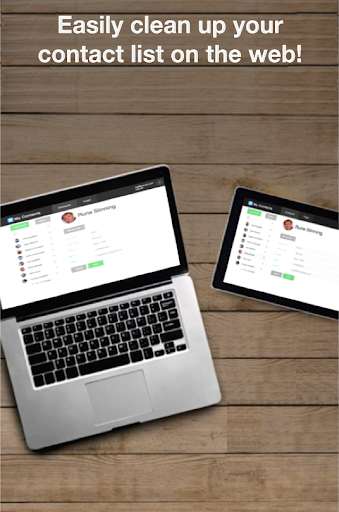
The web interface adds another useful angle. The app says I can access my phonebook there, merge or remove duplicate contacts, and create a cleaner list. That makes the service more than a one-time bridge between handsets, though its primary job remains backup and transfer. I’d use the web option when list cleanup is easier with a larger screen.
A calm transfer routine
My practical routine would start before opening the box for a new phone: install My Contacts on the old handset, sign in, and use “Copy contacts.” If SMS matters, I’d activate that backup as its own step. Once the new phone is ready, I’d install the app there, sign in to the same account, and use the copy action to bring the contacts across.
After the move, I’d keep the old phone around until I’ve had a chance to check that the information I need is available on the new one. The app’s instructions are simple enough to follow, but doing the setup in a calm moment is better than trying to improvise during a rushed upgrade. For ongoing protection, I’d decide whether daily automatic backup or an occasional manual sync suits my routine.
Keep the scope in mind
My Contacts is centered on contacts, SMS, and transferring that information. It is not presented as a general backup for every kind of phone data, so I wouldn’t treat it as a substitute for a broader device backup. Its web interface is described for editing the phonebook, not for managing unrelated files or phone settings.
There are also a few practical details worth checking before depending on it: the app contains ads, and the version varies by device. The available details do not give a minimum Android requirement, so I’d check Google Play for compatibility with a particular handset. A background service can show a notification when active, which is useful to know if I prefer a very quiet phone.
My Contacts - Backup&Transfer has a clear, useful role: preserving contacts and optionally SMS, then helping move them to another phone. I like that the instructions describe both manual and automatic contact backup, along with a web option for contact cleanup. It is a focused utility, not a complete device-management solution.
I’d try it if I were preparing to switch phones or wanted a separate contact backup routine. If my current phone already handles everything I need, or I’m looking for a broad address-book app, it may not add enough. Check the store details for device compatibility before making it part of an important move.
My Contacts Frequently Asked Questions
What is My Contacts - Backup&Transfer used for?
My Contacts - Backup&Transfer is for backing up and restoring contacts, transferring them between phones, and optionally backing up SMS. Its description also says users can access and edit their phonebook through a web interface, including merging or removing duplicate contacts. It is focused on this information, rather than being a general backup tool for every kind of phone data.
Which phones can use My Contacts - Backup&Transfer?
The app is available on Android, and its description says it supports contact transfers involving Android, iPhone, and feature phones. It also mentions an iPhone and iPad version for backing up on those devices and restoring to Android. Device and version availability can vary, so check the relevant store for current compatibility.
What Android version does My Contacts - Backup&Transfer require?
The minimum Android version is not included in the available app details. Google Play can show the current compatibility information for your device. The app version itself varies by device, so it is worth checking the store before installing or planning a phone transfer.
Does My Contacts - Backup&Transfer cost anything?
My Contacts - Backup&Transfer is free to download on Google Play. It contains ads and has no in-app purchases in the available app details. Store information can change, so check Google Play for the current terms before installing.
Is My Contacts - Backup&Transfer suitable for everyday use?
It may suit someone who wants a separate way to back up contacts regularly, move them to a new phone, or keep SMS backup as an option. Automatic daily contact syncing is described, alongside manual syncing. If you want a full contact manager or a backup for all phone data, this app’s stated role is narrower.
Pros
- Clear two-phone transfer steps make a planned handset change easier to organize.
- Offers manual or daily automatic contact backup, according to the app description.
- Includes optional SMS backup and web-based contact cleanup.
- Supports transfers involving Android, iPhone, and feature phones.
Cons
- Contains ads, which may be unwelcome in a focused utility.
- SMS backup is a separate step from copying contacts.
- It focuses on contacts and SMS rather than general phone backup.
- Category
- Communication











