MSC for Me
- 38.54K
- 4.7
- Installs
- 1.00M
- Price
- Free

Screenshots
Analysis by Reviewed APKs
MSC for Me is a cruise companion app for people sailing with MSC Cruises, covering planning before departure and useful tasks onboard. I like that it brings check-in, activity bookings, onboard chat and expense tracking into one place rather than leaving every detail until I reach the ship. It suits travelers who want a more organized trip, though its usefulness depends on the ship and market.
From Booking to Boarding
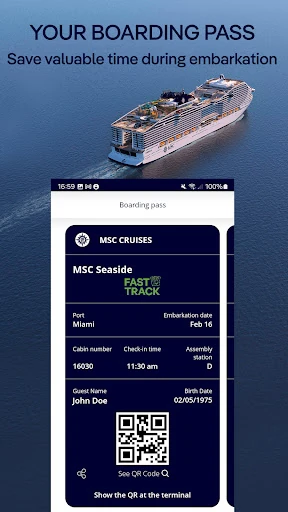
A cruise day often starts with a handful of practical questions: Is check-in done, when should I arrive at the terminal, and what do I still need to sort out? MSC for Me is designed to help answer some of those questions before departure. I can use it to check in, register a credit card with my Cruise Card, download a boarding pass, and choose an arrival time slot for embarkation.
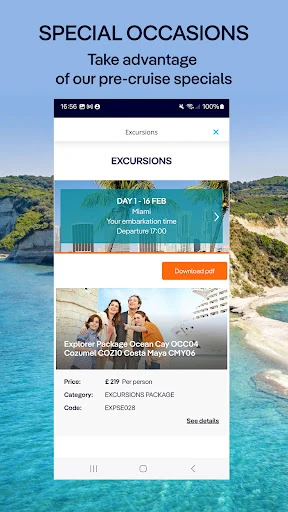
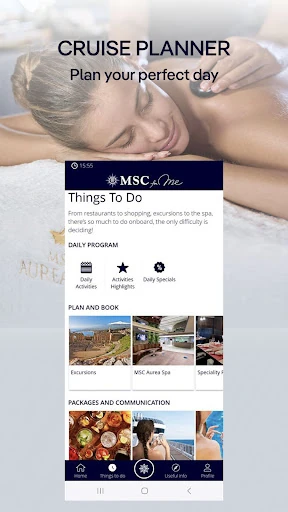
The appeal is having those jobs in the same place as early activity planning. Before sailing, I can look at shore excursions, events and specialty dining, then reserve options that suit my trip. The app also supports the required ship security photo before embarkation. That combination makes it more than a digital brochure: it gives me a practical way to handle trip preparation and arrive with some key decisions already made.
A Cruise-Specific Companion
Compared with a general travel planner or messaging app, MSC for Me is focused on the MSC cruise experience. Its tools connect to cruise tasks such as booking ship activities, managing Cruise Card transactions, choosing internet packages and keeping up with booked events. I would use it alongside the cruise’s other digital channels, not as a replacement for every travel tool I use to arrange flights, hotels or time away from the ship.
It is also not a general-purpose social network or a promise that every service will work identically on every sailing. The app’s available functionality can vary by ship and market, so I would treat it as a useful onboard companion rather than the single source for every trip detail. For travelers not sailing with MSC Cruises, its cruise-specific features are unlikely to be relevant.
Small Habits That Help
I would start by opening the app before embarkation and working through the available check-in steps while I have time to focus. Registering a card, preparing the boarding pass and choosing an arrival slot are easier to handle at home than in a busy terminal. I would also browse activities early, since the app supports booking options before sailing as well as onboard.
Once aboard, a quick check of booked events and notifications could help me keep the day straight without constantly consulting separate notes. I would use the chat for coordinating with onboard companions, and review transactions in the app if I have paired a card and associated guests with the booking. These small checks make the app more useful as a trip organizer, not just something I open once.
More From Our News Desk

Zoom Meetings, Google Meet, or Teams: Which Is Easiest to Join?

How I Build a Free Streaming Lineup With Tubi

Why Crunchyroll Is the Default Anime App for So Many Fans

YouTube TV: A Practical Guide to Cutting Cable

Rummikub and the Small Comfort of Phone Games

TeamViewer Remote Control or AnyDesk for Helping Family?
Who Will Get the Most From It
I’d recommend MSC for Me to people taking an MSC cruise who want to deal with practical details on their phone. It has a clear role before sailing, with check-in and activity planning, and during the trip, with chat, event notifications, bookings and expense tracking. Travelers who prefer to settle arrangements early may especially appreciate being able to prepare several pieces of the cruise in advance.
It may be less compelling if you rarely use phone apps while traveling, or if you expect every feature to be identical across ships. Its tools are tied to MSC Cruises, and functionality can vary by ship and market. I’d also avoid relying on it as the only place to find information; it works alongside other digital channels, so a little flexibility is sensible.
MSC for Me is developed by MSC Cruises S.A. and is available on Google Play as a free app. It has more than one million installs and a 4.7-star rating from 38,541 ratings. The app contains no ads and offers no in-app purchases, according to the supplied app details. Its content rating is Everyone.
The supplied version is 5.4.10, with Android 10 as the minimum requirement. The app was released on May 31, 2017, and was last updated on February 5, 2026. Those details give prospective users a quick compatibility check before installing, while the app’s practical feature availability can still depend on the ship and market for a particular cruise.
Making Cruise Days Easier to Manage
Before the Ship
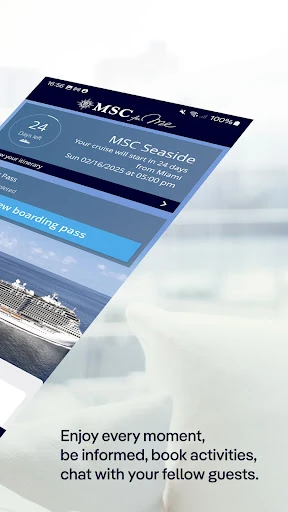
My first impression is that MSC for Me has a useful job both before and during a cruise, rather than being limited to the days at sea. The pre-cruise tools focus on preparation: check in, register a credit card with the Cruise Card, and plan activities. The recent changes also include downloading a boarding pass, taking the required security photo and choosing a terminal arrival time.
I would set it up as part of my departure checklist, then review what is available for my sailing. That order matters: completing the basics first leaves more attention for choosing excursions or dining. Since the app’s features can vary between ships and markets, I would check what actually appears for my booking instead of assuming every option will be available.
A Day at Sea
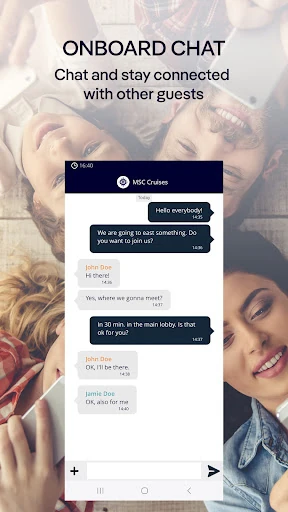
Once onboard, the app shifts from preparation to coordination. I can search and reserve activities, receive notifications about booked events, restaurants and excursions, and use MSC for Me chat to talk with onboard companions. That gives it a practical role during a busy day, when it is easy to lose track of a reservation or need to coordinate plans.
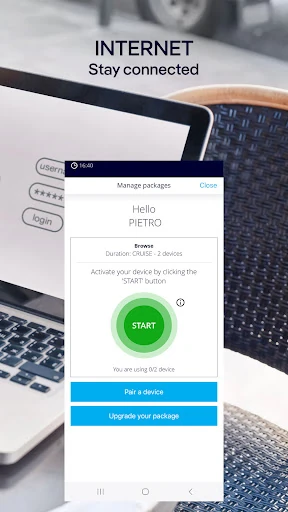
The app can also help manage internet-package choices and consumption, while paired-card and guest details let me review Cruise Card transactions. I like that these are concrete tasks rather than vague promises of a better trip. Still, the app is one part of the onboard digital setup, so I would use it as a handy reference rather than assume it covers everything.
Features With a Purpose
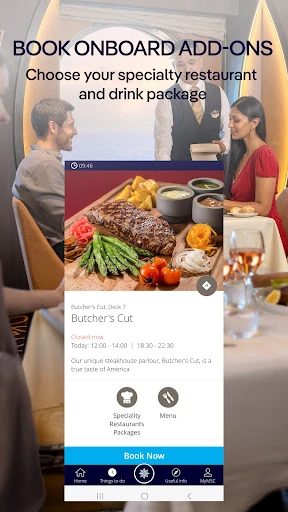
The strongest feature set is the link between booking and reminders. Reserving an activity is useful on its own, but notifications for booked events and other significant information make those reservations easier to keep in view. Specialty dining and drink packages are also among the options described, giving travelers a way to arrange selected parts of the onboard experience through the app.
I also appreciate the mix of personal and logistical tools. Chat supports conversations with onboard companions, while expense tracking gives a view of Cruise Card transactions after pairing a credit card and associating guests with the booking number. These features address different small needs in one cruise-focused app. The exact selection available can depend on the sailing, so the experience may not be uniform.
A Simple Cruise Routine
A sensible routine would begin weeks or days before departure: open the app, complete the available check-in steps, prepare the boarding pass and choose an arrival time. Then I would browse excursions, events and dining, booking anything I already know I want to do. This turns a large list of trip tasks into a few manageable checks rather than a last-minute scramble.
Onboard, I would glance at notifications when planning the day, use chat when coordinating with companions, and review transactions when I want to keep an eye on Cruise Card activity. If I choose an internet package, the app can help manage its consumption. I would keep the routine light: a quick check when plans change is more useful than staring at a phone all day.
Keep Expectations Flexible
The main limitation is variability. MSC says functionality may differ from ship to ship and across markets, and it is continually working to add features and make the app available on more ships. That means a tool mentioned in the general description may not be part of every traveler’s experience. I would check the options associated with my cruise rather than build a rigid itinerary around a feature.
The app also works alongside other digital channels onboard, so it should not be treated as a complete substitute for every source of cruise information. Its focus is intentionally narrow: MSC trip preparation and onboard services. If I were expecting a broad travel organizer for the entire journey, I would need other tools for needs outside that cruise-specific scope.
MSC for Me makes the most sense as a practical companion for an MSC sailing. Check-in, booking, chat, notifications and Cruise Card transaction tracking give it useful roles at different stages of a trip. I especially like that several pre-departure jobs can be handled before reaching the terminal, helping make embarkation feel more organized.
I’d recommend it to MSC passengers who are comfortable using a phone to plan and coordinate parts of their cruise. Just keep the ship- and market-based variation in mind, and use it alongside the other information channels available onboard. For that audience, it is a focused helper with a sensible set of travel tasks.
MSC for Me Frequently Asked Questions
What is MSC for Me used for?
MSC for Me helps travelers prepare for and manage parts of an MSC cruise. Its features include check-in, registering a credit card with a Cruise Card, booking activities, receiving notifications for booked events, onboard chat and reviewing Cruise Card transactions. It can also support internet-package management. Available functionality may vary by ship and market.
Which phones and devices support MSC for Me?
MSC for Me is available on Android through Google Play, and the supplied minimum requirement is Android 10. The information provided here does not specify other supported platforms or device categories. If you are unsure whether your particular device can install it, check the app’s Google Play store details before your cruise.
What Android version does MSC for Me require?
The supplied app details give Android 10 as the minimum version for MSC for Me. If your phone runs an older system, check the Google Play store page for the current compatibility information before relying on the app for cruise preparation. The features available after installation can also vary by ship and market.
Does MSC for Me cost money or have in-app purchases?
MSC for Me is free to install, and the supplied details say it has no in-app purchases and contains no ads. The app description says it can be used onboard without purchasing an internet package, while also providing a way to purchase and manage internet packages. Check Google Play for current store details.
Is MSC for Me useful for every cruise traveler?
It is intended for people sailing with MSC Cruises, especially travelers who want to handle check-in, activity bookings, onboard chat and other cruise tasks from a phone. It may be less useful if you are not taking an MSC cruise or prefer not to use apps while traveling. Functionality varies by ship and market.
Pros
- Combines pre-cruise check-in, boarding preparation and activity planning in one MSC-focused app.
- Onboard chat and event notifications can help companions coordinate plans and reservations.
- Supports Cruise Card transaction tracking after linking a card and associating guests.
- Free to install, with no ads or in-app purchases according to the supplied details.
Cons
- Available functionality can vary by ship and market, so the experience may differ between cruises.
- Its cruise-specific tools have limited use for travelers who are not sailing with MSC Cruises.
- It works alongside other onboard digital channels rather than covering every information need.
- Category
- Travel & Local
- Version
- 5.4.10











