Motive Driver
- 34.33K
- 4.4
- Installs
- 1.00M
- Price
- Free
Screenshots
Analysis by Reviewed APKs
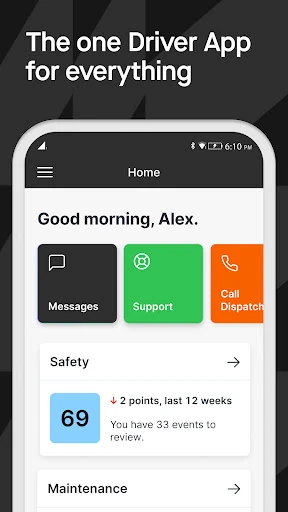
Motive Driver is a work app for commercial drivers who need to handle electronic hours-of-service logs, inspections, dispatch tasks and communication with their fleet. I see it as a practical companion to Motive’s connected fleet tools, rather than a general-purpose driving app: several of its jobs depend on a Motive vehicle device or fleet setup. For drivers already using that system, bringing these routine tasks together could make the workday easier to manage.
A Day Built Around the Logbook
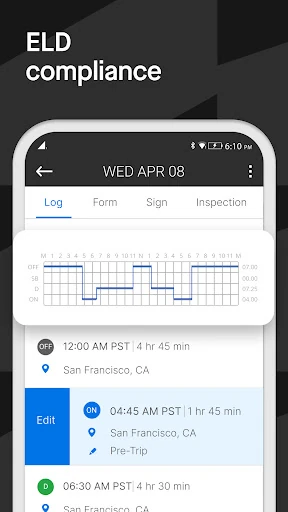
Picture starting a shift, connecting the app to a Motive Vehicle Gateway over Bluetooth, and recording hours of service as the day unfolds. Motive Driver is designed for that kind of work: it shows available hours for today and tomorrow, and total hours worked during the week. Its alerts can warn when driving time is running short, giving a driver a chance to pay attention before a limit becomes an immediate concern.
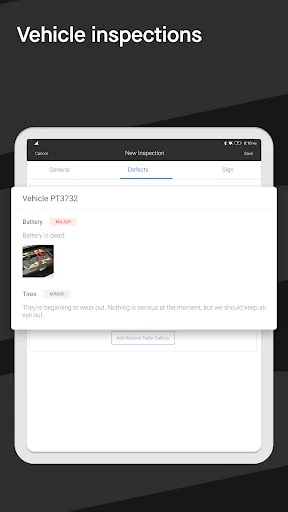
At a roadside inspection, Inspection Mode is intended to show ELD logs to an officer without exposing the driver’s private information. Later, a pre-trip or post-trip vehicle inspection report gives the driver a place to report defects. These are specific, work-oriented tasks rather than decorative extras. I’d approach the app as a digital work tool that supports a shift from its opening checks through the paperwork that follows.
A Fleet Tool, Not a Road Atlas
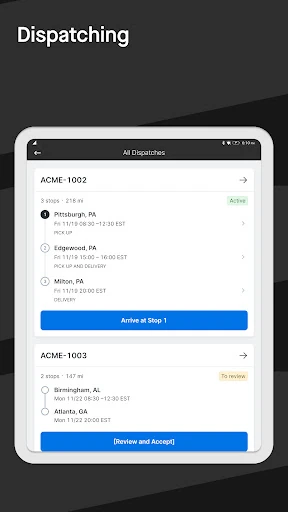
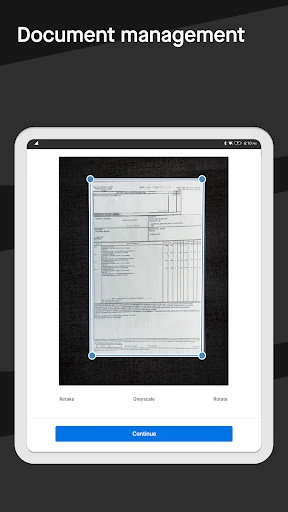
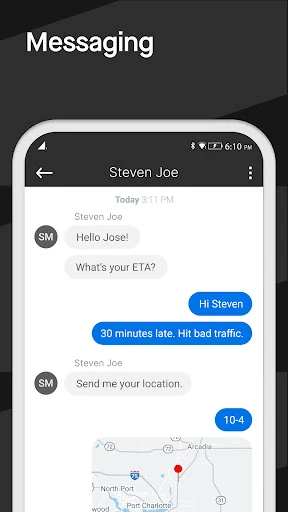
The obvious comparison is a paper logbook, inspection forms and separate calls or messages to dispatch. Motive Driver brings several of those work routines into one app: drivers can manage assigned dispatches, review load details, handle active-delivery tasks, message a dispatcher or fleet manager, and upload documents such as bills of lading or accident photos. It also connects with Motive’s wider fleet tools, including the Vehicle Gateway and Fleet Dashboard.
That focus also defines what the app is not. It is not presented as a consumer navigation app, a general trip planner or a standalone way to monitor any personal car. Fleet location sharing is described in the context of dispatch, and ELD use depends on a Motive Vehicle Gateway. Drivers who are not part of a Motive-equipped operation may find that the main workflows do not match their needs.
Small Habits That Help
A useful habit is to check available hours at the start of a workday and again when plans change. The app can show hours for the current and following day, while its alerts draw attention to dwindling driving time. I would treat those views as part of checking the day’s work, not as a reason to stop thinking about the schedule or the requirements that apply to a particular trip.
It also makes sense to complete vehicle inspection reports when they belong in the shift, rather than leaving defect notes to memory. Drivers can keep dispatch details and messages in the same work context, then upload relevant paperwork or photos when needed. Fuel receipts can be uploaded for fuel reports in the Fleet Dashboard. These small routines make the app more useful than opening it only when an inspection or dispatch issue appears.
More From Our News Desk

Zoom Meetings, Google Meet, or Teams: Which Is Easiest to Join?

How I Build a Free Streaming Lineup With Tubi

Why Crunchyroll Is the Default Anime App for So Many Fans

YouTube TV: A Practical Guide to Cutting Cable

Rummikub and the Small Comfort of Phone Games

TeamViewer Remote Control or AnyDesk for Helping Family?
Who May Find It Useful
I’d recommend Motive Driver to commercial drivers whose employer or operation already uses Motive’s fleet tools. Trucking and logistics are obvious fits, but the app is also described for work in construction, oil and gas, food and beverage, field service, agriculture, passenger transit and delivery. Its mix of logs, inspections, dispatch communication and document uploads speaks to drivers who have recurring operational tasks to handle during a shift.
It may be a poor fit for someone looking for turn-by-turn navigation, personal vehicle tracking or a general driving diary. Some of its central functions rely on a Motive Vehicle Gateway or fleet workflow, so the employer’s setup matters. I’d also be cautious about choosing it solely from the feature list if a workplace has not adopted Motive. Its usefulness is tied to the systems a driver is expected to use.
Motive Driver is developed by Motive Technologies Inc. It is a free Android business app, with no in-app purchases or ads. Google Play shows over 1 million installs and a 4.4-star rating from around 34,000 ratings. Its content rating is Everyone. The current version is 98.0, and the app was last updated on February 2, 2026.
The app was originally released on December 10, 2013. The stated minimum Android requirement in the app facts is Android 9. Motive describes ELD features for use with its Vehicle Gateway and says the app supports current Canadian federal hours-of-service regulations as well as FMCSA requirements, including Part 395. Requirements and regulatory obligations can depend on the device and the driver’s situation.
How Motive Driver Fits a Working Shift
Starting With the Workday
My first impression is that Motive Driver is built around the practical vocabulary of fleet work: logs, dispatches, inspections and uploaded documents. That is a more useful framing than presenting it as a broad driving companion. A driver coming to it for an assigned job can see how the pieces relate to the day’s responsibilities, though the app’s value depends on whether the operation already uses Motive’s equipment and services.
The setup context matters more than an individual preference or phone habit. For ELD use, the app connects by Bluetooth to a Motive Vehicle Gateway. That connection is part of the intended workflow, not an optional flourish. Before relying on it for a shift, I’d want to understand how my employer has configured the fleet tools and which app tasks are expected for my role.
The Daily Core
Hours of service are one of the clearest reasons to use the app. It records HOS when used with the Vehicle Gateway, displays available time for the current and next day, and totals hours worked across the week. Alerts can flag when driving time is running low. For a driver balancing a changing workday, having those details in the same work app may be more convenient than keeping track across disconnected notes.
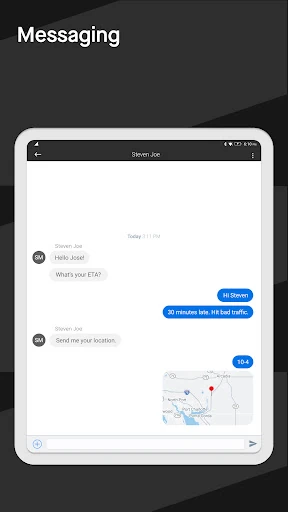
The day-to-day work extends beyond logs. A driver can receive and confirm dispatches, see load details, manage tasks for an active delivery and review past dispatches. Messages can go directly to a fleet manager or dispatcher. That makes Motive Driver a working channel between the driver and the operation, not simply a place to record driving time after the fact.
Beyond Hours and Dispatch
Inspection reports give drivers a way to complete pre-trip and post-trip DVIRs and report defects. There is also an Inspection Mode for showing ELD logs during a roadside inspection while protecting driver privacy. Those functions address two different moments in a shift: routine vehicle checks and a specific request to present logs.
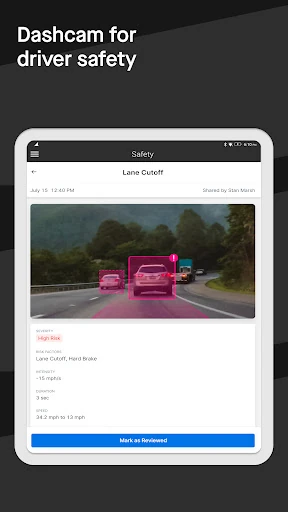
Safety and paperwork add further layers. Drivers can review Motive Dashcam videos and safety events, and see a DRIVE risk score benchmarked against Motive’s vehicle network. They can upload documents such as bills of lading and accident photos, as well as fuel receipts that generate fuel reports in the Fleet Dashboard. These are useful work-specific additions, though they are most relevant when a fleet uses the connected Motive system.
A Practical Shift Routine
A sensible way to use the app is to make it part of the existing rhythm of a shift. Check the hours view as work begins, review the assigned dispatch and load details, and use the app’s task and messaging tools as a delivery progresses. If driving time is getting short, the app’s alert can prompt attention to the schedule. The tool supports awareness; it does not replace the driver’s responsibility to follow applicable rules.
Around vehicle checks, complete the relevant pre-trip or post-trip report and record defects while they are fresh. At the end of a delivery, an uploaded bill of lading or other needed document can keep work materials together. Fuel receipts can also be sent through the app for reporting in the Fleet Dashboard. I like that these jobs connect to real moments in the workday rather than requiring an invented app-only routine.
Limits to Keep in View
The biggest limitation is also the app’s defining choice: it is designed for drivers working within Motive’s fleet environment. The ELD connection requires a Motive Vehicle Gateway, and location sharing is described as part of dispatched work updating the Fleet Dashboard. A driver cannot assume every function will be relevant or available independently of the fleet setup.
This is also a specialized business app, not an all-purpose road companion. Its listed tasks center on compliance logs, fleet communication, delivery workflow, inspections, safety-event review and documents. Drivers who mainly want navigation or personal trip tracking should look elsewhere. And while the app provides HOS information and alerts, the driver still needs to use the system in the context of the rules and procedures that apply to the job.
Motive Driver makes the most sense as a practical interface for commercial drivers already working with Motive. Its combination of HOS logging, dispatch communication, vehicle reports and document uploads covers a substantial set of routine fleet tasks without pretending to be a general driving app.
I’d recommend it to drivers whose fleet has adopted the Motive system and who need those workflows on a phone or tablet. If you are choosing an app for personal driving or do not use Motive equipment, its strongest features may not apply. The right fit depends on the work setup, not just the app itself.
Motive Driver Frequently Asked Questions
What is Motive Driver used for?
Motive Driver is a work app for commercial drivers. It supports hours-of-service logging with a Motive Vehicle Gateway, dispatch and load tasks, messages with fleet managers or dispatchers, vehicle inspection reports, and document uploads. Drivers can also review Motive Dashcam videos and safety events. The exact tasks that matter will depend on how the driver’s fleet uses Motive.
Which phones and tablets can run Motive Driver?
Motive Driver is an Android app for phones and tablets. The stated minimum requirement in its app facts is Android 9. The app description also discusses Android compatibility, but device and software requirements can change over time, so it is worth checking the Google Play store information before installing.
Does Motive Driver cost anything?
Motive Driver is free to download on Google Play, and its app facts say it has no in-app purchases and contains no ads. Some of its core work depends on a Motive Vehicle Gateway or a fleet’s Motive setup, so free app installation does not by itself establish what equipment or services an employer provides.
Does Motive Driver work without a Motive Gateway?
The app’s ELD workflow connects to a Motive Vehicle Gateway through Bluetooth, so that use depends on the device. Other tools, such as dispatch communication or document uploads, are described in the context of a Motive fleet operation. What is available in a particular driver’s setup may vary; check with the fleet or the Google Play store details.
Is Motive Driver suitable for personal driving?
It is primarily aimed at commercial drivers and vehicle operators handling fleet tasks such as HOS logs, dispatches, inspections and work documents. It is not presented as a general navigation or personal trip-tracking app. I’d consider it suitable when a driver’s operation uses Motive, and less suitable for someone who simply wants help with everyday personal driving.
Pros
- Brings HOS information, dispatch tasks and fleet messaging into one work app.
- Supports pre-trip and post-trip inspection reports and defect reporting.
- Includes document and fuel-receipt uploads for fleet workflows.
- Offers inspection mode for presenting ELD logs while protecting driver privacy.
Cons
- ELD use depends on connecting to a Motive Vehicle Gateway.
- Its fleet-focused workflows may not suit drivers outside a Motive operation.
- It is not presented as a general navigation or personal trip-tracking app.
- Category
- Business
- Version
- 98.0











