Momentum Smart Home
- 40.13K
- 4.7
- Installs
- —
- Price
- Free

Screenshots
Analysis by Reviewed APKs
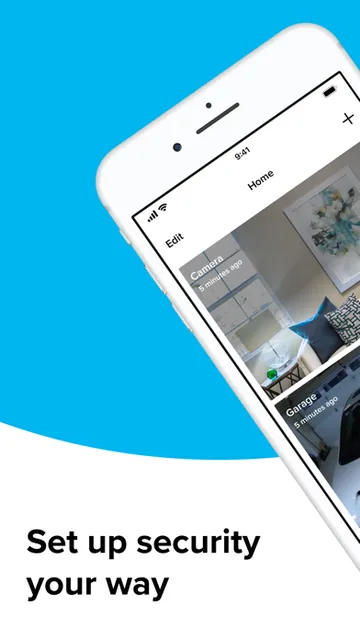
Momentum Smart Home is a companion app for checking in on compatible Momentum cameras and controlling a Momentum garage door controller with a camera. It suits people who want a quick look at home while they are out, rather than a general-purpose smart home dashboard. I like the practical focus: live video, activity alerts and remote garage access all serve a clear everyday purpose, provided you have the matching devices and a working connection.
A quick check from anywhere
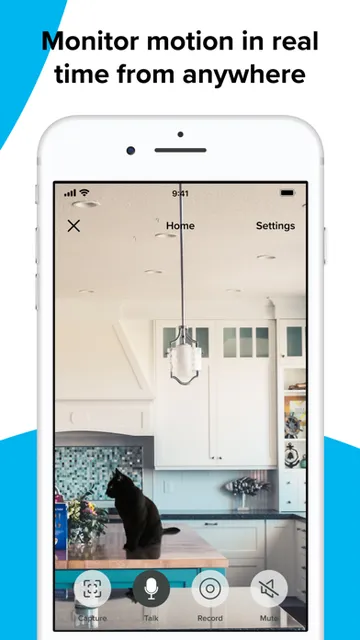
Imagine leaving home for the day and wondering whether everything is quiet inside. With a Momentum camera set up, the app lets you stream live HD video to an iPhone or iPad, so you can take a look instead of relying on guesswork. I find that kind of simple check most useful when it answers one specific question quickly, without turning a small moment of uncertainty into a long monitoring session.
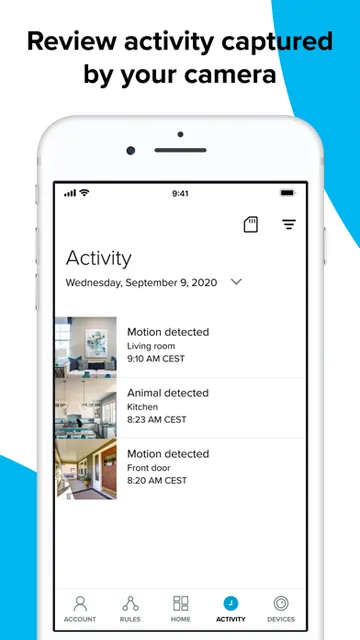
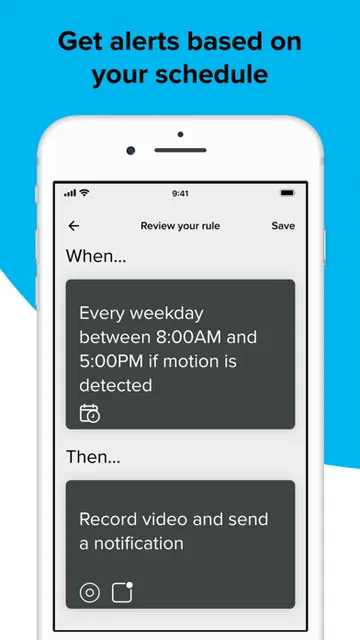
Activity alerts add another reason to open the app. If the system detects activity at home, you can get an alert on your mobile device and communicate with whoever is there. A compatible garage door controller with camera also lets you open or close the door remotely. Those jobs make Momentum feel like a practical link to home, not just a screen for browsing camera footage.
A focused home companion
Momentum is best understood as a companion to Momentum devices, not as a universal controller for every smart product you might own. The app’s described jobs are specific: view a compatible camera’s live feed, receive activity alerts, talk with someone at home, and operate the matching garage door controller. That focus can be a plus if those are the things you need, because the purpose is easy to grasp.
It is not a task manager, a general security service, or a way to connect arbitrary cameras and garage hardware. The device’s blue Momentum logo is the compatibility clue to look for, and the app and devices communicate over the internet and home Wi-Fi. If you want one place to manage a wide mix of brands or household routines, this narrower approach may not fit.
Make check-ins intentional
A useful habit is to decide what you want to check before opening the app. If you are checking whether the house is quiet, a live camera view is the relevant tool; if you receive an activity alert, you can use the app to see what is happening and communicate with someone there. Keeping each visit tied to a specific question makes this kind of home-monitoring app feel more useful and less like another feed to watch.
For a garage, the practical routine is similarly direct: use the compatible controller when you need to open or close the door from away from home, then move on with your day. If you want to review events you missed, the description says a Momentum Capture storage plan can save camera video history. Choosing whether that archive matters to you is a sensible first step before paying for a plan.
More From Our News Desk

Zoom Meetings, Google Meet, or Teams: Which Is Easiest to Join?

How I Build a Free Streaming Lineup With Tubi

Why Crunchyroll Is the Default Anime App for So Many Fans

YouTube TV: A Practical Guide to Cutting Cable

Rummikub and the Small Comfort of Phone Games

TeamViewer Remote Control or AnyDesk for Helping Family?
Who may find it useful
I would recommend Momentum Smart Home to someone who already has, or is choosing, compatible Momentum camera equipment and wants phone access while away. It is particularly relevant if live viewing, activity alerts, two-way communication with someone at home, or remote garage-door control are part of your routine. iPhone and iPad owners can use the app, while the home devices need internet access and Wi-Fi for the described connected features.
It may not suit someone shopping for an app that works with any camera, or someone who wants a broad hub for many smart-home brands. It also depends on having the compatible Momentum hardware; downloading the app alone does not provide a camera view or garage control. If stored video history is important, keep the separate Capture plans in mind and decide whether their camera limits and history periods suit your needs.
Momentum Smart Home is a Lifestyle app from SmartHome Ventures LLC. On the Apple App Store, it has a 4.7 rating from about 40,000 ratings. The app is free to download, and its content rating is 4+. It runs on iPhone and iPad and requires iOS 10.0 or later.
The supplied store information gives version 2.3.0, a release date of April 19, 2017, and a last update of March 7, 2022. Momentum’s description also offers optional Capture video-storage plans, with monthly and yearly options for different camera counts and video-history periods. Those plans are separate from the free app download.
A closer look at home check-ins
The first setup question
My first question with an app like this would be whether the hardware is actually compatible. Momentum points users toward the blue logo on the front of the device, which should match the app’s logo. That is a useful check to make before expecting a camera feed or a garage control to appear. The app is designed to work with Momentum devices, so the hardware is central to the experience.
Once a compatible device is set up, the app and hardware rely on the internet and the home’s Wi-Fi network. That makes the basic arrangement easy to understand, but it also means connectivity matters. If the home network or internet connection is unavailable, features that depend on that link may not work as expected. I would treat a stable connection as part of the setup, not as an optional extra.
The everyday experience
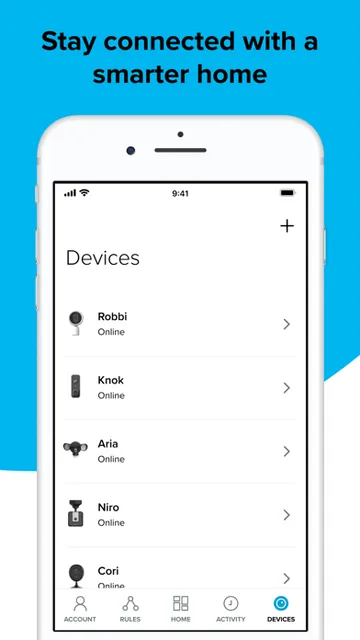
The day-to-day appeal is that several home checks live in one Momentum app. A camera can provide a live HD stream, and activity at home can prompt an alert on your mobile device. Rather than describing a long chain of tools, the app centers on seeing what is happening and responding when needed. That makes its role easy to explain to another person in the household.
The communication option gives an alert a practical next step: you can use your mobile device to communicate with whoever is at home. I would see that as most useful for a quick exchange connected to an event, rather than as a reason to keep the camera view open all day. The app’s value is in making a check-in possible when you want one.
More than a live view
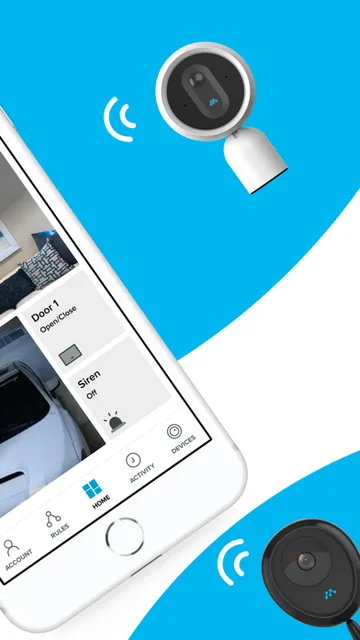
The garage door controller with camera is a notable part of Momentum’s offering. With that compatible device, the app can open or close the garage door remotely. It is a concrete extension of the camera use case, especially for someone who needs to manage access while away. This is a device-specific capability, though, rather than a general promise that the app controls every garage door.
Video storage is another optional layer. Momentum Capture plans can save a camera’s video history, with the described options covering seven days for up to two cameras, 30 days for up to five, or 60 days for up to ten. Those differences give users a way to match an archive to their needs, but they also make it worth checking the plan details before subscribing.
A practical weekly routine
For a simple routine, I would use live video for occasional check-ins and let activity alerts tell me when there is a reason to look. That keeps the app tied to useful moments: checking the house while away, responding to an alert, or communicating with someone on site. If a garage controller is part of the setup, remote opening and closing becomes another specific task the app can handle.
At the end of the week, someone who wants an archive can consider whether saved video history would be useful for reviewing events they missed. The Capture plans are described by history length and supported camera count, so those are the details I would compare with the actual setup. There is no need to assume that every user needs stored footage; live viewing and alerts may be enough for some households.
Keep the boundaries in view
The main limitation is the dependency on compatible Momentum hardware. The app does not become a general camera viewer just because it is installed, and the garage feature specifically depends on the Momentum Garage Door Controller with Camera. That is a straightforward trade-off: a focused companion can be simple to understand, but it is less appealing if you own devices from other manufacturers.
A second consideration is the network requirement. The app and its devices communicate through the internet and home Wi-Fi, and some features require a working connection. Video storage also involves separate plans; the description gives a free one-month trial offer and plan choices, but anyone considering a subscription should check current terms and pricing in the App Store. The app itself is free to download.
Momentum Smart Home has a clear job: connect compatible Momentum devices to your iPhone or iPad so you can check live video, respond to activity, communicate with someone at home, and manage a matching garage controller. I like that it stays close to these practical tasks instead of presenting itself as a catch-all smart home system.
I would try it if I already owned compatible Momentum hardware or was considering it for these specific uses. If you need cross-brand control, or do not want a setup that depends on home Wi-Fi and internet access, it is probably not the right fit. Check the device logo and any Capture plan terms before building your routine around it.
Momentum Smart Home Frequently Asked Questions
What is Momentum Smart Home used for?
Momentum Smart Home is a companion app for compatible Momentum devices. It can stream live HD video from a Momentum camera, send activity alerts, let you communicate with someone at home, and operate a Momentum Garage Door Controller with Camera remotely. A Momentum Capture plan can provide saved camera video history.
Which devices can run Momentum Smart Home?
The app is available for iPhone and iPad through the Apple App Store and requires iOS 10.0 or later. The app’s connected features are designed for Momentum devices; the description says to look for the blue Momentum logo on the device. The app and devices use internet access and home Wi-Fi.
What iOS version does Momentum Smart Home require?
The listed minimum requirement is iOS 10.0. The app is described for iPhone and iPad, so check its current App Store page for device compatibility and any requirements that may have changed. A working internet connection and home Wi-Fi are needed for features that rely on communication with the Momentum devices.
Does Momentum Smart Home cost money?
The app is free to download. Momentum’s description also offers optional Capture plans for saved video history, with monthly and yearly plan choices, and describes a one-month free trial offer. Plan availability, current pricing, and subscription terms may vary, so check the App Store before subscribing.
Is Momentum Smart Home right for my home?
It may suit you if you have compatible Momentum cameras or a matching garage door controller and want remote check-ins, alerts, communication, or garage control. It is less suitable if you want a general-purpose app for devices from many brands. The app alone does not replace the compatible hardware needed for these features.
Pros
- Combines live camera viewing, activity alerts, and communication in one focused app.
- Supports remote control of a compatible Momentum garage door controller with camera.
- Optional video-history plans offer different retention periods and camera limits.
- Free to download and available for iPhone and iPad.
Cons
- Requires compatible Momentum hardware rather than working as a universal camera app.
- Connected features depend on internet access and home Wi-Fi.
- Saved video history requires a separate Capture plan.
- Category
- Lifestyle
- Version
- 2.3.0











