Mint Mobile
- 72.88K
- 4.6
- Installs
- 1.00M
- Price
- Free

Screenshots
Analysis by Reviewed APKs
Mint Mobile is an account-management app for people using, or considering, Mint’s wireless service. It brings plan activation, data checks, renewals, and family-account controls into one place, with a seven-day phone trial also described in the app details. After spending time with what it offers, my take is that it suits customers who want to handle routine carrier tasks themselves, rather than anyone looking for a general-purpose phone or messaging app.
A quick account check
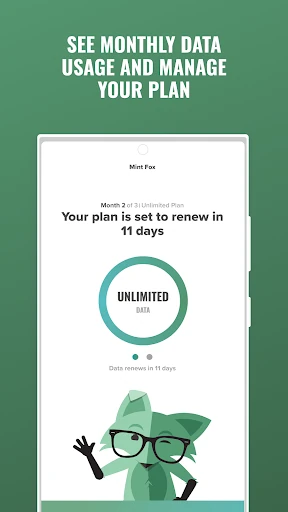
Picture a familiar moment: I’m out for the day, wondering whether I’ve used more mobile data than I expected. Mint Mobile is built for that kind of practical check-in. Its account tools let customers keep an eye on monthly data usage, review their plan, and make changes or renew. Instead of treating those tasks as a reason to call or visit a carrier, the app puts them on the phone I already have with me.
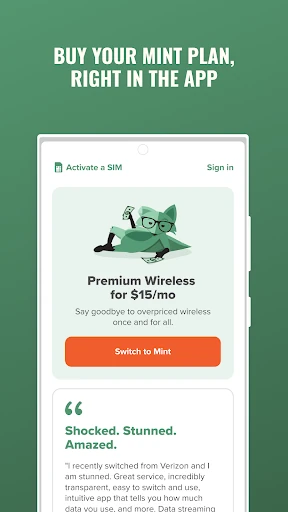
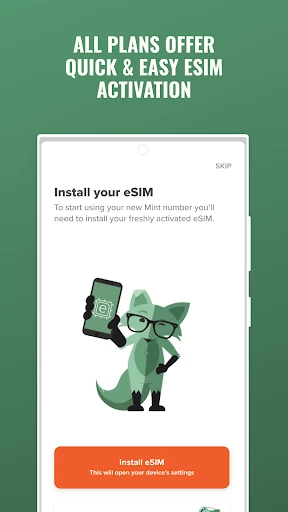
The same basic setup helps when a plan is new. Mint says customers can activate and set up a plan or trial through the app, so I can see why it would be useful during the switch itself, not just after service is running. The included trial is described as lasting seven days, with set amounts of talk, texts, and data. That gives a prospective customer a way to try Mint on their phone before deciding whether to move to a full plan.
Carrier companion, not toolbox
The useful comparison is with a wireless provider’s account portal, not with a generic phone utility. Mint Mobile focuses on managing Mint service: usage, plan changes, renewals, activation, and family-account administration. If I were already using Mint, I’d think of it as the place to check service details and take care of ordinary account jobs. Its value depends on that relationship with the carrier; it is not a universal dashboard for several unrelated mobile providers.
That focus also sets expectations. This is not a replacement for a phone’s messaging or calling apps, and it is not described as a tool for improving reception or managing every device setting. The wireless plans themselves include talk, text, and a monthly allowance of 5G or 4G LTE data, but the app’s job is to help manage the account and get service started. People who do not use Mint may have little reason to keep it installed.
Make account checks a habit
A small routine can make a carrier app more useful than opening it only when something goes wrong. I’d check data usage before a trip or a stretch of heavier phone use, then look at my plan when renewal time approaches. Mint’s stated tools cover both usage tracking and changing or renewing a plan. That is a straightforward workflow: check where things stand, decide whether a plan adjustment is needed, and handle the account task in the same place.
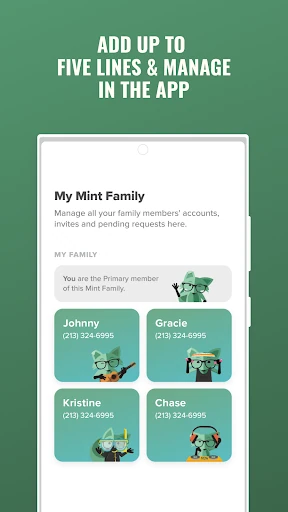
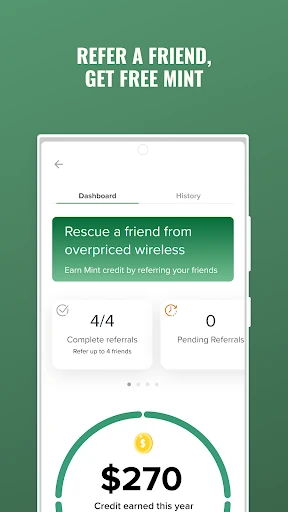
For a household using Mint, the family controls may call for a different rhythm. The app describes a Mint Family setup that can manage up to four Mint accounts under one login, including changing and paying for members’ plans and paying for add-on requests. I’d use those controls when reviewing the household’s service, rather than asking each person to handle every task separately. Referrals are another occasional feature, with the app describing a way to refer friends and earn Mint.
More From Our News Desk

Zoom Meetings, Google Meet, or Teams: Which Is Easiest to Join?

How I Build a Free Streaming Lineup With Tubi

Why Crunchyroll Is the Default Anime App for So Many Fans

YouTube TV: A Practical Guide to Cutting Cable

Rummikub and the Small Comfort of Phone Games

TeamViewer Remote Control or AnyDesk for Helping Family?
Who will find it useful
I’d recommend Mint Mobile to existing Mint customers who want a direct way to check usage, manage renewals, or look after more than one family account. It also makes sense for someone considering Mint who wants to activate a plan or use the described seven-day trial from their phone. The app is most compelling when it replaces a small but recurring hassle: keeping track of service details and taking care of them without switching to another device.
It may not suit someone who wants a carrier-neutral app, or someone who rarely needs to manage a wireless account and prefers to do everything through another channel. The family tools are specifically for Mint accounts, and the trial is tied to Mint service rather than being a general test of mobile coverage everywhere. I’d also keep expectations practical: this is a service-management companion, not a broad collection of phone utilities.
Mint Mobile is developed by UVNV, Inc. On Google Play, it has more than one million installs and a 4.6-star rating from about 73,000 ratings. The app is free to download, and the supplied store facts say it contains ads. The app itself has no in-app purchases according to those facts; wireless service plans are a separate matter from installing the account-management app.
The supplied app details give version 2.3.40, a release date of November 13, 2017, and a last update date of October 7, 2026. Its content rating is Everyone. An Android minimum version is not included in the supplied details, so check Google Play for device compatibility before installing. Mint’s description promotes wireless plans with talk, text, and monthly data, while the exact service terms are separate from the app’s download price.
A closer look at Mint account management
Getting started
My first impression is that Mint Mobile has a clear, narrow purpose: it is there to help customers get into Mint service and keep that service organized. The description points to two starting paths, activating a full plan or setting up a trial. That makes the app relevant at two different moments, whether I’m already ready to switch or just want to try the service before committing to a regular plan.
The trial is a particularly concrete part of the setup story. Mint describes it as a free seven-day test drive on the phone, with 250 minutes, 250 text messages, and 250MB of 5G or 4G LTE data. I like that the limits are spelled out, since they help set realistic expectations for a short test. The app also says a user can upgrade to a full plan directly within it.
Everyday account tasks
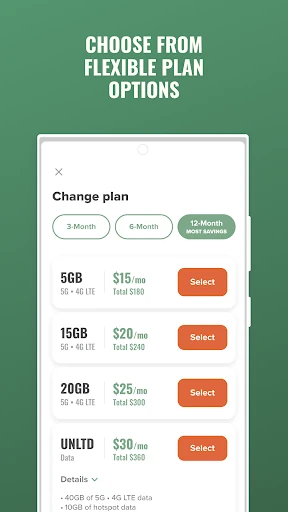
Once service is active, the most recurring reason I’d open the app is to check monthly data usage. That kind of glance can help me understand how my ordinary routine is adding up, especially before a period when I expect to use my phone more. Mint also describes tools for changing and renewing a plan, so a usage check can lead naturally to an account decision without treating those as separate jobs.
The app’s everyday role is less about constant attention and more about being available when a carrier task comes up. I wouldn’t expect to spend long sessions in it every day. Instead, I’d return when I need to review data, handle a renewal, or sort out an account change. That is a sensible fit for a service app: practical when needed, without pretending the account itself should become a daily hobby.
Family and referral tools
The Mint Family option is one of the features that stands out for people managing service for others. Mint says a family setup can include up to four Mint accounts under one login. From there, the account manager can change and pay for members’ plans, as well as pay for members’ add-on requests. That could make household administration feel more centralized, particularly when one person is already responsible for keeping track of the bills.
There is also a referral feature: Mint says customers can refer friends and earn free Mint. I see that as an occasional extra rather than the main reason to install the app. The core appeal remains account management and activation. Still, it is useful that the description includes the referral option alongside the more routine tools, since customers who are happy with their service may want to know it is available.
A simple monthly routine
A practical way I’d use Mint Mobile is to build a quick check into the start or end of each billing cycle. I’d look at data usage, review whether the current plan still suits how I use my phone, and handle a renewal or change if needed. Keeping those steps together can be easier than trying to remember which account task is due later. The app’s described controls support that kind of lightweight routine.
If I were managing family accounts, I’d add a household check to the same routine. I could review the members’ plans and deal with payment or add-on requests through the Mint Family tools, rather than treating each account as a separate project. The app does not need to be opened constantly for that workflow to be useful. A brief, purposeful visit when there is something to check is enough.
Keep the scope in mind
The biggest limitation is also the clearest boundary: Mint Mobile is for Mint service. Its plan and family features do not make it a general account manager for other carriers. Someone who is not a Mint customer may only have a reason to open it while considering the trial or activation. If that is not relevant, the app’s focused toolset may feel narrower than a person expects from a broadly named mobile utility.
It is also worth separating app cost from wireless plan cost. The app is free to download, while the description discusses paid wireless service plans and a trial; those are not the same thing. The supplied facts say there are ads, and device compatibility can depend on the Android version. I’d check the Google Play entry for current compatibility and service details before making a decision, rather than assuming every plan or device has identical terms.
Mint Mobile makes the most sense as a practical companion to Mint wireless service. The useful pieces are easy to understand: activation, trial setup, data checks, plan changes and renewals, plus tools for managing a small family group. I like that its job is specific, although that specificity naturally limits its usefulness to people with a reason to manage Mint service.
If you’re a Mint customer, or you’re considering the service and want to start or try it from your phone, I’d give the app a look. If you need a carrier-independent utility, it is probably not the right fit. Overall, it appears well suited to routine account tasks, with the strongest case for customers who want to manage their own or their family’s plans in one place.
Mint Mobile Frequently Asked Questions
What is Mint Mobile used for?
Mint Mobile is used to manage a Mint wireless account. Its described tools include checking monthly data usage, changing or renewing a plan, activating a plan or trial, and managing Mint Family accounts. The app also describes a seven-day trial with set amounts of talk, texts, and data. It is a service companion, rather than a general-purpose phone utility.
Which devices can run Mint Mobile?
Mint Mobile is an Android app available through Google Play. The supplied details do not give a minimum Android version, so check the Google Play entry for compatibility with your device before installing. The description says the trial can be used directly on a phone, but device support and requirements may vary.
Is Mint Mobile free, and does it have purchases?
The app is free to download, and the supplied facts say it has no in-app purchases. They also say it contains ads. Mint’s description separately discusses wireless service plans and a free seven-day trial; service pricing and terms may vary, so check Google Play and Mint’s current service information before signing up.
What Android version does Mint Mobile require?
The supplied app details do not specify a minimum Android version. Requirements can vary by device and app update, so I’d check the current Google Play entry before downloading. The app’s listed version is 2.3.40, but that number does not by itself establish which Android versions a particular phone can run it on.
Who should use the Mint Mobile app?
It is best suited to people who use Mint wireless service and want to handle account tasks from their phone. Mint Family may also appeal to someone managing up to four Mint accounts under one login. People looking for a carrier-neutral tool, or who have no reason to manage Mint service, may find its focused features less useful.
Pros
- Combines data checks, plan changes, renewals, and activation in one Mint-focused app.
- Describes a seven-day trial with specific talk, text, and data allowances.
- Mint Family can manage up to four accounts under one login.
- Free to download, with no in-app purchases according to the supplied facts.
Cons
- Its account tools are specifically for Mint customers, not multiple carriers.
- The supplied facts say the app contains ads.
- The minimum Android version is not given in the supplied details.
- Category
- Tools
- Version
- 2.3.40











