McAfee Security
Listed on Google Play as “McAfee: Stay Secure & Private”
- 909.37K
- 4.7
- Installs
- 50.00M
- Price
- Free

Screenshots

Analysis by Reviewed APKs
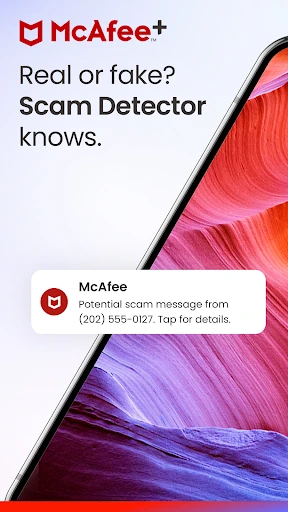
McAfee: Stay Secure & Private brings antivirus scanning, scam detection, safer browsing, Wi-Fi checks, and identity tools into one Android app. I see it suiting people who want a single place to check several kinds of online risk, rather than juggling separate utilities. Its range is appealing, but the free and paid plans differ considerably, so the useful question is which protections you actually need.
A quick safety check
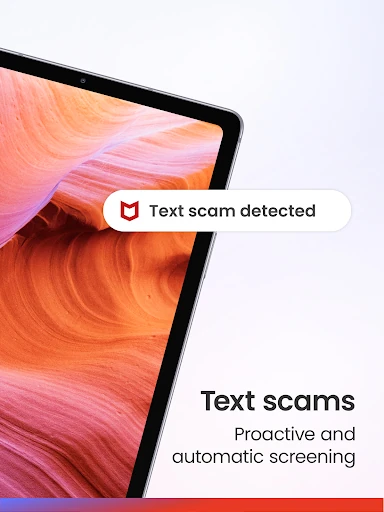
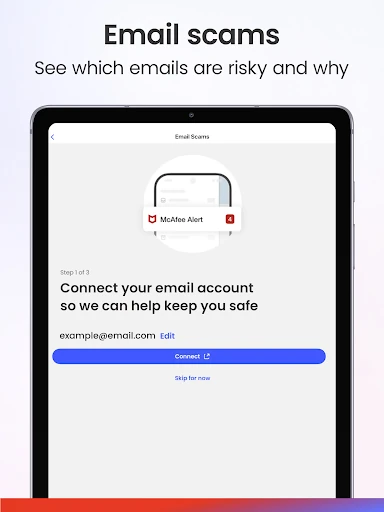
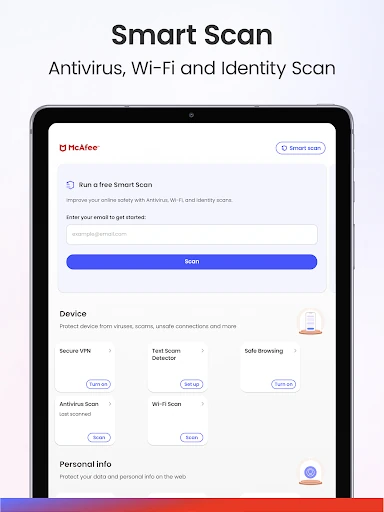
Picture settling in for a few minutes of online errands: checking email, opening a message, and connecting to public Wi-Fi at a café. McAfee is designed to cover several points in that routine. Its antivirus tools scan for threats, its scam detector can flag risky texts and suspicious emails, and its Wi-Fi scan checks a network for security risks. I like the idea of having those checks gathered in one app instead of remembering separate tools.
The alerts are meant to explain what needs attention in straightforward language, which matters when a warning arrives in the middle of an ordinary task. The app can flag harmful sites and help protect against them, including if you click one by mistake. It also offers identity monitoring alerts if information is found in a data breach or on the dark web. That makes McAfee feel aimed at prevention and useful prompts, not just a scan button.
One app, several jobs
The obvious alternative is to use separate apps or services for antivirus, VPN access, identity monitoring, and scam protection. McAfee’s appeal is that it brings those categories together, with the exact mix depending on the plan. The free option includes single-device protection, an antivirus scan, Wi-Fi scan, and identity scan. Paid plans add capabilities such as secure VPN, safe browsing, and broader identity monitoring, so this is not a case where every feature comes with the free download.
I would not treat it as a general-purpose privacy fix or a substitute for paying attention to suspicious messages. Its tools can identify risks and offer guidance, but the description does not promise that every threat or exposed piece of personal information will be resolved automatically. Some plan features are extensive, including data cleanup and account cleanup, but they are part of the higher-tier offering. If you only want one narrowly focused utility, this all-in-one approach may feel like more than you need.
Make checks a habit
A useful way to approach McAfee is to tie its checks to routines you already have. I would run or review a scan when installing new apps or downloading files, and use the Wi-Fi scan when joining a network away from home. Those habits match the app’s antivirus and network-checking tools without turning every phone session into a security project. Its real-time threat detection and alerts are meant to add coverage between those deliberate check-ins.
I would also pay attention to which protections belong to the plan I have chosen. The free tier is a reasonable starting point for its listed scans, while VPN, safe browsing, and scam detection appear in paid options. Higher plans add more identity and account tools. A quick review of the plan details before relying on a particular feature can prevent an awkward surprise when a check or alert is not part of the selected subscription.
More From Our News Desk

Zoom Meetings, Google Meet, or Teams: Which Is Easiest to Join?

How I Build a Free Streaming Lineup With Tubi

Why Crunchyroll Is the Default Anime App for So Many Fans

YouTube TV: A Practical Guide to Cutting Cable

Rummikub and the Small Comfort of Phone Games

TeamViewer Remote Control or AnyDesk for Helping Family?
Who may find it useful
I would recommend McAfee to Android users who want antivirus scanning alongside checks for Wi-Fi, suspicious messages, and personal information exposure. It may be especially convenient for someone who prefers a single security app and is willing to compare its free and paid protections. Families or people using several devices may also want to look at the higher plan, which describes unlimited device protection and a broader set of identity and privacy features.
It may be less appealing if you want only a basic scanner, dislike subscriptions, or expect every advertised protection to be included at no cost. The plan differences matter, and some features depend on device, location, or subscription. People who want detailed control over each separate security tool may prefer dedicated services instead. I would start by identifying the specific risks I want help with, then check whether the relevant McAfee feature is available on my device and plan.
McAfee: Stay Secure & Private is made by McAfee LLC and is available for Android. Google Play shows over 50 million installs and a 4.7-star rating from about 909,000 ratings. The app is free to download, contains no ads, and offers in-app purchases. The listed in-app purchase range is $0.99 to $279.99 per item, so costs depend on the purchase.
Google Play gives the content rating as Everyone. The app’s version varies with device, and its original release date was May 30, 2011. The Android version requirement and most recent update date are not included in the available app details. McAfee notes that features can vary by device, location, and subscription, which is worth bearing in mind when comparing plans.
A broader toolkit for everyday protection
A clear starting point
When I first looked at McAfee’s approach, the main draw was the range of protections in one place. The app describes a clear, real-time view of safety, with personalized alerts and plain-language explanations. That framing makes sense for a tool that covers several kinds of risk: a scan, a suspicious message, and an exposed email address are different problems, and a useful warning should help explain which one needs attention.
Getting started is less about learning one complicated feature than understanding the available plan. McAfee has a free option and paid tiers, and their included tools are not identical. The free plan lists single-device protection, antivirus scan, Wi-Fi scan, and identity scan. Before relying on a particular safeguard, I would check its plan and device availability, especially for protections that sound central to my routine.
Day-to-day protection
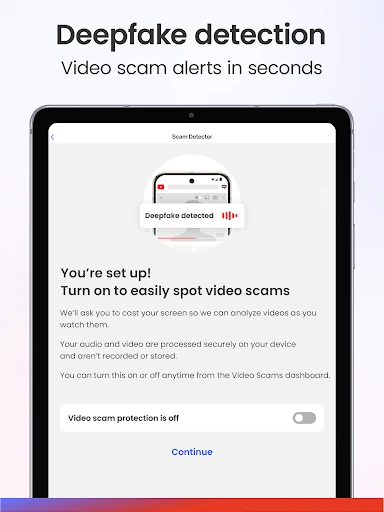
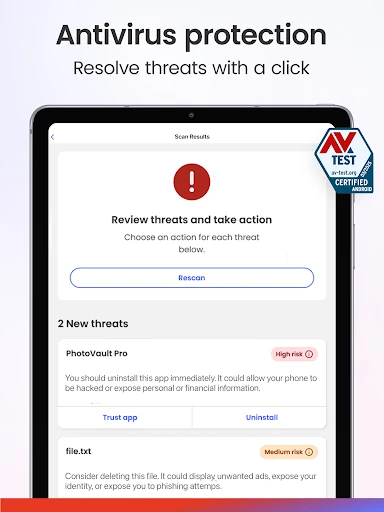
The everyday value comes from combining proactive scanning with alerts about things that happen while using a phone. Antivirus protection scans for threats in real time and checks personal files, apps, and downloads. The scam detector is designed to flag risky messages and suspicious emails, while safe browsing can block malicious websites. That mix is more practical than a tool that only asks me to remember to run a manual scan.
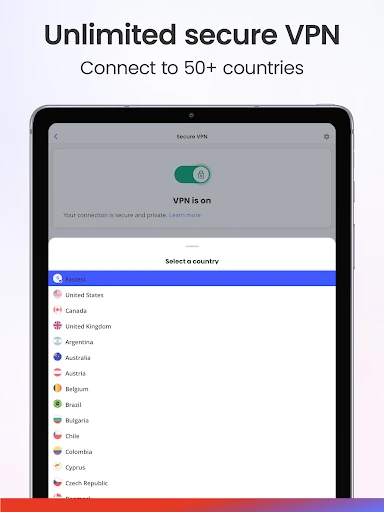
There is also a Wi-Fi scan for checking networks and a secure VPN in the paid plans described. Those address different situations: checking a network’s security is not the same as encrypting a connection. I appreciate that distinction because the app brings them together without making them interchangeable. The VPN is described as helping protect data and location on unsecured public Wi-Fi, though it is not included in the free plan.
Beyond virus scans
Identity monitoring is one of the features that broadens McAfee beyond conventional antivirus. It can alert users when monitored information is found in a data breach or on the dark web. The description says monitoring can cover up to 10 email addresses and various ID numbers, but feature availability depends on plan and location. For someone worried about exposure, an alert and next-step guidance may be more useful than another standalone scan.
The higher-tier package goes further with personal data cleanup, online account cleanup, transaction and credit monitoring, and a Social Privacy Manager that adjusts privacy settings across social accounts. Those are substantial additions, not small extras to assume are included automatically. I would treat them as reasons to compare subscriptions rather than as part of the basic app experience. The breadth is notable, but whether it is worthwhile depends on which of those jobs I actually want handled.
A routine that makes sense
For a practical routine, I would start with the checks that match how I use my phone: review antivirus scanning, check a network when connecting somewhere unfamiliar, and take scam alerts seriously before opening links. If I use the identity features, I would make sure the information I want monitored is covered by the selected plan. This keeps the app tied to real habits rather than encouraging a vague feeling that installing security software solves everything.
When an alert appears, the app’s stated goal is to explain the danger and guide the next step. That is a useful role for a security tool, since a warning without context can be hard to act on. I would use the explanation as a prompt to pause and inspect the situation, not as a reason to ignore common sense. For account or data cleanup features, I would first check what the chosen subscription actually provides.
Keep plan limits in view
The main limitation is that McAfee’s feature set changes significantly across plans. Free protection covers a handful of scans on one device; VPN, scam detection, safe browsing, and more extensive identity tools are associated with paid tiers. The highest plan lists a long collection of services, but that breadth can make comparisons harder. I would decide which two or three protections matter most before weighing a subscription.
Compatibility and availability are also worth checking. McAfee says some features are not available on every device or in every location, and its antivirus and virus-cleaner offering is available only on PCs and Android devices. The app’s Android version requirement is not supplied in these details, so checking Google Play for the current device requirement is sensible. In short, the toolkit is broad, but not every phone or plan should be assumed to get every tool.
McAfee: Stay Secure & Private makes a strong case for convenience: antivirus, scam detection, Wi-Fi checks, VPN, and identity features sit under one roof. I like the practical range, especially the emphasis on explaining alerts rather than merely presenting warnings. The trade-off is a clear divide between the free basics and the paid protections.
I would try it if I wanted several kinds of Android security in one place and was prepared to compare plans carefully. If all I needed was a simple scanner, I would keep my expectations modest and start with the free tools. Either way, checking device and subscription availability before depending on a feature is part of using it sensibly.
McAfee Security Frequently Asked Questions
What is McAfee: Stay Secure & Private used for?
McAfee combines antivirus and malware scanning with Wi-Fi checks, scam detection, safe browsing, and identity protection features. Paid plans add tools such as a secure VPN, personal data cleanup, and broader monitoring. The exact features depend on subscription, device, and location, so it is useful to check the Google Play details and plan information for the protection you want.
Which devices can run McAfee: Stay Secure & Private?
The app is available for Android. McAfee describes antivirus and virus-cleaner protection as available on PCs and Android devices, while some features may vary by device or location. The Android version requirement can vary with the device and is worth checking on Google Play before installing. Not every feature should be assumed to work on every supported device.
What Android version does McAfee require?
The available app details do not give a single minimum Android version. Requirements can change with the app and device, so check the current Google Play entry on the phone you plan to use. McAfee also notes that some features depend on device, location, or subscription, which is separate from whether the app itself can be installed.
Is McAfee: Stay Secure & Private free?
It is free to download and includes a free single-device option with antivirus scan, Wi-Fi scan, and identity scan. In-app purchases are offered, with Google Play showing items from $0.99 to $279.99. Paid plans add protections and services, and prices or available options may vary; check Google Play and the plan details for current information.
Is McAfee a good fit for everyday phone use?
It may suit Android users who want several security and privacy tools together, particularly scanning, Wi-Fi checks, scam detection, or identity monitoring. It may be less suitable if you only want a basic scanner or do not want paid plan features. Compare the protections you need with what your device and subscription include before making it part of your routine.
Pros
- Combines antivirus, scam detection, Wi-Fi checks, and identity tools in one app.
- Plain-language alerts are designed to explain risks and suggest next steps.
- Free option includes single-device antivirus, Wi-Fi, and identity scans.
- Higher plans add VPN and broader identity and privacy protections.
Cons
- Many of the more extensive protections require a paid subscription.
- Features can vary by device, location, and selected plan.
- The wide range of services may be more than a basic-scanner user needs.
- Category
- Tools











