Marco's Pizza
- 15.56K
- 4.8
- Installs
- 1.00M
- Price
- Free
Screenshots
Analysis by Reviewed APKs
Marco’s Pizza is an ordering app for people who want to browse the chain’s menu, customize a meal, and arrange delivery or carryout without starting from scratch each time. I like that it brings useful repeat-order tools together with pizza customization and rewards. It feels best suited to regular Marco’s customers; if you’re looking for restaurant reviews or a broad marketplace, this is a much narrower tool.
A Weeknight Pizza Order
When I’m deciding what to make after a busy day, the useful part of Marco’s Pizza is being able to look through the menu and build an order in one place. I can choose delivery or carryout, then adjust a pizza’s crust, sauce, cheese, and toppings. That makes the app practical for an ordinary dinner decision, especially when everyone wants something slightly different.
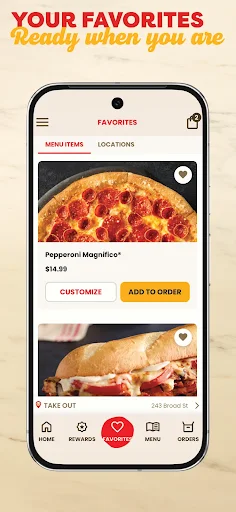
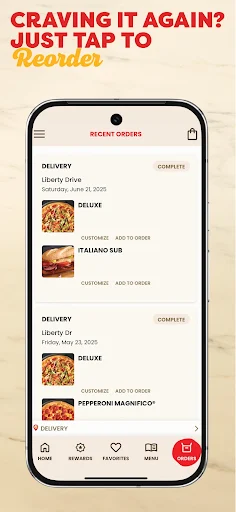
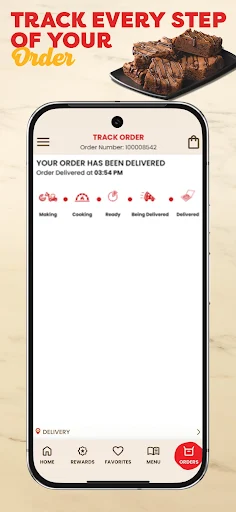
Once I’ve settled on the food, saved favorites and past orders can reduce the work on the next visit. I can return to a whole previous meal or pick out specific items rather than reconstructing every choice. The app also offers order tracking with visual status updates, so I have a way to follow progress instead of treating checkout as the last useful step.
A Chain-Specific Ordering Tool
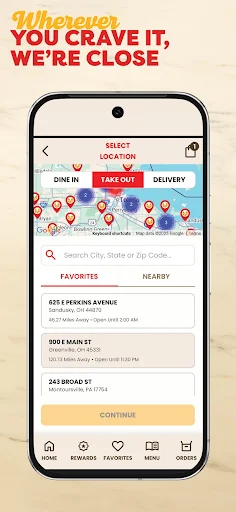
Compared with calling a store or placing an order in person, the app puts customization, deals, rewards, and reordering in a single digital flow. It also includes a store finder and lets me save locations I use often. Those features make it a sensible option when I already know I want Marco’s and would rather handle the details on my phone.
This is not a general restaurant discovery service or a place to compare menus across different pizza shops. Its focus is Marco’s Pizza, so its usefulness depends on wanting food from that chain and having a relevant location. I’d use another option when I’m choosing among restaurants; I’d open this app when the decision is already made and I want to order.
Make Repeat Orders Easier
A little setup can make later visits smoother. Creating an account or signing in lets the app save information for checkout and makes recent orders accessible. I’d also save a favorite pizza and a go-to store after choosing them, rather than waiting until I’m hungry and trying to remember the exact combination I ordered last time.
For an order with several items, it’s worth checking whether I want to repeat the whole meal or just one part of it. The order history supports both approaches. I’d also take a moment to look through the deal builder before checkout, and keep an eye on rewards points over time. These small habits make the app more useful without turning ordering into a project.
More From Our News Desk

Zoom Meetings, Google Meet, or Teams: Which Is Easiest to Join?

How I Build a Free Streaming Lineup With Tubi

Why Crunchyroll Is the Default Anime App for So Many Fans

YouTube TV: A Practical Guide to Cutting Cable

Rummikub and the Small Comfort of Phone Games

TeamViewer Remote Control or AnyDesk for Helping Family?
Who Gets the Most From It
I’d recommend Marco’s Pizza to people who already order from the chain, particularly anyone who has a familiar combination they like to repeat. Customization, saved favorites, order history, store favorites, and rewards all make repeat use more convenient. The app also suits customers who prefer to place a delivery or carryout order digitally and want to check its progress afterward.
It may be less appealing if you rarely eat Marco’s or mainly want to browse lots of independent restaurants. The chain-specific focus is a real boundary, not a flaw, but it does mean the app won’t help with a broader dinner search. People who enjoy deciding face to face or by phone may also have little reason to switch to an app-based ordering routine.
Marco’s Pizza is developed by Marco’s Franchising, LLC. On Google Play, it has over one million installs and a 4.8-star rating from around 15,600 ratings. The app is free to download, and the provided store information says it has no in-app purchases and contains no ads. Its content rating is Everyone.
The supplied app version is 3.0.4. Marco’s Pizza was released on April 11, 2019, and its listed last update is August 24, 2026. A minimum Android version was not provided, so check Google Play for the requirement that applies to your device. The release and update dates are useful context, though the app’s features are the more practical reason to try it.
A Closer Look at Ordering
A Cleaner Starting Point
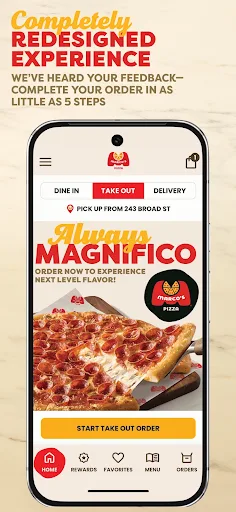
When I first open an ordering app, I want to get to the menu without feeling like I need to learn a new system. Marco’s describes its refreshed experience as simpler to navigate, with a more streamlined checkout. That’s a useful goal for an app meant to handle a routine purchase: the less time spent finding the next step, the sooner I can focus on what to order.
Account access is part of the setup, but it has a practical purpose here. Signing in or creating an account can save information for faster checkout and make recent orders available. I’d start by choosing the store I expect to use and saving it as a favorite. That gives later orders a more familiar starting point than beginning from a blank slate.
The Everyday Order Flow
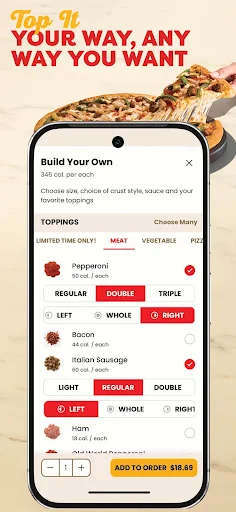
The core experience is choosing menu items and arranging delivery or carryout. Pizza customization covers crust, sauce, cheese, and toppings, so I can make the order reflect my preferences rather than settling for a preset combination. For a quick meal, I can keep the choices simple; when I’m ordering for a group, those options give me more room to tailor the pizza.
The app’s ordering tools extend past the moment of checkout. I can revisit past orders, reorder a full meal or selected items, and follow an order through visual status updates. That combination makes sense for the way people actually use food apps: first to place a meal, then to check where it is, and eventually to repeat a favorite without repeating all the decisions.
Tools Beyond the Menu
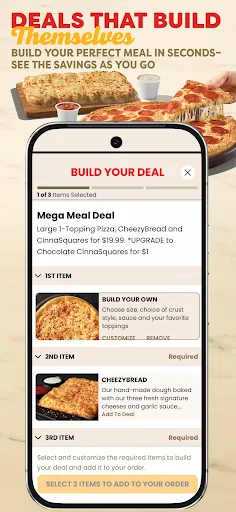
The deal builder is one of the more useful extras because it gives deals a place in the ordering process, rather than making them feel separate from choosing food. I can use it to find and put together available pizza deals. The practical benefit is convenience; I don’t have to treat the app as only a list of items when I’m also trying to make sense of the available offers.
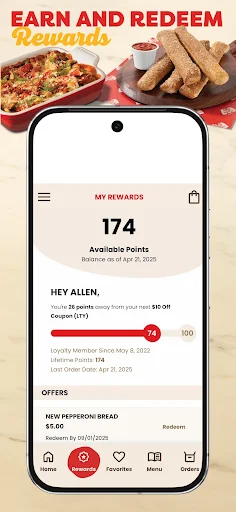
Rewards are another part of the experience. The app lets customers earn points with purchases and redeem them in the app, while favorites make commonly chosen items and locations easier to return to. None of these features changes the basic job of ordering pizza, but together they give regular customers reasons to keep their preferences and order history in one place.
A Useful Ordering Routine
For a familiar Friday dinner, I’d start by opening the app and choosing my saved Marco’s location. I could check the menu or deal builder, then customize a pizza and add any other items I want. If I’m repeating a meal, order history offers a shortcut; if only one item needs repeating, I can choose that instead of rebuilding the full order.
After placing the order, I’d use the visual tracking to follow its status. On a later visit, I could save a newly discovered favorite or check rewards as part of the same routine. The process is straightforward in concept: pick a location, choose or repeat food, and track the order. Having those steps together is more valuable than any single extra feature.
Keep the Scope in Mind
The biggest limitation is also the app’s clearest purpose: it is for Marco’s Pizza. The store finder can help locate Marco’s locations, but it doesn’t turn the app into a directory for every restaurant nearby. If I’m still deciding what kind of food I want or comparing several chains, I’ll need a broader approach before this app becomes relevant.
The app’s convenience also depends on having an order worth placing. Saved favorites and history help returning customers more than occasional visitors, and a rewards feature matters most to people who come back. I’d treat the app as a handy channel for ordering from a familiar brand, not as a reason to choose that brand or a substitute for exploring other options.
Marco’s Pizza brings the main parts of a chain-specific order together: menu browsing, pizza customization, deals, rewards, saved favorites, reordering, and visual tracking. I appreciate that the tools are aimed at making repeat orders less fiddly, rather than stretching the app into something unrelated to its job.
I’d give it a try if Marco’s is already part of your dinner rotation, especially if you often repeat an order or want to customize a pizza. If you rarely visit the chain or want restaurant discovery across brands, it is unlikely to become a regular app. For its intended audience, it looks like a practical ordering companion.
Marco's Pizza Frequently Asked Questions
What is the Marco’s Pizza app used for?
Marco’s Pizza is used to order from the chain for delivery or carryout. The app supports browsing the menu, customizing pizza crust, sauce, cheese, and toppings, using a deal builder, and earning or redeeming rewards. It also offers saved favorites, order history for reordering, a store finder, and visual order tracking.
What devices can I use Marco’s Pizza on?
The provided app information is for Android, where Marco’s Pizza is available through Google Play. It does not establish availability on other platforms, so check the relevant store if you want to use it on a different kind of device. The minimum Android version may vary by device or app release and is worth checking on Google Play.
What Android version does Marco’s Pizza require?
The minimum Android version is not included in the app details provided here. Requirements can vary as apps are updated, so check the Marco’s Pizza page on Google Play for the current requirement and compare it with your device’s software version before installing.
Does Marco’s Pizza cost money to use?
Marco’s Pizza is free to download on Google Play. The provided store information says it does not contain ads and has no in-app purchases. The cost of food ordered through the app is separate from the app download; check the menu and checkout details for the order you plan to place.
Is Marco’s Pizza a good fit for occasional customers?
It can work for occasional customers who already know they want Marco’s and want to place a delivery or carryout order. Its saved favorites, order history, and rewards may be more useful if you return regularly. If you mainly want to compare restaurants from several brands, this chain-focused app may not suit your needs.
Pros
- Customizes crust, sauce, cheese, and toppings for a more personal pizza order.
- Order history supports repeating a whole meal or selected items.
- Combines rewards, deal building, favorites, and visual order tracking.
- Free to download, with no ads or in-app purchases.
Cons
- Focused on Marco’s Pizza rather than restaurant discovery across multiple brands.
- Saved orders and rewards are most useful to returning Marco’s customers.
- The minimum Android requirement should be checked on Google Play.
- Category
- Food & Drink
- Version
- 3.0.4











