Marco Polo - Video Messenger
- 313.97K
- 4.6
- Installs
- 10.00M
- Price
- Free

Screenshots
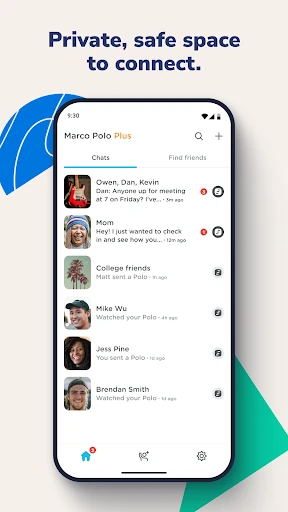
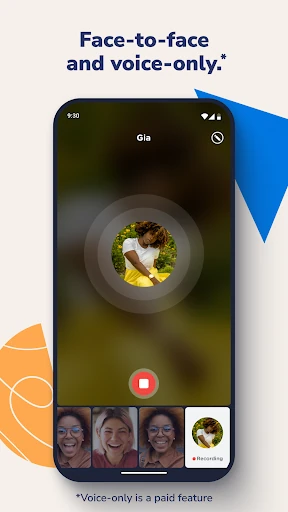

Analysis by Reviewed APKs
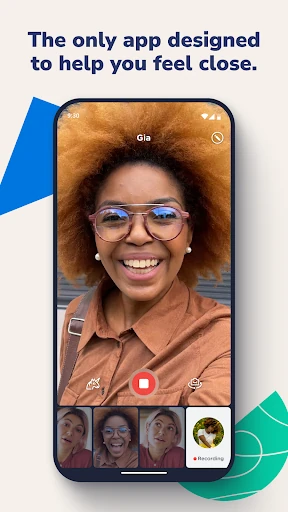
Marco Polo - Video Messenger is built for people who want face-to-face conversation without needing to be available at the same moment. You send a video, and the other person can watch and reply when it suits them. I like that simple idea: it feels more personal than a text, but less demanding than a live call. It suits friends and family who enjoy seeing one another while keeping their own schedules.
A Conversation on Your Schedule
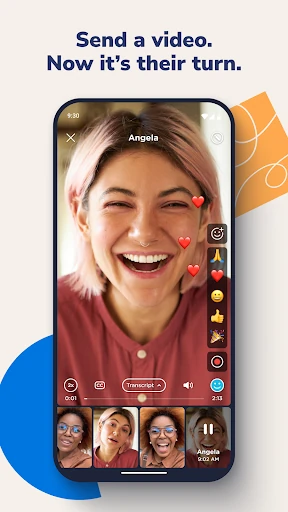
Imagine finishing a busy day and wanting to tell a friend something more warmly than a string of texts would allow. With Marco Polo, you can send a video message when you have a quiet moment; your friend can watch it and respond later. That asynchronous rhythm is the app’s central appeal. You can have a face-to-face-feeling exchange without coordinating a time when both people are free.
When I think about using it in an ordinary week, I picture small updates rather than carefully planned calls: sharing a reaction, catching up with family, or sending a quick hello between errands. The app supports one-to-one conversations and groups, so the same basic approach can work for an individual friend or a circle. It feels especially suited to people who want a little more expression than text offers.
Between Texts and Calls
Marco Polo occupies a useful middle ground. A text is quick and easy to scan, while a live video call asks everyone to show up at the same time. Here, you can record a video and let the other person respond on their schedule. That makes the exchange feel more personal than messaging alone, without turning every conversation into a calendar commitment.
It is not a replacement for an urgent call or a traditional social feed. The description emphasizes conversations with people you know, rather than likes, comparisons, or an endless stream of posts. If you need an immediate back-and-forth, a live call may fit better; if you only need to pass along a simple detail, text may be quicker. Marco Polo makes the most sense when seeing someone’s face adds something.
Make Replies Feel Natural
A simple habit can make this kind of messaging feel less like a backlog: send a short video when you have something worth sharing, then watch and reply when you have the time. Because the exchange does not require both people to be present at once, there is room to fit it around work, errands, or a quiet break. I would keep messages focused so the conversation stays easy to follow.
For a group, it helps to think about whether everyone needs to see each other’s replies. Regular group chats suit a shared conversation, while Sharecast is designed for sending one video to a circle without cross-conversations; only the sender sees reactions and replies. That distinction can help keep a casual update from turning into a busy group thread. Emoji reactions and special effects are there when a lighter touch suits the moment.
More From Our News Desk

Zoom Meetings, Google Meet, or Teams: Which Is Easiest to Join?

How I Build a Free Streaming Lineup With Tubi

Why Crunchyroll Is the Default Anime App for So Many Fans

YouTube TV: A Practical Guide to Cutting Cable

Rummikub and the Small Comfort of Phone Games

TeamViewer Remote Control or AnyDesk for Helping Family?
Who Will Enjoy It
I’d recommend Marco Polo to friends and relatives who like video but struggle to find a shared time for calls. It can also suit a group that wants to exchange personal updates without relying on a continuous social feed. The free version includes unlimited chats and groups, so people can try its basic approach without first committing to a subscription.
It may be a weaker fit if you prefer brief written messages, need immediate replies, or do not want to record yourself. Video is the point, so the format asks for more attention than a quick text. People who want faster playback or background listening will need to look at Plus features. I’d choose it for unhurried connection, not as an all-purpose replacement for every way of communicating.
Marco Polo - Video Messenger is a communication app from Joya Communications. On Google Play it has over 10 million installs and a 4.6-star rating from about 314,000 ratings. It is free to download and use, and the app contains no ads. The content rating is Everyone. The Android version is 0.599.0.
The app offers optional in-app purchases. Google Play prices range from $7.99 to $159.99 per item, including paid options such as Marco Polo Plus and Plus Family. The supplied release date is July 10, 2014, and the last update date is October 30, 2026. The free version includes unlimited chats and groups, emoji reactions, special effects, and Sharecast.
A More Personal Kind of Messaging
An Easy First Impression
When I first opened the idea of Marco Polo, its purpose was immediately clear: send a video, get one back, and continue whenever it works for both people. There is no complicated premise to learn before you can understand the experience. It is centered on direct conversation, rather than presenting itself as another place to browse a public stream or collect likes.
The app’s appeal depends partly on having people to talk with who are willing to exchange videos too. If your friends and family are comfortable with that format, the asynchronous setup can feel natural. If they would rather text or call, the app’s central difference may not change their habits. I’d start by thinking of one person who would enjoy receiving a video hello.
The Day-to-Day Rhythm
In daily use, the main draw is being able to participate at different times. I can imagine recording a message during a break, then catching up with a reply later instead of interrupting someone with a call. The format leaves room for expression: a voice, a face, and a reaction come through in a way that plain text cannot fully capture.
That flexibility also means the conversation may unfold more slowly than a live chat. There is no promise of an immediate answer, and that is part of the design rather than a flaw to work around. For a relaxed catch-up, it can be a comfortable pace. For time-sensitive questions, I would use another channel that better matches the need for a quick response.
Features With a Purpose
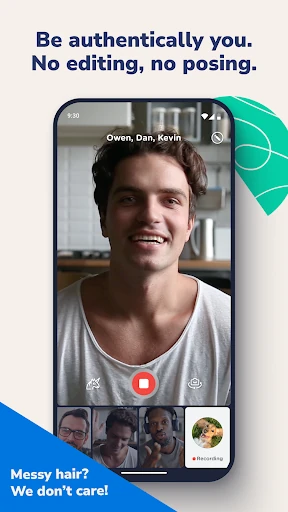
Group chats extend the same video-message approach to several people, while Sharecast offers a different kind of group update. You send one video to everyone in your circle, and only you see the reactions and replies. That can be useful when you want to share something broadly without creating a web of responses visible to the whole group.
Emoji reactions and fun special effects add lighter ways to respond or change the feel of a message. They are optional extras, not the reason the app works. Plus adds speed controls from 1.5 to 3 times and background listening, along with custom and animated emojis. Those paid features may matter to frequent users, but the core free experience is still about sending and receiving video.
A Low-Pressure Routine
One practical way to use Marco Polo is to make it part of an existing catch-up habit. For example, you might send a short update when you have a spare moment and check for replies later in the day. That keeps the app from becoming another task that demands constant attention. The design’s anytime exchange is most useful when both sides treat it as a relaxed conversation.
For a family or friend group, decide whether a message is better suited to a group chat or a Sharecast. Use the group when everyone can join a shared thread; use Sharecast when you want to send one update and keep individual reactions and replies visible only to you. A little thought about the audience can make group communication feel more manageable and prevent one update from needing a live call.
A Few Trade-Offs
The biggest limitation is also the defining feature: this is video messaging. Recording and watching a video takes more time and attention than reading a short text, and not everyone wants to appear on camera for everyday conversation. The app’s relaxed timing helps with scheduling, but it does not make video the right format for every quick question or detail.
Some conveniences are reserved for Plus, including faster playback, background listening, and custom or animated emojis. The app is free, but those optional purchases have a broad price range, so I would check the current Google Play details before choosing a plan. People who are happy with basic video exchanges may not need those extras; frequent users may find them more relevant.
Marco Polo is a focused option for people who want to stay close through video without arranging a live call every time. Its strongest idea is simple and practical: send a personal update now, and let the other person answer later. Group chats and Sharecast give that approach room to work with more than one person.
I’d recommend trying the free version if your friends or family are open to video messages and you value a more expressive alternative to texting. I would skip it if you mainly want instant replies or prefer keeping communication short and written. The paid extras are worth weighing only after the basic routine feels useful.
Marco Polo Frequently Asked Questions
What is Marco Polo - Video Messenger used for?
Marco Polo is used to exchange video messages with individuals or groups. You can send a video when it suits you, and the recipient can watch and reply later. The app also includes emoji reactions, special effects, and Sharecast, which lets you send one video to a circle while keeping reactions and replies visible only to you.
Which devices can run Marco Polo - Video Messenger?
Marco Polo - Video Messenger is available on Android through Google Play. The supplied app details do not give a minimum Android version, so check the Google Play page on your device for current compatibility information. Device support and requirements can change as the app is updated.
Is Marco Polo - Video Messenger free?
The app is free to download and includes unlimited chats and groups, emoji reactions, special effects, and Sharecast. Optional in-app purchases are available, with Google Play prices ranging from $7.99 to $159.99 per item. The exact cost depends on the purchase, so check Google Play for current pricing before subscribing.
Does Marco Polo - Video Messenger have ads?
The app does not contain ads. Its free version provides the basic video messaging features, while Marco Polo Plus offers extras such as faster playback, background listening, and custom and animated emojis. Subscription details and available purchase options can vary, so the Google Play page is the best place to check current terms.
Who is Marco Polo - Video Messenger best for?
It is best suited to people who enjoy video messages and want to catch up without arranging a live call. Friends, relatives, and groups can use it to share updates on their own schedules. It may not suit people who prefer text, want immediate replies, or do not want to record and watch videos.
Pros
- Video messages let people catch up without finding a shared time for a call.
- Supports both one-to-one conversations and group chats.
- Sharecast sends one video to a circle without shared cross-conversations.
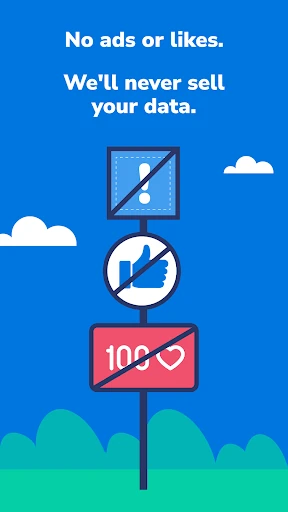
- Free version includes unlimited chats and groups, with no ads.
Cons
- Video takes more time and attention than a quick text.
- Plus features such as faster playback and background listening require a paid option.
- The format is less suited to urgent questions or people who dislike recording video.
- Category
- Communication
- Version
- 0.599.0











