mail.com: Email app & Cloud
- 149.63K
- 4.5
- Installs
- 1.00M
- Price
- Free

Screenshots

Analysis by Reviewed APKs
mail.com: Email app & Cloud puts email and a small amount of online file storage in one Android app. It suits people who want a mail.com address, need to check messages on the go, or like keeping phone photos and documents alongside their inbox. After spending time with its email, cloud, and account options, I see it as a practical everyday mailbox rather than a replacement for every kind of file service.
A Mailbox for Daily Errands
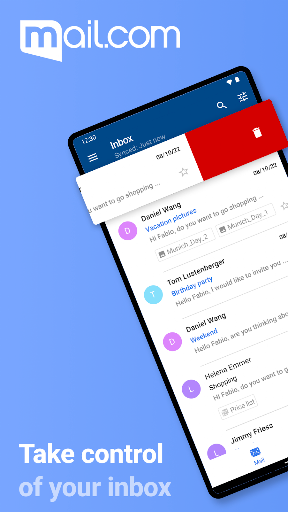
When I first opened mail.com, I thought about the ordinary gaps in a day when email tends to pile up: waiting for coffee, checking a delivery update, or replying to a message before heading home. The app brings the inbox, folders, address book, and cloud into one place. I could picture using it to scan new mail, search for a detail, and send a quick reply without switching to a computer.
The small practical touches suit those moments. Push notifications are optional, so I could choose whether new messages should interrupt me. The app also supports syncing contacts with the phone address book, again as an option. If I needed to send a document, I could save an attachment or select a file from the cloud. That makes the app useful for routine exchanges, not just reading messages.
Email First, Cloud Alongside
The clearest comparison is with a basic email app: mail.com covers the familiar work of checking messages, using folders and contacts, replying, and searching. Its extra draw is the connected mail.com Cloud, with 2 GB of free online storage included with a secure mail account. That pairing can be handy if I want a photo or document available when I am composing an email.
I would not treat it as a general-purpose productivity suite or a deep file-management tool based on the features here. Its center of gravity is still email, with cloud storage serving as a companion for photos and documents. People who already have a well-established mailbox elsewhere may not find a reason to move everything. But someone creating a new address can choose from more than 100 domains in the app.
Small Habits That Help
A useful habit is to decide how much interruption I actually want before enabling notifications. The app offers optional push email, and notification tone and vibration can be adjusted. I would start with the quietest setup that still catches time-sensitive messages, then change it if I find myself checking too often. Search is another simple time-saver: the magnifying-glass control can help locate a message without paging through the inbox.
For cloud use, I would make a deliberate choice about automatic photo uploads rather than turning them on without thinking. The app can upload photos automatically and lets me upload photos or documents from the phone. It can also attach cloud files to email. A quick periodic look at what I have stored would keep the small free space useful, especially if I save larger photos or videos.
More From Our News Desk

Zoom Meetings, Google Meet, or Teams: Which Is Easiest to Join?

How I Build a Free Streaming Lineup With Tubi

Why Crunchyroll Is the Default Anime App for So Many Fans

YouTube TV: A Practical Guide to Cutting Cable

Rummikub and the Small Comfort of Phone Games

TeamViewer Remote Control or AnyDesk for Helping Family?
Who May Find It Useful
I would recommend mail.com to someone who wants an email address they can create in the app, appreciates a choice of address domains, and wants basic cloud storage close at hand. It is also a reasonable fit for people who prefer to handle email and occasional document sharing on a phone. Optional notifications, contact syncing, and device-based locks give users some control over how the app fits their routine.
It may be less appealing if you want a single app for a complicated work system or expect a large cloud drive for a growing media library. The included cloud space is 2 GB, so I would keep that limit in mind before relying on it for lots of photos and videos. And if your current email setup already works smoothly, switching may add little beyond a new address and integrated storage.
On Google Play, mail.com: Email app & Cloud is published by 1&1 Mail & Media Inc. It has over 1 million installs and a 4.5-star rating from about 150,000 ratings. The app is free to download, with ads and in-app purchases. The listed in-app product prices range from $0.99 to $39.99 per item, so optional purchases may matter to users comparing costs.
Google Play gives the app an Everyone content rating. The listed version is 9.20.2, with a release date of May 5, 2011, and a last update dated November 3, 2026. The description also refers to an iOS app, but this review focuses on the Android version. Android version requirements can depend on the current release, so it is worth checking the Google Play entry for your device.
How Email and Cloud Fit Together
A Straightforward First Look
My first impression was of an app built around a clear pair of jobs: handle mail and make the connected cloud available from the same account. The description says an email account can be created in the app, which makes it approachable for someone starting fresh. I also like that features such as notifications and contact syncing are presented as choices rather than necessities.
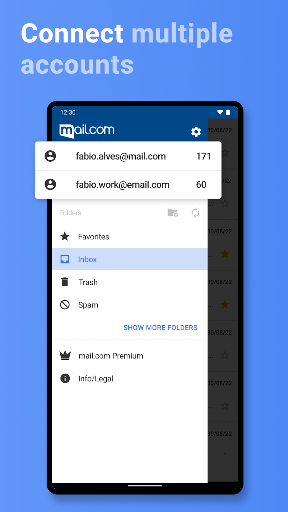
The account options make the app more flexible than a mailbox tied to one address. A user can create an email address in the app and choose among more than 100 domains. That is a useful detail if the usual address options are already taken or if someone wants a distinct mail.com identity. I would still take a moment to choose an address carefully, since it becomes part of everyday correspondence.
The Everyday Inbox
The core routine is familiar: open the inbox, read a message, reply, or compose something new. Mail folders and contacts are available, and the app includes search for finding older email. Those basics are what I would want most when checking messages on a small screen. The description also mentions full-screen viewing and pinch-to-zoom, which can help when an email is easier to read with a closer look.
The push notification option is useful for people who want new mail surfaced promptly, while users who prefer fewer interruptions can leave it off. A custom notification tone or vibration can help distinguish incoming mail from other alerts. I would avoid treating every notification as urgent, though; email is still email, and the best setup is the one that keeps the inbox accessible without making the phone feel constantly busy.
Cloud Inside the Mailbox
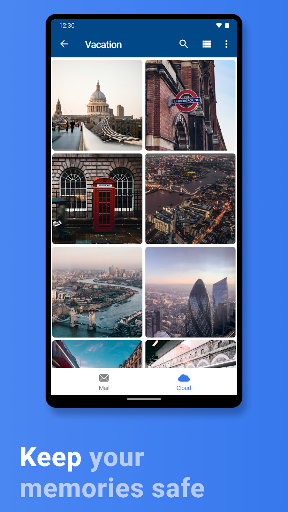
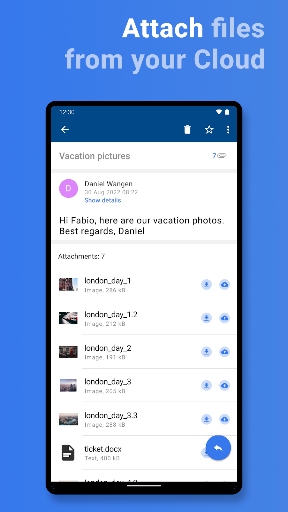
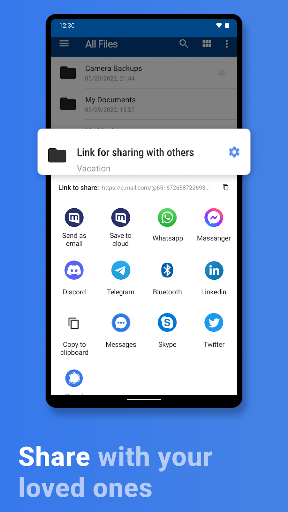
The feature that gives the app its particular character is the mail.com Cloud sitting alongside the mailbox. A secure mail account includes 2 GB of free online cloud storage, and the app can upload photos and documents from the phone. Files can be accessed online through the mailbox, and cloud items can be attached to messages. That creates a direct path from stored file to email without making storage the app's whole purpose.
Automatic photo backup is another option, which could suit someone who wants phone pictures available through the cloud. I would think about what I want uploaded before enabling it, especially because the space is limited. The app also describes cloud storage for photos, videos, and documents, and syncing between the app and webmail. That link may be handy when I start something on my phone and later need the same files online.
A Practical Weekly Routine
For a simple routine, I would check the inbox once or twice during the day, use search when I need an old message, and clear spam with the app's Empty Spam button. If a message includes a document I might need later, I could save its attachment or place a phone file in the cloud for sending. These are small actions, but they make the mailbox more useful than a place I visit only to read new mail.
At the end of a week, I would review whether the notification settings are helping and whether automatic photo uploads still make sense. I could also check that the cloud contains only items I want available there. This is not a complicated system, which is part of its appeal: mail, attachments, and a modest store of files can stay close together without requiring a separate workflow for every small task.
Limits to Keep in Mind
The 2 GB cloud allowance is the most concrete limit to plan around. It can be enough for selected documents and some photos, but a large collection of media can fill it quickly. I would not assume that this app is intended to replace a larger storage service. Its cloud features make email attachments and phone uploads convenient; the mailbox remains the main event.
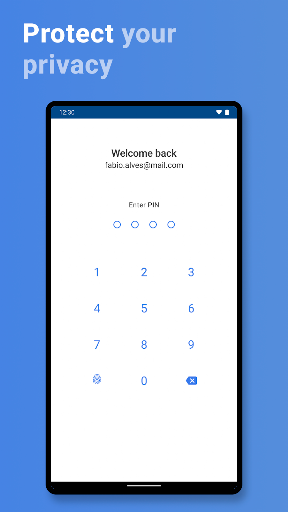
The app also has ads and offers in-app purchases, so the free download does not mean every part of the experience is necessarily free of commercial prompts. The listed purchase range is broad, from $0.99 to $39.99 per item. Finally, security features such as PIN, fingerprint, or facial locks depend on device support and setup. Those options are useful, but I would not confuse an app lock with a complete account-security plan.
mail.com: Email app & Cloud makes a sensible case for combining a phone mailbox with a small, connected cloud space. I like the choice over notifications, the in-app address creation, and the practical link between files and email. Its best fit is someone who wants those basics together, not someone looking for a spacious cloud archive or a feature-heavy work hub.
I would try it if I wanted a new mail.com address and expected to send or save files from my phone now and then. Existing email users who are happy with their current setup can probably stay put. For a straightforward inbox with optional cloud backup and sharing, though, mail.com is a useful everyday option.
mail.com Frequently Asked Questions
What is mail.com: Email app & Cloud used for?
It is used to check and send email, manage folders and contacts, and access mail.com Cloud from a phone. The app can upload photos and documents, save attachments, and share cloud files by email. It also lets users create a mail.com email address in the app, with a choice of more than 100 domains.
Which phones and platforms support mail.com: Email app & Cloud?
This review covers the Android app on Google Play. The app description also mentions a mail.com app for iOS. Device compatibility can depend on the current release, so check the relevant store entry for your phone or tablet before installing.
What Android version does mail.com: Email app & Cloud require?
The Android version requirement can vary by release and device. Check the Google Play entry for the current requirement before installing. The app's listed version is 9.20.2, but that version number does not by itself establish which Android versions are supported.
Is mail.com: Email app & Cloud free?
The app is free to download and includes 2 GB of mail.com Cloud storage with a secure mail account. It contains ads and offers in-app purchases, with listed item prices ranging from $0.99 to $39.99. Check Google Play for current purchase details and availability.
Who should use mail.com: Email app & Cloud?
It may suit people who want a mail.com address, straightforward phone email, and a small amount of cloud storage for files and photos. It may be less suitable for someone who needs a large media archive or already has an email workflow that works well. The free cloud allowance is 2 GB.
Pros
- Combines email with 2 GB of cloud storage for photos, documents, and attachments.
- Lets users create a mail.com address and choose from more than 100 domains.
- Push notifications, contact syncing, and device locks are optional features.
- Cloud files can be attached to email from within the app.
Cons
- The included 2 GB cloud space may be limiting for large photo or video collections.
- The app contains ads and offers in-app purchases.
- Its cloud features complement email rather than replace a dedicated large storage service.
- Category
- Communication
- Version
- 9.20.2











