MacroDroid - Device Automation
- 95.44K
- 4.3
- Installs
- 10.00M
- Price
- Free

Screenshots
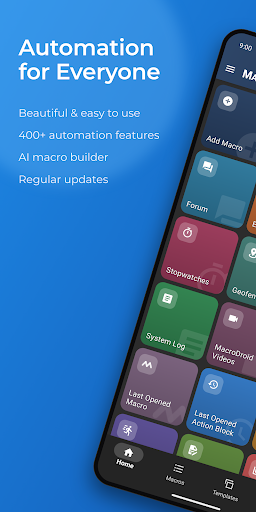
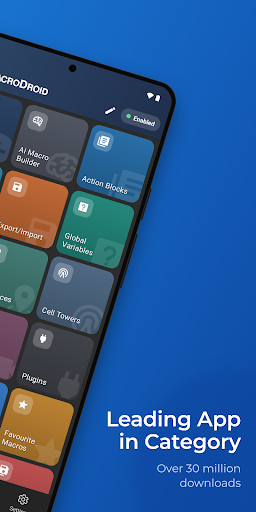
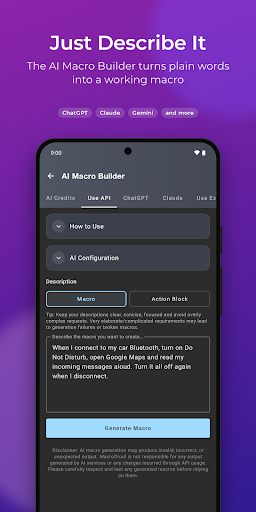
Analysis by Reviewed APKs
MacroDroid - Device Automation is an Android tools app for setting up routines that run when something happens on your phone or tablet. I like the simple trigger-action approach: you can start with a small convenience, such as changing a setting at home, and build more involved workflows as you learn. It suits curious tinkerers and busy users, though its many options take some exploring.
A commute with fewer taps
Imagine getting into the car on a weekday morning and wanting your phone to connect to Bluetooth and start music without a series of taps. In MacroDroid, I would build that routine by choosing a Bluetooth-related trigger, adding the relevant actions, and setting any conditions that should limit when it runs. The app’s core idea is practical: describe what should happen, and let a macro handle the repeated steps.
The same trigger-action pattern can help with quieter parts of the day. A location trigger could switch on Wi-Fi when you arrive home, while a time or device-state condition could dim the screen at night. I appreciate that these are workflows rather than isolated shortcuts: one macro can chain actions together, and optional constraints can keep it from running at the wrong time.
Automation, not a new launcher
MacroDroid sits between manual settings changes and more elaborate automation tools. Instead of remembering to adjust volume, connectivity, or a sound profile every time your routine changes, you can define a trigger and let the app respond. The visual, no-coding setup is approachable for basic jobs, while options such as variables, logic, and plugin support give experienced users room to experiment.
It is not a general-purpose assistant for every task, nor is it a replacement for the apps that handle calls, messages, music, or files themselves. Its job is to connect supported triggers and actions into repeatable routines. If you only need to change a setting once in a while, making a macro may be more work than doing it manually; the payoff comes when a task repeats.
Build in small steps
I would start with one minor annoyance rather than trying to automate the whole phone at once. Pick a clear trigger, add one or two actions, and use constraints only when they solve a real problem. For example, limiting an office Wi-Fi routine to working hours makes its purpose easier to understand. Keeping each macro focused also makes later edits less confusing.
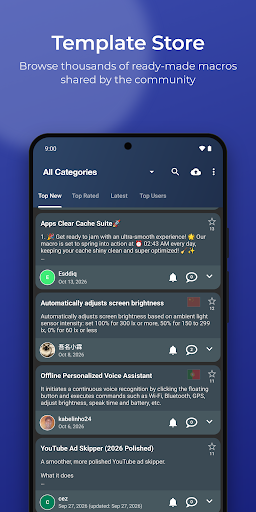
The built-in Template store offers another sensible starting point: browse community-shared macros, install one, and adjust it to fit your routine. I would also keep a mental note of which macros depend on location, time, or device state, so it is easier to understand why one runs. When a workflow becomes more ambitious, the in-app help and user forum can provide a place to look for guidance.
More From Our News Desk

Zoom Meetings, Google Meet, or Teams: Which Is Easiest to Join?

How I Build a Free Streaming Lineup With Tubi

Why Crunchyroll Is the Default Anime App for So Many Fans

YouTube TV: A Practical Guide to Cutting Cable

Rummikub and the Small Comfort of Phone Games

TeamViewer Remote Control or AnyDesk for Helping Family?
Who will get the most from it
I would recommend MacroDroid to Android users who notice the same little phone chores coming around every day. It can suit someone who wants Wi-Fi to switch on at home, a different sound profile for work, or a hands-free routine while driving. Beginners can use templates and visual setup, while people who enjoy tinkering can explore conditions, variables, and more involved chains of actions.
It may be less appealing if you prefer every setting to stay under direct manual control, or if you want a polished, ready-made routine without spending time configuring it. Location, device-state, and sensor triggers also mean it helps to think carefully about when a macro should run. The free version’s five-macro limit may feel restrictive to anyone who quickly starts collecting automation ideas.
MacroDroid - Device Automation is developed by ArloSoft and is listed in Google Play’s Tools category. It has more than 10 million installs and a 4.3-star rating from about 95,000 ratings. The app is rated Everyone. Its current version varies with device, and the supplied store information gives a release date of May 18, 2012.
The app is free to install and contains ads. Google Play reports in-app purchases priced from $1.49 to $10.00 per item. The free version supports up to five macros, while the description says Pro removes ads and allows unlimited macros. The listed last update is October 28, 2026. The Android version requirement can vary, so check the Google Play page for compatibility with your device.
Making Everyday Phone Routines Automatic
A straightforward first impression
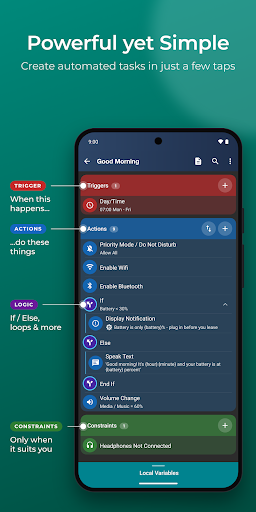
When I first opened MacroDroid, the most useful idea to grasp was its three-part structure: choose a trigger, select actions, and add constraints if needed. That gives the app a clear mental model even before you know what every option does. You do not need to write code for a basic macro, which makes trying one small routine feel less intimidating.
The initial setup is less about building a profile and more about deciding what you want the phone to do. The breadth of choices can still make the first visit feel busy, especially if you arrive with a vague goal. I would approach it with a specific task in mind, then browse the available triggers and actions that fit.
How the daily use feels
Day to day, MacroDroid makes most sense when it quietly takes care of repeated actions. A macro can react to things such as connectivity, battery state, app launches, notifications, or location, then carry out one or more actions. The trigger is the starting point; constraints help narrow the circumstances. That structure is useful when the same routine should happen only at certain times or in certain places.
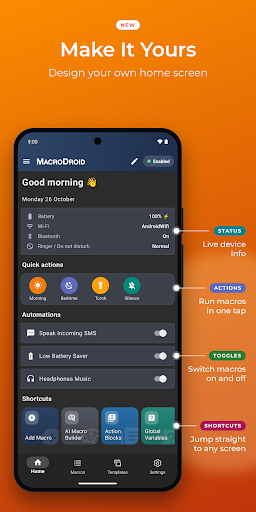
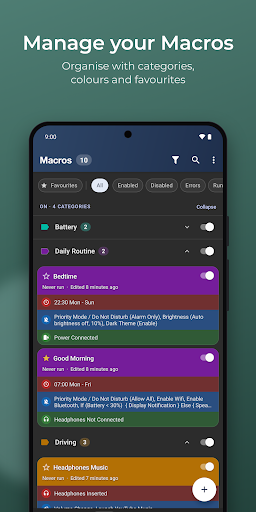
I like that macros can also be launched manually through a home-screen shortcut or the customizable sidebar. That gives a routine a direct entry point when an automatic trigger would be too broad. As a collection grows, clear names and a little restraint matter: a handful of understandable macros is easier to manage than a pile of experiments whose conditions you have forgotten.
Depth behind simple setup
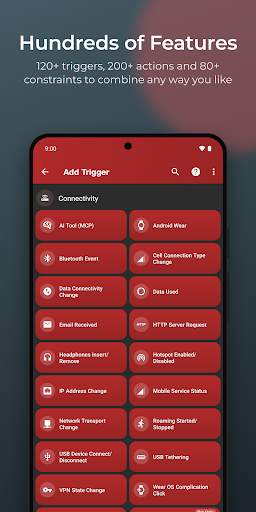
The range of building blocks is the feature that stands out most. MacroDroid describes more than 120 triggers, over 200 actions, and more than 80 constraints. Examples span location, device status, sensors, and connectivity on the trigger side, with actions such as changing volume, speaking text, controlling media, or adjusting the screen. You can combine several actions into a single workflow.
There is a gentler route in through the Template store, where community-shared macros can be installed and then adapted. At the other end, user-defined variables, dictionaries, arrays, IF/THEN/ELSE logic, loops, scripting, intents, and Tasker or Locale plugin support offer more control. The range is appealing, but beginners need not tackle those advanced tools to automate a simple routine.
MacroDroid also has a Wear OS companion for triggering and interacting with macros from a watch, including through watch-face complications. The phone app is required. Some features, such as UI interaction automation, can use Android accessibility services, and enabling those services is optional.
A routine worth keeping simple
For a practical first project, I would choose a repeatable moment, such as arriving home, and make one macro that handles a small adjustment. A location trigger can be paired with an action such as turning on Wi-Fi, with a constraint added only if the routine needs a time or device-state boundary. That is enough to test the idea without turning setup into a weekend project.
After using it for a while, I would review whether the macro still matches the routine. A schedule can change, or a trigger may be too broad, so adjusting its constraints can make the automation more useful. Templates can offer a starting point if building from scratch feels slow. The aim is not to automate every phone interaction, but to remove a few repeated decisions.
Limits and things to consider
MacroDroid’s flexibility is also its main learning curve. There are many triggers, actions, and conditions to choose from, and the right combination depends on the routine you have in mind. It is possible to spend more time designing an elaborate workflow than the original task would take manually. I would begin with a modest macro and expand only when a real need appears.
The free edition is ad-supported and allows up to five macros, so anyone who wants a large set of routines may run into that boundary. The app’s description says Pro removes ads and unlocks unlimited macros, while Google Play shows in-app purchase prices in a range. Compatibility details can vary by device, and some optional features use accessibility services, which are worth considering before setting up UI automation.
Automation also depends on choosing appropriate triggers and constraints. A location-based routine, for instance, should be configured around the places and circumstances where it is actually useful. MacroDroid provides in-app help and a user forum, but thoughtful setup remains part of the experience rather than something the app can decide for you.
MacroDroid is a capable way to turn recurring Android chores into trigger-based routines. Its visual setup and templates make simple automation approachable, while its deeper logic gives patient users room to build more tailored workflows. The trade-off is that you need to spend time deciding what should run and when.
I would recommend trying it if you have a few phone tasks you repeat often and enjoy shaping tools to your habits. If you prefer a fixed, hands-off setup or rarely change device settings, the manual approach may be simpler. Start with one useful macro and see whether the saved taps justify adding more.
MacroDroid Frequently Asked Questions
What is MacroDroid - Device Automation used for?
MacroDroid is used to automate actions on an Android phone or tablet. You choose a trigger, such as a location or device state, then add actions and optional constraints. Example uses include changing Wi-Fi or sound settings, reading messages aloud, and setting up routines for different times or situations.
Which devices can run MacroDroid?
MacroDroid is an Android app for phones and tablets. It also has a Wear OS companion for triggering and interacting with macros from a watch, including watch-face complications, but the phone app is required. Android version requirements can vary by device, so check the Google Play page for your model.
What Android version does MacroDroid require?
The Android requirement can vary by device. Before installing, check MacroDroid’s Google Play page and your device’s compatibility information. The app’s listed version also varies with device, so the store page is the best place to check the version offered for your particular phone or tablet.
Does MacroDroid cost money?
MacroDroid is free to install and contains ads, with in-app purchases shown from $1.49 to $10.00 per item. The description says the free version allows up to five macros and that Pro removes ads and unlocks unlimited macros. Purchase details can vary, so check Google Play for current options.
Is MacroDroid suitable for beginners?
It can suit beginners because basic macros use a visual trigger-and-action setup and do not require coding. Templates provide ready-made community macros to install and adjust. The many available options can take time to learn, though, so it is a better fit if you are willing to experiment with one small routine at a time.
Pros
- Visual trigger-and-action setup makes basic phone automation approachable without coding.
- Templates offer a practical starting point for common routines.
- Advanced logic and plugin support leave room for more involved workflows.
- Manual shortcuts and a Wear OS companion add alternate ways to trigger macros.
Cons
- The range of triggers, actions, and constraints can take time to learn.
- The free version limits users to five macros and includes ads.
- Some UI automation features involve optional Android accessibility services.
- Category
- Tools











