Luzia: AI Assistant & Chat
- 168.19K
- 4.5
- Installs
- 10.00M
- Price
- Free

Screenshots

Analysis by Reviewed APKs
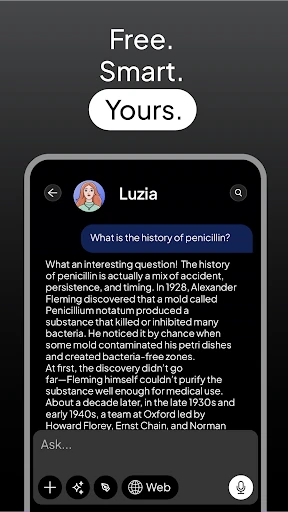
Luzia: AI Assistant & Chat brings writing help, explanations, translation, image creation, and everyday tasks into one AI app. I found its appeal in the range: it can help with a draft, then switch to a study question or a reminder without making me open a separate tool. It suits curious, busy people who like an all-purpose assistant, though its breadth may be more than someone needs for one focused job.
From Question to Finished Draft
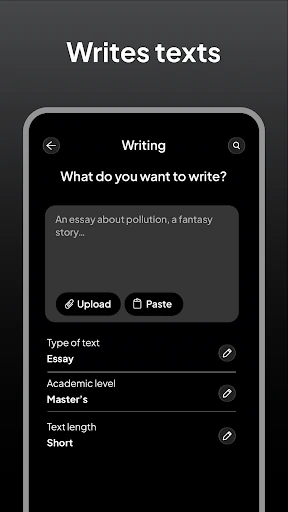
When I first opened Luzia, I pictured using it during an ordinary workday: asking for help turning rough notes into a clear email, then checking a concept I needed to understand before a meeting. The app is built for that kind of quick back-and-forth. I can ask in plain language, request a rewrite, or ask for a more approachable explanation rather than starting from a blank page or searching several tools.
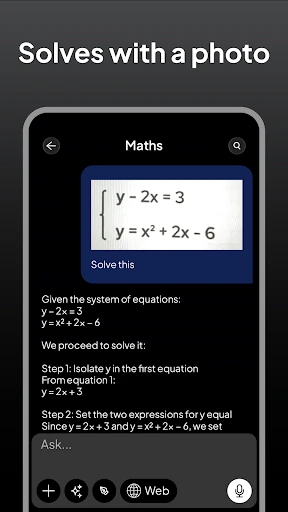
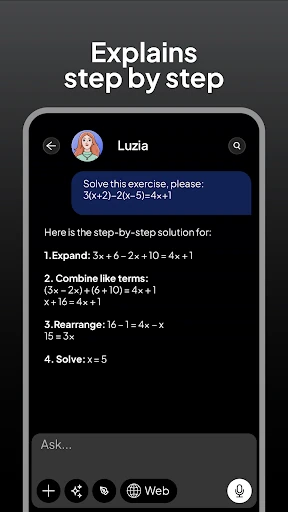
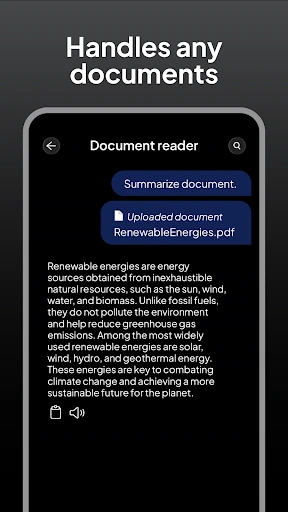
The same session can cover a different kind of task. I might ask it to summarize a long article, work through a math problem step by step, or translate a short passage. For a creative pause, I can describe an image or ask for ideas for a project or gift. That variety is the core job here: reducing the friction between having a question and getting a useful starting point.
A Generalist, Not a Specialist
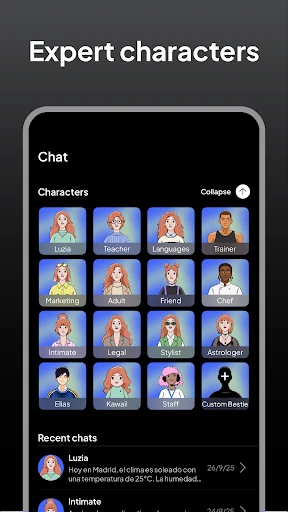
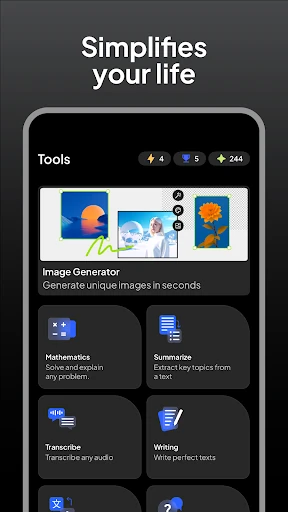
Compared with opening separate apps for translation, writing assistance, study explanations, and image generation, Luzia offers a single place to try those tasks. That can be handy when I am moving between them during the day, or when I am not yet sure what kind of help I need. Text and voice chat are both part of the experience, so the interaction can suit a quick spoken question as well as a longer written request.
That broad approach also defines what Luzia is not: a dedicated word processor, a full course, or a specialist coding environment. It can draft, explain, and help debug code, but the description presents it as an assistant rather than a replacement for focused professional tools. I would use it to get unstuck or make a first pass, then review the result and use the right specialist app when a task calls for one.
Small Habits That Help
I get more useful responses when I say what I am trying to accomplish, who the result is for, and how I want it to sound. For example, asking for a concise, friendly email gives the assistant more direction than simply asking it to write an email. The same habit works for explanations: naming my level or asking for steps can make a study question easier to follow.
For longer material, I would treat summarizing as a first pass rather than the final word. Asking a follow-up about a specific point can turn a broad summary into something more practical. I would also keep requests grouped by task: one conversation for a draft or study topic, another for image ideas. That simple routine makes a multipurpose assistant feel less like a grab bag and more like a useful everyday tool.
More From Our News Desk

Zoom Meetings, Google Meet, or Teams: Which Is Easiest to Join?

How I Build a Free Streaming Lineup With Tubi

Why Crunchyroll Is the Default Anime App for So Many Fans

YouTube TV: A Practical Guide to Cutting Cable

Rummikub and the Small Comfort of Phone Games

TeamViewer Remote Control or AnyDesk for Helping Family?
Who Will Get the Most From It
I would recommend Luzia to students, writers, language learners, and general users who want a flexible assistant for small jobs throughout the day. It can help shape an essay or email, explain a topic, translate text, create an image, or turn audio into text. Someone who likes asking follow-up questions and refining a result may get more out of it than someone expecting a single tap to produce a finished, checked answer.
It may not suit people who want a narrowly focused app with a carefully defined workflow, or anyone who would rather keep writing, study, and creative work in separate tools. As with other AI assistants, I would review important answers and edits instead of treating them as automatically correct. Users who need a particular advanced feature or a specific level of control should check whether Luzia’s available tools fit that need before relying on it.
Luzia: AI Assistant & Chat is an Education app from FACTORIA ELCANO SL. On Google Play, it has more than 10 million installs and a 4.5-star rating from around 168,000 ratings. The app is rated Everyone. It was released on December 1, 2023, and the recorded latest update is November 4, 2026.
The app is free to download, with in-app purchases priced from $1.99 to $39.99 per item. It contains no ads. The current version is 5.49.0. The supplied app details do not include a minimum Android version, so check Google Play for device compatibility before installing.
A Closer Look at Everyday AI
A Quick First Impression
When I first opened Luzia, the main impression was that it wants to be useful across many parts of a day, not just answer trivia. Writing, learning, translation, creative requests, and practical tasks all sit under the same assistant concept. That makes it easy to start with whatever is on my mind instead of deciding which specialized app to open first.
The description says I can start without creating an account or going through setup. That is appealing for a quick trial: I can go straight to a question rather than spend time configuring a profile. I would still take a moment to make the first request specific. A little context about the goal usually gives an assistant a clearer direction.
A Flexible Daily Helper
In day-to-day use, the range is the main convenience. I can ask for help polishing a document, switch to a language question, and then use the assistant for a reminder or a task. It also supports text and voice conversations, with spoken responses, which gives the experience another option when typing is inconvenient.
I like that the app describes follow-up work as part of the experience: a draft can be polished, an image can be refined, and a problem can be explained step by step. That makes Luzia more useful as a place to develop an idea than as a one-off answer machine. I would still read what it gives me and decide what needs changing.
Tools Beyond Chat
Some of Luzia’s more distinctive uses sit outside ordinary question-and-answer chat. It can summarize PDFs and articles, generate and explain code, and help debug it. For study, it can explain subjects at the user’s level and work through math problems. Those options make it relevant to both practical work and learning, rather than limiting it to casual conversation.
There is a creative side too: users can generate images from descriptions and then edit or refine them. Luzia also offers language practice and translation across hundreds of languages, alongside transcription of voice messages and audio. The app describes routing requests to different AI models, though the everyday benefit is simply being able to try several kinds of task without switching assistants.
A Routine That Makes Sense
A practical routine might start with a morning check-in: ask about the weather or latest news, then set reminders and keep track of tasks for the day. Later, I could use a short break to turn an audio message into text or ask for a concise summary of an article I need to read. These are small uses, but they show how the app can fit around a schedule rather than demand a dedicated session.
For study or writing, I would begin with a clear request, then follow up with one specific improvement at a time. I might ask for a plain-language explanation, request an example, and then check my understanding with another question. For creative work, I could describe an image or develop a few project ideas before refining the direction. That gradual approach is more practical than expecting a perfect result on the first try.
Keep Its Scope in Mind
An app that covers so many jobs can be convenient, but the broad scope means it is worth being deliberate about the task. A generated draft still needs a human read, and a summary may not preserve every detail that matters. For code, study questions, or other work where accuracy matters, I would use the response as assistance and check it against the material or tools I trust.
The free download includes in-app purchases, so users who want access to every available option should look over the purchase details in Google Play. Luzia’s description also emphasizes easy, immediate use, but a specific device’s compatibility is a separate practical question. I would check the store information and try the app on my own routine before making it the center of a workflow.
Luzia’s strongest quality is its range. I can imagine reaching for it to shape a draft, get a simpler explanation, translate a passage, or brainstorm an image without changing apps. The voice and text options and everyday task features add to that flexibility. Its best role is as a helpful starting point, not an unquestioned authority or a substitute for every specialized tool.
I recommend giving Luzia a try if you want one assistant for a mix of work, learning, and creative requests. It is less compelling if you only need one specific function or prefer tightly focused apps. Start with a real small task, see whether its responses suit your style, and check Google Play for current compatibility and purchase details.
Luzia Frequently Asked Questions
What is Luzia: AI Assistant & Chat used for?
Luzia is an AI assistant for tasks such as drafting and polishing writing, summarizing PDFs and articles, explaining study topics, translating, and helping with code. It can also generate and refine images, support language practice, set reminders, track tasks, and turn audio into text. It offers text and voice chat, so it can be used for both quick questions and longer requests.
Which devices can run Luzia: AI Assistant & Chat?
Luzia is available as an Android app on Google Play. The minimum Android version is not included in the supplied app details, and compatibility can depend on the device and current app requirements. Check the Google Play store page for the latest device and Android version information before installing.
Does Luzia: AI Assistant & Chat cost anything?
Luzia is free to download and includes in-app purchases. The listed purchase prices range from $1.99 to $39.99 per item, and the app contains no ads. Which purchases are available and their current prices may vary, so check Google Play for the details that apply when you use the app.
Does Luzia: AI Assistant & Chat require an account?
The app description says users can start without an account or setup. That makes it possible to try the assistant without first creating a profile, according to the described experience. For current sign-in or access details, check the Google Play information and the app itself, since requirements and available options can change.
Who should try Luzia: AI Assistant & Chat?
Luzia may suit people who want one assistant for writing, study help, translation, image creation, and everyday tasks. It is especially worth considering if you like asking follow-up questions and refining results. People who need a specialist tool or want a narrowly focused workflow may prefer a dedicated app; check the feature and purchase details in Google Play to see whether it fits.
Pros
- Combines writing, study help, translation, image creation, and everyday tasks in one assistant.
- Supports both text and voice conversations, including spoken responses.
- Can summarize PDFs and articles and help refine writing and images.
- Free to download and contains no ads.
Cons
- Its wide range may feel less focused than a dedicated specialist app.
- In-app purchases range from $1.99 to $39.99 per item.
- Generated answers and drafts still need a user's review.
- Category
- Education
- Version
- 5.49.0











