LED Light Controller & Remote
- 29.05K
- 4
- Installs
- 1.00M
- Price
- Free
Screenshots
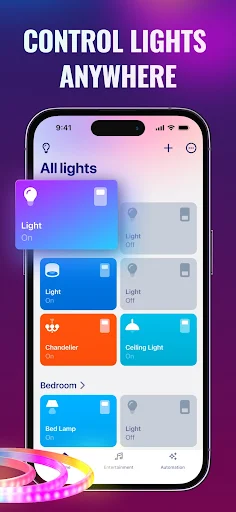
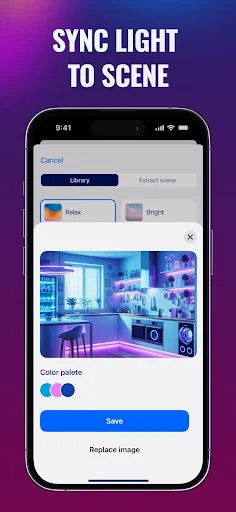
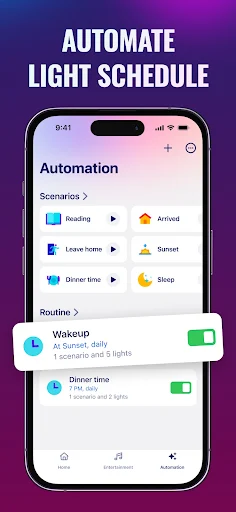
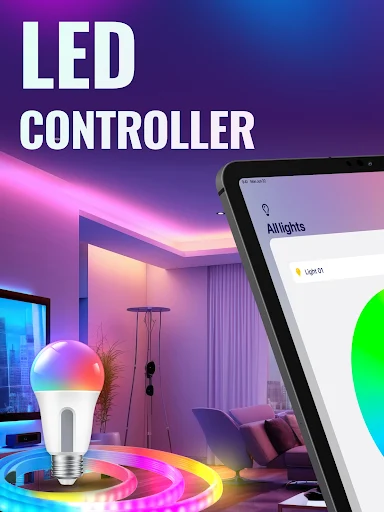
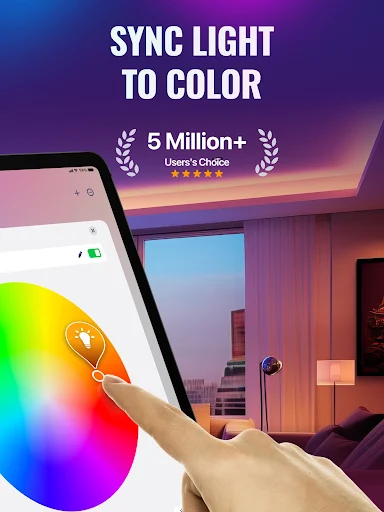
Analysis by Reviewed APKs
LED Light Controller & Remote is a lighting companion for people who already use compatible smart bulbs or light strips and want more than a basic on-off switch. It brings remote control, schedules, music-reactive effects, and themed scenes into one app. After looking at what it offers, I see the appeal: it could make a room easier to set up for a particular mood, though its value depends on your lights and willingness to pay for extras.
A Room Ready for Music
Picture getting home before friends arrive and wanting the living room to feel a little less ordinary. With compatible smart lights connected, the app is meant to let you control them remotely, adjust brightness, and choose a scene without walking around to each bulb. You could set up the room, start music, and let the lighting respond to the song’s mood or tempo. That combination is the app’s clearest everyday draw.
The same idea works on a quieter evening. A themed scene could add color while you watch a movie, or a softer effect could suit a wind-down routine. The description groups scenes around holidays, nature, sport, movies, parties, and sleep or relaxation, so the emphasis is on choosing a feel rather than making tiny adjustments all night. I’d treat the effects as a way to change the atmosphere, not as a substitute for ordinary room lighting.
A Remote, Not a Bulb
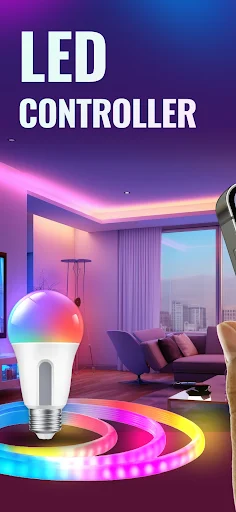
The obvious comparison is the control app that came with your bulbs, or a smart-home app you already use. LED Light Controller & Remote takes a broader lighting-and-effects angle: it describes support for brands including Philips Hue, LIFX, Nanoleaf, and Govee, along with music syncing and a large collection of scenes. That may be useful if you want to explore effects beyond simple brightness and color controls, provided your particular setup is compatible.
This is not a way to turn an ordinary bulb into a smart one, and it is not a music player or a lighting product by itself. You need compatible smart bulbs or strips for its controls to have a purpose. If you only want a dependable switch for one light, your existing bulb app may be enough. The extra appeal here is experimenting with atmosphere, not replacing every part of a smart-home setup.
Make Effects Easy to Reuse
A little planning should make a lighting app like this less fiddly. I’d start by grouping lights around the spaces where I actually use them, since the app describes organizing lights by locations such as a bedroom, living room, or outdoor area. That way, a quick change can be about the room I’m in rather than a hunt through individual bulbs. It is a small habit, but it makes remote control feel more practical.
I’d also save experimentation for moments when I have time, then rely on familiar scenes or schedules during the week. The app describes on-and-off scheduling and brightness control, which can help make a routine repeatable. For music effects, I’d try a few genres or tempos before guests arrive rather than learning the controls mid-party. And if a favorite palette comes from a photo, the stated photo color extraction offers another route to a personal scene.
More From Our News Desk

Zoom Meetings, Google Meet, or Teams: Which Is Easiest to Join?

How I Build a Free Streaming Lineup With Tubi

Why Crunchyroll Is the Default Anime App for So Many Fans

YouTube TV: A Practical Guide to Cutting Cable

Rummikub and the Small Comfort of Phone Games

TeamViewer Remote Control or AnyDesk for Helping Family?
Who Might Enjoy It
I’d recommend giving LED Light Controller & Remote a look if you already own compatible smart lighting and enjoy changing the feel of a room for music, a movie, or a get-together. Its combination of themed scenes, schedules, location-based control, and music-reactive effects is more interesting than a plain remote for someone who likes trying different looks. The broad list of supported brands may also catch the eye of households with more than one kind of smart light.
It may be a poor fit if you do not have compatible bulbs or strips, rarely change your lighting, or want a free experience with no ads or paid options. The app includes ads and in-app purchases, so someone looking only for a simple control tool may prefer the manufacturer’s own app. I’d also keep expectations grounded: the feature list promises a varied set of effects, but the best fit depends on the lights you already have.
LED Light Controller & Remote is a free Tools app from Astraler for Android. Google Play shows over one million installs and a 4.0-star rating from about 29,000 ratings. The app is rated Everyone. It contains ads and offers in-app purchases; the listed price range is $3.99 to $59.99 per item. Those figures give a useful sense of the app’s reach and purchase model before you decide whether to try it.
The current version is 4.0.0. It was released on October 10, 2022, and its most recent update was March 11, 2026. The available details do not give a minimum Android version, so check Google Play for the requirement on your device. The listed purchase range covers different items, and the specific options shown in the store are the best place to check what is currently available.
Lighting That Follows Your Plans
First Look and Setup
When I first opened the idea of this app, what stood out was how many different jobs it tries to combine. It is framed as both a remote for compatible smart lights and a place to explore scenes or music effects. That could be convenient if you want one place to adjust a room and then make it more expressive. The important first step is having lights from a supported system, rather than expecting the app to control any bulb.
The description names Philips Hue, LIFX, Nanoleaf, Govee, and other compatible products. It also suggests organizing lights by location, which sounds useful for a home where a bedroom setup should not be confused with the living room. I would begin with the basic controls and confirm that the lights I own work as intended before spending time on elaborate effects. A little setup at the start can prevent frustration when you want a quick change later.
Everyday Control
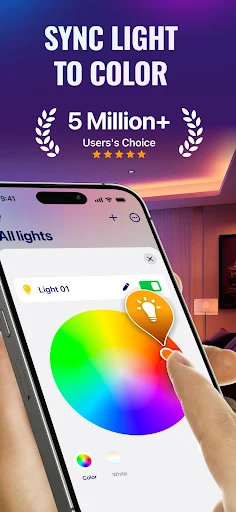
In daily use, the most practical parts are the straightforward ones: remote control, brightness adjustment, and scheduling lights to turn on or off. Those are the features that could earn a place in a normal routine, whether I want a brighter room in the evening or prefer a regular schedule. Location-based organization also makes sense when several rooms are involved, because it keeps the task focused on the space rather than the hardware.
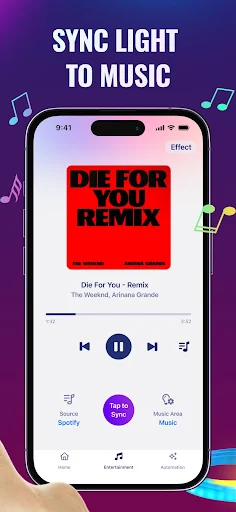
The more theatrical options are there for when ordinary control is not enough. Music syncing is described as responding to a song’s mood or tempo, with support for music from services including Spotify, YouTube, and Apple Music. The app also describes playing available music by genre. I would see this as something to try when I want a light show, rather than a setting I need running every time I turn on a lamp.
Scenes and Personal Color
The scene library is one of the more distinctive parts of the pitch. The app describes more than 100 light scenes, with themes covering holidays, nature, sport, movies, parties, color bursts, and sleep or relaxation. That range gives users a faster starting point than building every effect from scratch. I like the idea of having a few ready-made options for a movie night or a small gathering, especially if changing colors manually feels tedious.
There is also a way to create a theme using color extraction from a photo. That could make a favorite picture a starting point for a room’s palette, rather than limiting the choice to preset looks. I would not expect every scene to suit every room or bulb arrangement, but having both curated themes and a personal option gives the app two different ways to approach color. The interesting part is choosing a look that feels right for your own space.
A Simple Evening Routine
For a practical routine, I’d set up the lights in the rooms I use most, then choose a schedule for the basic on-and-off times that matter to me. I’d keep brightness control close at hand for the moments when a preset feels too intense. Once those everyday pieces were sorted, I’d explore the themed scenes and save a few mental favorites rather than trying to audition every option during a busy evening.
On a night with music, I’d switch to the music-sync feature and try a genre or mood that fits the room. Before friends arrive, I’d test the effect and volume of the lighting experience on my own, so the setup is ready when people are there. That routine makes the app feel like a tool for preparation and atmosphere, not something I need to manage constantly. Schedules handle repetition; scenes and music effects are for occasional variety.
Keep Expectations Practical
Compatibility is the first limit to keep in view. The app names several popular smart-lighting brands, but that does not mean every product or configuration will behave the same way. If your current lights are outside its supported systems, the controls and effects will not be useful to you. I would check compatibility for the specific lights I own before making the app part of a home routine.
The other consideration is the business model. The app is free to install, but it contains ads and offers paid in-app items. That may be fine if the extra scenes and effects are worth exploring, but it is a reason to look at the purchase choices before settling in. Finally, music-reactive lighting is a novelty for some people and a regular party feature for others. If your main goal is basic switching, the more elaborate parts may simply go unused.
LED Light Controller & Remote has a clear niche: it brings basic remote lighting controls together with schedules, themed scenes, and music-responsive effects. I like that it aims to make compatible lights more fun as well as more convenient. The app’s usefulness still rests on having supported smart bulbs or strips, and the ads and paid options are worth considering before you commit to using it regularly.
I’d try it if I already owned compatible lights and wanted more ways to set a mood for music, movies, or guests. For simple everyday switching, I would compare it with the control app I already use and decide whether the extra effects justify another tool. It is best suited to curious smart-light owners, not people looking for a lighting system on its own.
LED Light Controller Frequently Asked Questions
What is LED Light Controller & Remote used for?
It is an Android app for controlling compatible smart bulbs and light strips. Its described features include remote control, brightness adjustment, organizing lights by location, and setting on-and-off schedules. It also offers themed light scenes, music-synced effects, and color themes based on photos. The exact usefulness depends on whether your lights work with the app.
Which devices can run LED Light Controller & Remote?
The app is available for Android. The minimum Android version is worth checking on its Google Play page, since the requirement can vary with the current release and device. The description names compatible lighting systems including Philips Hue, LIFX, Nanoleaf, and Govee, as well as other smart bulbs and strips.
Does LED Light Controller & Remote cost money?
The app is free to install, but it contains ads and offers in-app purchases. Google Play lists purchases ranging from $3.99 to $59.99 per item. The specific options and prices available to you may vary, so check the current Google Play page before purchasing. The app description also explains that subscription purchases may renew automatically.
Does LED Light Controller & Remote work with regular bulbs?
The app is described as a remote and effects controller for compatible smart bulbs and LED strips, rather than a way to make a regular bulb smart. Named systems include Philips Hue, LIFX, Nanoleaf, and Govee. Compatibility can depend on the particular product, so check whether your lights are supported before relying on the app.
Who should try LED Light Controller & Remote?
It may suit Android users who already have compatible smart lights and want schedules, themed scenes, or music-synced effects. People who only need a basic switch, do not own compatible lights, or prefer an app without ads and paid options may find it less appealing. Its Everyone content rating is listed on Google Play.
Pros
- Combines remote control, brightness adjustment, and scheduling for compatible smart lights.
- Offers music-reactive effects and more than 100 themed light scenes.
- Supports several named smart-lighting brands, including Philips Hue and Govee.
- Photo color extraction provides another way to create a lighting theme.
Cons
- Requires compatible smart bulbs or strips to be useful.
- Contains ads and offers in-app purchases, with a broad listed price range.
- Elaborate music and scene effects may be unnecessary for basic light control.
- Category
- Tools
- Version
- 4.0.0











