Learn Javascript
- 8.85K
- 4.5
- Installs
- 500.00K
- Price
- Free
Screenshots
Analysis by Reviewed APKs
Learn Javascript is an Android study app for people who want JavaScript lessons, example programs, and review questions in one place. It could suit a beginner squeezing in a little study between classes or a student revisiting concepts before an exam. After spending time with its mix of tutorials and commented code examples, my take is that it works best as a handy learning companion, not a replacement for building projects in a full coding environment.
A little JavaScript practice
When I imagine using Learn Javascript in a normal week, it’s during a short break when I have my phone but not my laptop. I can open a tutorial, read through a JavaScript topic, then switch to a program example to see how code is put together. The app brings lessons, programs, and questions and answers together, so a quick study session doesn’t require searching across several separate resources.
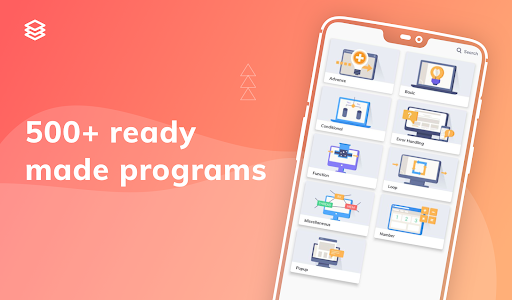
The commented code examples are especially useful for that stop-and-start routine. Rather than just seeing a block of JavaScript, I can follow the explanation attached to it and think about what each part is doing. The app describes its collection as having more than 100 programs. That gives a learner plenty of examples to browse, though understanding them still takes attention; scrolling through code is not the same as practicing it.
A study aid, not a coding desk
Compared with a general web search, Learn Javascript has the advantage of putting tutorials, example programs, and review questions in a single learning-focused app. That can make it easier to keep a study session on one subject instead of bouncing between unrelated pages. Its stated audience includes beginners and people looking for more advanced programming material, as well as students preparing for an exam or JavaScript interview.
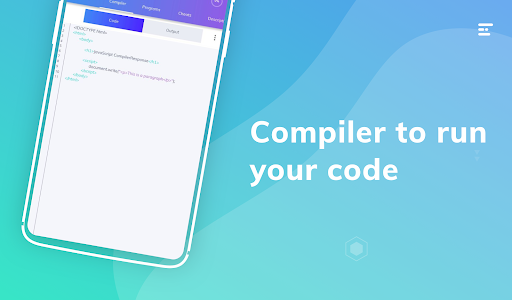
I would treat it as a reference and study companion rather than a complete development setup. The material describes lessons and code examples, but not a full programming workspace for creating and running larger projects. If my goal were to build and test a substantial application, I’d want a coding environment alongside the app. It also isn’t a general computer science course: the focus here is specifically learning JavaScript.
Make short sessions count
I’d get the most from Learn Javascript by choosing one small topic for each session. I might read a tutorial, look for a related program, and then use the questions and answers to check what I remember. That simple loop gives the material a purpose beyond browsing. The app’s question categories and exam questions also offer a way to revisit material when I need more structured review.
Another useful habit is to save or share a tutorial or program when I want to return to it or discuss it with a friend. Sharing is included as a feature, and it suits the social side of learning without requiring a big study plan. I’d also keep notes on concepts that remain unclear and revisit them later. The app supplies learning material; the steady practice and follow-up are still up to me.
More From Our News Desk

Zoom Meetings, Google Meet, or Teams: Which Is Easiest to Join?

How I Build a Free Streaming Lineup With Tubi

Why Crunchyroll Is the Default Anime App for So Many Fans

YouTube TV: A Practical Guide to Cutting Cable

Rummikub and the Small Comfort of Phone Games

TeamViewer Remote Control or AnyDesk for Helping Family?
Who may enjoy studying here
I’d recommend Learn Javascript to curious beginners who want a phone-friendly introduction to JavaScript, and to students who like having lessons and example code close at hand. It may also help someone who already knows a little and wants to review topics through tutorials and questions. The format makes sense for small pockets of study: a few minutes with a lesson is easier to fit into a busy day than setting aside a long session.
It may be less satisfying for learners who need a hands-on coding workspace, a guided project course, or a highly structured path with personal instruction. The described material is tutorials, programs, and question-and-answer content, so I wouldn’t expect it to do the work of building and testing an application for me. People who prefer learning by making things may want to use it alongside a separate coding setup and their own practice projects.
Learn Javascript is an Education app from Coding and Programming. On Google Play, it has over 500,000 installs and a 4.5-star rating from 8,847 ratings. It is free to download, with in-app purchases priced from $3.49 to $169.99 per item, and it contains ads. The content rating is Everyone.
The supplied app details give version 4.2.89, a release date of January 23, 2020, and a last-updated date of October 13, 2026. The minimum Android version is not included in the available app details, so it’s worth checking the Google Play page to see whether your device is supported.
How Learn Javascript Fits Into Real Study
Opening the study app
My first impression is that Learn Javascript is designed to gather the usual pieces of a learning session in one place. Its core material includes tutorials, lessons, programs, and questions and answers, rather than just a list of definitions. That mix gives me a few ways into a topic: read an explanation, inspect an example, or use a question to prompt a quick review.
The app describes its interface as simple and intuitive, and the overall idea is easy to understand: choose JavaScript material and start studying. I’d begin with the basics if I were new to the language, then move between lessons and examples as questions came up. The description covers beginner and advanced tutorials, but it doesn’t prescribe a specific sequence, so I’d set my own pace.
Lessons in daily use
The day-to-day experience is centered on reading and reviewing. I can use a tutorial when I want an explanation, then look at a program to see code in context. Commented examples are a practical bridge between the two, because they give me something concrete to examine rather than leaving a concept entirely abstract. The questions and answers add another study format when I want to check what I’ve taken in.
I like that these formats can support different moods and time limits. On a longer break, I might read through a lesson; when I’m short on time, a question or one example can be enough to keep a topic fresh. There’s no need to treat every session as a major milestone. For me, the app makes more sense as a resource I return to regularly than as something to rush through in one sitting.
Examples and review questions
The collection of commented JavaScript programs is the feature I’d expect to revisit most. The app says it includes more than 100 examples, and comments can help explain how a particular piece of code is intended to work. I’d read an example slowly, pause at each comment, and try to explain the code in my own words before moving on. That turns browsing into a more active kind of study.
The questions and answers also stand out because they give the material a review angle. They are described as covering different categories, with important exam questions among them. That may be convenient for students preparing for an exam or for anyone who wants to revisit key points. I wouldn’t mistake review questions for a full assessment of practical coding skill, but they can help me notice which concepts deserve another look.
A repeatable study routine
A practical routine could start with one tutorial section during a commute or quiet moment at home. I’d keep the goal narrow: understand one idea, rather than trying to cover JavaScript all at once. Next, I’d look for a program that gives me a related example and follow its comments. Even a brief session feels more useful when I connect the explanation to a piece of code.
Later, I’d return to the topic through the questions and answers, especially if I were studying for an exam. If something still feels fuzzy, I could revisit the tutorial or share a useful lesson or program with a friend. Sharing is one of the app’s described features, and it can make a topic easier to discuss. The routine stays lightweight while giving me several ways to engage with the same material.
Keep expectations practical
The main limitation to keep in mind is that the described learning material focuses on tutorials, programs, and questions and answers. That is a useful collection for studying, but it doesn’t establish that the app provides a complete environment for writing, running, and debugging larger projects. I’d pair it with a suitable coding setup if my goal were to apply JavaScript in substantial hands-on work.
There’s also a difference between having advanced tutorials available and following a detailed progression from beginner to expert. The description mentions material for both levels, but doesn’t set out a formal learning path. I’d choose topics deliberately and build in practice rather than assuming that reading alone will make the skills stick. The app is best approached as one part of a learning routine, with my own effort filling in the rest.
Learn Javascript brings together several useful study formats for one specific subject: JavaScript tutorials, commented code examples, and review questions. I like the idea of being able to switch between explanation and example without leaving a focused learning app. It is most convincing for short, regular study sessions and for keeping reference material nearby.
I’d try it if I were starting to learn JavaScript or wanted a compact review companion, especially as a student. I’d look elsewhere or add another tool if I needed a full coding workspace or a project-led course. With sensible expectations, it can be a practical place to read, review, and keep examples within reach.
Learn Javascript Frequently Asked Questions
What is Learn Javascript used for?
Learn Javascript is an Android Education app for studying JavaScript. Its material includes programming tutorials and lessons, commented code examples, questions and answers in different categories, and important exam questions. It also describes sharing tutorials and programs with friends as a feature. It is best thought of as a study and reference companion, rather than assuming it replaces a separate coding environment.
Which devices can run Learn Javascript?
Learn Javascript is an Android app available through Google Play. The supplied details do not give a minimum Android version, so check its Google Play page for current device requirements before installing. Whether a particular phone or tablet is compatible can depend on its software and the store’s current compatibility information.
Does Learn Javascript require a particular Android version?
The minimum Android version is not included in the app details used for this review. I’d check the Google Play page from the device you plan to use, since that is the practical place to see compatibility for your Android version. The app’s current version is given as 4.2.89, but that does not by itself establish a minimum system requirement.
Is Learn Javascript free, and does it have purchases?
Learn Javascript is free to download and contains ads. It also offers in-app purchases, with listed item prices ranging from $3.49 to $169.99. The price of a particular item may vary, so check the Google Play page for the current purchase details before deciding. The app’s free download does not mean that every possible in-app item is free.
Is Learn Javascript suitable for beginners?
The app describes JavaScript basics for beginners as well as tutorials intended for more advanced learners, so it may suit someone starting out or reviewing familiar material. It also includes example programs and questions for study. Learners who want a full coding workspace or a project-focused course may prefer to pair it with another tool, since the described emphasis is on lessons and reference content.
Pros
- Combines JavaScript tutorials, lessons, commented programs, and review questions in one app.
- Includes more than 100 code examples, according to the app description.
- Offers material for beginners, advanced learners, and exam preparation.
- Lets users share tutorials and programs with friends.
Cons
- The described material does not establish a full workspace for coding and testing projects.
- The learning description does not specify a structured path through its topics.
- Contains ads and offers in-app purchases.
- Category
- Education
- Version
- 4.2.89











