LaView
- 2.96K
- 3.2
- Installs
- 500.00K
- Price
- Free

Screenshots

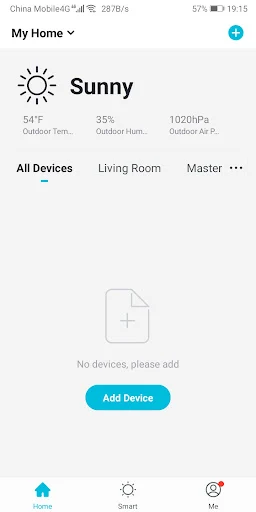
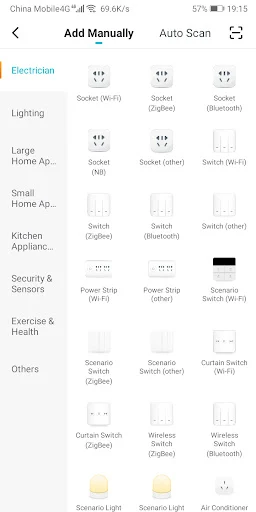
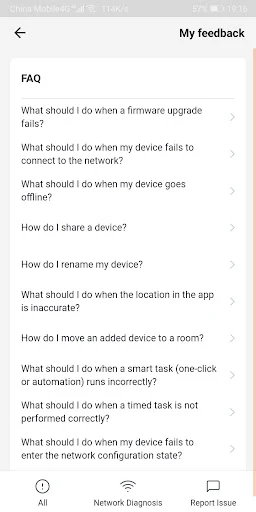
Analysis by Reviewed APKs
LaView is a companion app for connecting to and remotely monitoring LaView wireless IP cameras, with support for other smart-home integration. I’d consider it for someone who already owns compatible LaView equipment and wants to check in from a phone or share access with family. Its purpose is practical and focused; it’s less compelling if you’re looking for a general-purpose home security service.
Checking In Remotely
When I first opened LaView, I thought about the small moments when a camera app is useful: checking a room while away, or taking a quick look at home between errands. The basic job is straightforward. Connect a LaView IP camera to the internet, then use the app to access and monitor it remotely. That makes the phone a convenient viewing point rather than requiring you to be beside the camera.
The setup is built around connecting the app to LaView devices, and the description emphasizes making that connection quickly. Once a camera is online, remote access is the main reason to return. I’d expect the app to be most useful as a quick check-in tool during an ordinary day, rather than something that demands constant attention. Its value depends on having LaView camera equipment to connect in the first place.
A Camera Companion, Not a Hub
Compared with opening a camera’s separate viewing interface or relying on an on-site check, LaView puts remote camera access on a phone. It also includes device sharing, which can help when more than one person in a household needs access. The app mentions broader smart-home integration, too, though the clearest functions described are connecting LaView IP cameras and monitoring them remotely.
I wouldn’t treat LaView as a general home-automation dashboard or a substitute for buying and installing compatible hardware. The app is specifically described in relation to LaView products, and its core job is camera access. If you don’t own LaView equipment, or want a service centered on a different camera system, this is unlikely to be the right starting point. That focus is useful, but it narrows its audience.
Make Sharing Routine
A simple habit that makes sense here is to connect the camera when you have time at home, then check remote access before relying on it while away. That keeps the app’s everyday role clear: open it when you want to monitor a connected camera, rather than treating it as a place to manage unrelated tasks. The described easy-connection process is intended to make getting a device linked less of a chore.
If family members also need access, the one-tap device-sharing feature offers a straightforward way to include them. I’d think through who actually needs to check the camera and share accordingly, rather than having every person start from scratch. The app’s description doesn’t spell out a detailed household workflow, so the practical routine is simple: connect your LaView device, use remote access when needed, and share the device with family if useful.
More From Our News Desk

Zoom Meetings, Google Meet, or Teams: Which Is Easiest to Join?

How I Build a Free Streaming Lineup With Tubi

Why Crunchyroll Is the Default Anime App for So Many Fans

YouTube TV: A Practical Guide to Cutting Cable

Rummikub and the Small Comfort of Phone Games

TeamViewer Remote Control or AnyDesk for Helping Family?
Who Might Find It Useful
I’d recommend LaView to someone who already uses LaView wireless IP cameras and wants to monitor them from a phone. Remote access is the central benefit, while device sharing gives families a reason to use the same companion app. The app could suit a person who wants a direct way to check a connected camera without making camera monitoring part of a larger, more complicated routine.
It may not suit people without LaView equipment, or anyone expecting a broad smart-home control center based on the limited feature description. It also isn’t presented as a general camera-management tool for other brands. On Google Play, its rating is 3.2 from about 2,960 ratings, which is worth weighing alongside your own device needs. I’d check compatibility and the current store details before making a decision.
LaView is published by LaView Eagle-Eye Technology Inc. On Google Play, it has over 500,000 installs and a 3.2-star rating from about 2,960 ratings. The app is free to download, with no in-app purchases or ads. Its content rating is Everyone, so the store categorizes it as suitable for a general audience.
The current version is 3.0.3. It was released on December 12, 2019, and was last updated on November 10, 2025. The Android version requirement is worth checking on Google Play for the device you plan to use. These figures describe the app, but your camera’s compatibility and setup needs are also important practical considerations.
A Focused Companion for LaView Cameras
Getting Started
My first impression is that LaView has a clear, hardware-led purpose. It’s meant to connect with LaView IP cameras and make them accessible through the app. The stated setup begins by connecting a camera to the internet, then linking it with the app. That sequence makes the camera and its connection the foundation of the experience, rather than the phone app working as a standalone tool.
The description calls the connection process easy and quick, but the actual setup still depends on getting the camera online. I’d set aside a few minutes to connect the device and confirm remote access before counting on it away from home. LaView also offers support through email and live chat in the app for questions about using LaView products, which gives users a route to ask for help.
Everyday Monitoring
Day to day, the main reason to open LaView is to monitor a connected camera remotely. I can picture checking in during a lunch break or while running an errand, then closing the app once I’ve seen what I needed. That is a modest but useful role: the app extends access to a LaView camera beyond the home network and puts the check-in within reach.
The app’s value comes from that convenience, not from adding a long list of unrelated activities. If camera monitoring is occasional, a direct companion app can keep the task simple. If it is part of your daily routine, having remote access available matters more. Either way, LaView is only as useful as the camera you’ve connected and the moments when you need to view it.
Sharing and Integration
Device sharing is one of the more practical details because camera access often involves more than one person. LaView describes a one-tap way to share devices with family members. That can save the household from treating one person as the only point of access, and it makes the app more relevant when several family members may want to monitor the same LaView device.
LaView also describes support for smart-home integration alongside its wireless cameras. That suggests the app is intended to sit within a LaView product setup, rather than handle only a single isolated camera task. The available details are clearest about camera connection, remote access, monitoring, and sharing, so those are the functions I’d focus on when deciding whether it fits.
A Simple Check-In Routine
A practical routine could start with connecting a LaView IP camera to the internet and linking it through the app while you’re at home. After that, remote access gives you a way to monitor the camera when you’re elsewhere. I’d make one brief check before leaving the house if I planned to rely on the app later, so the basic connection is already in place.
For a shared household, device sharing can be part of setup rather than an afterthought. Give family members access if they have a reason to check the camera, then let each person use LaView when needed. This routine stays close to the app’s stated functions. It doesn’t require turning every check-in into a project, which is a good fit for a tool meant to provide convenient camera access.
Keep Expectations Grounded
The biggest limitation is also the clearest: LaView is a companion for LaView products. Without a compatible camera or other relevant LaView device, there’s little reason to install it. Its camera-monitoring purpose is specific, so people looking for a broad alternative that works across many brands should look carefully at their equipment before choosing it.
The store rating is 3.2 stars from about 2,960 ratings, so I wouldn’t assume every user has a smooth experience. The supplied details explain the intended connection and monitoring features, but don’t describe every possible device or setup variation. I’d check the current Google Play information and confirm that my camera is supported before building a household routine around the app.
LaView makes sense as a focused companion app: connect a LaView IP camera, access it remotely, and share the device with family when needed. I like that its purpose is easy to understand, though that same focus means it won’t help much without the right LaView equipment.
I’d try it if I already owned a compatible LaView camera and wanted phone-based check-ins. If I needed cross-brand support or a much broader smart-home tool, I’d compare alternatives first. The modest store rating is another reason to check device compatibility and current details before settling on it.
LaView Frequently Asked Questions
What is the LaView app used for?
LaView is described as a companion for LaView wireless IP cameras and smart-home integration. Its main stated uses are connecting a camera to the internet, accessing it remotely, and monitoring it through the app. It also includes device sharing, so family members can be given access to a device.
Which devices and platforms work with LaView?
The app description focuses on LaView IP cameras and other LaView smart-home products. Check the current store information and your device details to make sure your particular equipment is supported. Requirements and compatibility can vary by device, so it is worth checking before you set up a camera.
What Android version does LaView require?
The Android version requirement can vary with the app and device, so check LaView’s Google Play store information for the current requirement before installing. Your camera also needs to be connected to the internet for the described remote access and monitoring features to work.
Is LaView free, and does it have in-app purchases?
LaView is free to download on Google Play. The supplied store details say it has no in-app purchases and contains no ads. Check the current store information for details that may change, and remember that the app is intended to work with LaView equipment.
Is LaView a good fit for my household?
It may suit households that use LaView cameras and want to check them remotely or share device access with family. It may not suit someone without LaView products or someone looking for a general camera app. The current Google Play rating is 3.2 stars from about 2,960 ratings.
Pros
- Remote access lets users monitor connected LaView IP cameras away from home.
- Device sharing offers a simple way to give family members access.
- The app is free to download and has no ads or in-app purchases.
- In-app live chat and email are offered for LaView product questions.
Cons
- Its usefulness depends on owning compatible LaView equipment.
- The 3.2-star Google Play rating suggests experiences may be mixed.
- The available feature details focus mainly on camera connection and monitoring.
- Category
- Tools
- Version
- 3.0.3











