KakaoTalk : Messenger
- 3.30M
- 2.9
- Installs
- 100.00M
- Price
- Free

Screenshots



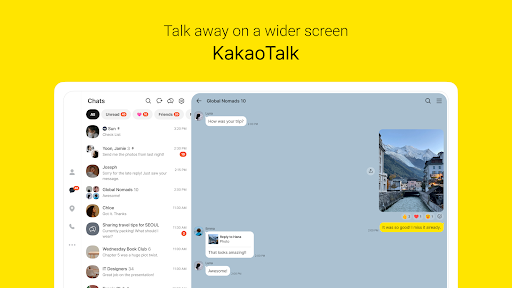
Analysis by Reviewed APKs
KakaoTalk is a messaging app for keeping up with friends, family, and colleagues through one-to-one and group chats, calls, and shared media. I found its appeal in the way it combines everyday conversation with tools for sorting discussions and finding topic-based communities. It suits people whose contacts already use it, especially anyone who wants more than a basic text-and-call app, though its extra features can take time to explore.
A Busy Day in the Chats
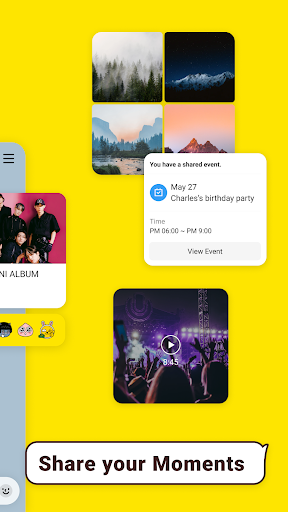
When I picture KakaoTalk in a regular routine, it is the place I would open between errands to answer a family message, send a photo, and catch up with a colleague in a separate group. Photos, videos, and files can be shared directly in a conversation, so the app can handle the small exchanges that otherwise get scattered across different tools. It is most useful when the people I need to reach are already there.
For a lively group, the challenge is not always starting a conversation but keeping several topics understandable. KakaoTalk offers chat folders to organize discussions, message editing and deletion, and Threads to keep a particular topic from getting lost in a busy room. I would use those tools when a group is coordinating something over several days. They do not remove the need to follow up, but they give conversations more structure than a plain stream of messages.
More Than Basic Messaging
Compared with a stripped-down messenger, KakaoTalk brings together text, media sharing, voice and video calls, and community discovery through Open Chat. That breadth is useful if I want to switch from a private conversation to a group call or browse discussions around an interest without leaving the app. Calls can include up to 10 people, and screen sharing gives the group another way to look at something together.
I would not treat it as a dedicated social network, work-management system, or a substitute for every communication tool. Open Chat adds a community element, but its core remains messaging and calls. Nor does a broad feature list automatically make it the best choice for every contact: a messenger is only practical when the people I want to reach are willing to use it. If I only need occasional basic texts, some of KakaoTalk’s extra layers may feel unnecessary.
Small Habits That Help
I would start by separating chats into folders if my conversations span family, friends, and work. That simple habit makes a bigger difference than browsing every setting at once, especially when a group is active. If a discussion branches into a new subject, Threads can give that topic its own track. Editing or deleting a sent message is also handy for correcting a quick mistake without letting it distract from the rest of the exchange.
For conversations that need more than text, I would choose the feature that fits the moment rather than adding noise: send a file when a group needs to see it, or start Voice Talk or Face Talk when typing is becoming awkward. Open Chat can be a way to see trends around a topic before entering a room. On a Wear OS device, recent chat history, quick replies, and simple emoticons offer a smaller companion experience when the phone is not in hand.
More From Our News Desk

Zoom Meetings, Google Meet, or Teams: Which Is Easiest to Join?

How I Build a Free Streaming Lineup With Tubi

Why Crunchyroll Is the Default Anime App for So Many Fans

YouTube TV: A Practical Guide to Cutting Cable

Rummikub and the Small Comfort of Phone Games

TeamViewer Remote Control or AnyDesk for Helping Family?
Who May Enjoy KakaoTalk
I would recommend KakaoTalk to people who already have friends, relatives, or colleagues using it and want one app for messages, shared media, and group calls. It also makes sense for anyone who likes organizing conversations or is curious about Open Chat communities. The combination of chat folders, Threads, and calls gives active groups useful ways to keep discussions moving without requiring everyone to switch between separate apps.
It may be less appealing to someone who wants only a very simple messaging interface or whose main contacts use other services. KakaoTalk includes communities, profile options, emoticons, and AI features alongside its core communication tools, so there is more to take in than a bare-bones messenger. I would also keep its Google Play rating in perspective: a low score can be a reason to read current user feedback before deciding, rather than a complete account of how it will suit my own routine.
KakaoTalk : Messenger is a communication app from Kakao Corp. It has over 100 million installs on Google Play and a 2.9-star rating from about 3.3 million ratings. The app is free to download, with in-app purchases priced from $0.49 to $359.99 per item. Google Play indicates that it contains ads, and its content rating is Teen.
The app was released on August 23, 2010, and its current version varies with the device. Google Play gives November 1, 2026 as the date of its last update. The minimum Android version is not included in the available app details, so check the Google Play page for the requirement shown for your device before installing.
A Messenger With Room to Branch Out
First Open and Setup
My first impression of KakaoTalk is that it wants to be an everyday communication hub rather than a single-purpose inbox. The main proposition is clear: talk one to one or in groups, share media, and make calls. Around that are discovery and personalization options that I could explore later. That balance means a new user can begin with ordinary conversations, then decide whether the broader features are actually useful.
The app may request access to device functions for particular tasks, such as the microphone for calls or voice messages, and the gallery for sending and saving media. The description says optional permissions can be declined, though some functions may then be limited. I appreciate that distinction: I can consider access when I reach a feature that needs it instead of treating every permission as necessary for basic conversation.
The Daily Conversation
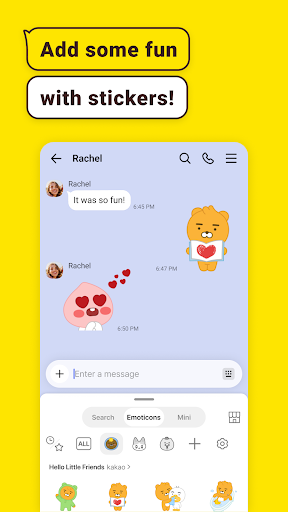
For everyday messaging, KakaoTalk covers the basics of keeping a conversation going and adding context when text is not enough. Sending photos, videos, and files is part of the chat experience, while emoticons offer another way to express a reaction. In a group, these small additions can make a conversation feel less like a task list and more like a place where people are actually talking.
The tools for managing chat become more relevant as conversations accumulate. Folders help sort chats, and Threads are designed to keep topics clear within discussions. I would not expect these features to organize everything automatically; they are most helpful when I make a habit of using them. Message editing and deletion are practical safeguards for a typo or a message I need to correct after sending.
Calls and Community Discovery
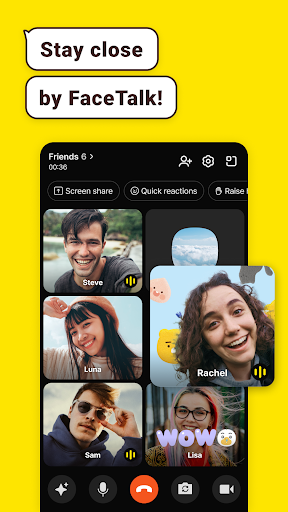
Voice Talk and Face Talk extend the app beyond written exchanges. Group calls support up to 10 people, and a call can switch to Face Talk or include screen sharing. Face Talk also has screen effects. Those options could be useful when friends are catching up, or when a group needs to look at the same information while talking, without turning the app into a dedicated meeting platform.
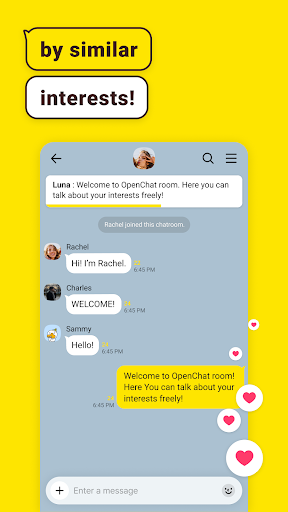
Open Chat is the more social side of KakaoTalk. It lets people discover communities around subjects that interest them, and the app can show real-time trends in those communities without requiring someone to enter a chat room first. I like that as a way to browse before committing to a discussion. It is distinct from simply messaging existing contacts, so users who prefer a quiet inbox can leave it aside.
A Practical Weekly Routine
A routine I would use is to check the folders for the conversations that need attention, answer the quick messages, and then use a Thread when a group’s side discussion needs its own focus. If someone sends a photo or file that matters to the group, keeping it in the relevant chat makes the exchange easier to follow than moving between unrelated services. The point is not to create a system for every conversation, only to add structure where it helps.
For a longer catch-up, I would switch to a group voice or video call rather than stretching a group chat into a slow back-and-forth. Screen sharing could help when everyone needs to see the same thing. On days when I am curious about a new subject, I could browse Open Chat trends and decide whether to enter a room. That gives the app both a practical communication role and an optional discovery role.
Things to Keep in Mind
KakaoTalk has a lot going on, and that breadth will not suit everyone. If I only want a clean place for simple messages, Open Chat, profile visibility settings, emoticons, and calling options may be more than I need. The app’s low Google Play rating is another reason to read recent reviews and consider whether its particular mix of features matches my expectations before settling on it as a primary messenger.
Some features depend on permissions: a call needs microphone access, for example, while sending or saving media involves gallery access. Wear OS support also depends on syncing the watch with KakaoTalk on a mobile device. I would keep those practical dependencies in mind and check the current store information for device requirements. The version varies by device, so the experience and available updates may not look identical everywhere.
KakaoTalk is a capable choice for people who want messaging, media sharing, group calls, and topic-based communities together. Its organizational tools give busy chats a little more shape, while Wear OS support offers a useful companion option for synced users. The overall experience is broader than a simple messenger, and that is both its main appeal and the reason it may feel like more app than some people need.
I would try KakaoTalk if the people I talk with are already there and I value its mix of chat, calls, and Open Chat discovery. I would compare it with simpler alternatives if all I need is occasional text messaging. With a 2.9-star Google Play rating, I would also read current feedback and check device compatibility before making it my everyday communication home.
KakaoTalk Frequently Asked Questions
What is KakaoTalk : Messenger used for?
KakaoTalk is used for one-to-one and group conversations, sharing photos, videos, and files, and making voice or video calls. It also includes Open Chat communities for discovering discussions around interests. Additional features include chat folders, Threads, message editing and deletion, emoticons, and support for synced Wear OS devices.
Which devices can run KakaoTalk : Messenger?
KakaoTalk is available on Android through Google Play, and the app description also mentions support for Wear OS devices synced with KakaoTalk on mobile. The minimum Android version can vary with device and is worth checking on the Google Play page. Wear OS features require syncing with the mobile app.
Does KakaoTalk : Messenger cost money?
KakaoTalk is free to download on Google Play. It offers in-app purchases, with listed item prices ranging from $0.49 to $359.99, and Google Play indicates that the app contains ads. Those details can change, so check the current store page for the latest purchase information.
What Android version does KakaoTalk : Messenger require?
The minimum Android version is not specified in the app details provided here. Requirements can vary by device or app update, so check the Google Play page from the Android device you plan to use. The app’s version is also shown as varying with device.
Is KakaoTalk : Messenger right for a casual user?
It can suit casual users who want to message people already using KakaoTalk, share media, or join group calls. It may feel less necessary if you only need basic texting or your contacts use other services. The app includes optional community and personalization features, so you can focus on everyday chats and explore the rest as needed.
Pros
- Combines messaging, media sharing, and group calls in one communication app.
- Chat folders and Threads can help keep active discussions organized.
- Open Chat offers a way to explore interest-based communities and trends.
- Wear OS support includes recent chats, quick replies, and simple emoticons.
Cons
- Its many communication and discovery features may feel like too much for basic messaging.
- The Google Play rating is 2.9 stars, so reading recent user feedback is sensible.
- Wear OS support requires syncing with KakaoTalk on a mobile device.
- Category
- Communication











