Joyhub
- 1.56K
- 4
- Installs
- 1.00M
- Price
- Free

Screenshots
Analysis by Reviewed APKs
Joyhub is an Android app that brings remote toy controls together with chat and a social community. It is aimed at adults who want to connect with a partner, explore interactive control modes, or share and find community posts in one place. My overall take is that it offers a broad mix of personal and social features, but it suits people comfortable with an adult-oriented app more than anyone looking for a simple general-purpose community.
A Connected Evening
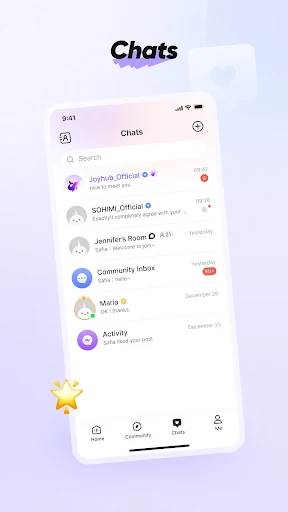
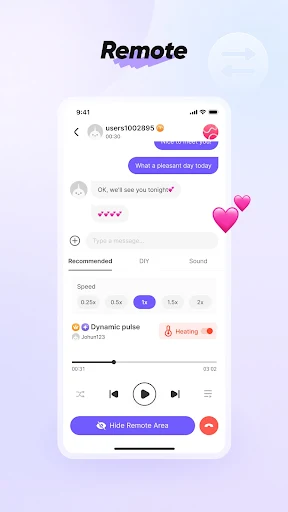
When I think about Joyhub’s everyday role, I picture someone settling in after a busy day and opening the app to connect with a partner who is elsewhere. The toy-control modes give that interaction a few different starting points, while video calls and voice messages add ways to communicate. Rather than switching between separate control and chat tools, the app brings those activities into one adult-focused space.
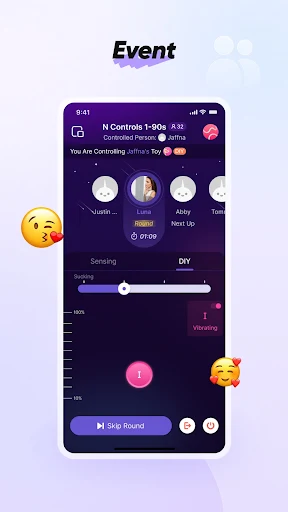
A session could begin with a conversation, move into one of the control modes, and later wind down with a look through community posts. The app also offers mini games, sound-based controls, and a DIY mode, so the experience is not limited to one interaction style. The important practical detail is that Bluetooth toy connection and remote control depend on the required Android location permission when using Bluetooth on Android 11 or newer.
More Than a Controller
The obvious alternative is a dedicated toy-control app, or a separate chat service paired with a social platform. Joyhub’s appeal is its combination: control modes, partner communication, community posts, search, polls, and image editing all sit under one roof. That breadth may be useful if you want social features alongside private interactions, rather than treating connected control as the app’s only job.
That same breadth means Joyhub is not a general-purpose messaging app or a broad interest network for every audience. Its mature rating and adult-focused controls make its intended context clear. It also is not simply a remote switch: the range of modes, community tools, and AI-oriented options makes it a more involved experience. If you only want a basic controller with no social layer, much of its feature set may be beside the point.
Small Ways to Settle In
I would start by deciding which parts of Joyhub I actually want to use, rather than trying every feature at once. Someone mainly interested in community can explore posts, search, and polls; someone connecting with a partner can focus first on chat and toy-control modes. The option to customize channel order is useful for making the community side feel less cluttered once you know which channels matter to you.
For sharing, the built-in image editing tools can add text or mosaic effects to a post before it goes up. AI audio creation turns text into spoken audio with a choice of voice styles, while the AI storyline lets users choose a role for an interactive scenario. I would treat these as optional creative tools, not required steps. Checking the community guidelines before posting is a sensible part of using a social app.
More From Our News Desk

Zoom Meetings, Google Meet, or Teams: Which Is Easiest to Join?

How I Build a Free Streaming Lineup With Tubi

Why Crunchyroll Is the Default Anime App for So Many Fans

YouTube TV: A Practical Guide to Cutting Cable

Rummikub and the Small Comfort of Phone Games

TeamViewer Remote Control or AnyDesk for Helping Family?
Who May Enjoy Joyhub
I’d recommend Joyhub to adults who want a connected toy experience with partner communication and social features in the same app. The variety of control modes gives people options to explore, and the community tools offer a place to browse, search, share, or create polls. It may particularly suit someone who values having those activities together instead of maintaining a separate app for each one.
It may not suit someone seeking a non-adult social app, a minimal controller, or a community platform unrelated to intimate connections. The app’s mature rating is worth taking seriously, and its social side means users should be comfortable with posting and interacting in a community. Bluetooth users also need to consider Android’s location permission requirement for toy connections on Android 11 and newer.
Joyhub is developed by GAP computer solutions inc and is available on Android through Google Play. It has more than one million installs and a 4.0-star rating from around 1,600 ratings. The app is free to download, contains ads, and does not offer in-app purchases. Its content rating is Mature 17+, which fits its adult-oriented features and intended audience.
The current version is 2.15.1. Joyhub was released on June 27, 2024, and its most recent update is dated October 20, 2026. The minimum Android version is not included in the available app facts, so anyone checking compatibility should look at the Google Play store information for their device.
A Closer Look at Joyhub
A Feature-Rich First Look
Joyhub makes a clear first impression: it is not just a single-purpose remote control. Community features, partner chat, toy controls, creative tools, and AI options are all part of the picture. That range may be appealing, though it also asks new users to decide what they care about before the app feels straightforward. I’d approach it as a collection of tools rather than expecting one simple central activity.
The practical setup question is whether you plan to use Bluetooth-connected toys. Joyhub says Android 11 and newer require location permission for apps using Bluetooth, and without that permission it cannot connect, add, or remotely control toys over Bluetooth. That is worth understanding before troubleshooting a connection. The permission note applies to that Bluetooth use, rather than describing every feature in the app.
The Everyday Experience
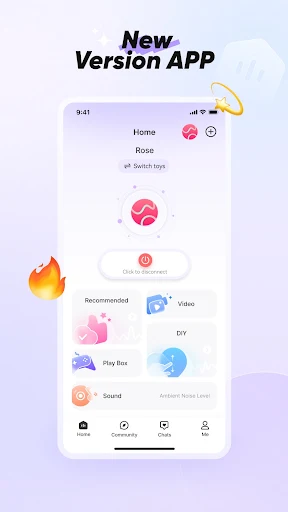
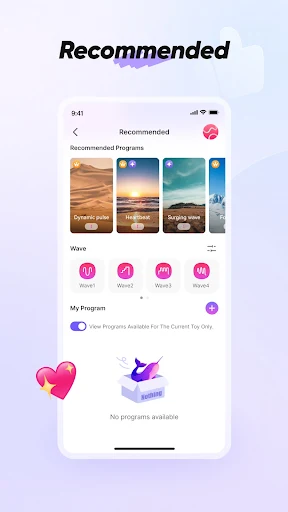
Day to day, Joyhub’s strength is that communication and control can happen in the same app. Video calls and voice messages give partners ways to stay in touch, while the eight control modes offer different approaches to an interaction. The modes include AI Lover, Recommended, Video, DIY, Mini Games, Sound, Remote Control, and Shake It, giving users a menu of options rather than one fixed routine.
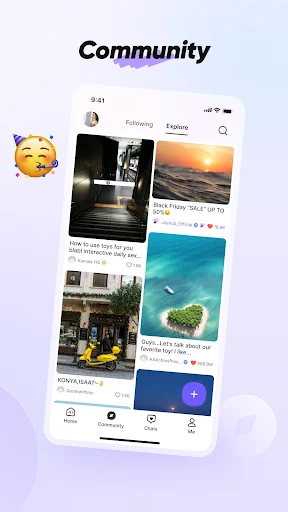
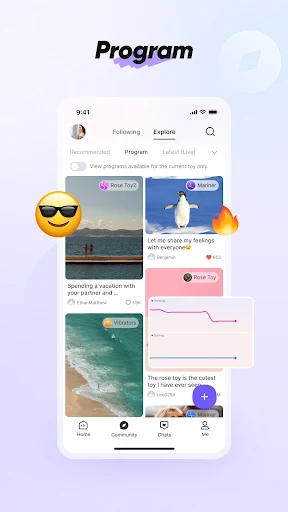
The social community adds a separate rhythm to the app. Users can browse engaging content, share posts, search, create polls, and arrange the order of channels. I can see that being useful for someone who wants a community element alongside partner features, although it also makes Joyhub busier than a dedicated controller. Keeping those two sides distinct in your own routine may help the app feel easier to navigate.
Tools Beyond Remote Control
Some of Joyhub’s more distinctive features are aimed at creating or shaping content. Posts can be edited with text and mosaic tools, offering a little control over what an image communicates before sharing. AI audio creation converts text into voice audio in different styles. These tools give the app a creative dimension beyond controlling a connected device or exchanging messages.
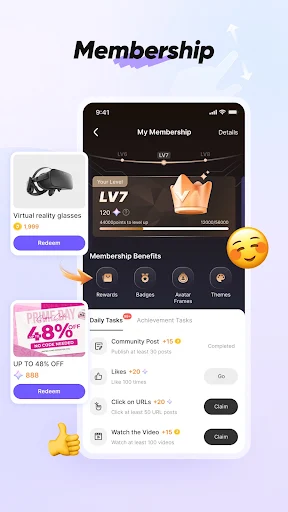
The AI storyline feature lets users choose a role and enter an interactive scenario. There is also an official activity center for joining activities when available, and users can link personal social media accounts. Membership upgrades require SMS verification according to the app description. Together, these options underline how Joyhub combines personal interaction, community participation, and content tools instead of focusing narrowly on one feature.
A Simple Personal Routine
A practical way to use Joyhub might be to begin with the part that matters most that day. For a partner-focused session, that could mean opening chat first, then choosing a control mode that fits the moment. For a more social visit, it could mean checking posts, using search to find relevant content, or creating a poll. The app’s channel-order customization can help put preferred community areas where they are easier to reach.
If sharing is part of the routine, editing an image before posting offers text and mosaic options. I’d also make a habit of reviewing community guidelines before contributing, since Joyhub is built around user posts and interaction. The app describes a global, inclusive community, but the most useful approach is still to be deliberate about what you share and which social features you choose to use.
Limits to Keep in Mind
Joyhub’s range is also its main trade-off. Someone who wants only a straightforward Bluetooth controller may find community posts, AI tools, and social options unnecessary. On the other hand, someone who wants a general-purpose social network may find the adult-oriented focus too specific. The Mature 17+ content rating is a clear signal that this is not an app for every audience or setting.
Bluetooth control has a permission dependency on newer Android versions: location permission is required under Android’s system requirements, and refusing it prevents Joyhub from connecting, adding, or remotely controlling toys over Bluetooth. The app also contains ads, even though it is free and has no in-app purchases in the provided store facts. Those details are worth weighing against the convenience of its all-in-one approach.
Joyhub is a broad adult-focused app that combines remote toy control, partner communication, community interaction, and creative features. Its biggest advantage is having those options together; its biggest drawback is that the breadth and mature focus will not suit everyone. I’d call it a better fit for people who want both connected interactions and a social layer than for anyone seeking a bare-bones controller.
If that combination sounds useful, Joyhub is worth considering, provided you are comfortable with its mature audience and ads. Android users planning to connect through Bluetooth should also be prepared for the location permission requirement on Android 11 and newer. For people who want a simple, non-adult community or only basic device control, I’d look for a more focused option.
Joyhub Frequently Asked Questions
What is Joyhub used for?
Joyhub combines remote toy-control modes with partner communication and a social community. It also includes posts, search, polls, image editing, AI audio creation, and an interactive AI storyline. Its adult-oriented focus makes it most relevant to adults looking for connected interactions and community features together, rather than a general-purpose social app.
Which devices and platforms support Joyhub?
Joyhub is an Android app available through Google Play. Its description discusses Bluetooth toy connections, video calls, voice messages, and community features. If you need to confirm whether a particular phone or Android version is compatible, check the app’s Google Play information, since requirements can vary by device and store details.
What Android version does Joyhub require?
The available app information does not give a minimum Android version. Joyhub does explain that Android 11 and newer require location permission for apps using Bluetooth, and that denying it prevents Bluetooth toy connection and remote control. For the minimum system requirement on your device, check the Google Play store information.
Does Joyhub cost money to use?
Joyhub is free to download and the provided store facts say it has ads but no in-app purchases. The app description mentions membership upgrades and SMS verification for membership levels, but it does not give a price. Check the Google Play information for current details, since store information and availability can vary.
Is Joyhub suitable for everyone?
Joyhub has a Mature 17+ content rating and adult-focused toy-control features, so it is intended for an adult audience rather than children or people seeking a general-interest community. Its mix of social tools may appeal to adults who want community and partner features together. Anyone unsure about suitability should review the Google Play rating and app information.
Pros
- Combines partner chat, remote toy controls, and community features in one Android app.
- Offers eight toy-control modes, including DIY, mini games, sound, and remote control.
- Includes practical community tools such as search, polls, channel ordering, and image editing.
- Free to download with no in-app purchases according to the provided store facts.
Cons
- The adult-focused content and Mature 17+ rating make it unsuitable for some users.
- Bluetooth toy control on Android 11 and newer requires location permission.
- Its many social and creative features may feel excessive for users wanting only a basic controller.
- Category
- Tools
- Version
- 2.15.1











