Joel Osteen Ministries
- 8.03K
- 4.7
- Installs
- —
- Price
- Free

Screenshots
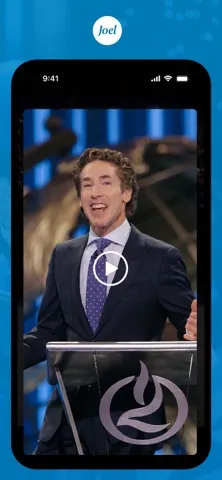
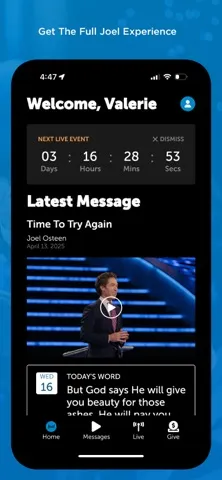
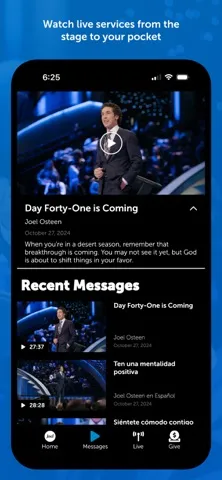
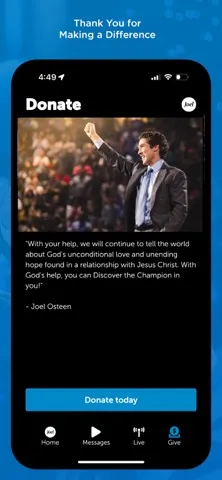
Analysis by Reviewed APKs
Joel Osteen Ministries is an iPhone and iPad app for watching Joel Osteen’s messages, worship, and live Lakewood Church broadcasts. It suits people who already enjoy this ministry and want its video content close at hand, rather than a general-purpose faith or reading app. I like its focused purpose: it brings the ministry’s messages and live viewing together, with search and bookmarks to make returning to useful content easier.
A quiet moment for a message
When I want a few minutes of encouragement before the day gets busy, this is the kind of app I’d open while having breakfast or settling into a quiet corner. Its main draw is a library of Joel Osteen’s content, so I can choose a message to watch instead of searching broadly across unrelated videos. The app also points to worship and Sunday messages, making it a practical place to start when I want ministry content.
The live option gives the app a different role from a simple video archive. The description highlights Sunday viewing at 11 AM Central Time and says users can watch Joel and the Lakewood Church team live. That makes it possible to build viewing around a scheduled service, while the library is better suited to a flexible evening or a spare moment. I’d treat those as two useful ways to engage, not as interchangeable features.
A focused ministry companion
Compared with opening a general video platform, Joel Osteen Ministries has a narrower purpose: its content centers on Joel Osteen and Lakewood Church. That focus may save a little hunting when I know whose messages I want to watch. The improved search function is especially relevant here, since it is intended to help users find content within the ministry’s library rather than browse a broad mix of creators and topics.
It is not presented as a full Bible study suite, a social network, or a general podcast and book organizer. I would not choose it when I want broad religious resources from many traditions or a text-first daily reading routine. Its advertised strengths are watching messages and worship, finding videos, bookmarking content, and following live broadcasts. If those are not the ways I prefer to engage, the focused catalog may feel limited.
Make the library easier to revisit
A small habit that makes sense here is bookmarking a message when I find one I want to return to. Rather than relying on memory after a busy day, I can keep a useful video easy to locate again. The feature is particularly handy for people who watch in short stretches or want to revisit a talk later. The app’s updated search can also help when I remember a topic or speaker but not exactly where I saw it.
I’d also separate live viewing from catch-up viewing in my routine. If Sunday at 11 AM Central Time works for me, I can use the live broadcast as a regular appointment; on other days, I can browse the library when time allows. That modest distinction makes the app easier to fit into real life. There is no need to turn every visit into a long session: a saved message can be enough for one quiet break.
More From Our News Desk

Zoom Meetings, Google Meet, or Teams: Which Is Easiest to Join?

How I Build a Free Streaming Lineup With Tubi

Why Crunchyroll Is the Default Anime App for So Many Fans

YouTube TV: A Practical Guide to Cutting Cable

Rummikub and the Small Comfort of Phone Games

TeamViewer Remote Control or AnyDesk for Helping Family?
Who may enjoy it
I’d recommend Joel Osteen Ministries to iPhone and iPad users who already seek out Joel Osteen’s messages or Lakewood Church worship and want a dedicated place to watch them. It is also a reasonable choice for someone who prefers video and occasional live viewing to reading-based devotionals. Search and bookmarks give regular viewers simple ways to find and keep content they want to revisit.
It may be less appealing if you want a broad collection of faith leaders, a structured study program, or a community discussion space. The material provided describes video content, worship, live broadcasts, search, and bookmarks, so I would approach it as a viewing companion rather than expect a more comprehensive spiritual toolkit. People who rarely watch religious videos may have little reason to keep a dedicated app for this particular ministry.
Joel Osteen Ministries is developed by Lakewood Church and is available on the Apple App Store for iPhone and iPad. The store gives it a 4.7-star rating from about 8,000 ratings and a 4+ age rating. The app is free to download. Its listed minimum requirement is iOS 15.6, so it is worth checking device compatibility before installing.
The current version shown is 600.0.70. The app was released on June 4, 2013, and its most recent listed update is July 2, 2026. These details, including compatibility, can change as the app is updated, so I would check the App Store before downloading if a particular version or device requirement matters.
A closer look at watching and returning
A straightforward starting point
My first impression is that the app has a clear job: bring together content from Joel Osteen and Lakewood Church. The description emphasizes a redesigned user experience, an improved search function, and bookmarks. Those additions suggest attention to the basic tasks a viewer is likely to repeat: locating a message and keeping it handy for later.
I would begin by opening the video library and browsing for something I feel like watching, then try search if I have a more specific topic in mind. The available description does not lay out a detailed setup process, so I wouldn’t promise a particular onboarding flow. What matters is that the main advertised activities are easy to understand before I settle into a regular viewing habit.
The day-to-day viewing experience
For everyday use, the library is the heart of the app. I can imagine reaching for it during a lunch break, after work, or on a quiet evening when I want a message rather than a longer browsing session. The content is centered on Joel Osteen, while worship and Lakewood Church’s team broaden the viewing options within that same ministry.
Live viewing is the other clear part of the routine. A Sunday broadcast at 11 AM Central Time gives the app a scheduled use, while the library offers a more flexible alternative when that time does not suit me. That combination is practical without making the app feel like it needs to be open all day. I can choose between watching live and finding content on my own schedule.
Search and bookmarks matter
The improved search function is a useful addition to a video library, especially once it contains enough material that casual scrolling becomes less appealing. I like the idea of being able to look for a particular message or subject instead of hoping it appears near the top. The feature is described as improved, though no specific filters or search options are detailed, so I would keep expectations to straightforward content discovery.
Bookmarks are the other feature that stands out in practical use. If I find a message I want to watch again, saving it gives me a direct reason to return rather than start my search over. For a viewer who uses the app intermittently, that small convenience can make the library feel more personal. It is a simple tool, but simple is often exactly what a focused video app needs.
A simple weekly rhythm
One routine I’d try is setting aside Sunday morning for the live broadcast when it fits my schedule, then using the library during the week for anything I missed or want to revisit. That plan makes use of both the scheduled and on-demand sides without requiring a complicated system. The listed Sunday time is 11 AM Central Time, so viewers in other time zones can plan around that reference.
I’d keep the habit light: search for a message when I have a subject in mind, bookmark anything I want to return to, and let the rest of the library wait. This avoids turning an app meant for watching into another task list. For someone who values a familiar source of messages and worship, a repeatable, low-effort routine is likely to be more useful than trying to explore everything at once.
Keep expectations in scope
The main limitation is also the app’s defining choice: it focuses on one ministry. That is a benefit when I want Joel Osteen’s content, but it does not make the app a broad guide to religious media. The supplied feature information centers on messages, worship, live viewing, search, and bookmarks, so I would not assume it includes reading plans, discussion groups, or other tools.
The experience is also built around watching. Someone who prefers text-based material or wants to compare many speakers may be better served by a different kind of resource. And live viewing follows a stated Sunday schedule, while the library suits more flexible timing. Keeping those distinctions in mind helps set a fair expectation: this is a convenient channel for the ministry’s content, not an all-purpose spiritual companion.
Joel Osteen Ministries works best when its narrow focus matches what I already want to watch. The library, live broadcast, search, and bookmarks form a sensible set of tools for following Joel Osteen and Lakewood Church without adding much complexity. I especially appreciate that it offers both scheduled viewing and a way to return to saved messages.
I’d recommend it to iPhone and iPad users who regularly watch this ministry’s content. If you want broad religious resources, structured study tools, or a text-first experience, this probably is not the right fit. For its intended audience, though, it is a clear and practical viewing companion.
Joel Osteen Ministries Frequently Asked Questions
What is Joel Osteen Ministries used for?
Joel Osteen Ministries is for watching Joel Osteen’s messages, worship, and content from Lakewood Church. The app also supports live viewing, including a Sunday broadcast listed for 11 AM Central Time. Search helps users find content, and bookmarks provide a way to keep videos they want to revisit. It is most directly suited to people who want to watch this ministry’s material.
Which devices support Joel Osteen Ministries?
Joel Osteen Ministries is available through the Apple App Store for iPhone and iPad. The listed minimum operating system is iOS 15.6. Device compatibility can depend on the current app version and may change, so I’d check the App Store page for the latest requirements before installing it on a particular device.
What iOS version does Joel Osteen Ministries require?
The listed minimum requirement for Joel Osteen Ministries is iOS 15.6. If your device runs an older version, check the App Store for current compatibility details before downloading, since requirements can vary as the app is updated. The app’s current listed version is 600.0.70.
Does Joel Osteen Ministries cost money?
Joel Osteen Ministries is free to download on the Apple App Store. Pricing or other store details can change, so it is sensible to check the current App Store page before installing if cost is an important consideration. The available information does not specify other purchase details.
Is Joel Osteen Ministries right for me?
It may suit you if you want to watch Joel Osteen’s messages, Lakewood Church worship, or live broadcasts, and would find search and bookmarks useful. It may be a poor fit if you want a broad selection of speakers or a reading- and study-focused experience. Its described purpose is centered on viewing content from this ministry.
Pros
- A focused library for Joel Osteen’s messages and Lakewood Church content.
- Live viewing adds a scheduled way to watch beyond the video library.
- Search and bookmarks help viewers find and return to content.
- Free to download for compatible iPhone and iPad devices.
Cons
- Its content focus may feel narrow to viewers seeking many speakers.
- The described experience centers on video rather than structured reading or study.
- The live broadcast follows a stated Sunday schedule.
- Category
- Lifestyle
- Version
- 600.0.70











