iSyncr: iTunes to Android
- 22.11K
- 4.1
- Installs
- 5.00M
- Price
- Free

Screenshots
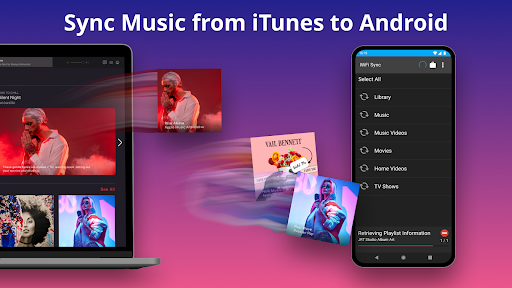

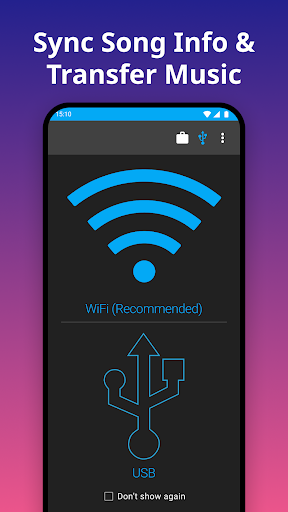
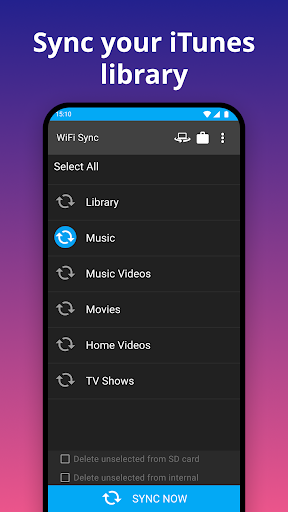
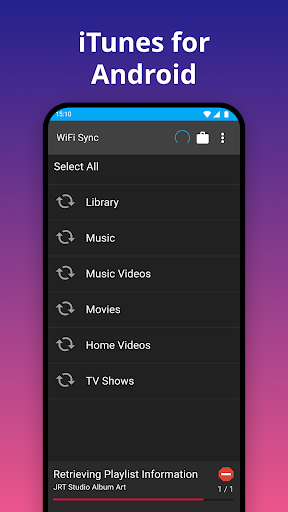
Analysis by Reviewed APKs
iSyncr: iTunes to Android is a music-transfer app for people who keep their collection in iTunes on a PC or Mac and want it on an Android device. It can carry over playlists and song details as well as audio, with USB or Wi-Fi syncing. I like the clear purpose, but it is best for an existing iTunes routine, not someone looking to replace a streaming service.
Taking a Library Along
When I picture using iSyncr, it is before a commute or a trip: I have a playlist already organized in iTunes on my computer, and I want those tracks on my Android phone without rebuilding the list by hand. The app is designed to transfer music and playlists, and it can also bring along song information such as album art, ratings, and play counts. That makes it more useful than a basic folder copy for a library I have maintained over time.
The setup involves both sides of the process. iSyncr requires its free Desktop companion on a PC or Mac, and the computer needs iTunes for Windows or iTunes for Mac OS 10.5 or later. I can sync over USB/MTP or Wi-Fi and choose the phone's internal or SD card storage. One practical catch: the free version is limited to 100 songs per playlist and one playlist at a time, so a large collection may call for an in-app purchase.
A Bridge, Not a Player
Compared with manually copying music files, iSyncr is aimed at preserving the structure and details of an iTunes library. It can transfer playlists, podcasts, and non-DRM videos alongside music, while carrying over information such as ratings and last-played or last-skipped status. That is a specific kind of convenience: the app helps move an existing collection onto Android rather than asking me to start over with a different catalog.
I would not treat iSyncr as a streaming service or as a replacement for iTunes on the computer. Its job is to sync compatible iTunes content to an Android device, and copy-protected material will not sync; the app says it will alert users to DRM content. If I do not already organize media in iTunes, the extra desktop requirement may feel like more work than simply choosing another way to listen.
Make Syncing Predictable
A little planning can make this kind of transfer less of a chore. I would start by deciding which iTunes playlists I actually want on the phone, then use the available USB or Wi-Fi method to move them. Because the free version handles one playlist at a time and limits each playlist to 100 songs, checking those boundaries before starting helps set realistic expectations for a first sync.
For a regular routine, I would use the same computer library as my source and keep the phone's storage choice in mind, especially if it has an SD card. Song details such as ratings, play count, and listening history are part of the appeal, so iSyncr makes more sense when I care about those details rather than just getting audio files onto a device. Copy-protected tracks are a separate limitation to watch for.
More From Our News Desk

Zoom Meetings, Google Meet, or Teams: Which Is Easiest to Join?

How I Build a Free Streaming Lineup With Tubi

Why Crunchyroll Is the Default Anime App for So Many Fans

YouTube TV: A Practical Guide to Cutting Cable

Rummikub and the Small Comfort of Phone Games

TeamViewer Remote Control or AnyDesk for Helping Family?
Who May Find It Useful
I would recommend iSyncr to Android users who already manage music or podcasts in iTunes on a PC or Mac and want to keep using those playlists on the go. It is particularly relevant for people who have spent time rating tracks, organizing albums, or keeping a library that they would rather transfer than recreate. Support for USB/MTP and Wi-Fi gives the process more than one connection option.
It may be a poor fit for someone who does not use iTunes, wants a standalone listening app, or expects copy-protected content to transfer. The required desktop companion also means this is not simply a phone-only setup. And if a playlist exceeds the free version's limits, the one-playlist-at-a-time and 100-song caps may be inconvenient unless the user chooses unlimited syncing inside the app.
iSyncr: iTunes to Android is made by JRT Studio Music Players and is in the Music & Audio category on Google Play. It has over 5 million installs and a 4.1-star rating from around 22,000 ratings. The app is free to install, contains no ads, and offers in-app purchases. Google Play gives a range of $0.99 to $99.99 per item.
Google Play rates the app Everyone. The current version shown is 7.0.5, with a release date of July 21, 2015, and a last update dated April 2, 2026. The Android version requirement can vary by device and app release, so it is worth checking the Google Play details for compatibility before installing. Syncing also requires the free iSyncr Desktop companion and iTunes on a PC or Mac.
Keeping an iTunes Library in Step
A Desktop-First Start
My first impression is that iSyncr is built around a particular existing habit: keeping a library in iTunes and wanting access to it on Android. The app is not presented as a way to discover new music; it connects the phone to a computer library. That focus is helpful because it keeps the purpose straightforward, though it does mean the desktop side is part of the experience from the start.
Before syncing, I would make sure the free iSyncr Desktop companion is installed and that iTunes is available on the computer. The description supports iTunes for Windows and iTunes for Mac OS 10.5 or later. Once that foundation is in place, the phone can sync by USB/MTP or Wi-Fi, with music going to internal or SD card storage. Those choices make the setup practical for different devices and routines.
The Everyday Transfer
In day-to-day use, the main task is moving selected iTunes content onto an Android device. Playlists and music are the central use, but the app also supports podcasts and non-DRM videos. This is useful when a phone is where I listen away from home, while the computer remains where I manage the collection. It is a transfer workflow, rather than a new place to browse or organize a catalog.
The choice between a cable and Wi-Fi is a welcome bit of flexibility. A cable-based sync can suit a quick connection at a desk, while Wi-Fi gives another route when I do not want to connect over USB. The description also allows syncing to internal storage or an SD card. I would still think about playlist size and the free-tier limits before treating a large library as a one-step job.
Details Beyond the Tracks
What stands out is that iSyncr aims to carry over more than the audio itself. It can sync song information including album art, ratings, play count, and last-played or last-skipped details. For someone who has curated an iTunes library over years, those bits of context can make a transfer feel more faithful than copying a pile of files and sorting things out again later.
The app also covers more than music tracks: iTunes playlists, podcasts, and non-DRM videos are within its stated scope. That breadth is useful for a household or commute routine built around different kinds of saved media. The boundary matters, though: iTunes copy-protected content will not sync, and the app says it will alert users to DRM material rather than transfer it.
A Simple Weekly Routine
A sensible routine would start on the computer, where I already have the library and playlists arranged. I would pick the playlists that matter for the coming week, connect through USB/MTP or Wi-Fi, and select internal or SD card storage as appropriate. This keeps the phone's music selection intentional instead of assuming that every item in a computer library needs to travel everywhere.
After a playlist changes, I would use iSyncr as the bridge between the updated iTunes library and the phone. I would also remember that the free version is limited to one playlist at a time and 100 songs per playlist. That is manageable for a small, focused selection, but someone with a large set of playlists may need to consider the in-app option for unlimited syncing.
Limits to Keep in Mind
The most important limitation is the dependency on a computer setup. iSyncr requires its free Desktop companion, as well as iTunes on a supported PC or Mac, so it is not a phone-only transfer tool. That makes sense for its purpose, but it adds a step that will not appeal to everyone. People who have moved away from desktop libraries may find that the app does not fit their current habits.
There are also content and free-version boundaries. Copy-protected iTunes material cannot be synced, and the free version permits up to 100 songs per playlist and one playlist at a time. The app offers unlimited syncing as an in-app purchase, but users should check the current Google Play details for purchase information. These limits do not erase the app's usefulness; they define the kind of library and workflow it suits.
iSyncr has a clear, practical role: moving compatible iTunes media and useful library details from a PC or Mac to an Android device. USB/MTP and Wi-Fi, plus support for internal or SD card storage, make it flexible once the desktop setup is ready. Its appeal is strongest for people already invested in iTunes playlists and organization.
I would try it if keeping an established iTunes collection on Android is the goal, while checking the free limits against the size of my playlists first. I would skip it if I want a phone-only music solution or need copy-protected tracks to transfer. For the right library, it is a focused bridge rather than an all-purpose media app.
iSyncr Frequently Asked Questions
What is iSyncr: iTunes to Android used for?
iSyncr transfers iTunes music and playlists from a PC or Mac to an Android device. It can also sync song information such as album art, ratings, and play counts, along with podcasts and non-DRM videos. It is intended for moving an existing iTunes library, not for replacing iTunes on the computer or providing a streaming catalog.
Which devices and computers work with iSyncr?
iSyncr is an Android app that syncs with an iTunes library on a PC or Mac. The setup requires the free iSyncr Desktop companion, and the description specifies iTunes for Windows or iTunes for Mac OS 10.5 or later. It supports USB/MTP or Wi-Fi syncing and can send content to internal or SD card storage.
What Android version does iSyncr require?
The Android version requirement can vary with the device and app release. Check the current Google Play details on the device you plan to use before installing. The computer side also needs the free iSyncr Desktop companion and iTunes for Windows or iTunes for Mac OS 10.5 or later.
Does iSyncr cost money to use?
iSyncr is free to install and offers in-app purchases. The free version is limited to one playlist at a time and 100 songs per playlist; unlimited syncing can be purchased inside the app. Google Play shows in-app product prices ranging from $0.99 to $99.99 per item, so check the store for current purchase details.
Is iSyncr a good fit for my music library?
It may suit you if you already organize music in iTunes and want playlists and song details on an Android device. It may be less suitable if you do not use a computer-based iTunes library, want a phone-only setup, or need to transfer copy-protected content. The free playlist limits are also worth considering for a large collection.
Pros
- Transfers iTunes playlists and song details, including ratings and play counts.
- Supports USB/MTP and Wi-Fi syncing to internal or SD card storage.
- Can sync podcasts and non-DRM videos as well as music.
- Free to install and contains no ads.
Cons
- Requires the free desktop companion and iTunes on a PC or Mac.
- The free version allows one playlist at a time and 100 songs per playlist.
- Copy-protected iTunes content will not sync.
- Category
- Music & Audio
- Version
- 7.0.5











