Internet Browser
- 189.21K
- 3.9
- Installs
- 1.00B
- Price
- Free

Screenshots

Analysis by Reviewed APKs
Internet Browser is a general-purpose browser for looking up information, reading news and other web content, and downloading files. It also includes file management and a few extra tools, such as a QR scanner and a WhatsApp status saver. I see it as a practical option for everyday Android browsing, especially if you want those extras alongside web access, though its feature details are fairly brief.
A Browser for Daily Errands
When I need to check a recipe, compare a product, or look up a detail someone mentioned, a browser is usually the quickest route. Internet Browser is built for that sort of everyday web use: it offers web surfing and search, with news and information also part of its stated focus. It is a straightforward role, rather than a specialist tool for one particular kind of research or work.
The download feature adds a practical step to that routine. If I save a file while browsing, I can use the app's file management and cleaning tools afterward instead of treating downloading as an entirely separate task. The description says file access permission is required for those file features. That permission is worth considering before using them, especially if I only need the browser itself.
A Browser, Not a Web Suite
Compared with opening a site in a browser that only focuses on page viewing, Internet Browser bundles browsing with downloads, file handling, a QR scanner, and a WhatsApp status saver. That combination may appeal if you want a few related tools in one app. Its description also highlights search and news, so it aims to cover casual discovery as well as navigating to a site you already know.
I would not treat it as a dedicated file organizer, news reader, or messaging app. Those features are described as supporting tools, not as replacements for apps focused on those jobs. Nor does the available feature information establish extras such as ad blocking, theme controls, or advanced privacy settings. If those are central to your choice of browser, compare the current store details before deciding.
Small Habits That Help
A useful way to approach a general browser is to keep its jobs simple. I would use it to search or visit a page, download a file when needed, and then turn to file management if I need to find or clean up what I saved. Keeping those steps together can make occasional downloads less fiddly than switching between unrelated tools.
The extra tools make most sense when they solve a small, immediate need. A QR scanner can be handy when a code is in front of you, while the status saver is relevant to WhatsApp status content. I would not install the app just for one of those extras without checking that it suits my routine. For ordinary browsing, search and downloads are the more broadly useful starting points.
More From Our News Desk

Zoom Meetings, Google Meet, or Teams: Which Is Easiest to Join?

How I Build a Free Streaming Lineup With Tubi

Why Crunchyroll Is the Default Anime App for So Many Fans

YouTube TV: A Practical Guide to Cutting Cable

Rummikub and the Small Comfort of Phone Games

TeamViewer Remote Control or AnyDesk for Helping Family?
Who Might Find It Useful
I would recommend giving Internet Browser a look if you want an Android browser for ordinary web searches, reading, and downloading, with a handful of extra utilities available in the same app. The combination is easiest to appreciate when you actually use those extras now and then. Its broad browsing purpose also makes it a reasonable candidate for someone who wants one app for casual online errands.
It may be less appealing if you are shopping for a browser based on a specific advanced feature that is not described, or if you want a dedicated tool for managing files. I would also pause before enabling file access if file cleaning and management are not part of my needs. In that case, the browser's main job may be enough, but the bundled tools may not add much value.
Internet Browser is developed by HeyTap and is listed in the Tools category. Google Play shows over a billion installs and a 3.9-star rating from about 189,000 ratings. The app is free to download, and the provided store facts say it contains no ads and offers no in-app purchases. Its content rating is Everyone.
The current version in the supplied details is 45.14.9.1. The recorded release date is December 29, 2022, and the last update date is October 13, 2026. No minimum Android version is specified in the available app facts, so check the Google Play page on your device for current compatibility information.
How Its Everyday Browser Tools Fit Together
Getting Started
When I first opened a browser like this, my first question would be whether it covers the basics I reach for most: getting online, searching, and downloading. Internet Browser describes all three, and also points to news and information as part of the experience. That gives it a broad first impression rather than presenting it as a browser built around one narrow task.
The setup detail that matters most in the description comes later, when using file management or cleaning. Those functions require all-files access permission. I would think about whether I need them before granting access, rather than assuming every feature is necessary for a simple search. The browser can be considered for web use on its own, while file tools are an optional part of the described package.
The Everyday Experience
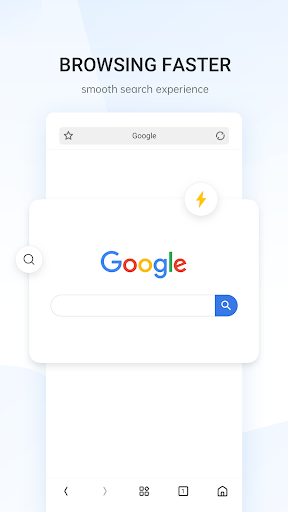
Most of my time with a general browser would be spent moving between searches and web pages. Internet Browser's stated combination of browsing and search capabilities fits that familiar pattern. The description also mentions access to news and information, which could make it useful when I am browsing without a specific destination in mind. It gives a sense of intended use, though it does not spell out interface details.
Fast downloading is another advertised part of the core experience. In practice, that makes the app more relevant to someone who saves files from the web, not just someone who reads pages and closes the browser. I would judge how useful that is by my own habits: a person who rarely downloads may not notice it, while a regular downloader may appreciate having file handling nearby.
Useful Extras in One Place
The clearest difference from a bare-bones browsing pitch is the collection of small utilities. Internet Browser includes a QR scanner and a WhatsApp status saver, alongside file cleaning and management. Those are specific, practical additions rather than vague promises of customization. They could be convenient when the relevant need comes up, although they do not change the app's central identity as a web browser.
File management is the extra feature with an explicit requirement attached: all-files access permission. That is useful to know before planning a workflow around it. I would treat the cleaning and management tools as an option for people who want to handle downloaded files here, not as a reason to assume the app can organize every kind of content or replace a full file manager.
A Simple Download Routine
A practical routine might start with a search for a document or other file, continue with downloading it, and finish by using the app's file management tools to locate or clean up saved items. That is the most coherent connection between the browser's core job and its file features. It can reduce app switching for someone who downloads occasionally, provided the required file permission is acceptable to them.
For a different kind of quick task, the QR scanner or WhatsApp status saver may be useful when the moment calls for it. I would keep expectations modest and use each for its stated purpose rather than treating the app as a collection of full-featured replacements. The appeal is convenience: web access and a few adjacent tools sitting together for occasional use.
Limits to Keep in Mind
The feature description is concise, so it is hard to assess details such as the browser's interface, its privacy controls, or how its search works in practice from that information alone. I would avoid choosing it based on claims about specific advanced features that are not part of the stated description. If a particular browsing capability is essential, checking the current Google Play information is a sensible next step.
The file tools also come with a permission consideration, and not every user will want to grant all-files access. The QR scanner and status saver may be useful to some people but irrelevant to others. That leaves a simple decision: focus on whether the browsing, search, and download basics fit your needs, then treat the bundled tools as extras rather than assuming you will use them all.
Internet Browser presents a practical mix: web browsing, search, downloads, file management, and a few small utilities. I like that its described tools connect to ordinary tasks rather than pointing in only one direction. The main caveat is that file management requires all-files access, and the feature information does not establish every advanced browser option a particular user might expect.
I would consider it for casual Android browsing, especially if downloading files or using the included scanner and status saver sounds useful. If you mainly want a specialist file tool or need a specific advanced browser feature, compare options before settling on it. For straightforward browsing with a few extras, it is a plausible everyday choice.
Internet Browser Frequently Asked Questions
What is Internet Browser used for?
Internet Browser is for surfing the web and searching for information. Its description also mentions news, fast downloads, file cleaning and management, a QR scanner, and a WhatsApp status saver. File management and cleaning require all-files access permission, so those extras may be more relevant to some users than others.
Which devices can run Internet Browser?
Internet Browser is an Android app distributed through Google Play. The supplied details do not give a minimum Android version, and compatibility can vary by device and current store requirements. Check its Google Play page from the Android device you plan to use for the latest compatibility information.
Does Internet Browser cost anything?
The supplied Google Play facts describe Internet Browser as free, with no in-app purchases and no ads. Store details can change over time or vary by region, so it is worth checking the current Google Play page before installing if those details are important to you.
Does Internet Browser need a recent Android version?
The available app facts do not specify a minimum Android version. Requirements can vary with updates and device compatibility, so check the Google Play page on your phone or tablet for the current installation requirements. The app is intended for Android rather than iOS or desktop use.
Who is Internet Browser best suited to?
It may suit someone looking for everyday browsing, search, and downloads, with a QR scanner, WhatsApp status saver, and file tools available as extras. It may be less suitable if you need a dedicated file organizer or a particular advanced browser feature. Consider whether you want the file tools, which require all-files access permission.
Pros
- Combines everyday web browsing and search with fast downloads.
- Includes file management and cleaning for downloaded content.
- Adds a QR scanner and WhatsApp status saver.
- Google Play facts show no ads or in-app purchases.
Cons
- File management and cleaning require all-files access permission.
- The feature description gives little detail about advanced browsing options.
- The bundled scanner and status saver may not suit every user's routine.
- Category
- Tools
- Version
- 45.14.9.1











