Intermedia Unite
- 263
- 2.9
- Installs
- 50.00K
- Price
- Free

Screenshots

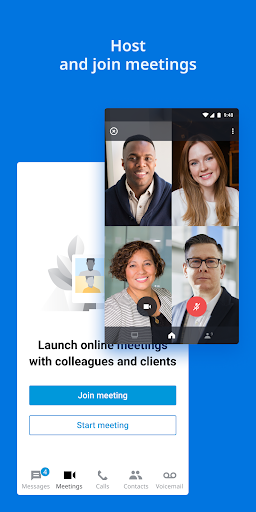
Analysis by Reviewed APKs
Intermedia Unite is a business communications app for people whose workplace uses Intermedia Unite. It brings a company phone line, colleague directory, messaging, voicemail, and meetings onto a mobile device, with options for handling calls between a desk phone and mobile. I see it as a practical extension of an existing work setup, not a standalone calling app: its usefulness depends on having an Intermedia Unite account.
A Workday Away from Your Desk
Picture stepping out between meetings while a client call comes in on your work number. With Intermedia Unite, you can answer on your mobile and keep the conversation tied to your business setup rather than juggling a personal number. If the call needs to move back to your desk phone, Call Flip is designed for that handoff. The app also puts colleague availability and the corporate directory nearby when you need to reach someone quickly.
I can imagine using it on a day split between the office, a commute, and a remote meeting. A colleague’s message can continue from desktop chat to mobile, while voicemail transcription helps make a quick check less disruptive than listening to every message immediately. Calls, chats, meetings, and voicemail sit within the same work-focused app. That is the central appeal: carrying familiar company communication tools along, rather than treating a phone as a separate workplace.
A Business Line, Not a Personal Dialer
The obvious comparison is a regular phone dialer or a consumer chat app. Unite is aimed at a different job: it extends an organization’s Intermedia phone service and team communications to mobile. Its searchable corporate contact list, extensions, conference bridges, and call handling are useful in a workplace context, where reaching the right colleague or transferring a call matters more than collecting personal contacts.
That focus is also a clear boundary. This is not a general-purpose calling app that anyone can install and use independently; an Intermedia Unite account is required. It is not presented as a replacement for every office system, either. Secure file access and sharing require the separate Intermedia SecuriSync mobile app. For someone outside an organization using these services, the feature list alone will not make the app especially useful.
Small Habits That Help
A little preparation can make the mobile side feel less like an emergency backup. I would check the corporate directory before a busy day, use availability to decide whether to call or message, and keep an eye on voicemail when moving between appointments. If a conversation starts at a desk and needs to continue elsewhere, Call Flip offers a specific way to shift devices without treating the call as a fresh start.
It also makes sense to use the tools that match the task. A quick question can go through team chat, while a more involved conversation can move to a call or meeting. If your team uses conference bridges, one-tap calling can save a few steps. I would also be mindful of the app’s stated caveats: call quality can depend on Wi-Fi or cellular data, and roaming data charges may apply.
More From Our News Desk

Zoom Meetings, Google Meet, or Teams: Which Is Easiest to Join?

How I Build a Free Streaming Lineup With Tubi

Why Crunchyroll Is the Default Anime App for So Many Fans

YouTube TV: A Practical Guide to Cutting Cable

Rummikub and the Small Comfort of Phone Games

TeamViewer Remote Control or AnyDesk for Helping Family?
Who May Find It Useful
I would recommend Intermedia Unite to employees and teams who already use Intermedia Unite for business calling and want that work setup available on a mobile device. It especially suits people who move between a desk and other locations, answer calls on behalf of a business, or regularly need colleague contacts, chat, meetings, and voicemail while away from a computer.
It may not suit someone looking for a free-standing internet phone, a personal messaging app, or a complete file-sharing solution by itself. The required account makes it dependent on an organization’s existing service, and file access relies on a separate SecuriSync mobile app. If you only need ordinary calls and texts, the extra business tools may be more than your routine calls for.
Intermedia Unite is published by Intermedia.net, Inc. On Google Play, it has over 50,000 installs and a 2.9-star rating from 263 ratings. The app is free to install, with no in-app purchases or ads indicated in its store details. Its content rating is Everyone. Use requires an Intermedia Unite account, so the app is intended to work with an organization’s service rather than as an independent phone account.
The current version shown is 2.69.0.179214354. The app was released on August 30, 2016, and its listed last update is October 19, 2026. The available Android version requirement is worth checking on Google Play for the device you plan to use. The app description also cautions that call quality can be affected by Wi-Fi or cellular data and that international or roaming data charges may apply.
Keeping the Office Line Within Reach
First Look and Setup
When I first opened the description of Intermedia Unite, the important detail was not a long list of features but the account requirement. This app is a companion to an organization’s Intermedia service. That makes the first step less about exploring a public phone service and more about being set up to use the work account your organization already provides.
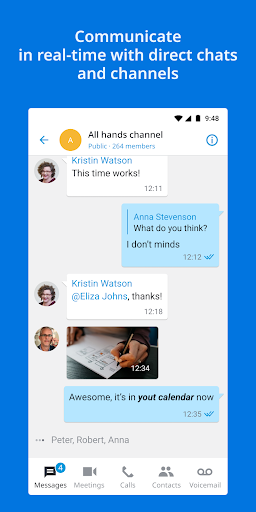
Once that requirement is met, the mobile app brings several familiar work tasks together: calls, chat, meetings, and voicemail. I would start by getting comfortable with the corporate directory and checking how the app fits into the company’s existing calling routine. The description says desktop chat synchronizes with mobile in real time, which should help a conversation continue when the workday moves away from a desk.
Everyday Calling and Chat
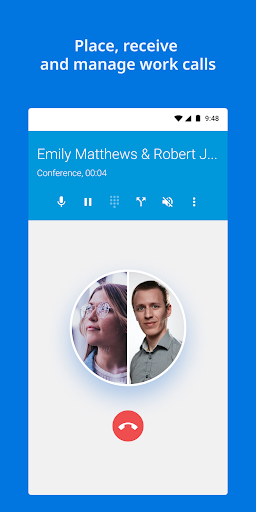
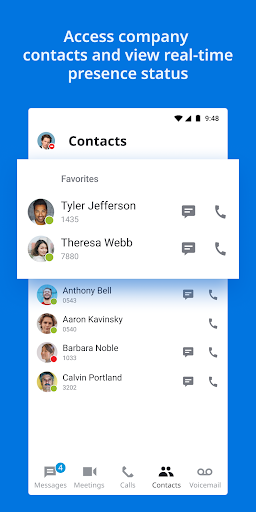
The core day-to-day job is carrying the business phone presence on mobile. Users can place and receive calls using their business number and extension, look up colleagues in a searchable corporate contact list, and make one-tap calls to contacts or conference bridges. For someone handling work calls between locations, those details are more relevant than a generic list of dialing options.
There is also more than one way to keep a conversation moving. Team chat and messaging sit alongside meetings and voicemail management, and voicemail transcription can make it easier to scan what came in before deciding when to listen. The app supports managing multiple calls, too. I would think of these as parts of a workplace communications kit, rather than separate features meant to replace every tool a team uses.
Call Controls That Stand Out
Call handling is where Unite’s workplace purpose becomes especially clear. It supports blind and warm call transfers, along with call forwarding that can be set around schedules, ring counts, and routing instructions. Those options are useful to people whose calls need to reach the right place at different times, though how they are configured will depend on the organization’s service and calling setup.
Call Flip is another distinctive tool: it lets a user switch an active call between a mobile phone and a desk phone. One-tap conference bridge calling and support for multiple calls round out the calling side. These are practical details for people who work across devices or manage several conversations, not flashy extras that every individual user will need.
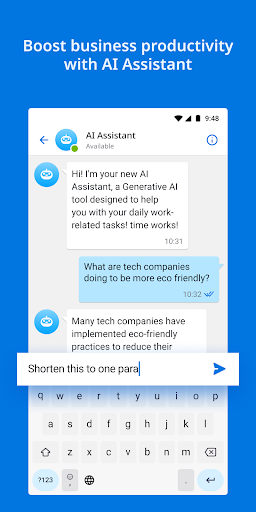
The app also includes Unite AI Assistant, described as a generative AI tool that provides responses to a range of tasks through Unite chat. Meetings and voicemail transcription extend the set of communication options. File access and sharing are possible through the related SecuriSync mobile app, so that part of the experience involves another app rather than being wholly contained in Unite.
A Simple Mobile Routine
A useful routine might start with a quick look at colleague availability and messages before leaving the office. During the day, I would use the corporate contact list for work calls, answer incoming business calls on mobile when away from the desk, and move an active call back to the desk phone with Call Flip if that becomes more convenient. That sequence makes the app’s mobility features feel connected to ordinary work rather than another inbox to maintain.
For a meeting-heavy day, one-tap conference bridge calling can cut down on dialing steps, while meetings and chat offer other ways to connect. Later, voicemail transcription provides a quick way to review messages. I would keep mobile data in mind during this routine: the app notes that call quality can vary with Wi-Fi or cellular data, and international or roaming usage may add carrier charges.
Limits to Keep in Mind
The biggest limitation is also the clearest: Intermedia Unite requires an Intermedia Unite account. Without access through a participating workplace, it is not a ready-to-use alternative to a normal phone dialer. Its business focus makes sense for employees who need company calling and collaboration on mobile, but it narrows the audience for people who simply want to call or message friends and family.
Some parts of the experience also depend on tools and conditions beyond the app itself. File sharing requires the Intermedia SecuriSync mobile app, and call quality may be affected by the available Wi-Fi or cellular connection. The description includes important cautions about emergency calling policies and recording calls, so users should review the applicable information and workplace guidance before relying on those functions.
Intermedia Unite is a focused mobile extension for a company communications setup, with useful touches such as a searchable directory, business-number calling, voicemail transcription, chat, meetings, and call handoffs between devices. It is not a universal calling solution, and the account requirement is central to whether it will be useful at all.
If your workplace already uses Intermedia Unite and you want its calls and collaboration tools while away from your desk, I think it is worth trying. If you do not have that work account, or only need basic personal communication, I would look elsewhere. Check the Google Play details for device compatibility before installing.
Intermedia Unite Frequently Asked Questions
What is Intermedia Unite used for?
Intermedia Unite is a mobile companion for an organization’s Intermedia Unite communications service. It supports business calls, a corporate contact list, team chat, meetings, voicemail management, and call features such as transfers and Call Flip. An Intermedia Unite account is required, so it is meant for work communications rather than as a standalone personal phone service.
Which devices and platforms support Intermedia Unite?
Intermedia Unite is an Android app available through Google Play. The provided app information describes mobile use, including taking work calls away from a desk. The minimum Android version may vary by release or device, so check the Google Play store details for the current requirement before installing it.
Does Intermedia Unite cost anything?
The app is free to install on Google Play, and its store details indicate no in-app purchases or ads. Using its communications features requires an Intermedia Unite account, so access is tied to an organization’s service. Carrier data charges, including international or roaming charges, may apply when using mobile connectivity.
What Android version does Intermedia Unite require?
The minimum Android version can vary with the app’s current release and device compatibility. Check the Google Play page for Intermedia Unite before installing it to see the requirement for your phone or tablet. The app also relies on a working Wi-Fi or cellular data connection for mobile calling, and call quality can be affected by that connection.
Is Intermedia Unite right for personal use?
It is best suited to employees or teams whose organization already uses Intermedia Unite and who need work calls, colleague contacts, chat, meetings, or voicemail on mobile. It is less suitable as a personal dialer or general messaging app because an Intermedia Unite account is required. File sharing also requires the separate Intermedia SecuriSync mobile app.
Pros
- Keeps business-number calls, colleague contacts, chat, meetings, and voicemail in one mobile app.
- Supports useful work call controls, including transfers, forwarding, multiple calls, and Call Flip.
- Offers voicemail transcription and searchable corporate contacts for busy workdays.
- Desktop chat synchronizes with mobile so conversations can continue away from a desk.
Cons
- Requires an Intermedia Unite account, limiting usefulness outside participating workplaces.
- File access and sharing require the separate Intermedia SecuriSync mobile app.
- Call quality can depend on the Wi-Fi or cellular connection, with roaming charges possible.
- Category
- Business
- Version
- 2.69.0.179214354











