inskamOTG
- 594
- 3.3
- Installs
- 100.00K
- Price
- Free
Screenshots
Analysis by Reviewed APKs
inskamOTG is a companion app for OTG camera equipment, letting you connect compatible equipment to a phone and view its data files. It also supports taking photos and videos and saving them to the phone’s photo album. I see it as a focused utility for people who already use OTG camera gear, rather than a general camera app. Its appeal is practical, though its usefulness depends on having the right equipment.
Checking Camera Files on a Phone
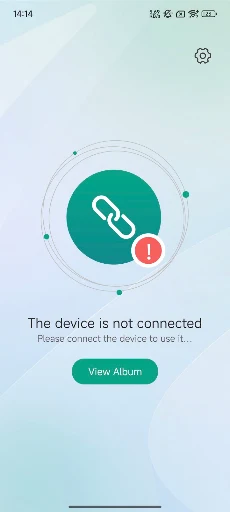
When I first considered inskamOTG, the useful scenario was simple: I have OTG camera equipment and want to look at its data files on my phone instead of relying on a separate viewing step. The app is designed around connecting that equipment through the phone’s charging port. Once connected, the phone app can show the camera device’s files, making it a focused bridge between the equipment and a mobile screen.
That narrow purpose is also a sensible way to judge the app. It is not a general-purpose file manager or a replacement for every camera app; the described job is specifically to work with OTG camera equipment. I would reach for it when I have that equipment to connect and want to inspect its files or capture photos and videos. Without compatible gear, there is little reason to expect it to become part of an everyday phone routine.
A Companion, Not a Camera Suite
Compared with simply using the phone’s built-in camera, inskamOTG serves a different role. Its point is to work with OTG camera equipment connected at the charging port, then make that equipment’s data files viewable through the app. That makes it more relevant to someone who already owns or uses such equipment than to someone who only wants to take ordinary phone photos.
I would not treat it as a broad photo organizer, editing studio, or all-purpose camera toolkit. The described functions are viewing OTG camera files and taking photos and videos that can be saved to the system photo album. If you are shopping for extra creative controls or a way to manage files from many sources, the information available does not establish those jobs as its focus. The specialization is both the draw and the boundary.
Make the Connection Routine
A practical habit is to think of inskamOTG as part of the equipment workflow, not as an app to open at random. When I need to check files from OTG camera equipment, I would connect the equipment through the phone’s charging port and then use the app to view its data. Keeping that sequence in mind makes the app’s purpose clear and avoids expecting it to do anything useful before the camera equipment is involved.
For new photos or videos, the app’s described saving destination is the system photo album. That gives me a straightforward next step: use the app with the connected equipment, capture what I need, and look in the phone’s album afterward. I would keep expectations modest and build a short routine around those stated functions. The material does not describe extra organization tools, so I would not plan a more elaborate in-app filing workflow.
More From Our News Desk

Zoom Meetings, Google Meet, or Teams: Which Is Easiest to Join?

How I Build a Free Streaming Lineup With Tubi

Why Crunchyroll Is the Default Anime App for So Many Fans

YouTube TV: A Practical Guide to Cutting Cable

Rummikub and the Small Comfort of Phone Games

TeamViewer Remote Control or AnyDesk for Helping Family?
Who May Find It Useful
I would recommend inskamOTG to someone who already has OTG camera equipment and wants a phone-based way to view its data files. It may also suit someone who wants to take photos or videos through the app and have them saved in the phone’s system photo album. The appeal is convenience within that specific setup, not a long list of general-purpose features.
It may not suit people looking for a standalone phone camera, an editing app, or a broad media organizer. The app’s central job depends on connecting OTG camera equipment through the phone’s charging port, so someone without that equipment may have little use for it. I would also suggest checking device and equipment compatibility before relying on it for a particular setup.
inskamOTG is a Tools app from app-Tools. On Google Play it has over 100,000 installs and a 3.3-star rating from 594 ratings. The app is free, with no in-app purchases and no ads. Its content rating is Everyone. Those figures make it possible to get a quick sense of its store presence, while its practical value will still depend on whether you use OTG camera equipment.
The current version is shown as varying with device. The app was released on July 12, 2025. No minimum Android version or later update date is provided in the available facts, so check Google Play for device-specific compatibility and current release information. The key requirement described for its use is OTG camera equipment connected to the phone through its charging port.
A Focused Link to OTG Camera Gear
First Look and Setup
My first impression is that inskamOTG has a very defined job. The app is meant to work with OTG camera equipment, with the connection made through the phone’s charging port. That immediately tells me this is not something I would judge by how useful it is on an empty desk. Its first real test is whether it serves the equipment-and-phone setup I want to use.
The basic setup described is uncomplicated in concept: connect the OTG camera equipment to the phone, then use the app to view the camera device’s data files. I would start by confirming that my equipment and phone work together, rather than assuming every device combination is supported. The available description does not spell out detailed setup steps, so the store information and the equipment’s own instructions are sensible places to check.
The Everyday Experience
Day to day, the app’s central task is easy to understand. I connect the OTG camera equipment through the charging port and use inskamOTG to view its data files on the phone. That is a useful kind of convenience when I want to check what the camera device contains without making the phone behave like a general desktop file manager.
The other stated part of the experience is capturing photos and videos and saving them to the system photo album. I like that the destination is clear, because it gives the workflow a natural endpoint outside the app. The description does not detail capture controls or playback options, so I would focus on the basic promise rather than assume a particular set of camera features.
What Sets It Apart
The defining feature is the connection between a phone and OTG camera equipment through the charging port. Once connected, the app is intended to display data files from the camera device. That makes the app’s value quite specific: it gives a mobile route to viewing material from equipment that is connected to the phone, rather than trying to be a general-purpose camera companion for every situation.
Its capture-and-save capability adds another practical use. The app can take photos and videos and save them in the phone’s system photo album, so it is not limited to viewing data files. I would describe this as a compact equipment companion, not a feature-packed editing environment. Nothing in the description establishes extra editing, sharing, or organizational tools, and I would not count on those as part of its appeal.
A Simple Use Routine
A routine I would use starts with the equipment, not the app. When I have OTG camera gear to check, I connect it to the phone through the charging port, open inskamOTG, and view the camera device’s data files. Keeping those steps together makes sense for occasional work or a task-specific check, especially when I only need the phone as a convenient screen.
If I want to capture something, I can use the app to take photos or videos and then find them in the system photo album. That separation is helpful to keep in mind: the app is the capture tool in this workflow, while the album is the stated place where the results are saved. I would use that simple loop rather than assume the app offers a larger library or project-management system.
Limits to Keep in Mind
The biggest limitation is also the clearest fact about the app: its usefulness is tied to OTG camera equipment. If I do not have equipment to connect, the described viewing and capture workflow has no obvious role in my day. It is therefore a specialized utility, and its fit depends more on the person’s equipment than on a desire for another general camera app.
Compatibility deserves a little attention before making it part of a dependable routine. The connection is through the phone’s charging port, but the provided details do not specify a minimum Android version or a list of supported equipment. I would check the Google Play information and equipment guidance for the particular setup. The version also varies with device, so I would avoid assuming every phone sees an identical version.
inskamOTG makes the most sense as a practical companion for people who already use OTG camera equipment. Its purpose is easy to grasp: view camera-device files on a phone, and capture photos or videos that save to the system photo album. That focus is useful, but it is not a reason for everyone to install it.
I would try it if my equipment matches the intended workflow and I want a phone-based way to check its files. If I am looking for a standalone camera or a more expansive media tool, I would look elsewhere. Before relying on it, I would confirm that the phone and camera equipment work together.
inskam Frequently Asked Questions
What is inskamOTG used for?
inskamOTG is a companion app for OTG camera equipment. The equipment connects to a phone through its charging port, after which the app can show data files from the camera device. It can also take photos and videos and save them to the phone’s system photo album. Its purpose is focused on that equipment-based workflow.
Which phones and devices work with inskamOTG?
The app is described for use on a phone connected to OTG camera equipment through the phone’s charging port. The provided details do not give a specific compatibility list for phones or camera equipment, so compatibility may vary. Check the Google Play information and the guidance for your equipment before relying on a particular setup.
What Android version does inskamOTG require?
A minimum Android version is not included in the available app details. Requirements can vary by device and over time, so check the Google Play page for the current compatibility information before installing. The app version itself is shown as varying with device.
Does inskamOTG cost money or include purchases?
inskamOTG is free on Google Play, and the provided facts say it has no in-app purchases and no ads. Store details can change, so it is worth checking Google Play for the current terms before installing. Its practical usefulness also depends on having OTG camera equipment to connect.
Is inskamOTG a good fit for every phone user?
It is most relevant to people who use OTG camera equipment and want to view its data files or capture photos and videos through a phone. Someone seeking a general camera, editing app, or media organizer may not find it suited to those needs. The app’s stated purpose is specific to the connected camera equipment.
Pros
- Provides a phone-based way to view data files from connected OTG camera equipment.
- Supports taking photos and videos and saving them to the system photo album.
- Free to use, with no in-app purchases or ads.
- Has a clearly focused purpose for people using OTG camera gear.
Cons
- Its usefulness depends on having OTG camera equipment to connect.
- The available details do not specify minimum Android requirements or supported equipment.
- Its described role is narrow rather than a general camera or media toolkit.
- Category
- Tools