ieGeek Cam
- 20.51K
- 4.4
- Installs
- 1.00M
- Price
- Free

Screenshots
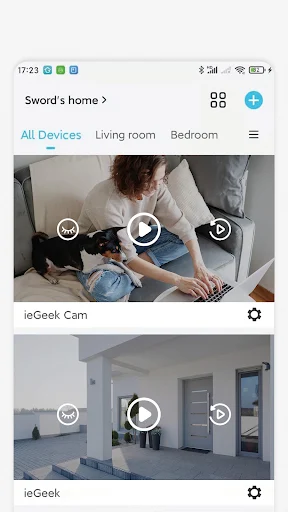
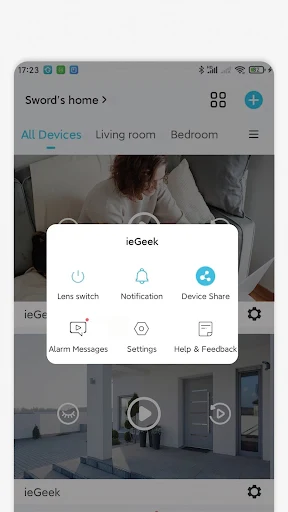
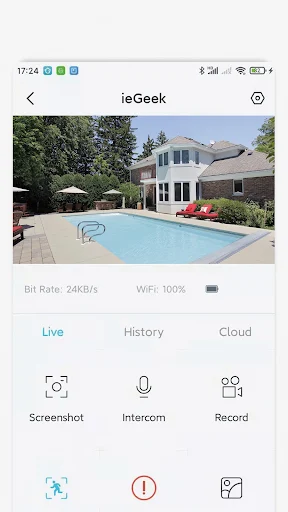
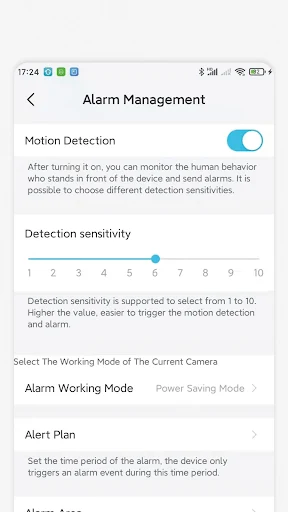
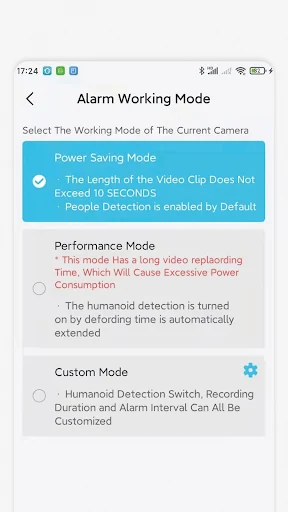
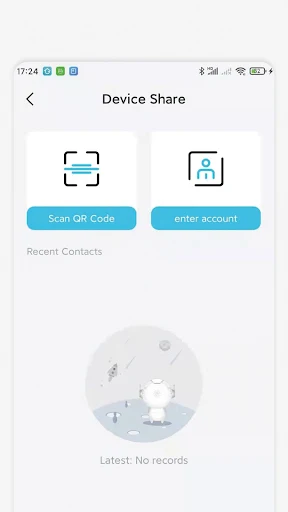
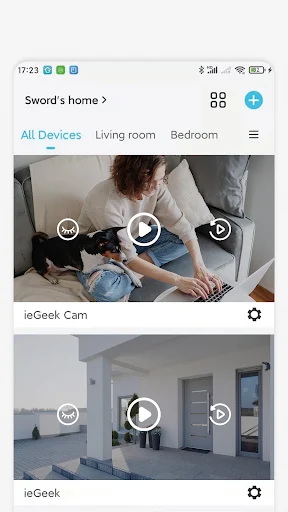
Analysis by Reviewed APKs
ieGeek Cam is a companion app for viewing and managing security camera footage, with live video, motion alerts, playback and customizable detection zones. It suits people who want to check on a home or workplace while away, rather than anyone looking for a general photography tool. After spending time with its feature set, my take is that it focuses on the practical basics and puts remote monitoring at the center.
Checking In While Away
Imagine leaving home for the day and wanting a quick look at what is happening inside. With ieGeek Cam, the central routine is straightforward: open the app, view live video from your security camera and respond if a motion alert arrives. I like that the app brings live viewing and motion-related notifications into the same monitoring experience, rather than making the phone feel like a separate tool from the camera.
The motion detection recording and playback functions add useful context to that quick check. If a notification catches your attention, playback lets you review recorded images instead of relying only on a live view at that moment. The app also supports reminders by time and message. In ordinary use, those pieces make sense together: check in when you want, and use alerts or playback to follow up when something draws your attention.
A Camera Companion, Not a Camera
ieGeek Cam is best understood as a companion for a security camera system. Its job is monitoring: watching live video, receiving motion alerts, checking playback and sharing video images. That makes it different from a conventional phone camera app, where the point is taking photographs or recording personal clips. I would choose ieGeek Cam for a camera-based home or enterprise monitoring routine, not as a replacement for the camera already built into my phone.
It also is not presented as an all-purpose smart-home hub or a general video editor. The supplied feature set stays close to surveillance and remote checking, which is helpful if those are the tasks I need, but less compelling if I want a broader set of connected-home controls. The app's usefulness depends on having a compatible ieGeek camera system to monitor; without that, its core purpose has little room to shine.
Make Alerts More Useful
One practical habit is to treat motion alerts as prompts to check, not as a substitute for looking at the camera when I need more context. A notification can bring an event to my attention; live video and playback then give me ways to inspect what is happening or what was recorded. That simple sequence keeps the app's main functions working together instead of leaving an alert as an isolated interruption.
I would also take time to customize smart detection zones for the areas I actually want to monitor. This is especially useful when movement in one part of a view is less relevant than activity elsewhere. The app also offers time and message reminders, so it can fit into a routine of planned checks as well as unexpected alerts. The best setup is likely the one that keeps attention on meaningful activity.
More From Our News Desk

Zoom Meetings, Google Meet, or Teams: Which Is Easiest to Join?

How I Build a Free Streaming Lineup With Tubi

Why Crunchyroll Is the Default Anime App for So Many Fans

YouTube TV: A Practical Guide to Cutting Cable

Rummikub and the Small Comfort of Phone Games

TeamViewer Remote Control or AnyDesk for Helping Family?
Who May Find It Useful
I would recommend ieGeek Cam to someone who already uses an ieGeek security camera system and wants to check live video from a phone, receive motion notifications and review playback. It is a practical fit for people who want a direct monitoring companion for home or enterprise use. The ability to share video images and adjust detection zones gives the everyday experience a little more flexibility than a live-view-only tool.
It may not suit someone looking for a standalone camera app, a social photography experience or a broad smart-home control center. The app's core purpose is tied to security camera monitoring, so its appeal depends on having the relevant camera system. People who prefer not to receive motion alerts, or who do not need remote viewing and playback, may find that its focused set of functions offers more than they need.
ieGeek Cam is an Android app in the Tools category, developed by SHENZHEN GLOBALEBUY CO., LTD. Google Play shows over 1 million installs and a 4.4-star rating from about 20,500 ratings. The app is free to download and contains no ads. It does offer in-app purchases, with listed items ranging from $1.99 to $359.99 each.
Google Play assigns ieGeek Cam a Teen content rating. The current version provided is 6.3.0; the app was released on February 24, 2022, and was last updated on October 26, 2026. The minimum Android version is not included in the available app details, so check Google Play for the requirement that applies to your device.
A Focused Routine for Remote Monitoring
A Direct First Impression
When I first considered ieGeek Cam, the clearest thing about it was its purpose: it is built around a security camera system, not a collection of unrelated phone tools. The main functions point to a familiar sequence of checking live video, keeping an eye out for motion and reviewing images afterward. That focus makes it easier to understand what the app is for before getting into its individual options.
Getting value from the app starts with having a camera system to view. I would think about the kind of checks I want to make and whether motion alerts are useful to my routine. The listed functions include live video, playback, reminders and detection zones, so the setup can support both quick peeks and more deliberate follow-up. I would not expect a camera companion to be useful without the camera side of that arrangement.
The Daily Check-In
The everyday experience centers on two kinds of attention: a check I choose to make and a notification that asks me to look. Live video supports the first, while motion detection and push messages support the second. I can see the appeal during a busy day, when I want a quick way to check on a place without making a separate trip just to look in.
Playback matters because a live view only tells me what is happening at the moment I open it. The app's playback image checking gives me another way to examine recorded activity after an alert or at a convenient time. I like this combination in principle: it makes the app more useful for reviewing what caught my attention, rather than limiting it to a window onto the present.
Zones and Reminders
Customizable smart detection zones are one of the more practical features in the description. Instead of treating every part of a camera's view as equally important, I can tailor detection to the area I care about. That can help make monitoring feel more intentional, particularly when a camera covers multiple spaces and I want to focus attention on a particular section.
Time and message reminders provide another layer to the routine. They are distinct from motion alerts: one supports reminders, while the other draws attention to detected movement. Video image sharing is also included, which can be handy when I want to pass along something visible in the camera view. These are modest additions, but they extend the app beyond simply opening a live feed.
A Simple Monitoring Routine
A sensible routine might start with an occasional live check, then shift to a notification-led check when motion is detected. If an alert seems relevant, playback offers a way to look back at recorded images. I would keep the process simple rather than repeatedly checking the app without a reason; the combination of live video and alerts is most useful when it supports a clear monitoring need.
Detection zones are worth revisiting when the area being monitored changes or when the current focus does not match what I care about. Time and message reminders can help establish planned check-ins alongside motion notifications. I would also use image sharing selectively, when another person needs to see the same camera image. That kind of light routine makes the features feel like parts of one tool rather than a list of settings.
Keep the Scope in Mind
The app's focused purpose is also its main limitation. ieGeek Cam is for security camera monitoring, and the described functions do not make it a general-purpose photography or editing app. If I do not have an ieGeek camera system to monitor, there is little reason to install it for everyday phone use. It is worth choosing it for the job it is built around, not expecting it to cover unrelated needs.
Motion alerts can also bring more notifications into a day, so the ability to customize detection zones matters in practice. I would want to make those settings fit the areas I actually care about rather than treating every detected movement as equally useful. The app's described feature set is clear, but how useful it feels will depend on the camera system and the monitoring routine I want to maintain.
ieGeek Cam makes sense as a focused companion for people who want live security camera viewing, motion alerts and playback in one Android app. I appreciate how its detection zones and reminders support a more considered routine than simply opening a feed whenever I remember. Its value is closely tied to the camera system it serves, though, so it is not a standalone security solution.
If you already use an ieGeek camera system and want to check in remotely, this app is worth considering. If you are looking for a phone camera, editor or all-in-one smart-home app, I would look elsewhere. For its intended audience, the combination of live video, alerts and playback covers the essentials without pretending to be something broader.
ieGeek Cam Frequently Asked Questions
What is ieGeek Cam used for?
ieGeek Cam is a security camera system companion for viewing live video, receiving motion detection notifications, checking playback images, using reminders and customizing smart detection zones. It is intended for monitoring a home or enterprise through a camera system, rather than taking or editing ordinary phone photos.
Which devices can run ieGeek Cam?
ieGeek Cam is an Android app available through Google Play. The minimum Android version is not included in the available details, and compatibility requirements can vary by device or app update. Check the Google Play app page to confirm the requirement for your phone or tablet.
Does ieGeek Cam cost anything?
The app is free to download and contains no ads, but it offers in-app purchases. Listed purchase prices range from $1.99 to $359.99 per item. The items and prices available to you may vary, so check the Google Play app page for current purchase details.
Does ieGeek Cam work without a camera system?
The app is designed to provide live viewing, motion alerts and playback for a security camera system. Its core functions depend on having a camera system to monitor, so it is not a standalone phone camera or a general photography app. Check the store page for current compatibility details.
Who should use ieGeek Cam?
It is most relevant to people who use an ieGeek security camera system and want to check video, receive motion notifications or review recorded images from an Android device. It may not suit someone seeking a general camera app, photo editor or wider smart-home control tool.
Pros
- Combines live video, motion notifications and playback image checking.
- Customizable detection zones help focus monitoring on chosen areas.
- Includes time and message reminders alongside motion alerts.
- Free to download and contains no ads.
Cons
- Its core purpose depends on having a security camera system to monitor.
- In-app purchase prices span a wide range, from $1.99 to $359.99.
- The focused monitoring features may not suit general photography needs.
- Category
- Tools
- Version
- 6.3.0











