iCSee
- 265.12K
- 4
- Installs
- 10.00M
- Price
- Free

Screenshots
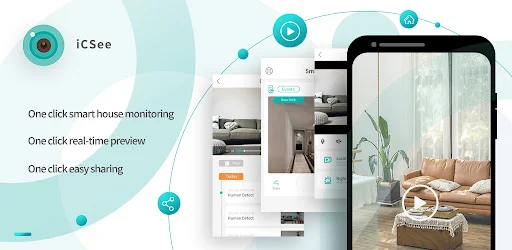
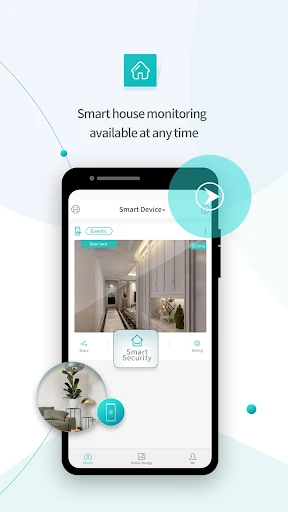
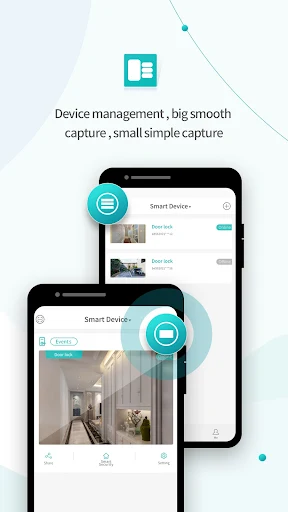
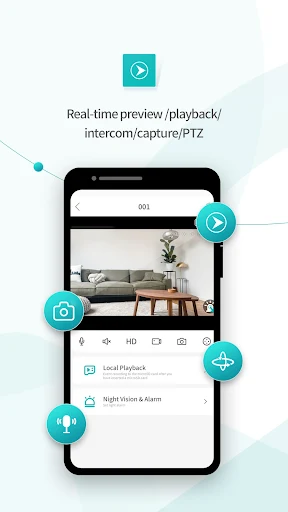
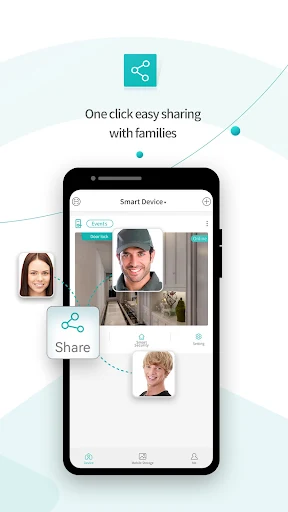
Analysis by Reviewed APKs
iCSee is an Android monitoring app for viewing and controlling compatible cameras and smart devices from a phone. It suits people who already have a supported camera, video doorbell, or door lock and want a way to check its live video while away from the device. My overall impression is that it has a clear, practical job: connect to a device by cloud ID and bring its live view to a mobile screen.
A quick check from anywhere
Picture leaving home and wanting to check a camera without walking back inside. With a compatible device connected through its cloud ID, iCSee gives you a way to preview live video on an Android phone and control the device. That makes the app useful for short, purposeful checks: open it, look at the live view, and take action through the supported controls if needed.
When I think about the everyday value, it is less about spending an evening watching a screen and more about having a view available when a question comes up. Is the camera showing the scene I care about? Can I access the live feed from my phone? iCSee is built around that remote-monitoring moment, rather than around general phone utilities or entertainment.
A companion, not a camera
The key distinction is that iCSee works with front-end devices, including camera types such as robot and bullet cameras, and smart devices such as doorbells and door locks. It is a companion for compatible hardware, not a camera app that turns the phone itself into a security camera. That makes the device you want to access central to whether the app is useful for you.
Compared with relying on a view only at the device itself, the app's role is remote access to live video and control from an Android device. Its description does not present it as a general home-automation hub, a video editor, or a service for recording and organizing footage. I would choose it for its stated monitoring job, not assume it replaces other tools.
Make checks deliberate
A simple workflow is to keep the device's cloud ID available, open iCSee when you need a view, and use the live preview for the check at hand. The app's supported access method gives the process a clear starting point. I would avoid treating it as a feed that needs constant attention; a quick, intentional check is a more practical fit for a phone.
It also helps to be specific about what you want to see before opening the app. If you have more than one kind of compatible device, think in terms of the device you need to preview or control rather than expecting every product to behave identically. The core idea stays straightforward: use the app as a mobile window onto supported hardware.
More From Our News Desk

Zoom Meetings, Google Meet, or Teams: Which Is Easiest to Join?

How I Build a Free Streaming Lineup With Tubi

Why Crunchyroll Is the Default Anime App for So Many Fans

YouTube TV: A Practical Guide to Cutting Cable

Rummikub and the Small Comfort of Phone Games

TeamViewer Remote Control or AnyDesk for Helping Family?
Who may find it useful
I would recommend iCSee to Android users who have compatible monitoring or smart devices and want to access live video on a phone. The fit is strongest for someone who values a quick remote view and device control, rather than a broad collection of unrelated features. Its stated support for cameras, doorbells, and door locks gives it a practical range, while keeping the app's purpose focused.
It may not suit someone who does not have compatible hardware, wants to use a phone as the camera, or expects a full security system with features beyond the live preview and control described. I would also suggest checking the app's Google Play details for device compatibility and requirements before relying on it for a particular setup. The usefulness depends on having a device it can access.
iCSee is developed by Zhejiang JAIFY Co., Ltd. On Google Play, it has over 10 million installs and a 4.0-star rating from around 265,000 ratings. The app is free to install, contains ads, and does not offer in-app purchases according to the supplied store facts. Its content rating is Everyone.
The supplied version is 7.9.5_G. The app was released on July 25, 2016, and its listed last update is October 12, 2026. The minimum Android version is not included in the available facts, so check Google Play for the requirement that applies to your device.
A focused window onto compatible devices
A direct first impression
The first thing that stands out about iCSee is its narrow purpose. It is monitoring software for compatible front-end and smart devices, and the central action is accessing a device by cloud ID. I find that easier to understand than an app that tries to serve many unrelated needs: its value depends on whether you have hardware it can work with.
Getting started conceptually begins with the device rather than the phone. The description says iCSee can access a device by cloud ID, then preview and control live video from an Android device. I would have that ID and the intended device in mind before opening the app, so the first session is aimed at a real monitoring task.
The everyday live view
The main experience is the live video preview. That puts iCSee in a useful role when I want to check what a connected camera or other supported device is showing from my Android phone. The app also offers device control, though the exact controls depend on the device and are not detailed in the supplied description.
That focus can be a plus in ordinary use. A monitoring app does not need to become a destination I spend hours in; it needs to help me reach the view I need. iCSee's core promise is a mobile way to preview and control live video through compatible hardware, which makes the use case easy to explain.
Hardware beyond cameras
The supported device examples give iCSee a little more breadth than a camera-only description would suggest. It can work with robot and bullet cameras, as well as smart devices such as doorbells and door locks. That matters for households where monitoring may involve more than one type of connected product, though compatibility still depends on the particular device.
What stands out is the combination of remote access and live viewing on Android. I would not read that as a promise of every feature a device might offer, or assume the app includes tools that are not described. Its documented strengths are access by cloud ID, live video preview, and control, applied to compatible devices.
A useful check-in routine
For a practical routine, I would open iCSee only when there is something specific to check: a camera view, a doorbell-related device, or another compatible product. That keeps the app's role simple and makes it easier to tell whether it is doing the job I need. The phone becomes the place to access the live view, rather than the place I have to monitor constantly.
I would also keep the cloud ID information easy to find and make a point of identifying which device I want before starting a check. Those are small habits, but they reduce friction in an app whose access depends on reaching compatible hardware. The routine is straightforward: choose the device, access it through the cloud ID, and use the live preview or control available.
Keep expectations grounded
The biggest limitation is also the app's defining boundary: iCSee depends on compatible external devices. Without one, the app has little practical use. Even with hardware, the specific experience can differ by device, so I would confirm compatibility and the relevant requirements in Google Play before making it part of an important routine.
I would keep expectations centered on what is described: viewing and controlling live video from an Android device. The supplied information does not establish a broader set of recording, alert, or footage-management tools, so I would not choose iCSee on the assumption that those are included. It is best judged as a focused access point for supported monitoring hardware.
iCSee has a clear purpose and a practical one: it gives Android users a way to access compatible devices by cloud ID, preview live video, and control the feed. Its value is closely tied to the hardware you own, so it is not a universal monitoring solution for every phone or camera.
If you already use a compatible camera, doorbell, or door lock, iCSee is worth considering as a mobile companion for quick checks. If you are looking for a standalone camera app or a broad security platform, I would look for a better match and verify device support before settling on this one.
iCSee Frequently Asked Questions
What is iCSee used for?
iCSee is monitoring software for compatible devices, including robot and bullet cameras and smart devices such as doorbells and door locks. It can access a device through its cloud ID and lets you preview and control live video from an Android device. Its main role is remote access to supported hardware.
Which platforms and devices support iCSee?
The supplied information describes iCSee for Android devices. It works with compatible front-end and smart devices, with cameras, doorbells, and door locks among the examples. Check the Google Play details and your device information to see whether a particular product and phone are supported.
What Android version does iCSee require?
The minimum Android version is not included in the available app facts. Requirements can vary as the app is updated, so check the iCSee page on Google Play for the current requirement before installing it or relying on it with a particular phone.
Does iCSee cost money or include purchases?
iCSee is free to install on Google Play, and the supplied facts say it does not offer in-app purchases. The app contains ads. Store details can change, so check its Google Play page for the current cost and purchase information.
Is iCSee a good fit for me?
It may suit you if you have compatible monitoring hardware and want to view or control live video on an Android phone. It is less suitable if you do not have a supported device or want a standalone phone camera app. Check device compatibility in the store details before deciding.
Pros
- Provides mobile access to live video from compatible devices through a cloud ID.
- Supports several device categories, including cameras, doorbells, and door locks.
- Free to install, with no in-app purchases listed in the supplied facts.
- Has a focused purpose that is easy to understand.
Cons
- Requires compatible external hardware, so it has little use on its own.
- Contains ads, which may interrupt an otherwise focused monitoring session.
- The available description does not detail device-specific controls or broader tools.
- Category
- Tools
- Version
- 7.9.5_G