HoMeYe Pro
- 710
- 3.3
- Installs
- 100.00K
- Price
- Free
Screenshots

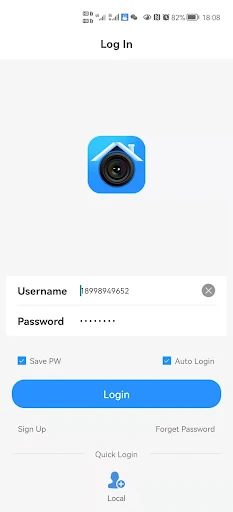
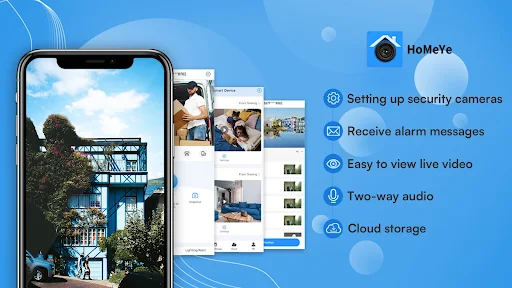
Analysis by Reviewed APKs
HoMeYe Pro is a camera-surveillance app for people who want to check a live feed on a smartphone and receive alarm messages. I see it as a focused companion for compatible surveillance cameras, rather than a general smart-home organizer or a full security service. Its purpose is straightforward, which is appealing, but the modest Google Play rating suggests it may not be a polished fit for everyone.
A quick check from away
When I think about the job HoMeYe Pro is meant to do, the useful moment is a simple one: I’m away from home and want to look at a camera’s live video rather than wait until I return. The app is designed to set up surveillance cameras on a smartphone, then view their feed from elsewhere. That makes it relevant for a quick check on a room or area a camera covers.
Alarm messages add a second reason to open the app. If a message arrives while I’m busy, the idea is to have a prompt that brings my attention to the surveillance setup, then check the live video as needed. The supplied details don’t explain what triggers alarms or how they are configured, so I’d treat those messages as part of a camera system, not assume they work like a general home-alert service.
Focused, not a full hub
HoMeYe Pro belongs in the camera-viewing category: its stated purpose is live surveillance video, camera setup, and alarm messages. That makes it more focused than a broad smart-home app meant to bring many kinds of devices and household controls together. It also isn’t presented as a home-organizing tool, energy tracker, or task planner; those would be different jobs, even if the name might initially suggest a wider home-management app.
Compared with checking a camera through another viewing method, the central appeal here is having the feed on a smartphone and being able to view it from anywhere. That is a practical distinction for people who already have a camera compatible with the service. I would not choose HoMeYe Pro expecting it to replace the camera itself, provide a complete security service, or coordinate unrelated smart-home equipment.
Make checks a habit
A useful way to approach a camera app is to keep the routine small. I’d set up the surveillance camera through HoMeYe Pro, then make an occasional live-video check part of an existing habit, such as arriving at work or stepping out for an errand. A specific reason to open the app helps keep camera viewing purposeful instead of turning it into a constant distraction.
Alarm messages can also become a cue for a quick review, rather than a reason to assume something has happened. I’d open the app, look at the live feed, and decide whether any follow-up is needed based on what the camera shows. Since the available description doesn’t detail alarm settings, camera limits, or notification controls, the best workflow is to learn those options while setting up the particular camera.
More From Our News Desk

Zoom Meetings, Google Meet, or Teams: Which Is Easiest to Join?

How I Build a Free Streaming Lineup With Tubi

Why Crunchyroll Is the Default Anime App for So Many Fans

YouTube TV: A Practical Guide to Cutting Cable

Rummikub and the Small Comfort of Phone Games

TeamViewer Remote Control or AnyDesk for Helping Family?
Who may find it useful
I’d consider HoMeYe Pro if I had a surveillance camera intended to work with it and wanted a straightforward way to view live video on my phone. It may suit someone who checks a home or other camera-covered area while away, or who wants alarm messages as a prompt to look in. The app’s focused purpose is easy to understand, and it doesn’t ask to be a broader household-management solution.
It may be a poor match if you’re shopping for a camera system itself, want detailed automation across different smart-home devices, or expect a wide set of security tools beyond live viewing and alarm messages. I’d also be cautious about relying on it without first checking that my camera works with the app and that its day-to-day behavior suits me. Its Google Play score is 3.3 from 710 ratings, so expectations should stay measured.
HoMeYe Pro is a free Android app from XVIM TECH. On Google Play it has over 100,000 installs and a 3.3-star rating from 710 ratings. The app contains ads, and the supplied facts say it does not offer in-app purchases. Its content rating is Everyone, making the store’s age classification suitable for a general audience.
The current version in the supplied store details is 1.3.6. HoMeYe Pro was released on March 9, 2022, and its latest recorded update was December 6, 2024. The minimum Android version is not included in the available app facts, so check Google Play for device compatibility before installing.
What Camera Checks Feel Like
A purpose becomes clear
My first impression of HoMeYe Pro is shaped by its narrow job: it is for surveillance cameras, not household planning. The app’s stated setup and viewing purpose gives a new user a basic expectation before opening it. I would start by checking whether the camera I intend to use is supported, since the app’s value depends on having a compatible surveillance camera to connect.
The initial setup is described as something that can be done on a smartphone, but the available information doesn’t spell out the steps or screens. I wouldn’t want to invent a particular pairing method or promise that setup is effortless. In practice, I’d give myself a few minutes to follow the app’s instructions and confirm that the camera’s live video is viewable before relying on it away from home.
The everyday viewing loop
Day to day, the core experience is easy to picture: open HoMeYe Pro, view a live surveillance feed, and close it when I’ve checked what I needed. That simple loop is useful when I’m out and want a visual check rather than a vague sense of whether everything is as expected. The app is described as supporting remote viewing, so the phone is the place to access the feed.
I’d keep those checks short and tied to a real question. Is the camera showing the area I meant to check? Does the view give me the information I need right now? HoMeYe Pro’s stated role is viewing live video and receiving alarm messages, not explaining what the footage means or taking action for me. That makes it a viewing tool, with the user still responsible for deciding what to do.
Live video and alarms
The two clearest features are live surveillance video and alarm messages. Together, they give the app a basic pattern: a user can check a feed on demand, or receive a message that may prompt a check. I like that these functions support a practical use without needing a long feature list. The emphasis stays on camera access, which helps distinguish HoMeYe Pro from apps that promise a broader set of home controls.
The camera setup is another stated part of the experience, with the smartphone serving as the place to set up surveillance cameras. The available details don’t describe camera limits, recording options, or alarm customization, so I wouldn’t assume those capabilities. For me, the strongest reason to try it is the straightforward combination of setup and remote live viewing, provided the intended camera works with the service.
A practical check-in routine
For a simple routine, I’d first set up the camera and make sure I can view its live feed while I’m at home. Once that basic check works, I’d try opening the app from somewhere else, since remote viewing is central to the app’s purpose. That small test is more useful than assuming the setup is ready and only discovering a problem when I actually want to check in.
After that, I’d use alarm messages as a reason to review the camera rather than as a verdict on what has happened. A quick look at the feed can help answer the immediate question, while keeping the app from becoming something I check every few minutes. The details provided don’t explain notification behavior, so I’d learn what the app and camera actually offer during setup and adjust my expectations accordingly.
Keep expectations narrow
HoMeYe Pro’s main limitation is that the supplied description stays brief. It establishes live video, camera setup, and alarm messages, but doesn’t give much detail about supported camera models, configuration choices, or how alarms work. That leaves some practical questions to resolve before making it part of a regular routine. Compatibility is especially important: without a camera that works with the app, its central function has little use.
I’d also keep the modest Google Play rating in mind. A 3.3-star score from 710 ratings doesn’t explain any individual user’s experience, but it is a reason to approach the app with realistic expectations and check recent store feedback. Ads are part of the app, according to the supplied facts. Anyone looking for a polished, all-in-one smart-home control center may find this camera-focused scope too limited.
HoMeYe Pro has a clear, practical purpose: set up surveillance cameras on a smartphone, view live video remotely, and receive alarm messages. I like that focus, and it could make sense for someone with a compatible camera who wants quick check-ins rather than a broad smart-home platform.
I’d try it only after confirming camera compatibility and would test the live feed before depending on it during a trip or busy day. The rating and ads are worth weighing, too. For a narrow camera-viewing need, it may be worth exploring; for broader home controls, I’d look elsewhere.
HoMeYe Pro Frequently Asked Questions
What is HoMeYe Pro used for?
HoMeYe Pro is a surveillance-camera app for setting up cameras on a smartphone, viewing live surveillance video remotely, and receiving alarm messages. Its described purpose is camera monitoring rather than general household organization or broad smart-home control. The exact camera setup and alarm behavior may depend on the camera and app, so check the Google Play details and setup instructions.
Which devices can run HoMeYe Pro?
HoMeYe Pro is an Android app distributed through Google Play. The available facts do not specify a minimum Android version, so check the Google Play page for the current device requirement before installing. You’ll also want to confirm that the surveillance camera you plan to use works with the app, since camera compatibility is central to its purpose.
Is HoMeYe Pro free, and does it have purchases?
The supplied facts describe HoMeYe Pro as free and say it has no in-app purchases. They also say the app contains ads. Store details can change over time, so it is sensible to check Google Play for current pricing and purchase information before installing.
Does HoMeYe Pro need a particular Android version?
The minimum Android version is not included in the available app details. Requirements can vary as an app is updated, so check HoMeYe Pro’s Google Play page for the current compatibility information. The app is intended for Android, and its main use involves setting up and viewing surveillance cameras from a smartphone.
Who is HoMeYe Pro best suited for?
It may suit Android users who have a compatible surveillance camera and want to view its live feed remotely or receive alarm messages. It may not suit people looking for a camera-free security service, household task management, or extensive control of unrelated smart-home devices. Check the app’s store information and camera compatibility before deciding whether it fits your setup.
Pros
- Keeps its focus on live surveillance video and camera access from a smartphone.
- Supports remote viewing for users who want to check a camera while away.
- Alarm messages offer a prompt to review the camera feed.
- Free to install, with no in-app purchases stated in the supplied facts.
Cons
- Camera compatibility and alarm details are not explained in the available description.
- Contains ads, which may interrupt an otherwise quick check-in.
- Its 3.3-star Google Play rating makes a cautious trial sensible.
- Category
- Tools
- Version
- 1.3.6











