Hidden Camera Detector
- 30.65K
- 3.6
- Installs
- 10.00M
- Price
- Free

Screenshots
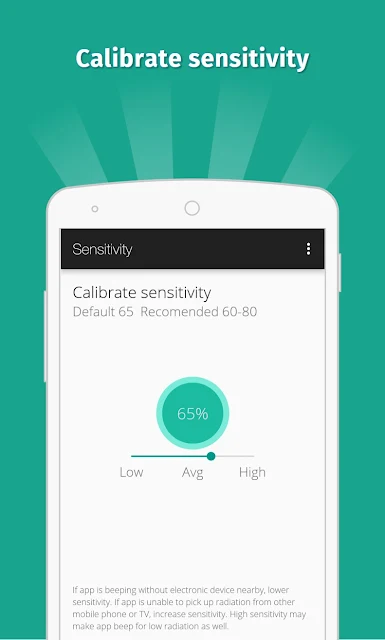
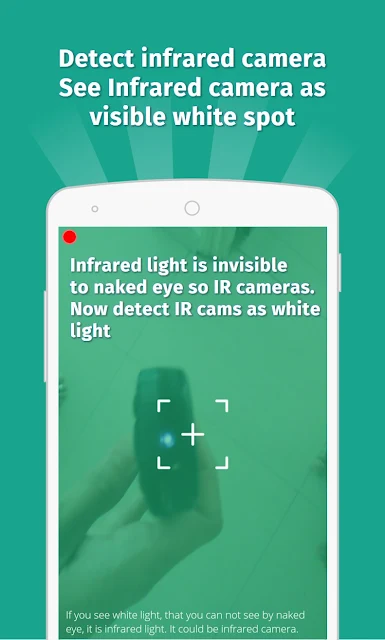
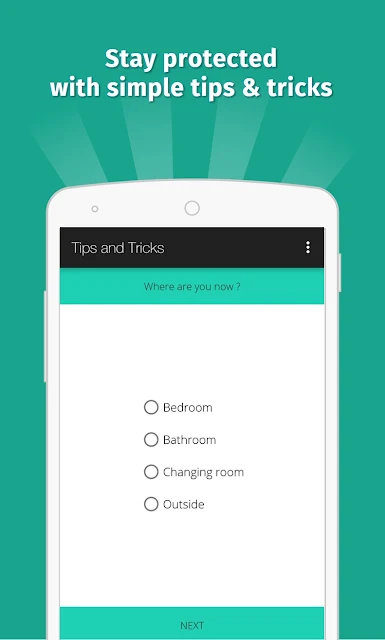
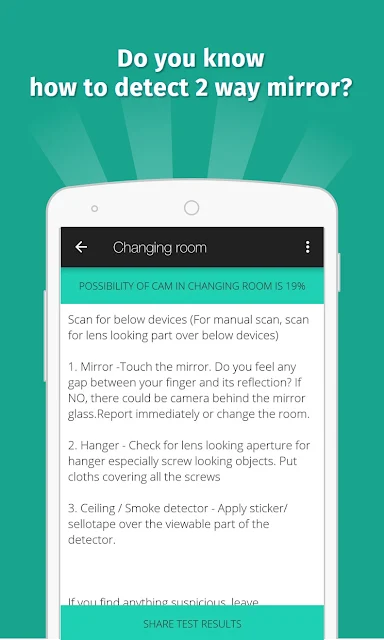
Analysis by Reviewed APKs
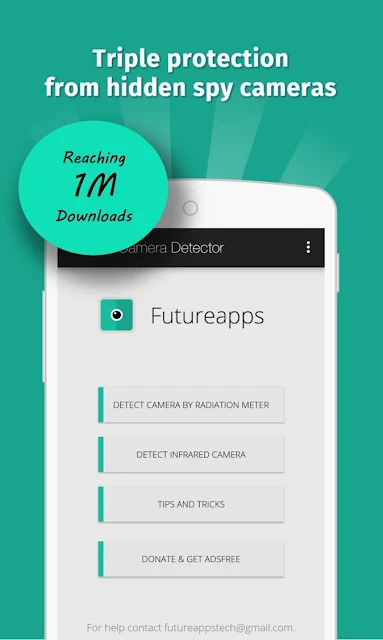
Hidden Camera Detector is a practical scanning tool for people who want to check a room for signs of a concealed camera. It looks for magnetic activity with a compatible phone sensor and includes an infrared-light detector. I see it as a prompt to investigate, not a definitive answer: it can point out something worth checking, but your own eyes and judgment still matter.
A quick room check
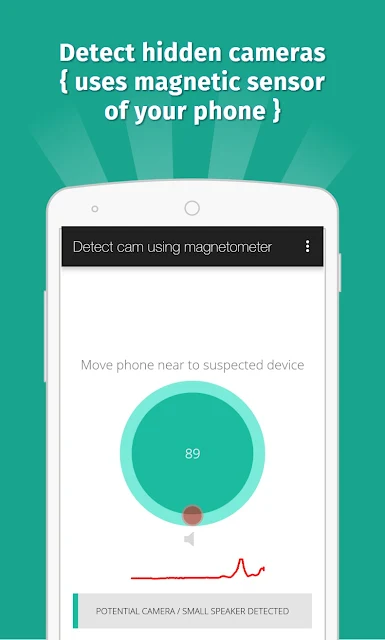
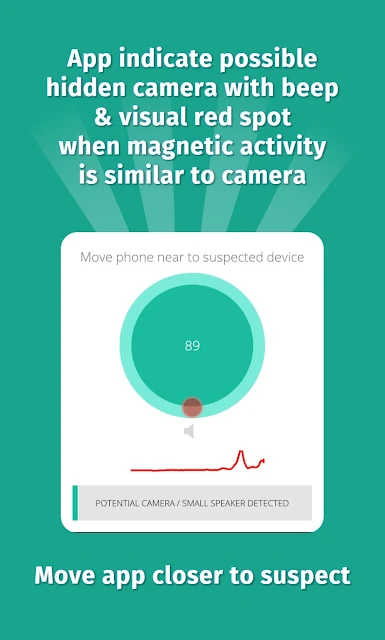
When I arrive in an unfamiliar room, I’m more likely to notice the mirror, smoke detector, or oddly placed electronics than to perform a full technical inspection. Hidden Camera Detector is built for that sort of quick pass. You move the phone near an object you’re unsure about; if the magnetic reading resembles the pattern the app associates with a camera, it sounds an alarm. That gives me a reason to look more closely, rather than a final verdict.
The app’s instructions make the physical part important: point the phone’s sensor toward the object, and move close enough to scan it. The sensor can be near the top or bottom of a particular phone, so it may take a moment to work out where yours is. I’d treat a beep as a cue to inspect for a lens and consider the surroundings, not as proof that a camera is present.
A tool, not a full inspection
The obvious alternative is a careful visual check, and the app works best alongside one. Its magnetic scan analyzes activity around an object; it does not see a lens or identify what a device is. The other built-in option is an infrared detector, which shows white light on the screen when it detects infrared light that may not be visible to the naked eye. These are two different clues, not a comprehensive surveillance sweep.
I wouldn’t use this as a replacement for a professional inspection or expect it to identify every kind of hidden recording device. The magnetic feature depends on a magnetic sensor in the phone, and the app itself notes that some metal or electronics can cause a beep. The infrared tool can also be tried with a regular camera. That makes this most useful as a low-effort extra check, with sensible expectations.
Make each scan deliberate
A little preparation helps. Before scanning a room, I’d identify where the phone’s magnetic sensor sits and make sure I can hold that side close to the object. The app suggests testing the phone near its top and bottom with a camera nearby to find the sensor position. That small step makes it easier to understand whether a reading changes as I move around a suspected object.
I’d also keep track of what I checked and what happened, especially if I’m scanning several items. If the magnetic tool beeps, look for a lens rather than assuming the object is a camera. For infrared checks, close other camera apps first if the detector will not open. And if something seems concerning, the app provides an option to share the location with friends.
More From Our News Desk

Zoom Meetings, Google Meet, or Teams: Which Is Easiest to Join?

How I Build a Free Streaming Lineup With Tubi

Why Crunchyroll Is the Default Anime App for So Many Fans

YouTube TV: A Practical Guide to Cutting Cable

Rummikub and the Small Comfort of Phone Games

TeamViewer Remote Control or AnyDesk for Helping Family?
Who may find it useful
I’d recommend Hidden Camera Detector to travelers, renters, and anyone who wants an extra, easy-to-carry way to check unfamiliar spaces. It combines a magnetic activity scan with an infrared-light tool, so there are two approaches to try from one app. People who are comfortable following a beep with a visual inspection will get more from it than someone hoping for a clear, automatic identification.
It may not suit people who expect certainty from a phone scan, or whose device lacks the magnetic sensor needed for that feature. The app’s own guidance acknowledges that readings can sometimes resemble camera activity for other reasons and that a human check is still needed. It is also a poor fit if you want continuous monitoring or a detailed technical report; the described use is to scan nearby objects and investigate clues.
Hidden Camera Detector is a Tools app from FutureApps. On Google Play, it has more than 10 million installs and a 3.6-star rating from about 30,600 ratings. The app is free to download and contains ads, with no in-app purchases. Its content rating is Everyone.
The listed version is 25.0, and the release date is November 21, 2015. The most recent update shown is August 23, 2026. The minimum Android version is not included in the app details provided here, so check Google Play for the requirement shown for your device.
Reading the Clues, Not Just the Beep
A straightforward first look
When I first opened the app, the main appeal was easy to understand: it offers a magnetic detector and an infrared detector for checking possible hidden cameras. The idea is approachable even if you have never used a sensor-reading tool. You do not need to begin by decoding a complicated report; the magnetic feature is meant to alert you when its reading resembles camera-related magnetic activity.
The setup is less about filling in preferences and more about understanding your phone. The magnetic tool only works if the device has a magnetic sensor, and you need to point that sensor toward the object you are checking. Finding its position can take a little trial and error. I’d read the app’s guidance before relying on a scan, particularly if this is your first time using a phone sensor this way.
Scanning day to day
The core interaction is physical and close-range: move the phone toward an object you suspect, with the sensor facing it, and pay attention to the app’s alarm. That makes the process feel more like checking a few specific spots than sweeping an entire room at a distance. I’d take my time around objects that seem out of place, then look for a lens if the app beeps.
The alert is useful as a nudge, but context matters. The app says that some metals can produce magnetic activity similar to a camera, depending on their characteristics. In an ordinary room, there may also be electronics nearby. I would not interpret every alarm as evidence of surveillance; I’d move around the object, consider what else is close, and use a visual inspection to decide whether the clue deserves further attention.
Two different detection tools
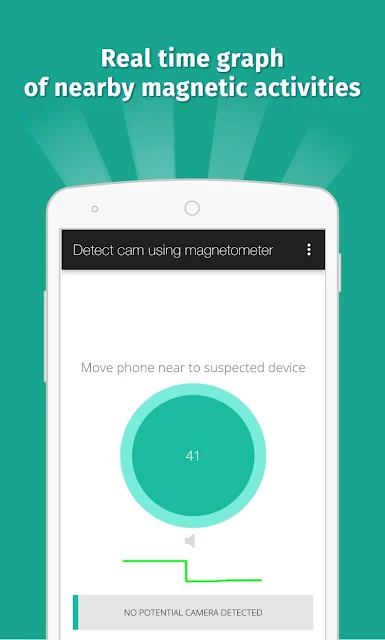
The magnetic detector is the feature that depends on the phone’s magnetic sensor. It analyzes magnetic activity and sounds an alarm when the activity seems similar to that of a camera. That is a specific, limited job: the app can flag a reading, while you remain responsible for checking whether the object has a lens or another plausible explanation.
The infrared detector offers a separate way to look for clues. It uses the phone’s camera and displays a luminescence effect, making detected infrared light appear as white light on screen. The app describes that light as a possible sign of an infrared camera, not a certain identification. Its guidance also notes that a regular camera can detect infrared, so the built-in tool is a quick option rather than a completely different kind of camera.
I also noticed a practical sharing option: if you find a camera, the app lets you share the location with friends. The app includes easy techniques intended to help users avoid potential exposure, though the central value remains the two scanning tools and the reminder to investigate any suspicious result.
A sensible travel routine
For a hotel or rental room, I’d start with a quick visual look around, then use the app on a short list of objects that seem unusual. I’d keep the phone’s sensor facing each one, move slowly, and remember that the tool is checking magnetic activity rather than viewing the object. If it beeps, I’d inspect for a lens and look at nearby electronics before drawing any conclusion.
If I wanted to use the infrared detector, I’d switch to that tool and scan for white light on the screen that is not visible to the naked eye. Should the detector fail to open, the app’s instructions recommend closing other camera apps running in the background and trying again. If I found something that concerned me, I could use the location-sharing option to let friends know where I was.
Keep its limits in view
The biggest limitation is that the magnetic scan requires a magnetic sensor, and not every phone has one. Without it, the app says you can still use the infrared detector, but the magnetic feature will not work. Even on a compatible phone, the result is an alert about magnetic activity, not a visual confirmation or a reliable identification of a particular device.
False alarms are another reason to stay measured. The app says certain metals may produce a similar reading, and it asks users to check for a lens when the tool beeps. The infrared function can also have trouble opening if other camera apps are running. Those caveats do not make the app useless; they do mean that a calm, hands-on check is more helpful than treating a sound or screen effect as a conclusive answer.
Hidden Camera Detector gives privacy-conscious users two simple checks to try with a phone: a sensor-based magnetic scan and an infrared-light detector. I like that the instructions acknowledge the need for a magnetic sensor and a visual follow-up. Its alerts are clues, though, and the app works best when you understand that distinction.
I’d try it if I wanted a convenient extra step when checking an unfamiliar room and was willing to inspect anything it flags. I would not rely on it as a complete detector or expect every phone to support the magnetic feature. Used thoughtfully, it can help focus attention without pretending to settle the question on its own.
Hidden Camera Detector Frequently Asked Questions
What is Hidden Camera Detector used for?
Hidden Camera Detector is used to check nearby objects for clues that may indicate a hidden camera. Its magnetic feature analyzes activity around an object and can sound an alarm when the reading resembles camera activity. It also includes an infrared detector that displays detected infrared light as white light on screen. The app’s guidance recommends visually inspecting anything that triggers concern.
What devices can run Hidden Camera Detector?
The app is described for Android phones, and its magnetic scanning feature requires a phone with a magnetic sensor. The infrared detector is another option if that sensor is absent. The app description also mentions an iPhone and iPad version, but availability and supported devices can vary; check the relevant store listing for current device details.
What Android version does Hidden Camera Detector require?
The Android version requirement can vary by device and app release, so check the Google Play store page for the requirement shown for your phone. One key hardware detail is clear: the magnetic detector needs a magnetic sensor. The app says the infrared detector remains available when that sensor is missing.
Does Hidden Camera Detector cost money?
Hidden Camera Detector is free to download and contains ads. The app details show no in-app purchases. Store information can change over time, so check Google Play for the current cost and any changes before installing.
Is Hidden Camera Detector suitable for a first-time user?
It can suit a first-time user who is comfortable following simple scanning instructions and checking objects in person. The app explains that magnetic alerts are not proof of a camera and that some metal may produce similar activity. If you expect an automatic, definitive result, this may not match what you want; it works as an aid to a visual check.
Pros
- Combines magnetic activity scanning with an infrared-light detector in one app.
- Clear guidance explains sensor placement and the need to inspect suspicious objects.
- Free to download, with no in-app purchases.
- Includes an option to share a location with friends.
Cons
- Magnetic scanning requires a phone with a magnetic sensor.
- Metal or nearby electronics can complicate interpretation of an alarm.
- The infrared detector may need other camera apps closed before it opens.
- Category
- Tools
- Version
- 25.0











