HEIC Converter HEIC to JPG PNG
- 0
- —
- Installs
- —
- Price
- Free
Screenshots
Analysis by Reviewed APKs
HEIC Converter HEIC to JPG PNG is a straightforward iPhone tool for turning HEIC photos into JPG or PNG files when another app or recipient needs a more compatible format. I like the narrow focus: choose a format, convert, and get on with sharing or uploading. It is best for occasional photo conversions, not for editing pictures or managing a large image library.
A quick fix before sharing
Imagine you have a photo on your iPhone that you need to send to someone or upload somewhere that handles JPG more readily. With HEIC Converter, the job is to change that image into JPG or PNG rather than troubleshoot compatibility at the receiving end. When I think about using it in that moment, the appeal is its simplicity: it is built around one practical task, not a broad photo workflow.
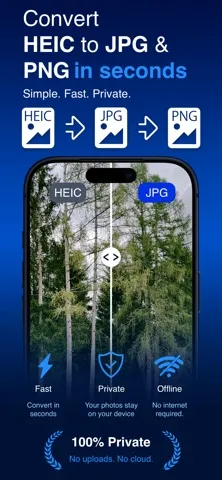
I would keep it in mind for those small interruptions in an otherwise ordinary day: preparing an image for a form, sending a picture to a contact, or making a copy in a format that works in more places. The app describes conversion as quick and says it works offline, so the task does not depend on being connected. The main convenience is having a dedicated option when a HEIC file is not the right fit.
A converter, not an editor
The obvious alternative is to leave a photo as HEIC and use it wherever that format is accepted. If a recipient or service needs JPG or PNG instead, this app offers a focused way to make that conversion. It does not present itself as a photo editor, a cloud library, or a general file-management tool. That narrow scope is useful if all you need is a format change, but it will not replace a richer image app.
I would also distinguish it from a workflow built around editing or organizing pictures. The description centers on converting HEIC images into JPG or PNG, with no extra creative controls to learn. That keeps the purpose clear, but it means people looking to crop, retouch, sort, or otherwise work on their photos should look elsewhere for those jobs. For occasional compatibility fixes, though, a small single-purpose tool can be easier than opening a full editor.
Keep the task simple
A useful habit is to decide which format you need before starting. JPG is the option to reach for when a recipient or upload asks for it; PNG is the other supported output. Having that choice in mind makes a quick conversion feel even more direct and avoids turning a simple task into a round of trial and error. I would use the app when a specific sharing or uploading situation calls for a different format.
It also makes sense to treat conversion as a just-in-time step rather than routinely changing every photo. If your HEIC images already work in your usual apps, there is little reason to add an extra step. When compatibility becomes an issue, convert the image you need and keep the rest of your photo routine unchanged. The app says it operates offline and keeps photos on the device, which suits a small, local task.
More From Our News Desk

Zoom Meetings, Google Meet, or Teams: Which Is Easiest to Join?

How I Build a Free Streaming Lineup With Tubi

Why Crunchyroll Is the Default Anime App for So Many Fans

YouTube TV: A Practical Guide to Cutting Cable

Rummikub and the Small Comfort of Phone Games

TeamViewer Remote Control or AnyDesk for Helping Family?
Who may find it useful
I would recommend HEIC Converter to iPhone users who occasionally need a HEIC photo in JPG or PNG form. It suits someone who wants a direct utility for sharing a picture, preparing an upload, or making an image more widely compatible without learning a larger editing app. The offline operation described by the developer may also appeal to people who prefer to handle this particular task on their device.
It may not suit someone who needs batch-focused photo management, detailed editing tools, or a way to organize a collection. The app’s stated job is conversion, and its appeal depends on whether that need comes up in your routine. If you rarely encounter a HEIC compatibility problem, you may not need a dedicated converter. If you do, the limited purpose is also the point: there is less to navigate than in a full photo suite.
HEIC Converter HEIC to JPG PNG is an iOS app from UAB Macmanus. It is free on the Apple App Store, with a listed price of $0.00. The store gives it a 4+ age rating. Its minimum requirement is iOS 16.0, so an iPhone or other compatible Apple device needs to meet that system requirement to install it.
The current version shown is 3.3. The app was released on April 22, 2026, and its last update is dated May 18, 2026. The supplied store information gives no install count or review score to report. The description says there are no ads or subscriptions and that conversion works offline; check the App Store for current availability and details.
A small tool for photo compatibility
A focused first impression
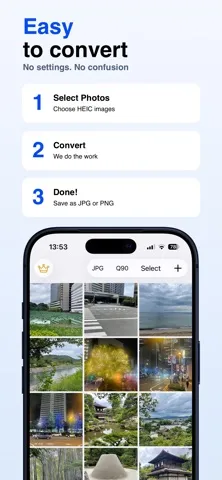
When I first encounter an app with this name, the job is easy to understand: convert HEIC photos into JPG or PNG. That clarity matters for a utility, because I do not want to spend time figuring out whether it handles the one format problem I have. The description reinforces that simple purpose and promises an experience without complicated settings or unnecessary steps.
Setup is best approached with the practical requirement in mind: this is an iOS app that needs iOS 16.0 or later. Once that is covered, the decision is simply whether you have a HEIC image that needs another format. The app does not describe a broader setup process, so I would expect to use it as a focused helper rather than as a service that needs ongoing configuration.
The everyday conversion
Day to day, the useful part is the gap it fills between having a photo and being able to use it somewhere else. A HEIC file may be fine in one context and inconvenient in another; converting it to JPG or PNG gives you the alternative formats the app supports. The process is presented as quick, which is exactly what I would want from a task that interrupts sharing or uploading.
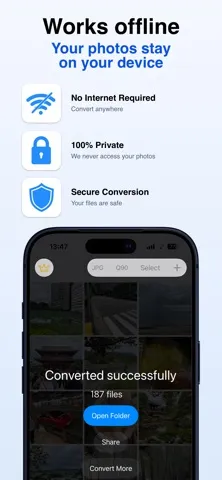
I appreciate that the app says it works offline. That makes the conversion feel like a self-contained action rather than something that must wait for a connection. The description also says photos stay on the device. For a person handling a personal image, those details may make a local utility more comfortable to use, while still keeping expectations realistic: its core job remains format conversion.
Two useful output choices
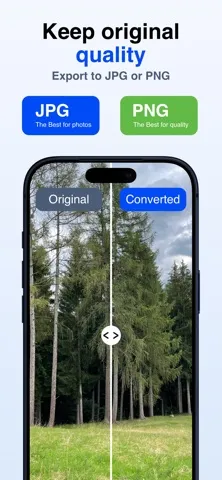
The standout feature is the direct conversion from HEIC to either JPG or PNG. Those two choices cover the specific compatibility need the app is designed around, without asking users to navigate a long list of export formats. I would choose the output based on what the destination accepts, rather than treating one format as universally best for every sharing situation.
The developer also describes conversion as having no quality loss. That is a helpful assurance for a straightforward utility, though the app’s practical appeal is still its simplicity: it is meant to make a file usable in another format, not to provide image adjustments. Offline operation and keeping photos on the device round out the stated feature set, making this a compact tool rather than a connected photo service.
A sensible one-photo routine
A practical routine would start with the destination. If a person or service requests a JPG, convert the relevant HEIC image to JPG; if PNG is the needed format, choose that instead. I would avoid converting an entire photo collection just in case, since the app is most useful when there is a clear reason to make a particular image more compatible.
For example, when preparing a picture to share or upload, I would first check whether the original HEIC file works. If it does, there is no extra step. If not, this app is intended to provide a quick format change, and its offline operation means the task can be done without relying on a connection. That kind of occasional use is where a focused converter makes the most sense.
Keep expectations in bounds
The main limitation is also the app’s defining choice: it concentrates on HEIC-to-JPG and HEIC-to-PNG conversion. There is no basis to treat it as an editor, organizer, or all-purpose photo workflow. If you need those broader capabilities, this is not the tool to cover them. If your files already work in the places you use them, the converter may sit unused for long stretches.
Compatibility is another practical consideration. The app requires iOS 16.0 or later, so older system software may rule it out. The store details can change, so it is sensible to check the App Store before installing if you need the latest availability or purchase information. For the right user, though, the boundaries are easy to understand: a small utility for a specific format problem.
HEIC Converter HEIC to JPG PNG makes sense as a simple, occasional-use utility. Its supported formats are clear, and the described offline operation and on-device handling suit a quick conversion task. I would not choose it for editing or managing photos, but that is not what it sets out to do.
I recommend it to iPhone users who sometimes need HEIC images in JPG or PNG form and want a focused tool for that moment. If you regularly need broader photo features, or your current apps already handle HEIC without trouble, you may not get much from adding it.
HEIC Converter HEIC to JPG PNG Frequently Asked Questions
What is HEIC Converter HEIC to JPG PNG used for?
HEIC Converter HEIC to JPG PNG converts HEIC photos into JPG or PNG images. It is intended for situations such as sharing a photo or uploading a file when another format is more compatible. The description says it works offline and keeps photos on the device.
Which devices can run HEIC Converter?
The app is available for iOS and requires iOS 16.0 or later. Check the Apple App Store for current device compatibility and availability before downloading, since store details can vary. It is not described as an Android or desktop app.
What iOS version does HEIC Converter require?
The minimum requirement given for HEIC Converter is iOS 16.0. A device running an earlier version may not meet the requirement. For the latest compatibility information, check the app’s Apple App Store page before installing.
Does HEIC Converter cost money or have purchases?
The supplied store information gives a price of $0.00, and the description says there are no subscriptions or ads. Store offers can change, so check the Apple App Store page for the current price and any purchase details before downloading.
Who should use HEIC Converter?
It may suit iPhone users who occasionally need to turn HEIC photos into JPG or PNG for sharing or uploading. It is a focused converter, not a photo editor or organizer. If you need broader photo tools, or rarely have compatibility issues, it may not be the right fit.
Pros
- Converts HEIC photos to either JPG or PNG.
- The developer says conversion works offline and photos stay on the device.
- A focused purpose keeps the app easy to understand.
Cons
- Limited to HEIC-to-JPG and HEIC-to-PNG conversion.
- Requires iOS 16.0 or later.
- Not intended for photo editing or organizing.
- Category
- Tools
- Version
- 3.3











