Go Kinetic
- 30.16K
- 4.3
- Installs
- 500.00K
- Price
- Free

Screenshots
Analysis by Reviewed APKs
Go Kinetic is an account and connected-home app for people who use Kinetic service and want to handle routine tasks from a phone. It brings billing, support, technician tracking, and Wi-Fi controls together in one place. I like the breadth of that job: it can be useful on a bill day or when someone at home needs a device paused, though it is a service-management tool rather than a general-purpose home network app.
A bill-day companion
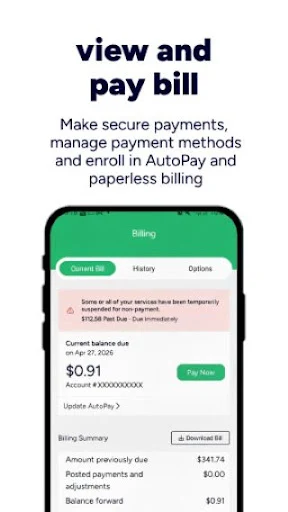
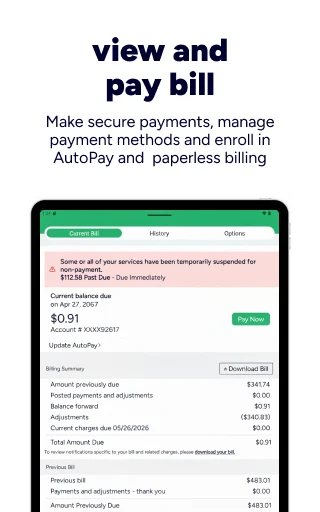
Picture a familiar evening task: I want to check what I owe, make a payment, and get back to the rest of my day. Go Kinetic is built for that kind of account upkeep, with options to view and pay a bill, enroll in AutoPay, and switch to paperless billing. Having those jobs in the same app can save a trip to a browser when all I need is to manage my account.
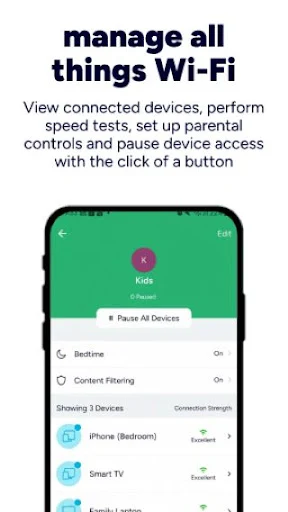
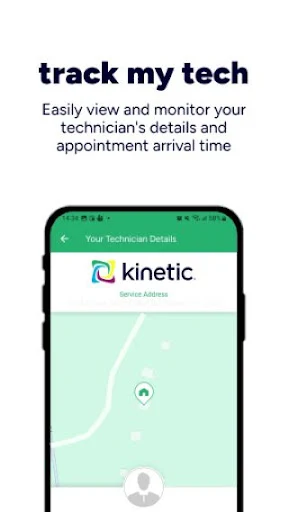
The home side is useful in a different, equally ordinary moment. If a connected device needs a break, the app offers Wi-Fi management, parental controls, and the ability to pause device access. I can also use Track My Tech to see technician details and an arrival time. Those are concrete tasks, not abstract promises of convenience, and they give the app a place in both household routines and occasional service appointments.
Account hub, not router lab
The obvious alternative for billing is a provider website, while Wi-Fi tasks may already have a home in a router or network app. Go Kinetic brings a selection of both service-account and connected-home jobs together, which is appealing if I would rather start in one place. It also includes live chat or a Digital Assistant, plus tracking for orders and support requests, so it covers more than payments alone.
That scope has limits. The app is described around managing a Kinetic account and connected home, not as a universal tool for every internet provider or every kind of network equipment. I would not choose it for broad network analysis or unrelated household controls. Its value depends on needing the account and service tasks it offers; if I only want a standalone Wi-Fi utility, this is a more specific choice.
Small habits that help
A useful approach is to make the account tasks part of an existing routine rather than waiting for a problem. I can check the bill when it is due, consider AutoPay or paperless billing if those suit my preferences, and use the app for support requests when a question comes up. The app also provides on-demand alerts and notifications, which can make it easier to keep up with service-related updates.
For a household, I would keep the Wi-Fi controls tied to a clear purpose. Parental controls and pausing device access are most useful when I know which device or situation I am managing, rather than treating the app as a constant monitoring dashboard. If a technician visit is scheduled, Track My Tech offers a natural place to check details and arrival time. These small, task-focused habits make the app easier to return to.
More From Our News Desk

Zoom Meetings, Google Meet, or Teams: Which Is Easiest to Join?

How I Build a Free Streaming Lineup With Tubi

Why Crunchyroll Is the Default Anime App for So Many Fans

YouTube TV: A Practical Guide to Cutting Cable

Rummikub and the Small Comfort of Phone Games

TeamViewer Remote Control or AnyDesk for Helping Family?
Who will find it useful
I would recommend Go Kinetic to Kinetic customers who want a mobile place for common account chores and selected home-network controls. Bill viewing and payment, support contact, appointment tracking, and device access controls all serve recognizable needs. The combination is especially practical for someone who occasionally handles both service questions and household Wi-Fi, and would rather have those options collected than remember separate routes for each task.
It may be less compelling for someone who does not use Kinetic service, or who wants a dedicated network-management tool with a different purpose. The app is centered on provider account and connected-home tasks, so its usefulness follows from that fit. People who prefer handling every account task on a website may not need another app, while households that want simple access to the listed controls have a clearer reason to try it.
Go Kinetic is a free Android app from Uniti Group in the Business category. Google Play shows over 500,000 installs and a 4.3-star rating from about 30,000 ratings. Its content rating is Everyone. The app is intended for managing a Kinetic account and connected home, with tools for billing, support, technician tracking, and Wi-Fi controls.
The current version is 6.1.6, released on November 29, 2018, and last updated on October 21, 2026. The app is free to download, has no in-app purchases, and contains no ads. The minimum Android version is not included in the available app details, so I would check the Google Play entry on the device before installing.
A practical place for service tasks
A focused first impression
When I first considered Go Kinetic, its purpose was easy to understand: handle an account and a connected home without treating them as separate chores. The feature set points to everyday actions rather than a complicated technical setup. Billing, support, Wi-Fi management, and appointment information are the main reasons I would open it, and each is a recognizable task.
The app’s usefulness starts with having a Kinetic account and a reason to manage its services. I would approach it as a companion for those existing responsibilities, not as a standalone entertainment or productivity app. That focused role is a strength when I need one of the listed tasks, although it naturally means the app will be less relevant outside that service relationship.
Everyday account management
For regular upkeep, the bill tools are the most straightforward draw. I can view and pay a bill, and the app gives me the option to enroll in AutoPay or paperless billing. Those choices are useful because they address both a one-time payment and a longer-term preference. I can handle the account task when it comes to mind instead of making it a separate desktop errand.
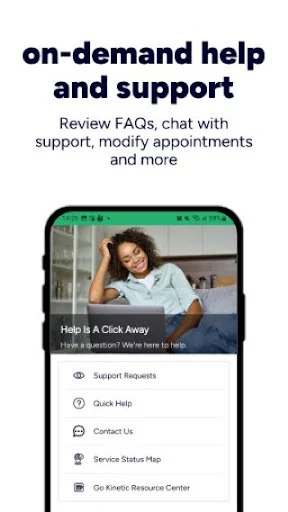
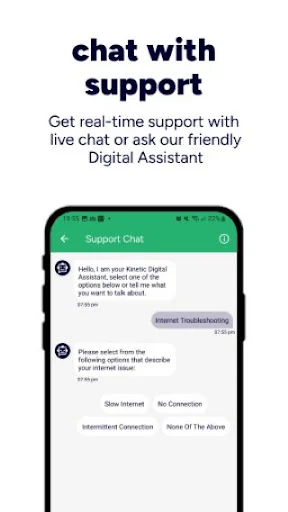
Support is another part of the day-to-day picture. Go Kinetic offers live chat or a Digital Assistant, and it can track orders and support requests. I appreciate that those functions sit alongside account tools: a person dealing with service may need to check a request as well as pay a bill. The app presents itself as a place for several related tasks, not only a payment shortcut.
Useful home controls
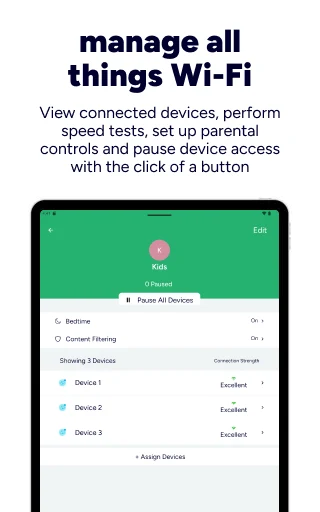
The connected-home options make the app more than a billing portal. It can manage a Wi-Fi network, set up parental controls, and pause device access with a button. Those features point to practical household decisions, such as setting boundaries around access or temporarily stopping a device from using the network. They are described as direct controls, which is a more useful promise than a vague claim of smarter connectivity.
Technician tracking is another stand-out feature because it speaks to a specific moment when information matters. Track My Tech provides technician details and an arrival time. The app also offers on-demand alerts and notifications, as well as special offers. Together these extend the app beyond account upkeep, though the core appeal remains the services and home controls rather than a general notification feed.
A simple household routine
I can imagine using Go Kinetic in short visits rather than keeping it open all day. On a bill day, I would check the amount and pay, or use the account options to manage AutoPay and paperless billing. If a question came up, I would turn to live chat or the Digital Assistant, then use order or support-request tracking when I wanted to follow up.
At home, I would reserve the Wi-Fi controls for moments when they solve a specific need. Parental controls and pausing device access can be part of a household routine, while Track My Tech is relevant when there is a technician visit to follow. This task-by-task approach suits the app’s mix: it is a convenient place to check when something needs attention, not a reason to add another daily screen habit.
Keep the scope in mind
Go Kinetic combines several useful service functions, but its defined focus is also a limitation. It is for managing a Kinetic account and connected home, so it is not a universal account manager or a broad control center for unrelated services. Someone who only needs a specialized Wi-Fi tool may find that the billing and support side is not relevant to their needs.
The app’s practical value also depends on which of its listed tasks matter to a household. A customer who prefers a website for payments may rarely need the billing options, while a person who does not use parental controls may care more about support and technician tracking. I would judge it by the specific account and home tasks I expect to use, rather than by the number of features alone.
Go Kinetic makes a sensible case for itself by putting account upkeep, service support, technician tracking, and selected Wi-Fi controls under one roof. I like that the feature set covers both routine jobs and occasional household issues without trying to be a tool for everything. Its appeal is clearest when those tasks already belong in my Kinetic routine.
I would recommend trying it if you want a mobile route to bills, support, and connected-home controls. If your needs are limited to a different provider or a specialized network utility, it is probably not the right fit. For the intended audience, it is a practical service companion worth keeping available.
Go Kinetic Frequently Asked Questions
What is Go Kinetic used for?
Go Kinetic is used to manage a Kinetic account and connected home. It can show and take payment for a bill, support enrollment in AutoPay and paperless billing, and provide live chat or a Digital Assistant. It also offers technician tracking, order and support-request tracking, Wi-Fi management, parental controls, and the ability to pause device access.
What devices can run Go Kinetic?
Go Kinetic is an Android app available through Google Play. The app details describe account and connected-home features, but do not give a minimum Android version. I would check the Google Play entry from the device you plan to use, since compatibility requirements can vary as the app is updated.
What Android version does Go Kinetic require?
The minimum Android version is not provided in the app details used for this review. Since device compatibility can change with app updates, check Go Kinetic’s Google Play entry before installing it. The current app version is 6.1.6, and it was last updated on October 21, 2026.
Does Go Kinetic cost money?
Go Kinetic is free to download on Google Play. The available app information says it has no in-app purchases and contains no ads. Service charges connected to an account are separate from the app itself, so check your account details or the store entry if you need information about a particular service or current terms.
Is Go Kinetic a good fit for my household?
It may suit Kinetic customers who want one mobile place for account tasks, support, technician information, and selected Wi-Fi controls. The app is less relevant if you do not use Kinetic service or only want a standalone network tool. Its usefulness depends on whether the billing, support, or connected-home features match what your household needs.
Pros
- Combines bill payment and account options with support tools in one app.
- Includes Wi-Fi management, parental controls, and a way to pause device access.
- Track My Tech provides technician details and an arrival time.
- Free to download, with no in-app purchases or ads.
Cons
- Its account and connected-home focus makes it specific to Kinetic service needs.
- The minimum Android version is worth checking in Google Play before installation.
- Households that prefer web-based account management may not need another app.
- Category
- Business
- Version
- 6.1.6











